Introduction
Thank you for choosing the YUPENG Smartwatch. This device is designed to enhance your daily life with advanced health monitoring features, smart notifications, and fitness tracking capabilities. Please read this manual carefully to ensure proper use and optimal performance of your smartwatch.
Important Note: The data provided by this device is for reference only and cannot replace professional medical devices or advice.
Safety Information
- Do not attempt to disassemble or modify the device.
- Keep the device away from extreme temperatures and direct sunlight.
- Avoid exposing the device to hot water or seawater. Do not wear it during bathing or showering.
- Use only the provided charging cable and adapter.
- Consult a medical professional before starting any new exercise regimen or if you have pre-existing health conditions.
Package Contents
The YUPENG Smartwatch package includes the following items:
- YUPENG Smartwatch (Model B0FWJDYPZV)
- Charging Cable
- User Manual
Setup
1. Charging the Smartwatch
Before first use, fully charge your smartwatch. Connect the charging cable to the charging port on the back of the watch and plug the other end into a USB power adapter (not included) or a computer's USB port. A full charge takes approximately 2 hours.
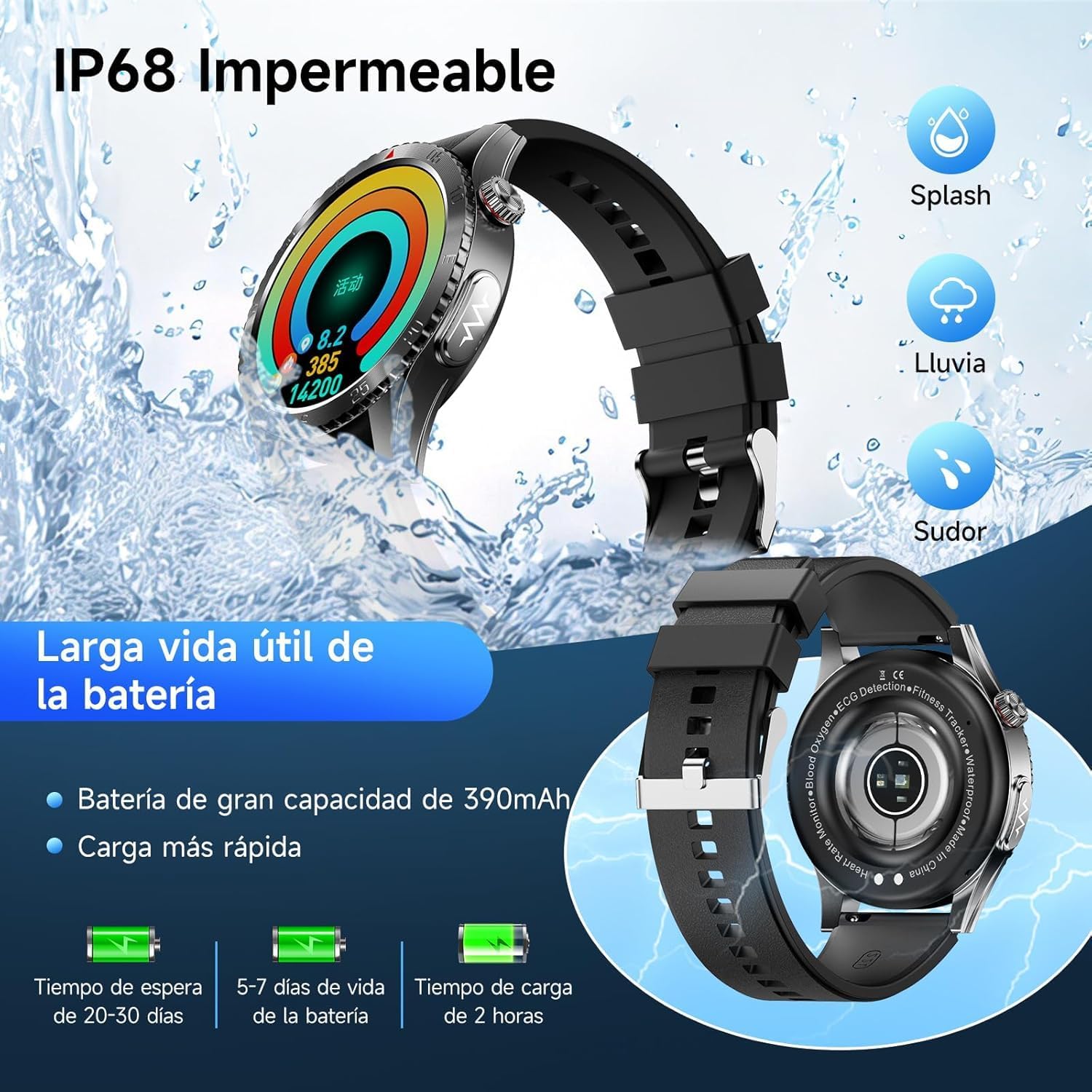
Image: Illustration showing the smartwatch being charged, along with battery life indicators for standby, normal use, and charging time.
2. App Installation and Pairing
To unlock the full potential of your YUPENG Smartwatch, download and install the "H Band" application on your smartphone. The smartwatch is compatible with Android 5.0 or higher and iOS 10.0 or higher.
- Scan the QR code in the manual or on the watch screen (if available) or search for "H Band" in your phone's app store (Google Play Store for Android, Apple App Store for iOS).
- Install the "H Band" application.
- Open the app and follow the on-screen instructions to create an account and set up your profile.
- Enable Bluetooth on your smartphone.
- In the "H Band" app, navigate to the device pairing section and select your YUPENG Smartwatch from the list of available devices. The smartwatch uses Bluetooth 5.3 for a stable connection.
- Confirm the pairing request on both your phone and the smartwatch.
Operating Instructions
1. Basic Navigation
The YUPENG Smartwatch features a 1.43-inch AMOLED HD touchscreen. Swipe left, right, up, or down to navigate through menus and functions. Tap to select an option or confirm an action.

Image: The smartwatch display showcasing smart reminders, multi-function menu, various watch faces, and activity tracking data.
2. Bluetooth Calls and Smart Notifications
With Bluetooth 5.3, you can make and receive calls directly from your smartwatch. It also displays real-time notifications from your smartphone.
- Making Calls: Access the dial pad or contact list on your watch to initiate calls. The watch features an HD microphone and echo-canceling speaker.
- Receiving Calls: Answer or reject incoming calls directly from your wrist.
- Notifications: View incoming call alerts, text messages, and notifications from apps like WhatsApp, Facebook, and Instagram.
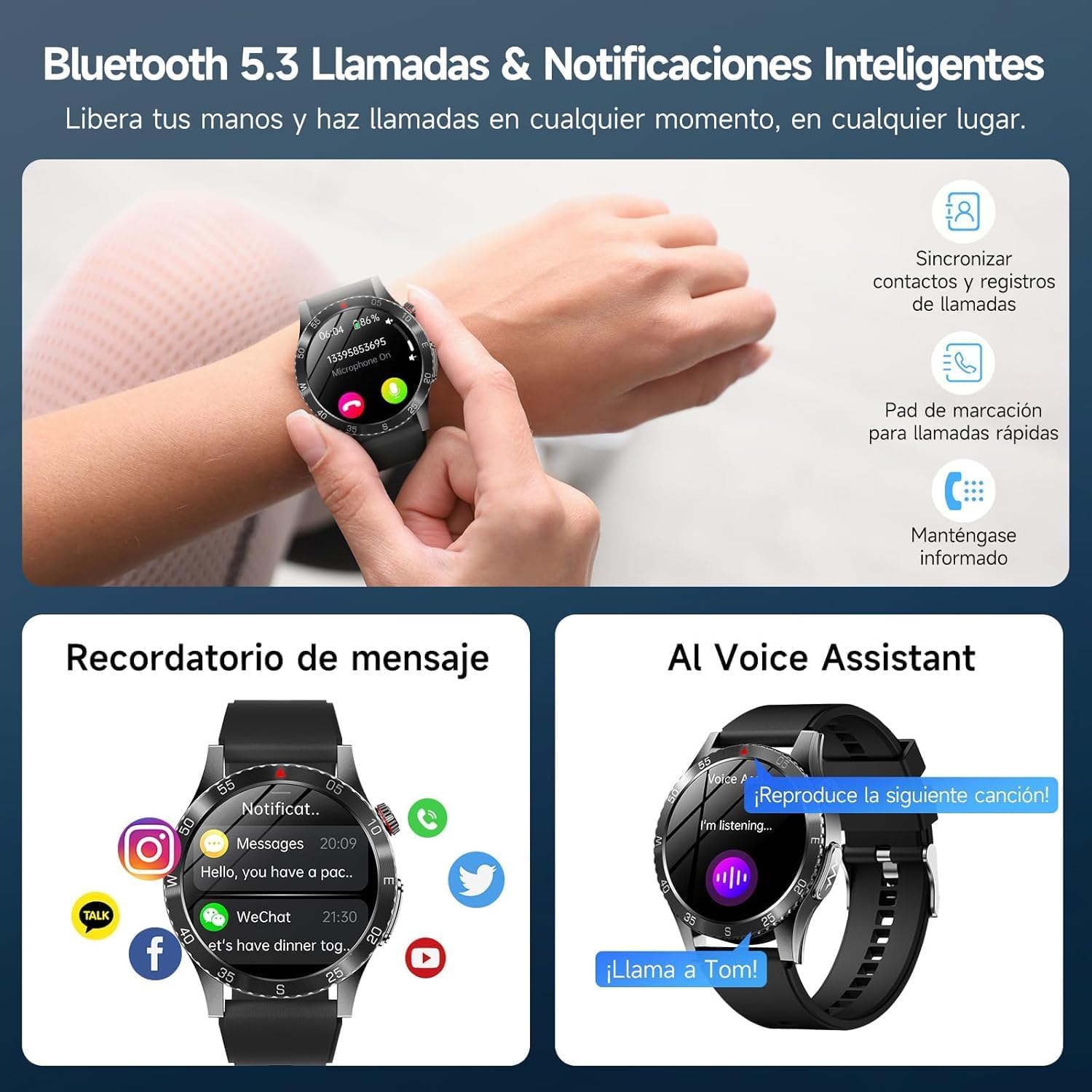
Image: The smartwatch displaying an incoming call and various app notifications, alongside the AI Voice Assistant feature.
3. Advanced Health Monitoring
The YUPENG Smartwatch offers comprehensive health tracking features. All measurements can be initiated with a single click via the watch or the H Band app.
- ECG + HRV Monitoring: Perform a 60-second ECG measurement to capture bioelectrical signals of the heart. The H Band app provides analysis and risk assessment reports for conditions like atrial fibrillation and arrhythmias. HRV monitors stress-related fatigue.
- Body Composition & Non-Invasive Monitoring: The watch can quickly capture data on body fluctuations and provide analysis reports. It includes a component for non-invasive measurement of uric acid, cholesterol, and other blood lipids.
- 24-Hour Health Tracking: Continuously monitors heart rate, blood pressure, blood oxygen level (SpO2), body temperature, and stress.
- Sleep Monitoring: Tracks sleep quality 24 hours a day, providing a comprehensive analysis of deep sleep, light sleep, and REM sleep. Automatic night monitoring (00:00 ~ 07:00) activates blood oxygen saturation monitoring and records apnea events.

Image: The smartwatch displaying ECG details and an analytic result report, with options to download or share.

Image: The smartwatch showing screens for HRV monitoring, body composition analysis, and blood composition analysis.

Image: The smartwatch acting as a personal health assistant, monitoring heart rate with alerts, body temperature, blood pressure, SpO2 level, and sleep patterns (deep, light, REM).
4. Fitness Tracking
The smartwatch tracks various sports activities and provides data on your movement range. It supports multiple sports modes to help you monitor your performance.
5. Customization and Other Features
- Watch Faces: Choose from over 200 online watch faces in the H Band app or customize your own.
- AI Voice Assistant: Use voice commands to control music, set reminders, check the weather, and more.
- Smart Reminders: Set reminders for sedentary alerts, drinking water, and medication.
- Additional Functions: Includes Bluetooth music control, weather display, calculator, alarm clock, and menstrual cycle tracking.
Maintenance
- Cleaning: Wipe the smartwatch regularly with a soft, dry cloth. Avoid using harsh chemicals or abrasive materials.
- Water Resistance (IP68): The device is IP68 rated for dust and water resistance, suitable for splashes, rain, and sweat. However, it is not recommended for use in hot water, seawater, or during bathing/showering. Prolonged exposure to water or high-pressure water jets may damage the device.
- Battery Care: To prolong battery life, avoid fully discharging the battery frequently. Charge the device when the battery level is low.
Troubleshooting
- Device not turning on: Ensure the device is fully charged. Connect it to the charger for at least 10 minutes before attempting to power it on.
- Cannot pair with phone:
- Ensure Bluetooth is enabled on your phone.
- Make sure the smartwatch is within range of your phone.
- Restart both your phone and the smartwatch.
- Check if the "H Band" app has necessary permissions enabled on your phone.
- Inaccurate health data: Ensure the watch is worn snugly on your wrist, not too tight or too loose. Clean the sensors regularly. Remember that data is for reference and not for medical diagnosis.
- Notifications not appearing:
- Check notification settings in the "H Band" app.
- Ensure your phone's notification permissions are granted to the "H Band" app.
- Verify that the smartwatch is connected via Bluetooth.
Specifications
| Brand | YUPENG |
| Model Number | B0FWJDYPZV |
| Display Type | AMOLED |
| Screen Size | 1.43 Inches |
| Connectivity Technology | Bluetooth 5.3 |
| Operating System | Android Wear 1.0 (Compatible with Android 5.0+ / iOS 10.0+) |
| Battery Capacity | 390 mAh (Lithium Ion) |
| Charging Time | Approximately 2 Hours |
| Average Battery Life | 5-7 Days (normal use), 20-30 Days (standby) |
| Water Resistance | IP68 |
| Memory Capacity | 128 MB |
| Special Features | ECG, HRV, BMI, Blood Pressure, SpO2, Body Temperature, Sleep Monitor, Bluetooth Calling, AI Voice Assistant, SOS Button |
| Product Weight | 140 g |
Warranty and Support
For warranty information and customer support, please refer to the warranty card included in your product packaging or visit the official YUPENG website. If you encounter any issues not covered in this manual, please contact YUPENG customer service for assistance.
Online Support: Visit the YUPENG Store on Amazon