
1. Introduction
Thank you for choosing the AKIRES 34IN 1500W Oscillating Tower Space Heater. This manual provides essential information for the safe and efficient operation of your new appliance. Please read it thoroughly before use and retain it for future reference.
2. Safety Information
Your AKIRES space heater is designed with multiple safety features. Always follow basic safety precautions to reduce the risk of fire, electric shock, and injury.
- Overheating Protection: The heater automatically disconnects power if internal temperatures exceed safe levels, preventing hazards.
- Tip-Over Protection: A built-in tilt-over power cut-off function automatically shuts off the unit if it is accidentally knocked over.
- Flame-Retardant Materials: Crafted from premium flame-retardant materials for enhanced safety and reliability.
- Child Lock: Features a child lock function to prevent unintended operation.
- General Safety: Always place the heater on a firm, level surface. Do not cover the heater. Keep flammable materials at least 3 feet (0.9 meters) away from the heater. Do not use in wet or damp locations.
3. Product Features
- 1500W PTC Ceramic Heating: Utilizes advanced PTC technology for rapid heating within seconds and efficient heat circulation.
- 2 Heating Modes: Offers adjustable heating intensity to suit various room temperatures and personal preferences.
- Adjustable Thermostat: Allows setting the indoor temperature between 41°F and 95°F. The heater automatically maintains the desired warmth.
- 120° Oscillation: Provides wide-angle oscillation to distribute warmth evenly across large rooms (up to 300-500 sq. ft.).
- 24-Hour Timer: Set the heater to operate continuously for 1 to 24 hours, with automatic shut-off.
- 3D Ambient Lighting: An atmosphere lamp at the base provides a cozy, decorative flame effect.
- Remote Control: Conveniently adjust settings from a distance.
- ECO Mode: Self-adjusting power based on ambient temperature for energy saving.
4. Setup
The AKIRES tower heater comes mostly pre-assembled. Only the base requires attachment.
- Carefully remove the heater and its components from the packaging.
- Locate the two halves of the base and the securing screws.
- Align the two base halves and snap them together, ensuring the cable channel is correctly positioned.
- Feed the power cord through the designated channel in the assembled base.
- Align the base with the bottom of the heater unit and secure it using the provided screws. Ensure the base is firmly attached for stability.
- Place the heater on a flat, stable surface away from walls, furniture, and curtains.
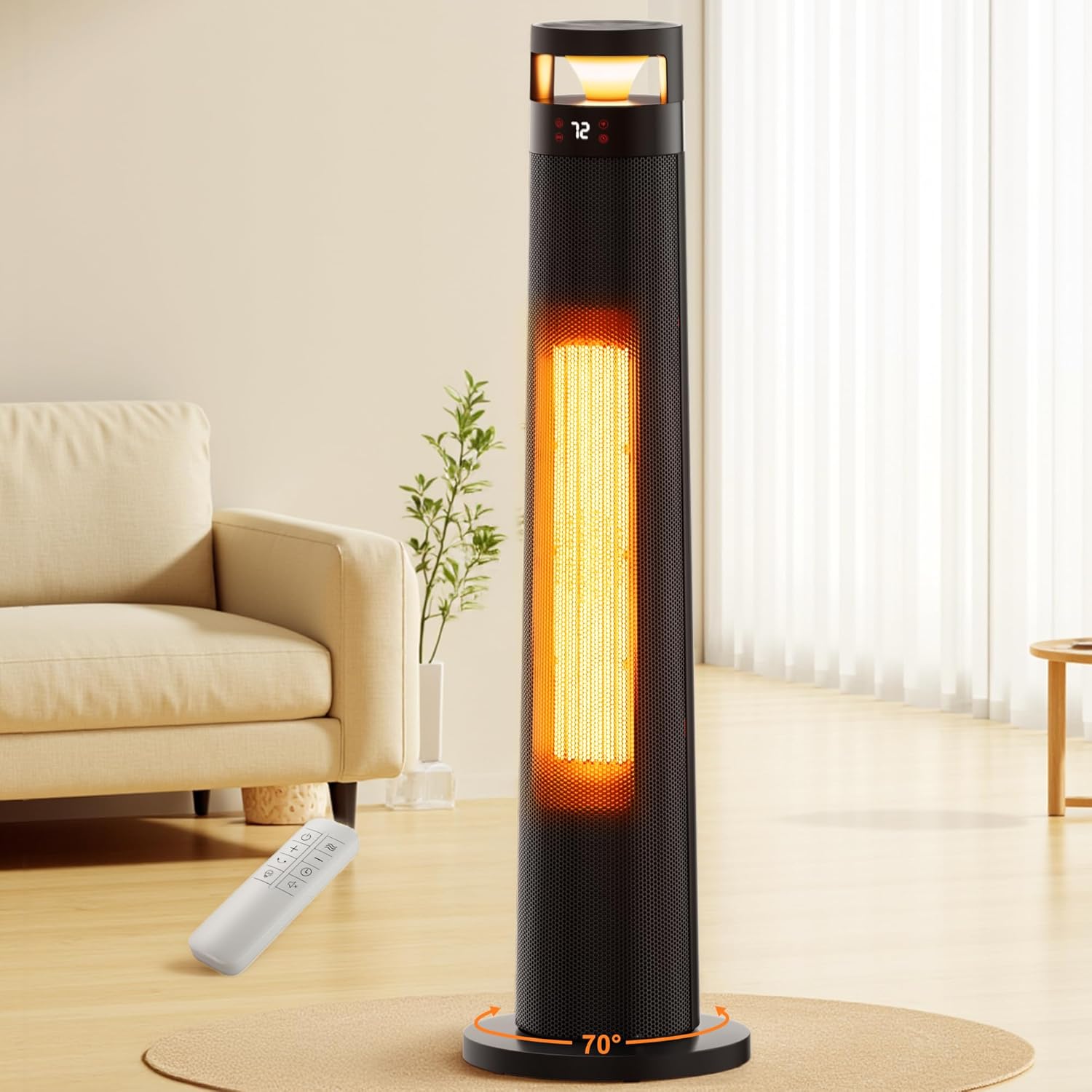
5. Operating Instructions
Your AKIRES heater can be operated using the touch control panel on top of the unit or the included remote control.
5.1. Power On/Off
- Ensure the main power switch at the back of the unit (near the base) is in the 'ON' position.
- Press the Power button on the control panel or remote to turn the heater on or off.
5.2. Mode Selection
Press the Mode button to cycle through available heating modes:
- Fan Mode: Circulates cool air without heating.
- Low Heat Mode: Provides a lower level of warmth.
- High Heat Mode: Provides maximum warmth (1500W).
- ECO Mode: Automatically adjusts heating power based on the ambient temperature to maintain your set temperature efficiently.
5.3. Temperature Adjustment
In heating modes, use the + and - buttons on the control panel or remote to set your desired temperature between 41°F and 95°F.
5.4. Oscillation
Press the OSC button on the control panel or remote to activate or deactivate the 120° oscillation function.

5.5. Timer Function
Press the Timer button on the control panel or remote to set an automatic shut-off time from 1 to 24 hours. Each press increases the timer by one hour.
5.6. Ambient Lighting (Flame Effect)
Press the Flame button on the remote control to turn the 3D ambient lighting effect at the base on or off.

5.7. Child Lock
To activate the child lock, press and hold the Child Lock button on the remote control for 3 seconds. Repeat to deactivate.
5.8. Remote Control
The remote control allows convenient operation of all heater functions from a distance. Ensure the remote has working batteries.
6. Maintenance
Regular maintenance ensures optimal performance and longevity of your heater.
- Cleaning: Always unplug the heater before cleaning. Use a soft, damp cloth to wipe the exterior. Do not use abrasive cleaners or solvents.
- Filter Cleaning: The heater features a removable filter screen on the back. Regularly clean the filter to ensure optimal air intake and heating efficiency. Refer to the diagram in the setup section for filter location.
- Storage: When not in use, store the heater in a cool, dry place.
7. Troubleshooting
If you encounter issues with your heater, refer to the following common problems and solutions:
- Heater does not turn on:
- Check if the power cord is securely plugged into a working outlet.
- Ensure the main power switch at the back is in the 'ON' position.
- Verify if the tip-over or overheating protection has been activated. If so, place the heater upright and allow it to cool down before restarting.
- Heater is not producing heat:
- Check if the desired temperature setting is higher than the current room temperature.
- Ensure the heater is not in Fan Mode.
- Unusual noise or smell:
- Turn off and unplug the heater immediately.
- Inspect for any obstructions in the air intake or outlet.
- If the issue persists, contact customer support.
8. Specifications
| Feature | Specification |
|---|---|
| Brand | AKIRES |
| Model Number | NPT-QN2305R |
| Special Features | Adjustable Temperature, Child Lock, Flame Resistant, Overheat Protection, Remote Control, Tip-Over Protection |
| Color | Black |
| Form Factor | Tower |
| Indoor/Outdoor Usage | Indoor |
| Product Dimensions | 9.45"D x 9.45"W x 33.86"H |
| Mounting Type | Free Standing |
| Room Type | Bathroom, Garage, Indoor, Bedroom, Home Office, Kitchen, Living Room, Nursery, Study Room |
| Voltage | 120 Volts (AC) |
| Item Weight | 8.4 pounds |
9. Warranty and Support
For warranty information or technical support, please refer to the contact details provided with your purchase documentation or visit the official AKIRES website. Keep your proof of purchase for any warranty claims.