
Introduction
The JOYTUTUS Wireless CarPlay Adapter (Model B0FWCQY8D) converts your car's existing wired CarPlay or Android Auto system into a wireless connection. This upgraded 2026 model features enhanced stability, faster performance, and broad compatibility with a wide range of vehicles and smartphones.
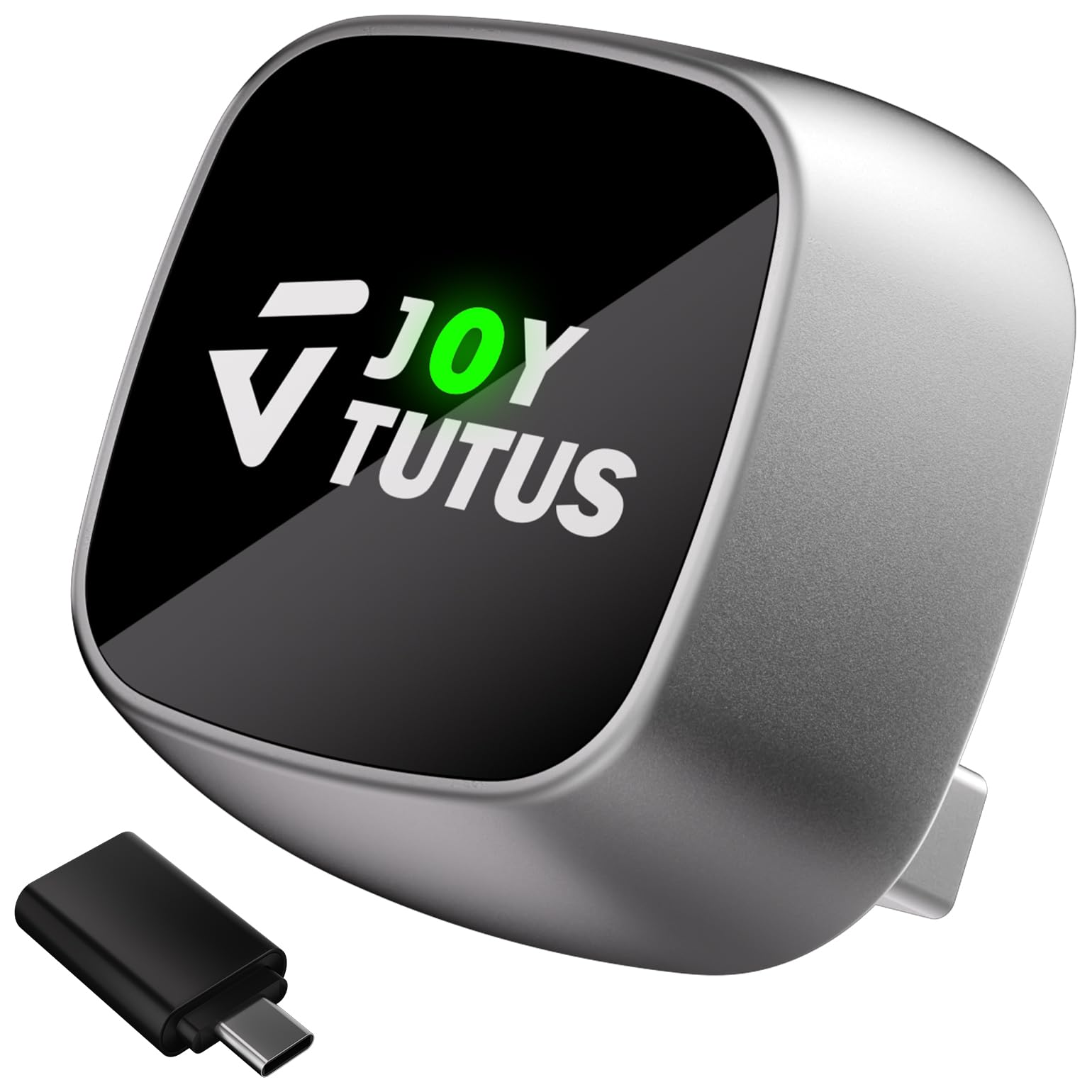
Image: The compact JOYTUTUS Wireless CarPlay Adapter, a small cube with a USB-A connector, designed for discreet integration into your car's console.
Package Contents

Image: The product box open, displaying the wireless CarPlay adapter, a user guide, and a USB Type-C adapter, all neatly packaged.
- 1 x Wireless CarPlay Adapter
- 1 x User Guide
- 1 x USB Type-C Adapter (for universal compatibility)
Setup Instructions
The JOYTUTUS Wireless CarPlay Adapter is designed for simple plug-and-play installation. Follow these steps for initial setup:
- Connect the Adapter: Plug the wireless CarPlay adapter into your car's USB port (USB-A or USB-C using the provided adapter). Ensure your car has built-in wired CarPlay or Android Auto functionality.
- Activate Bluetooth: On your smartphone, enable Bluetooth.
- Pair with the Adapter: Search for available Bluetooth devices and connect to the device named "CAR2-XXXX" (the exact name may vary slightly).
- Allow Connection: Follow any on-screen prompts on your phone or car's display to allow the connection.
- Automatic Reconnection: After the initial pairing, the adapter will automatically reconnect to your phone every time you start your car.

Image: A visual guide illustrating the three-step Bluetooth pairing process for the adapter, from enabling Bluetooth on your phone to connecting to the device and allowing access.
For cars with USB-C ports, use the included USB-A to USB-C adapter to connect the device.

Image: The compact wireless CarPlay adapter shown with an additional USB-C adapter, highlighting its versatility for different car port types.
Video: A demonstration of plugging in the JOYTUTUS Wireless CarPlay Adapter and connecting it to a car's infotainment system, showing the quick and easy setup process.
Operating the Adapter
Once connected, your car's display will mirror your smartphone's CarPlay or Android Auto interface. You can interact with your phone's features directly through the car's touchscreen, steering wheel controls, or voice commands.
- Navigation: Access your preferred navigation apps (e.g., Apple Maps, Google Maps) for real-time directions.
- Music & Audio: Play music, podcasts, and audiobooks from your favorite streaming services.
- Communication: Make and receive calls, send messages, and use voice assistants like Siri or Google Assistant.

Image: A car's infotainment screen displaying the Apple CarPlay interface with various app icons for navigation, communication, and entertainment.
Video: A user demonstrating the seamless operation of CarPlay on a car's screen after connecting the wireless adapter, showing music playback and navigation.
Key Features
- Stable and Reliable Performance: Equipped with an A7s upgraded dual-band chipset (2.4GHz-5.0GHz WiFi) for 200% faster transmission speeds and uninterrupted connectivity.
- Enhanced Cooling Technology: Aerospace-grade aluminum alloy body with a graphene cooling film maintains an optimal operating temperature of 95°F, running 40% cooler than competitors. Certified for continuous use up to 12 hours in extreme temperatures (-4°F to 158°F).
- Instant Auto-Reconnect: After initial pairing, the adapter automatically reconnects to your phone when you start your car, ideal for shared vehicles.
- Smart Lighting: The adapter's lighting automatically dims when low beams are on, enhancing comfort and visibility.
- Durable Design: Built to last, tested for over 10,000 plug cycles.

Image: A close-up of the adapter with graphics illustrating its 2.4GHz and 5GHz dual-band capabilities for improved stability and anti-interference.

Image: The wireless CarPlay adapter surrounded by ice, visually representing its enhanced cooling with aluminum alloy technology.
Compatibility
The JOYTUTUS Wireless CarPlay Adapter is compatible with over 800 car models from major automotive brands that feature factory-wired CarPlay from 2015 and later. It supports Apple iPhones (iOS 10+) and Android phones (Android 11+).
Note: Not compatible with BMW/Tesla vehicles.

Image: A graphic detailing the wide compatibility of the adapter with over 800 car models and specific iOS (10+) and Android (11+) versions. QR codes are provided for checking car model compatibility.
To check if your car model matches, scan the QR codes below:
Troubleshooting & Updates
If you encounter any compatibility issues or need assistance, JOYTUTUS offers tailored support.
- Custom Firmware: If your car or phone is not fully compatible, contact customer support for a custom firmware package.
- OTA Updates: Keep your device up-to-date with Over-The-Air (OTA) updates, which wirelessly deliver the latest software or firmware without the need for cables or complex setups.

Image: A smartphone displaying an online update screen for the adapter, indicating the ability to fix issues and upgrade firmware via the web.
Specifications
| Feature | Detail |
|---|---|
| Brand | JOYTUTUS |
| Model Name | Car Adapter |
| Material | Aluminum |
| Enclosure Material | Aluminum |
| Number of Ports | 1 |
| Connectivity | 2.4GHz-5.0GHz WiFi, Bluetooth |
| Operating Temperature | -4°F to 158°F (-20°C to 70°C) |
Warranty and Support
JOYTUTUS provides comprehensive support for your wireless CarPlay adapter:
- Lifetime Technical Support: Dedicated assistance for any operational or compatibility issues.
- 24-Month Warranty: Covers manufacturing defects and ensures product reliability.
- 24/7 Professional Assistance: Available to promptly address your concerns.


