
1. Introduction
This manual provides essential information for the proper use and maintenance of your OUKITEL C69 Smartphone. Please read it carefully to ensure optimal performance and longevity of your device.

Image 1.1: OUKITEL C69 Smartphone, showcasing its design and display.
2. Package Contents
Verify that all items are present in your product package:
- OUKITEL C69 Smartphone
- USB Cable
- Charger
- Protective Case
- Quick Start Guide
- SIM Ejector Tool

Image 2.1: Illustration of the OUKITEL C69 package contents.
3. Device Overview
The OUKITEL C69 features a sleek design with a large display and strategically placed components for user convenience.
3.1 Physical Dimensions
The device measures 176.2 x 83 x 9.5 mm and weighs approximately 243 grams, offering a substantial yet manageable form factor.

Image 3.1: OUKITEL C69 dimensions and weight.
3.2 Ports and Buttons
- Power Button: Located on the side, used to power on/off the device and wake/sleep the screen.
- Volume Buttons: Located on the side, used to adjust media and call volume.
- USB Type-C Port: For charging and data transfer.
- SIM/TF Card Slot: Supports Dual SIM or one SIM with TF card expansion.
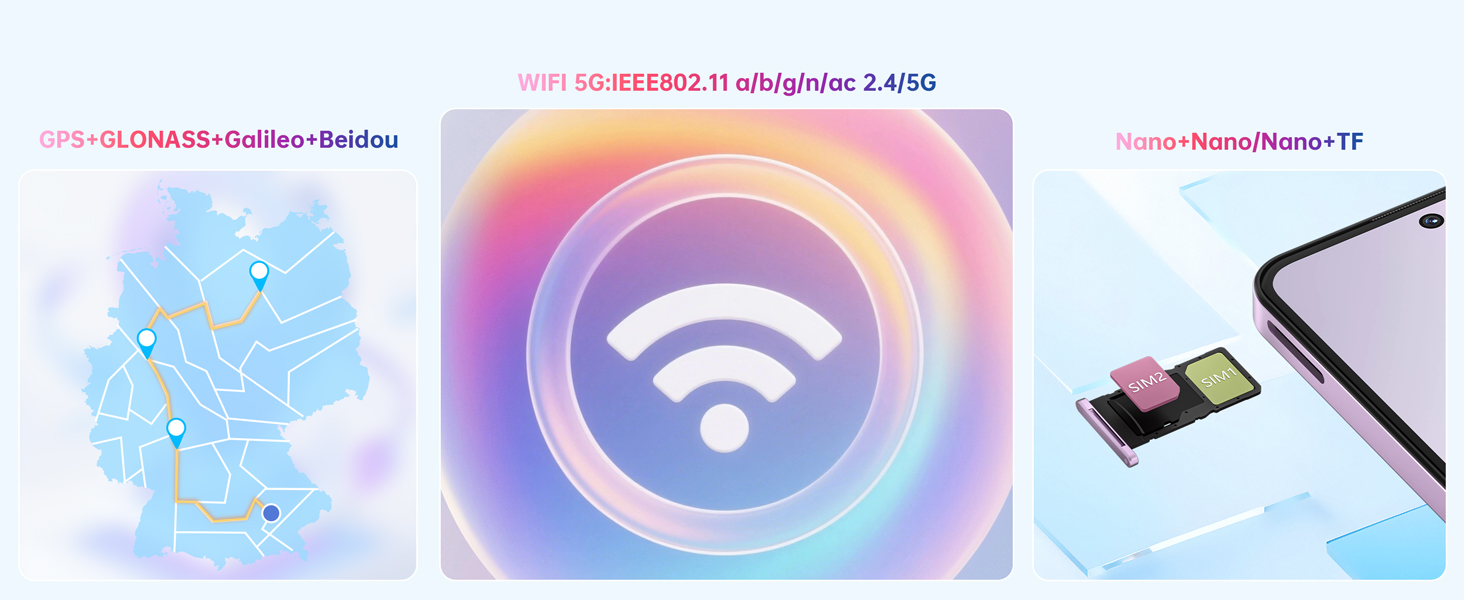
Image 3.2: SIM/TF card slot configuration.
4. Setup
4.1 Inserting SIM and TF Cards
- Locate the SIM/TF card slot on the side of the device.
- Insert the SIM ejector tool into the small hole next to the tray and push gently until the tray pops out.
- Place your Nano-SIM card(s) and/or TF card into the designated slots on the tray. Ensure the gold contacts face downwards.
- Carefully push the tray back into the device until it is flush.
4.2 Initial Power On and Basic Setup
- Press and hold the Power button until the OUKITEL logo appears.
- Follow the on-screen prompts to select your language, connect to a Wi-Fi network, and set up your Google account.
- Configure security features such as Face ID and Fingerprint Unlock during the setup process for enhanced device protection.
5. Operating Your Device
5.1 Display Features
The OUKITEL C69 is equipped with a 7.2-inch HD+ display (720x1600 pixels) with a 120Hz refresh rate, providing smooth visuals and responsive interaction. The screen offers up to 500 nits of brightness for clear visibility in various lighting conditions.

Image 5.1: Display specifications of the OUKITEL C69.
5.2 Camera System
Capture moments with the versatile camera setup:
- Main Camera: 64MP sensor for high-resolution photos.
- Front Camera: 8MP for selfies and video calls.
- Depth Sensor: 0.08MP for enhanced portrait mode with bokeh effects.
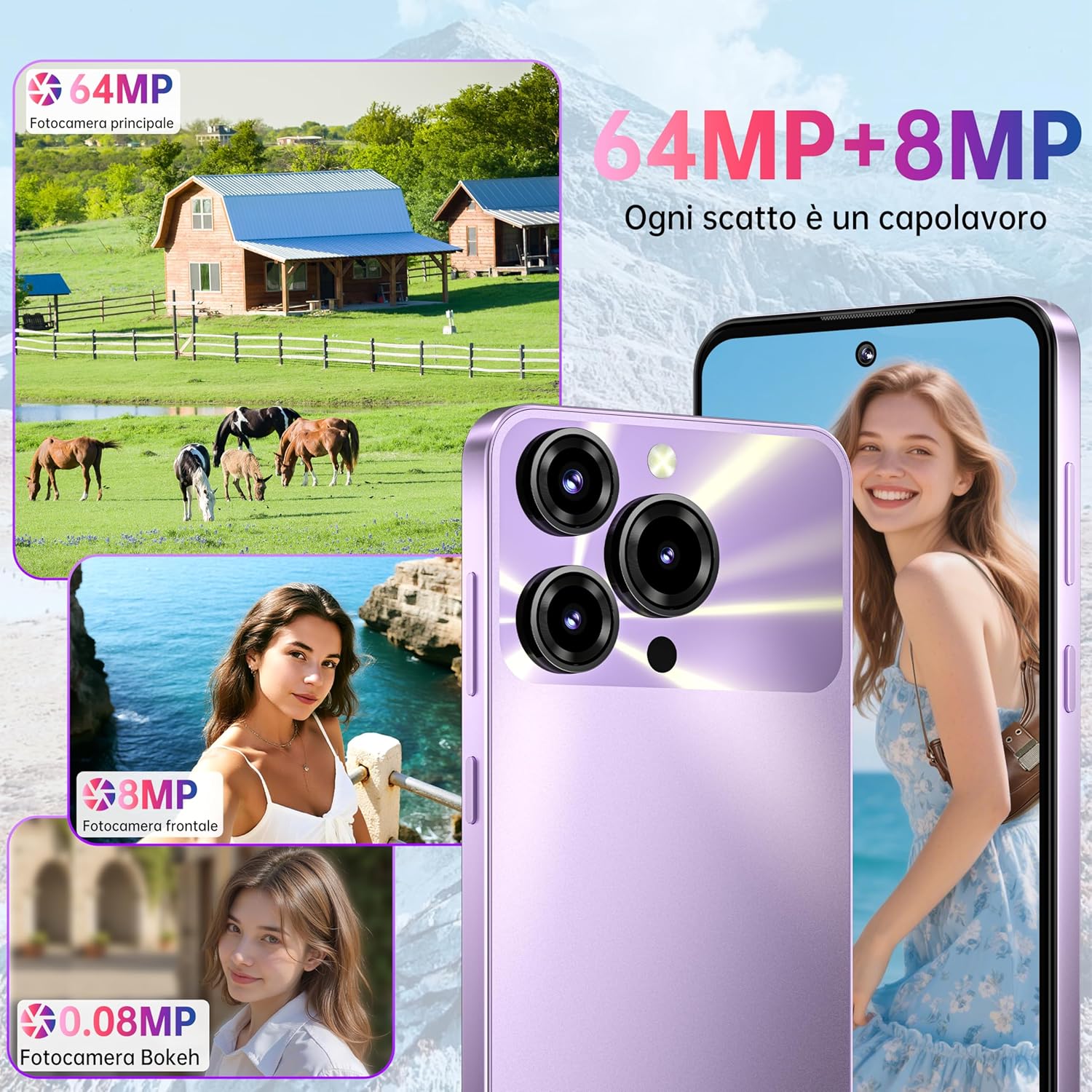
Image 5.2: Overview of the OUKITEL C69 camera features.
5.3 Battery Management
The OUKITEL C69 features a 6000mAh battery, supporting extended usage. It also includes 18W fast charging and OTG reverse charging capabilities.
- Standby Time: Up to 850 hours.
- Talk Time: Up to 40 hours.
- Music Playback: Up to 40 hours.
- Video Playback/Gaming: Up to 12 hours.
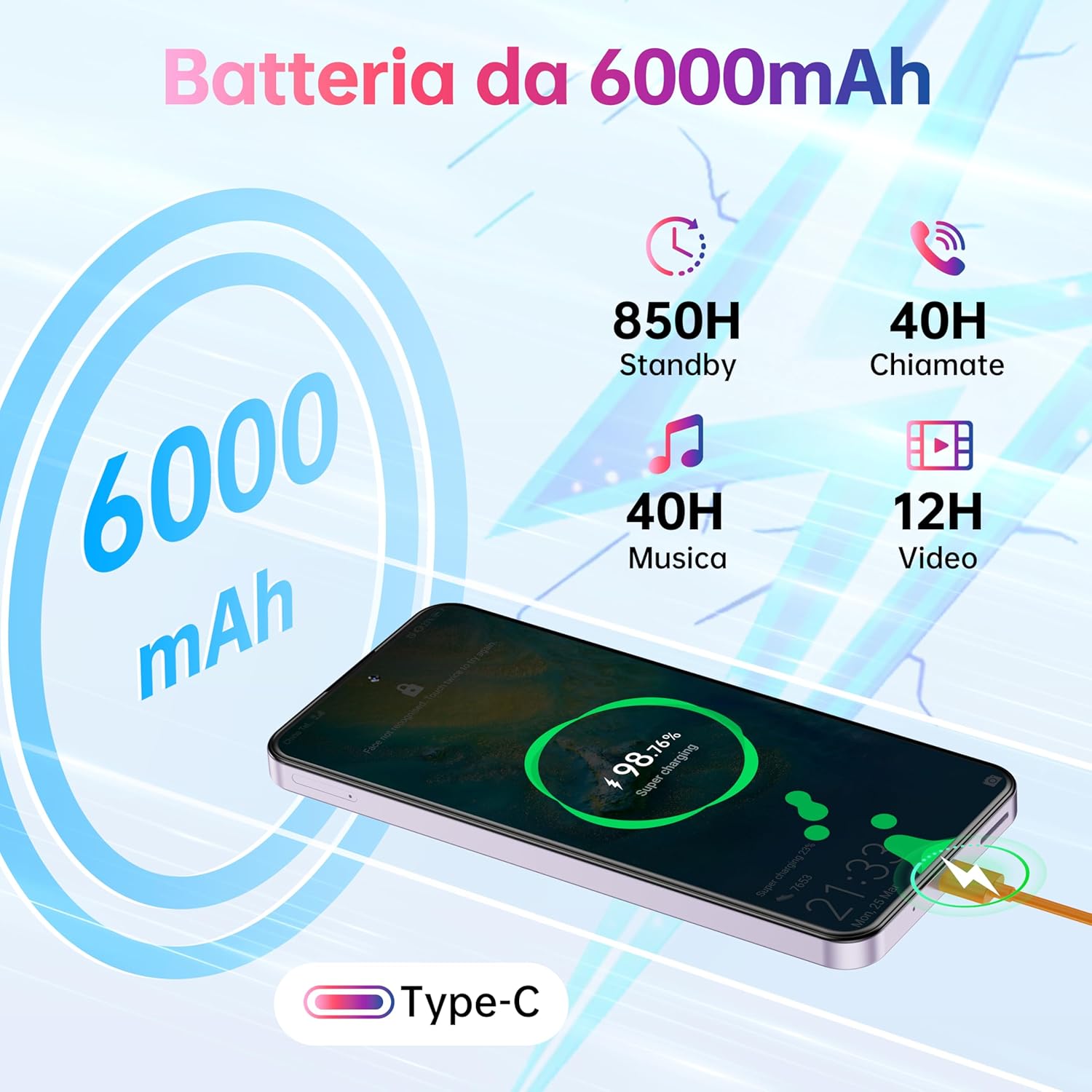
Image 5.3: Battery capacity and estimated usage times.
5.4 Performance and Storage
Powered by an Octa-core T615 processor and running Android 15, the OUKITEL C69 offers smooth performance for daily tasks. It comes with 16GB RAM (4GB physical + 12GB virtual) and 128GB internal storage, expandable up to 1TB with a TF card.

Image 5.4: Processor and memory details.
5.5 Security Features
The OUKITEL C69 offers multiple security options to protect your data:
- Face ID: Advanced facial recognition for quick and secure unlocking.
- Fingerprint Sensor: Side-mounted fingerprint scanner for convenient access.

Image 5.5: Face ID and Fingerprint Unlock in action.
6. Maintenance
To maintain your OUKITEL C69 in optimal condition, follow these guidelines:
- Keep the device dry. Moisture can damage electronic components.
- Avoid extreme temperatures. High or low temperatures can shorten the life of electronic devices.
- Clean the screen and body with a soft, lint-free cloth. Avoid harsh chemicals.
- Protect the screen with a screen protector and use the provided protective case to prevent scratches and damage.
- Regularly back up your data to prevent loss.
7. Troubleshooting
If you encounter issues with your OUKITEL C69, refer to the following common solutions:
| Problem | Possible Solution |
|---|---|
| Device does not power on | Ensure the battery is charged. Connect to the charger for at least 10 minutes, then try powering on again. If unresponsive, perform a forced restart by holding the Power button for 10-15 seconds. |
| Screen is unresponsive | Restart the device. If the issue persists, try a factory reset (note: this will erase all data). |
| Battery drains quickly | Check for background apps consuming power. Reduce screen brightness. Disable unused features like Wi-Fi, Bluetooth, GPS when not needed. |
| Cannot connect to Wi-Fi | Ensure Wi-Fi is enabled. Restart your router and the phone. Forget the network and reconnect. |
| Apps are crashing or freezing | Clear the cache of the problematic app. Update the app to the latest version. If the issue continues, uninstall and reinstall the app. Ensure sufficient storage space. |
8. Specifications
Detailed technical specifications for the OUKITEL C69 Smartphone:
| Feature | Specification |
|---|---|
| Brand | OUKITEL |
| Model Name | OUKITEL C69 |
| Product Dimensions | 17.62 x 8.3 x 0.95 cm |
| Item Weight | 243 grams |
| Operating System | Android 15 |
| Processor Type | MediaTek Helio (Octa-core T615) |
| Processor Speed | 1.8 GHz |
| RAM Size | 16 GB (4GB physical + 12GB virtual) |
| Internal Storage | 128 GB |
| Expandable Storage | Up to 1 TB via TF card |
| Screen Size | 7.2 Inches |
| Display Type | LCD |
| Resolution | 720 x 1600 Pixels |
| Refresh Rate | 120 Hz |
| Optical Sensor Resolution | 64 MP (Main Camera) |
| Front Camera Resolution | 8 MP |
| Battery Capacity | 6000 mAh (Lithium Polymer) |
| Average Battery Life | 12 Hours (usage) |
| Cellular Technology | 4G (Dual SIM) |
| Connectivity | Bluetooth, Wi-Fi (5G:IEEE802.11 a/b/g/n/ac 2.4/5G) |
| Additional Features | Dual SIM, Built-in GPS (GPS, GLONASS, Beidou, Galileo), Expandable Memory, Supports USB OTG (On-The-Go) |
For more detailed product information, you can refer to the EU EPREL database: https://eprel.ec.europa.eu/qr/2476750
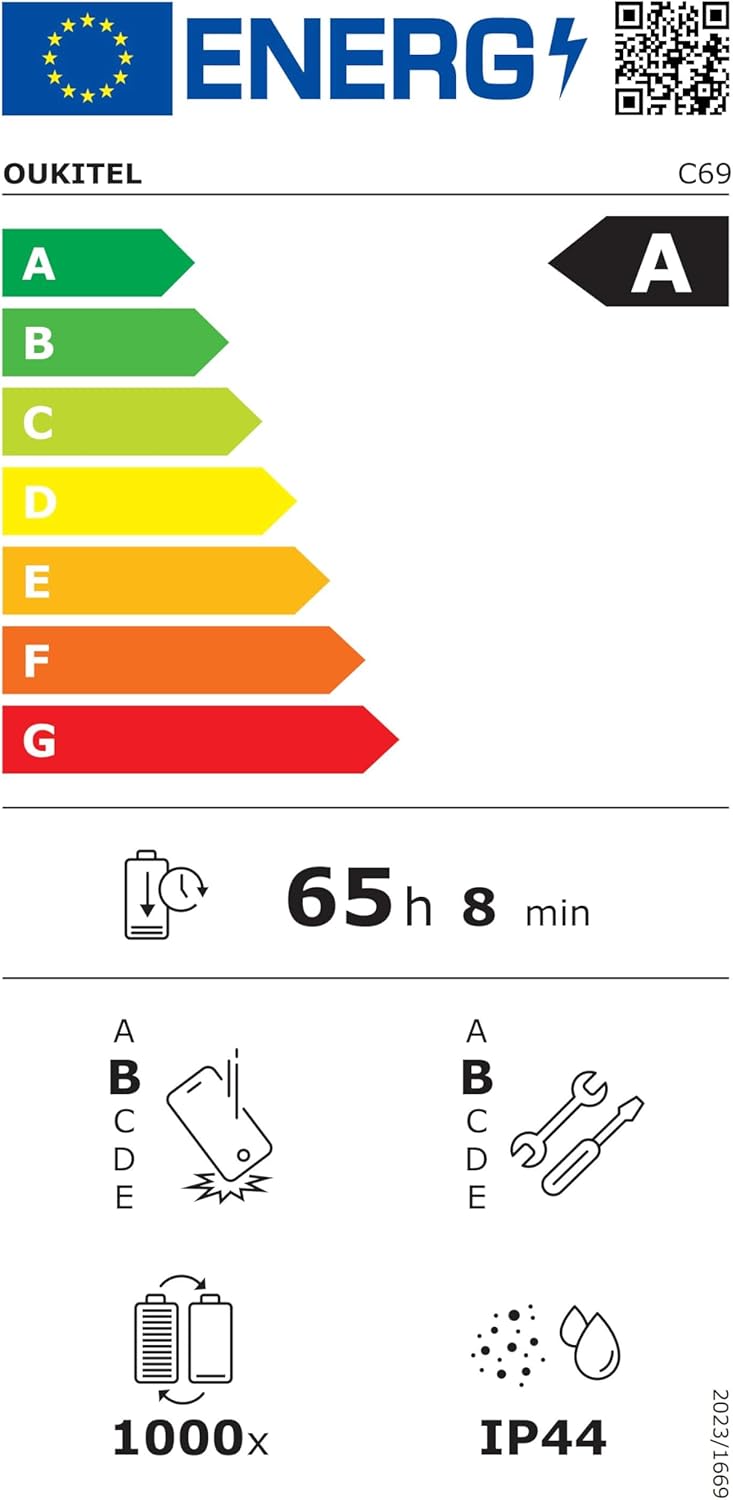
Image 8.1: OUKITEL C69 Energy Efficiency Label.

Image 8.2: OUKITEL C69 Product Information Sheet.
9. Warranty and Support
Your OUKITEL C69 Smartphone is covered by a standard manufacturer's warranty. For specific warranty terms, conditions, and duration, please refer to the warranty card included in your package or contact OUKITEL customer support.
For technical assistance, troubleshooting beyond this manual, or service inquiries, please visit the official OUKITEL website or contact their customer service department.