
Introduction
Thank you for choosing the VBESTLIFE 4K Spotting Scope. This device is designed for high-definition observation, featuring 4K video recording, 18x digital zoom, and a dual-screen display. This manual provides essential information for setting up, operating, and maintaining your spotting scope to ensure optimal performance and longevity.

Image: The VBESTLIFE 4K Spotting Scope mounted on its tripod, ready for observation.
Package Contents
Please check the package contents upon unboxing:
- VBESTLIFE 4K Spotting Scope
- Tripod
- USB Cable
- User Manual
- Cleaning Cloth
- (Optional) Memory Card (up to 512GB, Class 10 or above, not included)
Setup Instructions
- Attach the Tripod: Extend the tripod legs and secure the spotting scope onto the tripod mount. Ensure it is stable on a flat surface.
- Power On: Press and hold the power button to turn on the device.
- Insert Memory Card: If recording photos or videos, insert a compatible memory card (Class 10 or above, up to 512GB) into the designated slot.
- Initial Charge: For first-time use, ensure the built-in 4500mAh battery is fully charged using the provided USB cable.
Operating Instructions
1. Focusing and Diopter Adjustment
Rotate the manual focus ring on the eyepiece until the image appears clear. For users with nearsightedness or farsightedness, adjust the diopter setting (±4) on the eyepiece for optimal clarity without glasses.
2. Using the Dual Screens
The spotting scope features a 2.8-inch external screen and a 10-inch internal enlarged display. The external screen can be rotated 90 degrees to adapt to different viewing angles and light conditions. Use the internal screen for daytime viewing and the external screen for night observation to minimize environmental light interference.

Image: Illustration of the internal and external dual screens for versatile viewing.

Image: The external screen rotating 90 degrees to adapt to different light angles.
3. Digital Zoom and Magnification
Utilize the 18x digital zoom and optical magnification technology to achieve up to 350x magnification. Adjust the zoom level using the dedicated controls to bring distant objects closer into view.
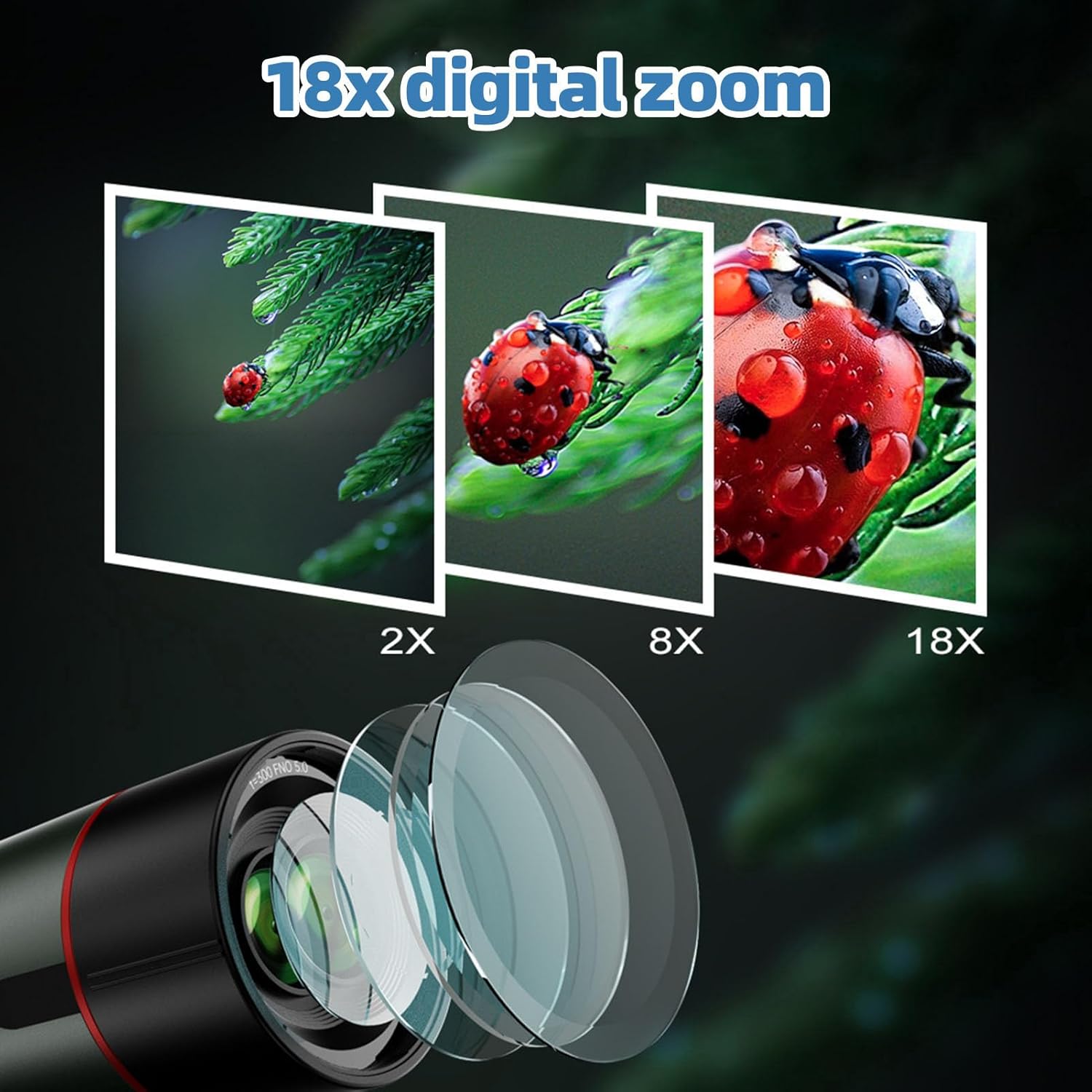
Image: Visual representation of 2x, 8x, and 18x digital zoom levels.
4. Capturing Photos and Videos
The scope supports 4K 30MP super clear photos and videos. Use the mode button to switch between photo and video modes. Additional features include time-lapse photography, continuous photography, and selfie mode. Captured media can be reviewed using the playback function.
5. Anti-Shake Function
Activate the anti-shake feature to stabilize images and videos, especially during higher magnifications or when observing moving subjects. This helps in achieving clearer and sharper results.

Image: Comparison showing the effect of the anti-shake function on image clarity.
6. Data Transfer
Connect the spotting scope to a computer using the provided USB cable to export photos and videos from the memory card.
Maintenance
- Lens Cleaning: Use the provided cleaning cloth or a soft, lint-free cloth specifically designed for optical lenses. Gently wipe the lens surfaces to remove dust and smudges. Avoid harsh chemicals or abrasive materials.
- Body Cleaning: Wipe the body of the scope with a soft, damp cloth. Do not immerse the device in water, despite its waterproof rating, to prevent internal damage.
- Storage: Store the spotting scope in a dry, cool place, away from direct sunlight and extreme temperatures. Use the lens caps to protect the objective and eyepiece lenses when not in use.
- Battery Care: Recharge the 4500mAh battery regularly, even if not in frequent use, to maintain its capacity. Avoid fully discharging the battery for extended periods.
- Water Resistance: The device has an IP54 waterproof rating, offering protection against splashing water. However, it is not designed for submersion. Ensure all ports are securely closed in wet conditions.

Image: The spotting scope demonstrating its waterproof capabilities in light rain.
Troubleshooting
| Problem | Possible Cause | Solution |
|---|---|---|
| Device does not power on. | Battery is low or depleted. | Charge the battery using the provided USB cable. |
| Image is blurry. | Incorrect focus or diopter setting. | Adjust the manual focus ring and diopter setting until the image is clear. |
| Cannot record photos/videos. | Memory card is full, not inserted, or incompatible. | Ensure a compatible (Class 10+, up to 512GB) memory card is inserted and has sufficient space. Format the card if necessary (this will erase all data). |
| External screen not displaying. | Screen mode setting. | Check the device settings to ensure the external screen is enabled or switch display modes. |
Specifications
| Feature | Detail |
|---|---|
| Brand | VBESTLIFE |
| Model | B0FWC8PH21 |
| Objective Lens Diameter | 78 Millimeters |
| Product Dimensions | 16.14"D x 7.87"W x 5.12"H |
| Focus Type | Manual Focus |
| Finderscope | 1 |
| Manufacturer | VBESTLIFE |
| Digital Zoom | 18x |
| Max Magnification | Up to 350x (Optical + Digital) |
| Video Resolution | 4K |
| Photo Resolution | 30MP |
| External Screen | 2.8 inch, 90-degree rotatable |
| Internal Screen | 10 inch enlarged display |
| Aperture | F4.0 |
| Battery | Built-in 4500mAh rechargeable |
| Memory Card Support | Up to 512GB (Class 10 or above, excluded) |
| Waterproof Rating | IP54 |

Image: Diagram highlighting the 78mm main lens diameter.

Image: Illustration of the built-in 4500mAh rechargeable battery.
Warranty and Support
For warranty information and technical support, please refer to the documentation included with your purchase or visit the official VBESTLIFE website. Keep your purchase receipt as proof of purchase for warranty claims.
For further assistance, you may contact the seller directly through the platform where the product was purchased.