
1. Introduction
This manual provides detailed instructions for the assembly, operation, and maintenance of your Magshion Video Gaming Chair. Designed for adults, this ergonomic computer desk chair features linkage armrests, height adjustment, a footrest, and a headrest, offering comprehensive support for extended gaming or office use. Please read these instructions carefully before assembly and use to ensure proper function and safety.
2. Safety Instructions
- Ensure all parts are present and undamaged before assembly. Do not use if any parts are missing or broken.
- Assemble the chair on a soft, clean surface to prevent scratches.
- Tighten all screws firmly, but do not overtighten. Recheck tightness periodically.
- Do not stand on the chair or use it as a step stool.
- Do not exceed the maximum weight capacity of 350 pounds.
- Keep children and pets away from the assembly area.
- Avoid exposing the chair to direct sunlight or extreme temperatures to prevent material degradation.
- Use the chair on a level surface to prevent tipping.
3. Package Contents
Verify that all components listed below are included in your package:
- Chair Backrest
- Seat Cushion with Armrests and Footrest Mechanism
- Star Base (5-star)
- Casters (5 pieces)
- Gas Lift Cylinder
- Gas Lift Cover
- Lumbar Support Pillow
- Headrest Pillow
- Assembly Hardware (screws, washers, Allen wrench)
- Instruction Manual
4. Assembly Instructions
Estimated assembly time: 15-20 minutes. Tools required: Included Allen wrench.
Step 1: Assemble the Chair Base
- Insert the five casters into the holes at the end of each leg of the star base. Push firmly until they click into place.
- Place the gas lift cylinder into the center hole of the star base.
- Slide the gas lift cover over the gas lift cylinder.
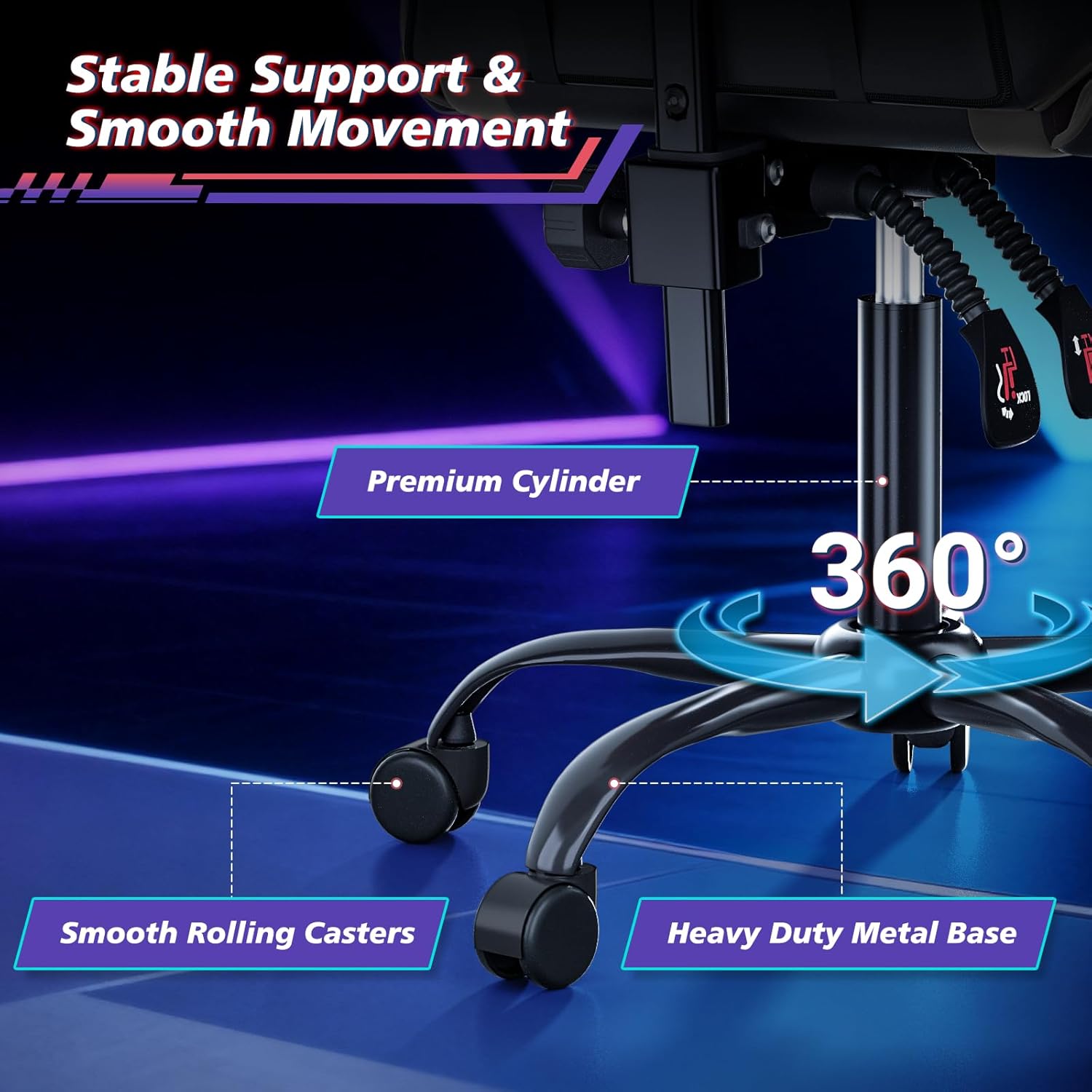
Figure 1: Stable five-star base with casters and gas lift cylinder.
Step 2: Attach the Seat Cushion to the Base
- Carefully place the assembled seat cushion onto the gas lift cylinder, ensuring it is securely seated.
Step 3: Attach the Backrest to the Seat Cushion
- Align the backrest with the mounting plates on the seat cushion.
- Secure the backrest using the provided screws and Allen wrench. Ensure both sides are tightened evenly.

Figure 2: Chair with multi-function adjustments, including backrest attachment points.
Step 4: Install Lumbar and Headrest Pillows
- Attach the lumbar support pillow and headrest pillow using their elastic straps, positioning them for optimal comfort.
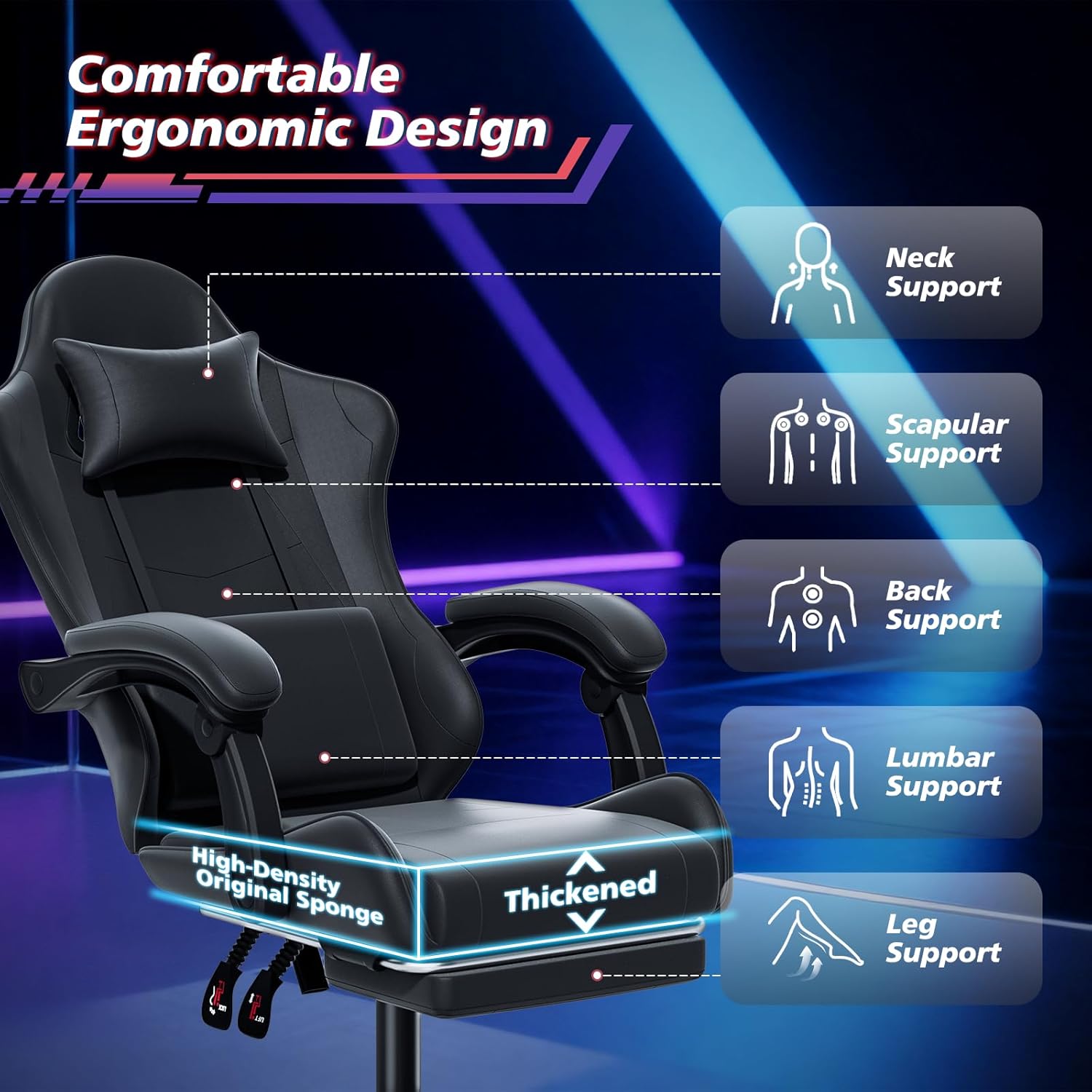
Figure 3: Ergonomic design with headrest and lumbar support pillows.
Assembly Overview Video
Video 1: A brief overview of the Magshion Computer Gaming Chair, showcasing its features and assembly process.
5. Operating Instructions
Height Adjustment
To adjust the seat height, locate the lever on the right side beneath the seat. Pull the lever up while seated to lower the chair, or pull the lever up while standing to raise the chair. Release the lever to lock the height.
Backrest Recline
To recline the backrest, locate the lever on the left side beneath the seat. Pull the lever up and lean back to your desired angle (between 90° and 120°). Release the lever to lock the recline position. The linkage armrests will automatically adjust with the recline.
Footrest Operation
To extend the footrest, pull it out from beneath the seat. Flip the padded section over to create a comfortable leg rest. To retract, flip the padded section back and slide the footrest back under the seat.

Figure 4: Chair in reclined position with extended footrest.
Backrest Height Adjustment
The backrest height can be adjusted by loosening the knob located on the rear of the chair, allowing the backrest to slide up or down by 2.8 inches. Tighten the knob to secure the position.

Figure 5: Adjustable backrest height mechanism.
6. Maintenance
- Cleaning: Wipe the faux leather surfaces with a damp cloth and mild soap. Avoid harsh chemicals or abrasive cleaners. For spills, blot immediately with a clean, dry cloth.
- Hardware: Periodically check all screws and bolts to ensure they are tight. Retighten as necessary.
- Casters: Keep casters free of debris (hair, dust) to ensure smooth rolling.
- General Care: Avoid placing heavy objects on the chair's armrests or backrest when not in use.
7. Troubleshooting
- Chair does not raise/lower: Ensure the height adjustment lever is fully engaged. Check if the gas lift cylinder is properly installed and undamaged.
- Chair wobbles: Verify that all screws are securely tightened, especially those connecting the seat to the base and the backrest to the seat. Ensure the casters are fully inserted into the star base.
- Casters not rolling smoothly: Check for hair or debris wrapped around the caster wheels. Clean as needed.
- Backrest does not recline/lock: Ensure the recline lever is fully engaged and the tension knob (if present) is not overtightened.
8. Specifications
| Brand | Magshion |
| Model Name | MAG-A02-GC-RS-001-BK |
| Color | Black |
| Product Dimensions | 24.5"D x 22"W x 45.5"H |
| Material | Faux Leather, High-Density Original Sponge |
| Maximum Weight Recommendation | 350 Pounds |
| Special Features | Adjustable Height, Adjustable Lumbar, Arm Rest, Ergonomic, Head Support, Recline (90°-120°), Footrest, 360° Swivel |
| Item Weight | 36.2 pounds |
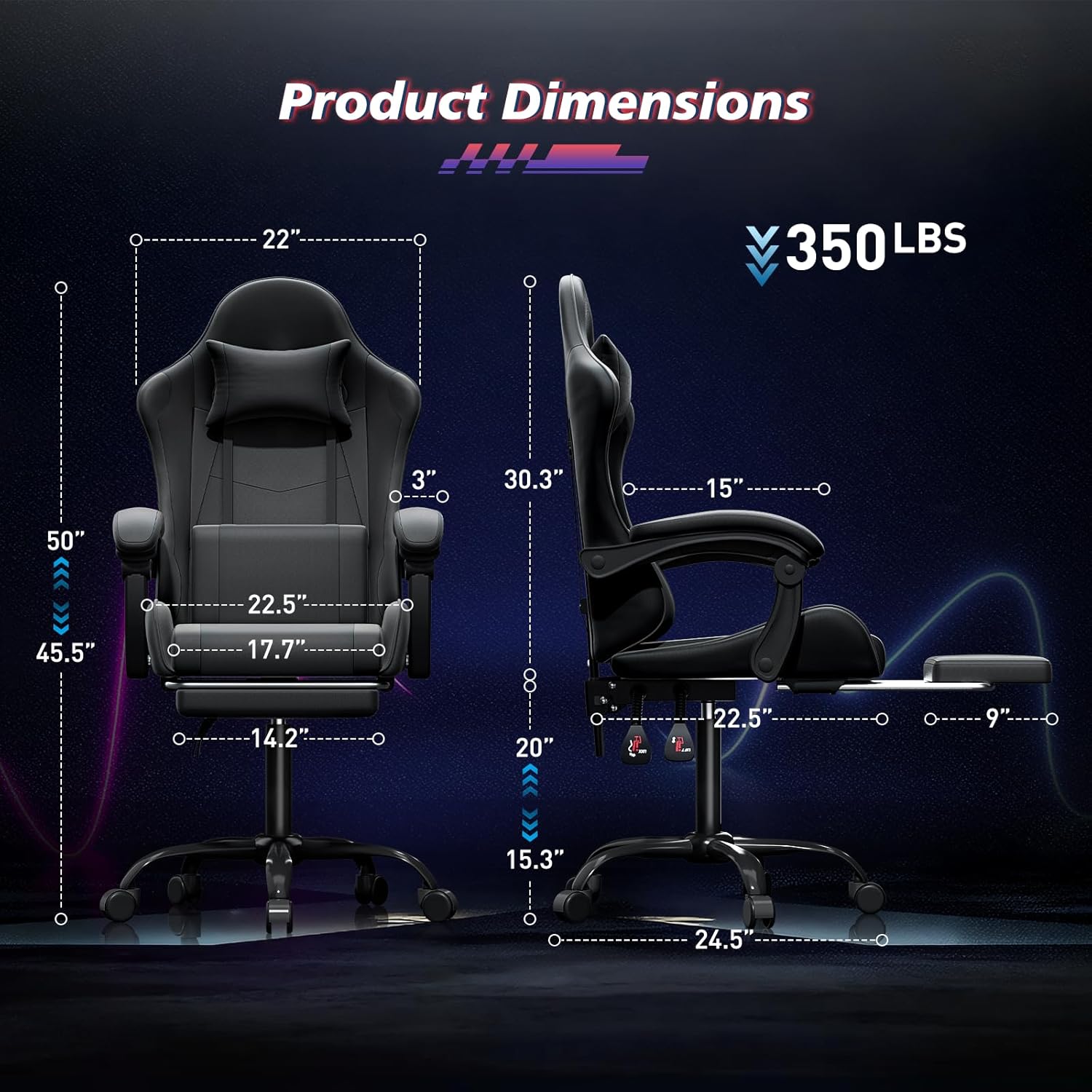
Figure 6: Product dimensions and weight capacity.
9. Warranty and Support
For warranty information or technical support, please contact Magshion customer service through the retailer where the product was purchased. Keep your purchase receipt for proof of purchase.