1. Introduction
This manual provides instructions for the safe and effective use of your HANASCAR NM-251015 Neck Massager with Heat. Please read this manual thoroughly before operating the device and retain it for future reference.

Image: The HANASCAR NM-251015 Neck Massager, a white, U-shaped device designed for neck application.
2. Safety Information
Always use the massager on a flat, stable surface. Do not use while sleeping or bathing. Keep the massager away from water. If you have any medical conditions, consult a doctor before use. Do not use if you have a pacemaker or other electronic medical devices. Unplug the massager when not in use. Always follow the instructions provided.
3. Package Contents
- HANASCAR NM-251015 Neck Massager Unit
- Remote Control
- USB Charging Cable
- User Manual
4. Product Overview
The HANASCAR NM-251015 Neck Massager is designed for targeted relief of cervical discomfort. It features 10 massage modes and 16 intensity levels, along with a hot compress function. The ultra-light design ensures comfortable use.
Key Features:
- Targeted relief of cervical discomfort.
- 10 modes and 16 Levels with hot compress.
- Ultra-light design for easy, comfortable use anywhere.
- Auto shut-off and remote control for safety and convenience.
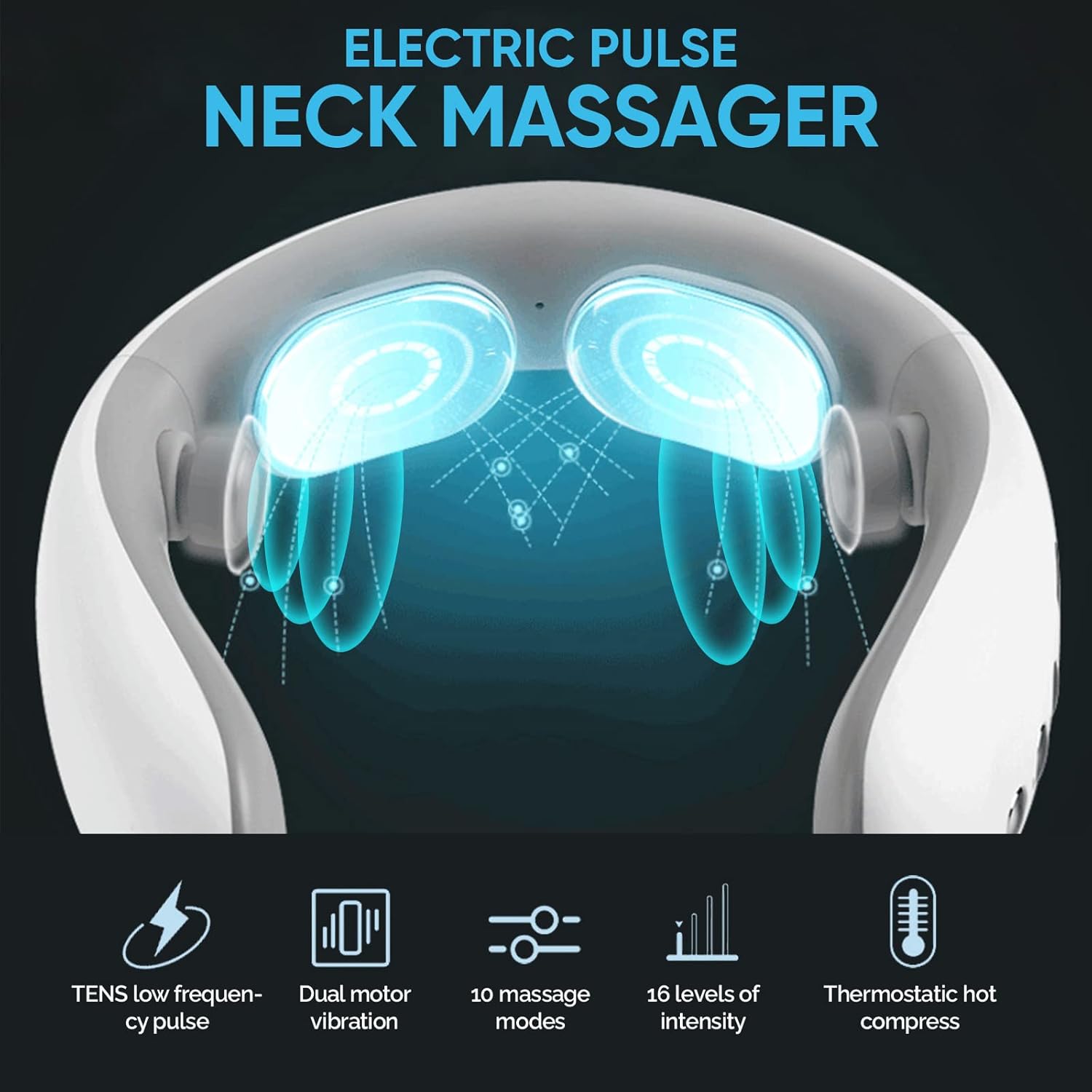
Image: Diagram illustrating the features of the Electric Pulse Neck Massager, including TENS low-frequency pulse, dual motor vibration, 10 massage modes, 16 levels of intensity, and thermostatic hot compress.
5. Setup
5.1 Charging the Device
Before first use, fully charge the neck massager using the provided USB charging cable. Connect the cable to the charging port on the device and to a suitable USB power source. The indicator light will show charging status.
5.2 Preparing for Use
- Ensure your neck area is clean and dry.
- Moisten the Skin: Apply a small amount of gel, cream, or water to the skin where the electrodes will make contact. This improves conductivity and comfort.
- Place the massager around your neck, ensuring the electrode pads are firmly against your moistened skin.

Image: Visual guide demonstrating the two steps for preparing the skin: 1. Moisten skin with aloe or water. 2. Make sure the patch is firmly against the skin.
6. Operating Instructions
- Power On: Press and hold the power button on the device or remote control to turn on the massager.
- Select Mode: Use the 'M' button on the remote or device to cycle through the 10 available massage modes.
- Adjust Intensity: Use the '+' and '-' buttons to increase or decrease the intensity level (1-16). It is recommended to start from the lowest level and gradually increase.
- Heat Function: Press the heat button (if available on your remote) to activate or deactivate the thermostatic hot compress.
- Auto Shut-off: The device features an intelligent shut-down after 15 minutes of continuous operation for safety.
- Power Off: Press and hold the power button to turn off the massager after use.
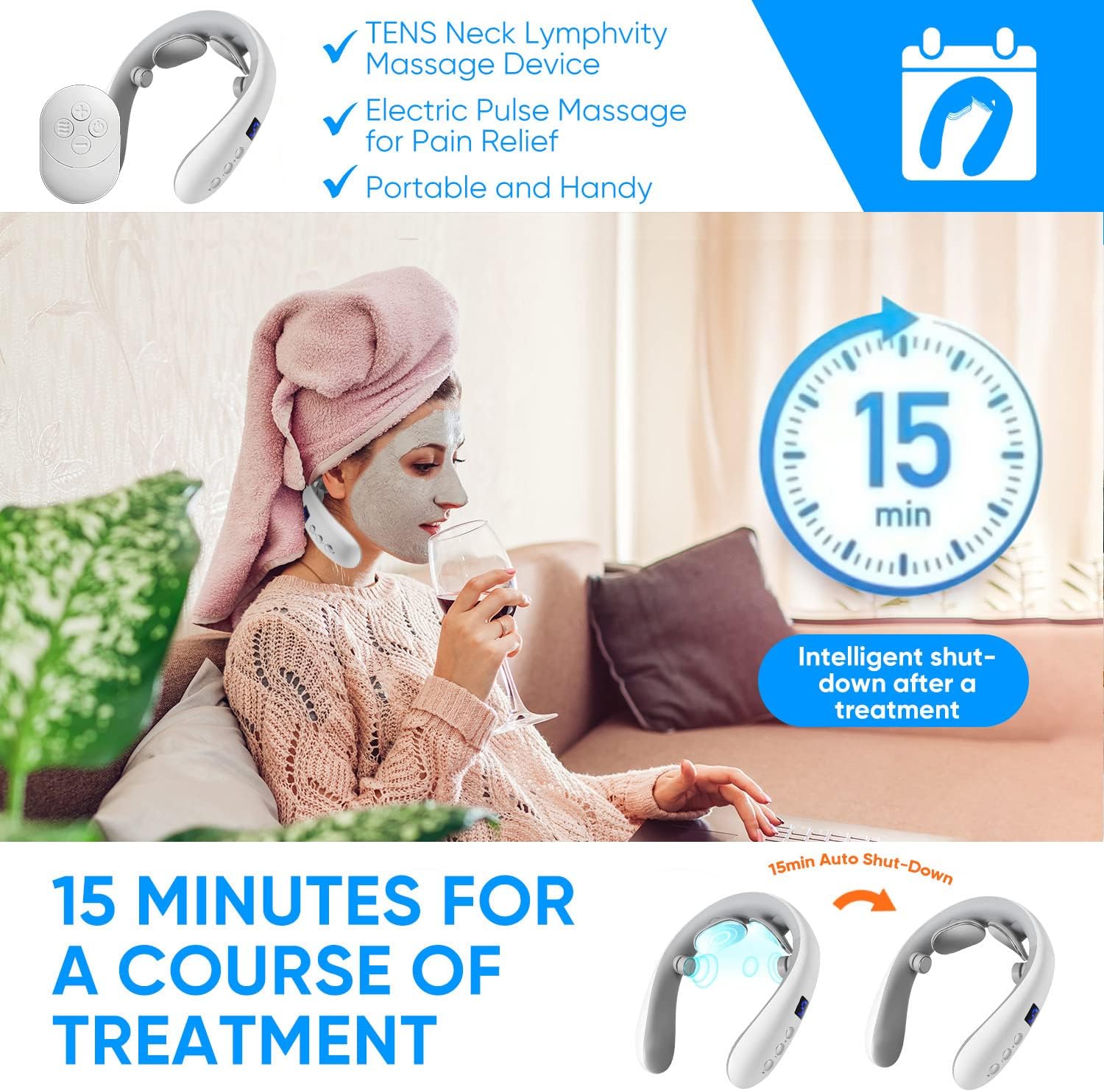
Image: Illustration highlighting the 15-minute intelligent shut-down feature after a treatment session.

Image: Examples of the neck massager being used in different scenarios, such as while driving, working, and performing yoga, demonstrating its portability.
7. Modes and Intensity Levels
The massager offers 10 distinct massage modes and 16 adjustable intensity levels to customize your experience.
7.1 Massage Modes:
- Acupuncture: Simulates acupuncture point stimulation.
- Hammering: Provides a rhythmic tapping sensation.
- Kneading: Mimics a deep tissue kneading massage.
- Tapping: Gentle, rapid tapping for surface relief.
- Tui Na: Traditional Chinese massage technique.
- Scraping: Simulates a scraping motion for circulation.
- Soothing: A gentle, calming massage.
- Pulse: Electrical pulse stimulation.
- Finger Massage: Replicates finger pressure massage.
- Auto: Cycles through various modes automatically.
7.2 Intensity Levels:
- Levels 1-5: Comfortable, suitable for daily cervical spine care.
- Levels 6-10: Moderate, recommended for stiff neck pain.
- Levels 11-16: Stimulation, for chronic neck strain.
Always start with the lowest intensity level and gradually increase to find your preferred comfort level.
Image: A circular diagram illustrating the 10 different massage modes (Acupuncture, Hammering, Kneading, Tapping, Tui Na, Scraping, Soothing, Pulse, Finger Massage, Auto) and a bar indicating 16 intensity levels from Comfortable (1-5) to Stimulation (11-16).

Image: Visual explanation of TENS low-frequency pulse technology, showing recommended intensity levels: 1-5 for daily cervical spine care, 6-10 for stiff neck pain, and 11-16 for chronic neck strain.
8. Maintenance
8.1 Cleaning
Wipe the device with a soft, damp cloth after each use. Do not use abrasive cleaners or immerse the device in water. Ensure the device is completely dry before storing.
8.2 Storage
Store the massager in a cool, dry place away from direct sunlight and out of reach of children. Keep it in its original packaging or a protective case to prevent damage.
9. Troubleshooting
- Device not turning on: Ensure the device is fully charged. If the battery is low, connect it to the charger.
- No sensation or weak sensation: Ensure the electrode pads are firmly in contact with moistened skin. Increase the intensity level gradually.
- Uncomfortable or shocking sensation: This can occur if the electrodes are not fully in contact with moistened skin or if the intensity is too high. Ensure proper skin contact and reduce the intensity level. Discontinue use if discomfort persists.
- Remote control not working: Check the battery in the remote control. Ensure there are no obstructions between the remote and the massager.
10. Specifications
| Product Dimensions | 1 x 1 x 1 inches; 8.47 ounces |
| Item Model Number | NM-251015 |
| Manufacturer | HANASCAR |
| Use for | Neck |
| Power Source | Battery Powered |
| Material | Metal |
| Color | Silver |
11. Warranty Information
This product comes with a standard manufacturer's warranty. Please refer to the warranty card included in your package or contact customer support for specific details regarding warranty coverage and duration.
12. Customer Support
For any questions, technical assistance, or support needs, please contact HANASCAR customer service. Refer to the product packaging or the manufacturer's website for contact information.


