
Introduction
This manual provides detailed instructions for the setup, operation, and maintenance of your LIWAN ZC-YT10 Cellular Trail Camera. Designed for outdoor monitoring, this camera features 4G LTE connectivity, solar power, 2K live view, 360° pan/tilt, and advanced motion detection. Please read this manual thoroughly before using the product to ensure optimal performance and longevity.
What's in the Box
Verify that all components are present in your package:
- Cellular Trail Camera
- Solar Panel
- Built-in SIM Card (pre-installed)
- Mounting Accessories (strap, screws, bracket)
- User Manual
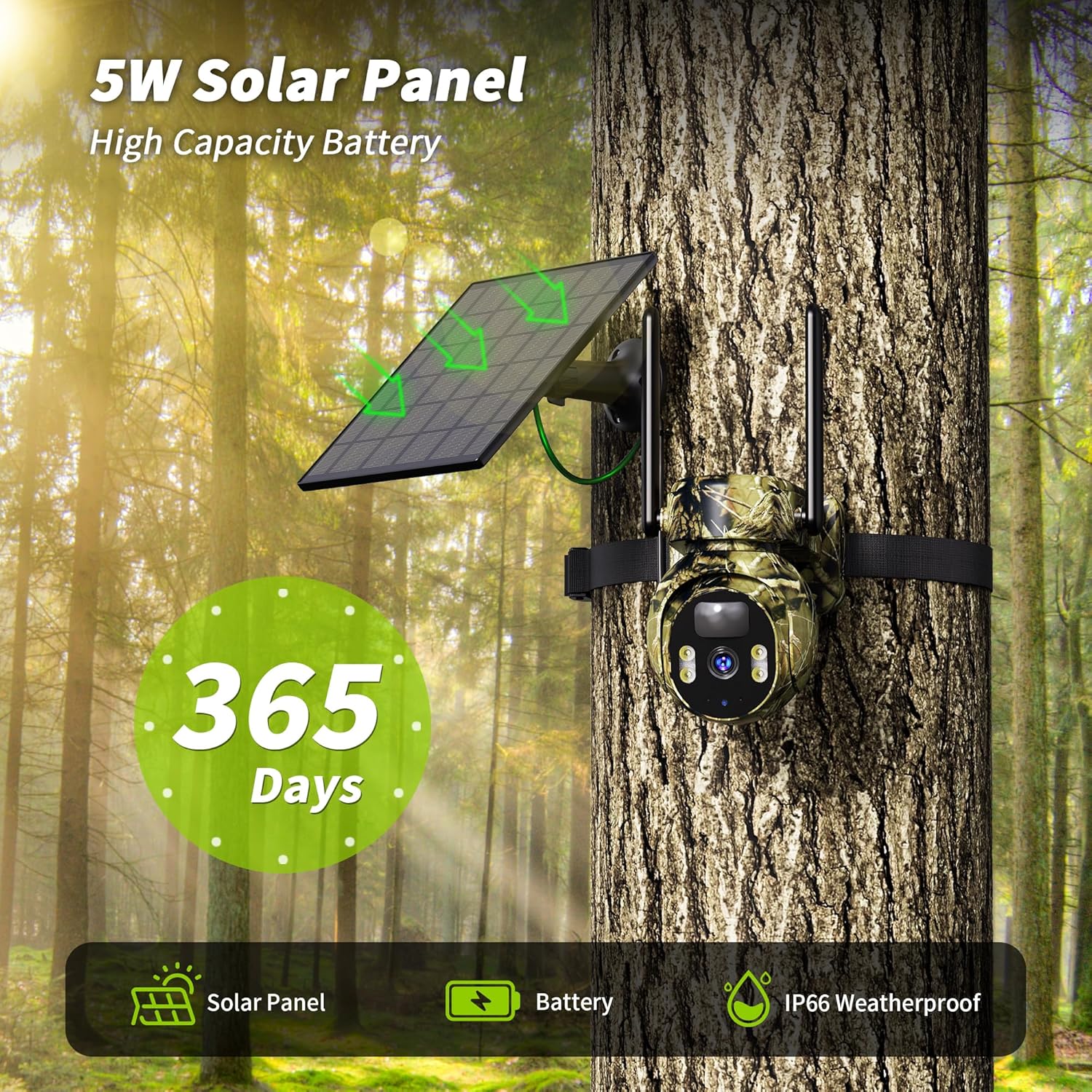
Image: All components included in the LIWAN Cellular Trail Camera package, laid out on a wooden surface.
Setup
1. Initial Charging
Before first use, fully charge the camera's internal battery. You can do this via the included USB-C cable connected to a standard USB power adapter (not included) or by exposing the solar panel to direct sunlight. A full charge ensures optimal performance from the start.
2. SIM Card and SD Card Insertion
The camera comes with a built-in, non-replaceable SIM card for 4G LTE connectivity. An SD card (up to 128GB, not included) is required for local storage. Locate the SD card slot, typically protected by a rubber cover, and insert the SD card with the contacts facing the correct direction until it clicks into place. Ensure the cover is securely closed to maintain waterproofing.

Image: Close-up view of the camera's underside, revealing the protected slots for the built-in SIM card and an optional micro SD card.
3. Mounting the Camera
The camera can be mounted using the provided strap or the adjustable mounting bracket. Choose a location with clear line of sight to the area you wish to monitor and sufficient sunlight exposure for the solar panel.
- Strap Mounting: Thread the included strap through the camera's rear slots and secure it around a tree or pole.
- Bracket Mounting: Attach the mounting bracket to a wall or tree using the provided screws. Then, attach the camera to the bracket, adjusting the angle as needed.

Image: The LIWAN Cellular Trail Camera securely mounted on a tree trunk, with its solar panel positioned to capture sunlight.
4. App Download and Pairing
Download the UBox app from your smartphone's app store. Follow the in-app instructions to create an account and pair your camera. This typically involves scanning a QR code on the camera or its packaging.
Video: A user demonstrates the unboxing and initial setup of the 4G Solar Trail Camera, highlighting the included components and the ease of installation and app connectivity.
Operating Instructions
1. Power On/Off
Locate the power switch on the camera (usually under a protective cover). Slide it to the 'ON' position to activate the camera. To conserve battery, slide it to 'OFF' when not in use for extended periods without solar charging.
2. Live View and PTZ Control
Access the UBox app on your smartphone to view live 2K resolution video from your camera. Use the pan (355°) and tilt (100°) controls within the app to adjust the camera's viewing angle remotely, providing 360° coverage.

Image: A smartphone screen shows a live 360-degree view from the LIWAN Cellular Trail Camera, with on-screen controls for pan and tilt.
3. Motion Detection and Smart Alerts
The camera features advanced PIR smart sensors that detect both animals and humans. Customize motion detection zones and set scheduled alerts through the UBox app to minimize false triggers from environmental factors. Instant alerts will be sent to your cell phone upon detection.

Image: A zebra is captured mid-stride, demonstrating the camera's 0.2-second fast trigger speed for motion detection, with a smartphone notification icon in the foreground.
4. Night Vision
The camera captures clear footage even in complete darkness with its full-color night vision. It also utilizes infrared technology for discreet monitoring without disturbing wildlife.

Image: A raccoon is clearly visible in a forest setting, showcasing the camera's 2K full-color night vision capabilities.
5. Two-Way Audio
Utilize the built-in microphone and speaker to listen to the environment around the camera and speak through the app. This feature can be used to deter intruders or communicate with individuals near the camera.
6. Storage Options
The camera supports local storage via a micro SD card (up to 128GB, not included) and offers a 30-day free trial for cloud storage. Easily access, download, and playback footage directly through your smartphone.
7. Data Plan
The camera includes a prepaid SIM with a 7-day trial data plan (Verizon/T-Mobile/AT&T compatible). After the trial, unlimited data plans are available for $19.9/month. The built-in SIM is not replaceable.
Maintenance
- Solar Panel: Regularly clean the solar panel to ensure maximum sunlight absorption and efficient charging.
- Weather Protection: While rated IP66 waterproof, periodically check the camera's seals and covers to ensure they are intact and protecting against moisture and dust.
- Battery Life: The solar panel continuously charges the high-capacity internal battery. For optimal performance, ensure the solar panel receives adequate direct sunlight.
- Lens Cleaning: Gently clean the camera lens with a soft, dry cloth to prevent smudges or dirt from affecting image clarity.
Troubleshooting
- No Network Connection: Ensure the camera is in an area with 4G LTE coverage. Check the app for signal strength.
- Poor Image/Video Quality: Clean the camera lens. Ensure the camera is mounted securely to prevent vibration. Check app settings for resolution.
- False Motion Triggers: Adjust motion detection sensitivity and customize detection zones within the UBox app to reduce unwanted alerts from environmental factors.
- Battery Not Charging: Ensure the solar panel is clean and receiving direct sunlight. Check the connection cable between the solar panel and the camera.
Specifications
| Feature | Detail |
|---|---|
| Model Name | Cellular Trail Camera |
| Item Model Number | ZC-YT10 |
| Connectivity Technology | Wireless (4G LTE Cellular) |
| Power Source | Solar Powered |
| Video Capture Resolution | 2K |
| Viewing Angle | 360 Degrees (Pan/Tilt) |
| Night Vision Range | 65 Feet |
| Water Resistance Level | IP66 |
| Special Features | 2-Way Audio, Built-in 4G SIM card, Motion Sensor, Night Vision, PTZ Technology |
| Control Method | App |
| Item Dimensions L x W x H | 9.8 x 7 x 5.8 inches |
| Item Weight | 2.66 pounds |
Warranty & Support
This product is manufactured by LIWAN. Protection plans are available for purchase, including 2-Year and 3-Year options. For detailed warranty information or technical support, please refer to the contact information provided in your product packaging or visit the official LIWAN website.