
1. Important Safety Instructions
Please read and understand all safety instructions before using this product. Failure to follow these instructions may result in electric shock, fire, or serious injury.
- Indoor Use Only: This charger is designed for indoor use. Do not expose it to rain or moisture.
- Proper Voltage: Ensure the power outlet voltage matches the charger's input voltage (100-240 VAC).
- Avoid Damage: Do not use the charger if the cord or plug is damaged. Contact customer support for replacement.
- Ventilation: Ensure adequate ventilation around the charger during use. Do not cover the charger.
- Protection Features: This charger includes Over Voltage Protection (OVP), Over Current Protection (OCP), and Short Circuit Protection (SCP) to ensure safe operation.
- Battery Condition: Rechargeable batteries are not permanent and typically have a lifespan of 1 to 3 years. If the vacuum cleaner's battery is damaged or at the end of its life, the charger may not be able to charge it effectively.
- Unplug When Not In Use: Disconnect the charger from the power outlet when not in use or before cleaning.
2. Product Overview
The eeTao HL-36000500 is a replacement power supply adapter designed for the Avalsor Cyber G9 48KPa 580W Cordless Vacuum Cleaner. It provides a stable 36V DC output for efficient battery charging.
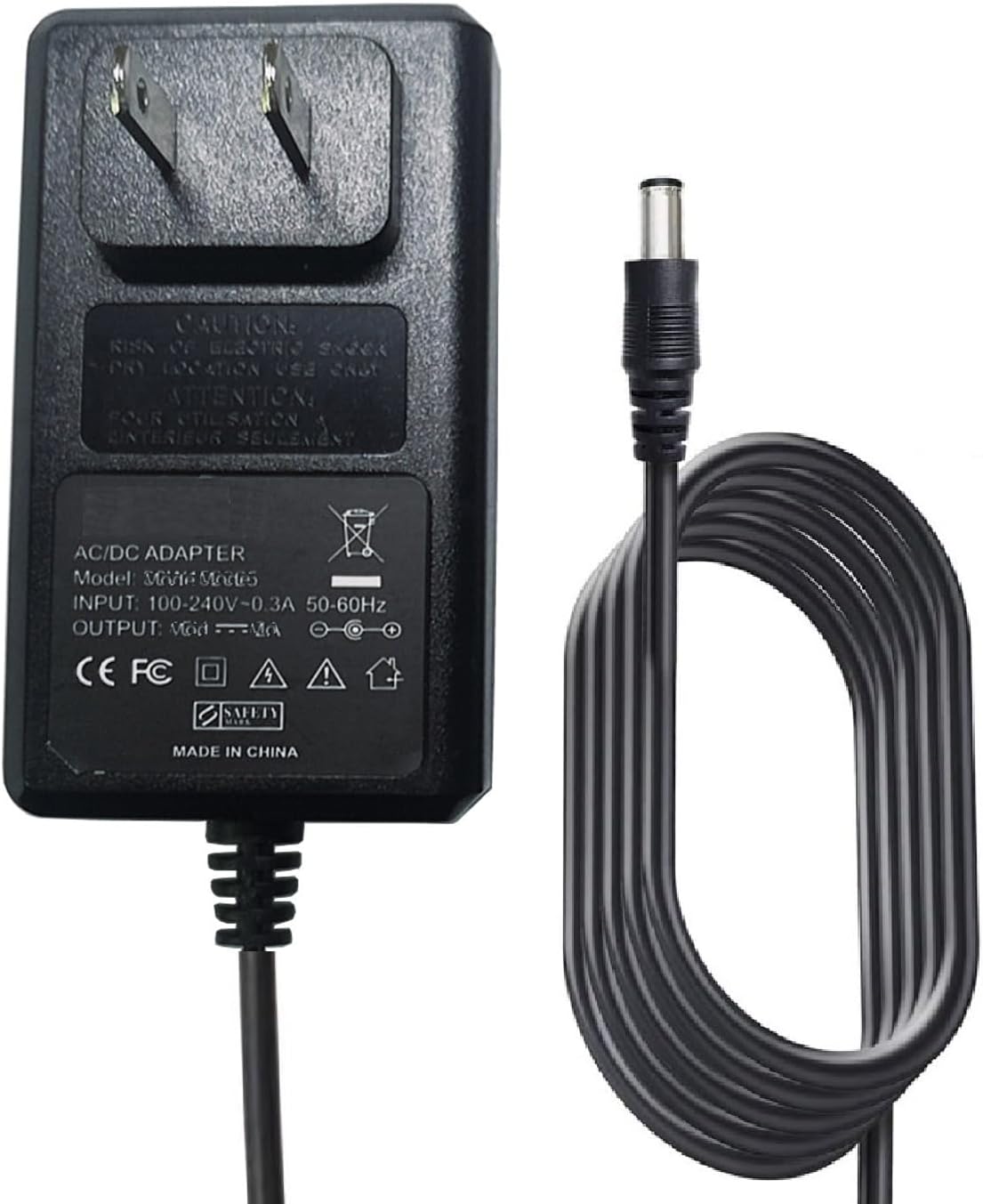
Figure 2.1: The eeTao HL-36000500 36V Charger. This image displays the charger unit with its standard US two-prong plug and the DC barrel connector cable.
2.1 Compatibility
This charger is specifically compatible with the Avalsor Cyber G9 48KPa 580W Cordless Vacuum Cleaner, including models that use a 29.6V or 35V battery requiring a 36V DC input for charging.

Figure 2.2: Visual representation of the charger's compatibility with various components of the Avalsor Cyber G9 cordless vacuum cleaner. Note: The vacuum cleaner machine is not included with the charger.
2.2 Advanced Security Protection
The charger incorporates multiple protection features to ensure safe and reliable charging:
- Temperature Protection: Prevents overheating during operation.
- Overcharge Protection: Safeguards the battery from being overcharged.
- Lightning Protection: Offers defense against power surges.
- Short Circuit Protection (SCP): Automatically shuts off power in case of a short circuit.
- Anti-interference Protection: Minimizes electrical interference.

Figure 2.3: Diagram illustrating the various security protection features integrated into the charger, including temperature, overcharge, lightning, short circuit, and anti-interference protection.
2.3 Premium Cable Construction
The charger features a robust cable designed for durability and efficient power transmission.

Figure 2.4: Cross-section view of the charger cable, highlighting its internal components: coarsening core for improved conductivity, inner insulators for safety, and a TPE protective outer layer for durability.
3. Setup
- Inspect the Charger: Before first use, visually inspect the charger, cable, and connector for any signs of damage. Do not use if damaged.
- Connect to Vacuum: Locate the charging port on your Avalsor Cyber G9 cordless vacuum cleaner. Insert the DC barrel connector of the charger firmly into the vacuum's charging port.
- Connect to Power Outlet: Plug the charger's AC plug into a standard 100-240 VAC wall outlet. Ensure the outlet is easily accessible.
- Verify Connection: Once connected, the vacuum cleaner or charger may display an indicator light to show that charging has begun. Refer to your vacuum cleaner's manual for specific charging indicators.
4. Operating Instructions
Once the charger is properly set up, it will begin charging the battery of your Avalsor Cyber G9 vacuum cleaner.
- Charging Process: The charger automatically detects the battery's charge level and delivers the appropriate current.
- Charging Time: Charging time will vary depending on the battery's remaining charge and capacity. Refer to your vacuum cleaner's manual for estimated charging times.
- Full Charge Indication: The vacuum cleaner typically has an indicator light that changes color or turns off when the battery is fully charged.
- Disconnecting: Once charging is complete, first unplug the charger from the wall outlet, then disconnect the DC barrel connector from the vacuum cleaner.
5. Maintenance
Proper maintenance ensures the longevity and safe operation of your charger.
- Cleaning: Disconnect the charger from all power sources before cleaning. Use a soft, dry cloth to wipe the exterior. Do not use liquid cleaners or solvents.
- Storage: Store the charger in a cool, dry place away from direct sunlight and extreme temperatures. Avoid wrapping the cable too tightly around the charger to prevent damage.
- Cable Care: Do not pull on the cable to disconnect the charger. Always grasp the plug or connector. Avoid placing heavy objects on the cable or bending it sharply.
6. Troubleshooting
If you encounter issues with your charger, refer to the following common problems and solutions:
| Problem | Possible Cause | Solution |
|---|---|---|
| Charger not working / Vacuum not charging |
|
|
| Charger feels warm during use | Normal operation, especially during fast charging. | Ensure adequate ventilation around the charger. If it becomes excessively hot or emits smoke/odor, unplug immediately and discontinue use. |
If troubleshooting steps do not resolve the issue, please contact eeTao customer support.
7. Specifications
| Feature | Detail |
|---|---|
| Brand | eeTao |
| Model Number | HL-36000500 |
| Compatible Devices | Avalsor Cyber G9 Cordless Vacuum Cleaner |
| Input Voltage | 100-240 VAC, 50/60 Hz |
| Output Voltage | 36 Volts (DC) |
| Output Current | 0.5 Amps |
| Connector Type | DC Barrel |
| Power Plug | Type A - 2 pin (North American) |
| Special Features | Short Circuit Protection, Over Voltage Protection, Over Current Protection, Temperature Protection, Overcharge Protection, Lightning Protection, Anti-interference Protection |
| Power Source | Corded Electric |
| Item Weight | 3 Ounces |
| Color | Black |
8. Warranty and Support
Warranty: This eeTao charger comes with a 30-day refund policy and a 24-month exchange warranty from the date of purchase. This warranty covers manufacturing defects and malfunctions under normal use.
Exclusions: The warranty does not cover damage caused by misuse, accidents, unauthorized modifications, or failure to follow the instructions in this manual.
Customer Support: For warranty claims, technical assistance, or any questions regarding your eeTao HL-36000500 charger, please contact eeTao customer service through the retailer where the product was purchased or visit the official eeTao store online.
Online Store: eeTao Official Store