
1. Important Safety Instructions
Read all instructions before using this appliance. Failure to follow these instructions may result in electric shock, fire, or serious injury.
- This appliance is for household use only. Do not use outdoors or on wet surfaces.
- Do not allow to be used as a toy. Close attention is necessary when used by or near children.
- Use only as described in this manual. Use only manufacturer's recommended attachments.
- Do not use with damaged cord or plug. If appliance is not working as it should, has been dropped, damaged, left outdoors, or dropped into water, return it to a service center.
- Do not pull or carry by cord, use cord as a handle, close a door on cord, or pull cord around sharp edges or corners. Do not run appliance over cord. Keep cord away from heated surfaces.
- Do not unplug by pulling on cord. To unplug, grasp the plug, not the cord.
- Do not handle plug or appliance with wet hands.
- Do not put any object into openings. Do not use with any opening blocked; keep free of dust, lint, hair, and anything that may reduce airflow.
- Keep hair, loose clothing, fingers, and all parts of body away from openings and moving parts.
- Turn off all controls before unplugging.
- Use extra care when cleaning on stairs.
- Do not use to pick up flammable or combustible liquids, such as gasoline, or use in areas where they may be present.
- Do not pick up anything that is burning or smoking, such as cigarettes, matches, or hot ashes.
- Do not use without dust bag and/or filters in place.
- Prevent unintentional starting. Ensure the switch is in the off-position before connecting to battery pack, picking up or carrying the appliance.
- Recharge only with the charger specified by the manufacturer. A charger that is suitable for one type of battery pack may create a risk of fire when used with another battery pack.
- Use appliances only with specifically designated battery packs. Use of any other battery packs may create a risk of injury and fire.
- Under abusive conditions, liquid may be ejected from the battery; avoid contact. If contact accidentally occurs, flush with water. If liquid contacts eyes, additionally seek medical help. Liquid ejected from the battery may cause irritation or burns.
2. What's Included
Verify that all components are present in the packaging before assembly.

Image: All components included with the SUNSMAI B66C 5-in-1 Cordless Wet Dry Vacuum Cleaner.
- Handle
- Main Body
- Dust Cup Assembly
- Motorized Mattress Brush
- 2-in-1 Dusting Brush
- Crevice Tool
- Extra Filter
- Cleaning Brush
- Filter Cleaning Brush
- Extension Aluminum Tube
- Charger
- Charging Base
- Accessory Storage Base
3. Setup and Initial Charging
- Assemble the Main Unit: Insert the handle into the main body until it clicks securely into place.
- Install Dust Cup Assembly: Attach the dust cup assembly to the main body. Ensure it is properly seated.
- Charge the Battery:
- Place the main unit onto the Charging Base.
- Connect the Charger to the Charging Base and plug it into a power outlet.
- Allow the unit to fully charge before first use. The charging indicator lights will provide status.
- Prepare for Wet Cleaning (if applicable): Fill the clean water tank with appropriate cleaning solution and water as per instructions.
- Store Accessories: Utilize the Accessory Storage Base to keep all attachments organized and readily accessible.
4. Operating Instructions
4.1 General Cleaning
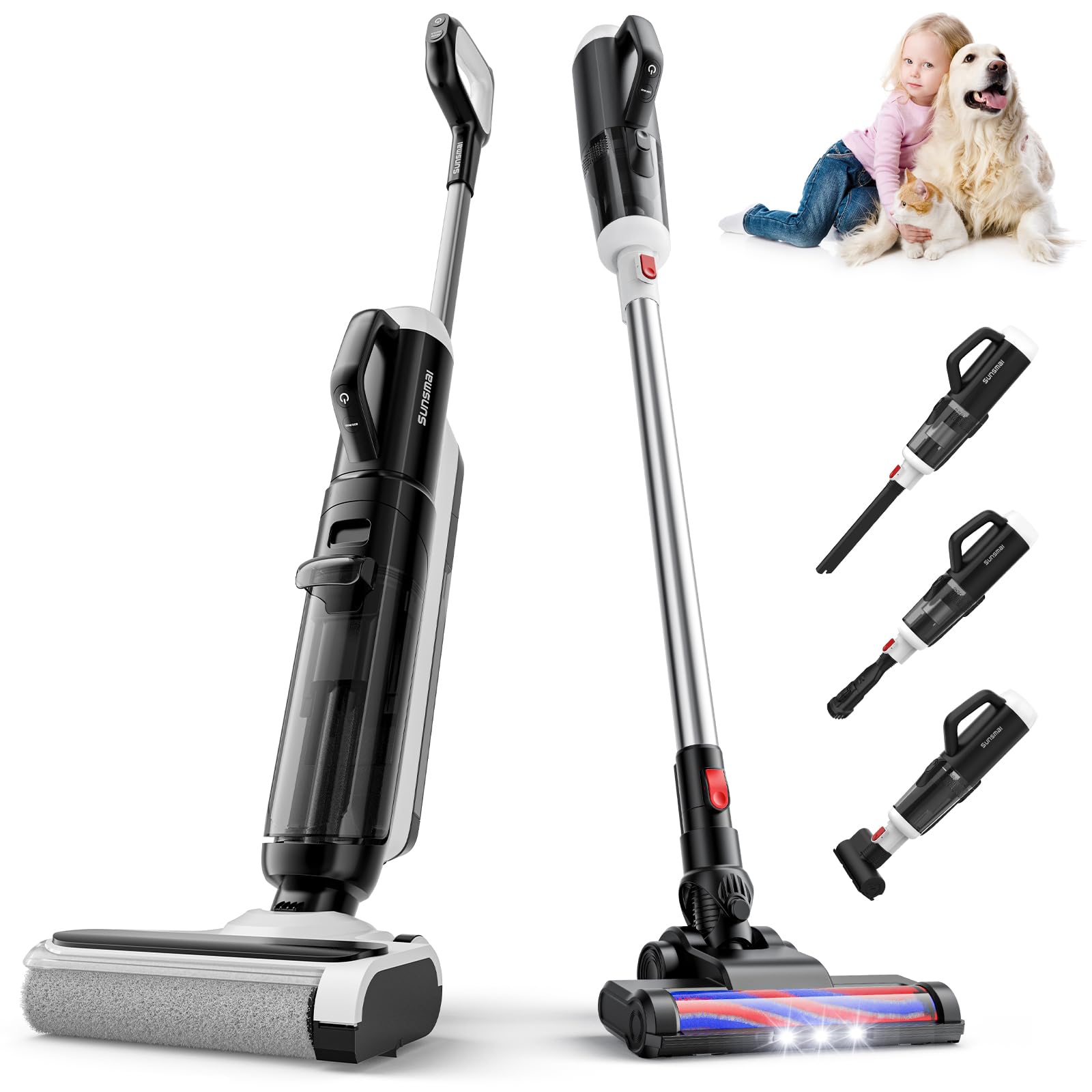
Image: The SUNSMAI B66C in use for both wet and dry cleaning tasks.
The SUNSMAI B66C is a versatile 5-in-1 cordless wet dry vacuum cleaner designed for comprehensive whole-house cleaning. It combines vacuuming and mopping functions.
- Power On/Off: Press the power button located on the handle to turn the unit on or off.
- Mode Selection: Select the appropriate cleaning mode (e.g., wet cleaning, dry vacuuming) if available, using the designated controls.
- Runtime: The unit provides up to 55 minutes of cordless operation on a full charge, allowing for cleaning multiple rooms.

Image: Runtime specifications for the SUNSMAI B66C in different modes.
4.2 Multi-Surface Cleaning

Image: The SUNSMAI B66C effectively cleans multiple floor types and messes.
This vacuum cleaner is safe and effective for use on various sealed hard floors and carpets, including hardwood, tile, marble, laminate, and vinyl. It cleans without scratching or streaking, leaving floors dry and spotless.
4.3 Handheld Vacuum Function
The motor unit is detachable and converts into a handheld vacuum. Attach the included accessories (Crevice Tool, 2-in-1 Dusting Brush, Motorized Mattress Brush) for cleaning corners, stairs, upholstery, and other hard-to-reach areas.
4.4 Edge Cleaning and Self-Propelled Movement

Image: The SUNSMAI B66C's edge cleaning capability, reaching within 0.2 inches of walls.
The roller brush is designed to clean as close as 0.2 inches from walls and baseboards, ensuring thorough edge cleaning. The self-propelled wheels assist in moving the vacuum forward effortlessly, reducing user effort during cleaning.
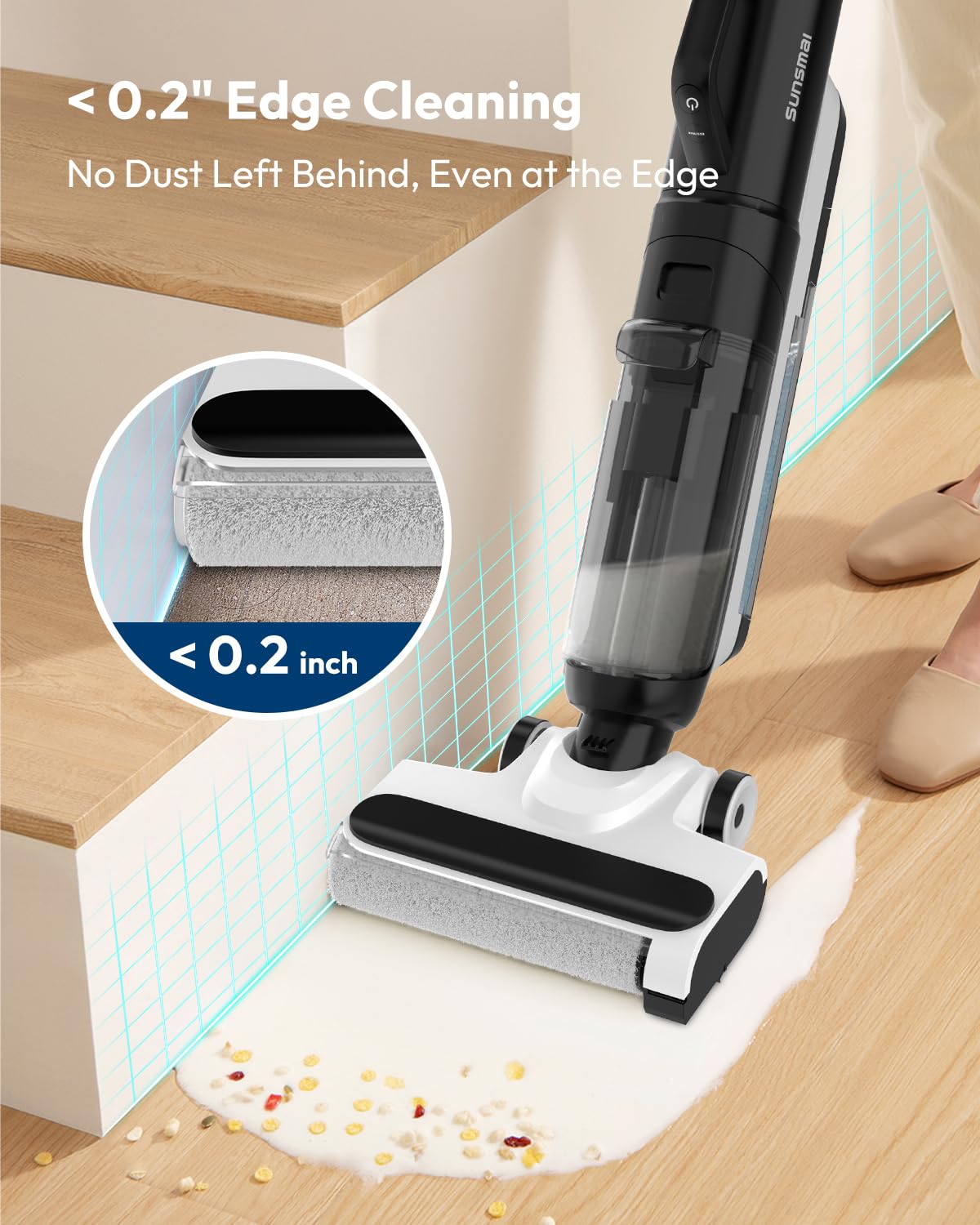
Image: Demonstrating the lightweight (8.2 lbs), quiet (75dB), and self-propelled features of the SUNSMAI B66C.
5. Maintenance
Regular maintenance ensures optimal performance and extends the lifespan of your vacuum cleaner.
- Self-Cleaning Function:
- After use, place the main unit back onto the Charging Base.
- Press and hold the designated button for 3 seconds to activate the self-cleaning cycle. This function cleans the roller brush and internal pathways.
- Emptying and Cleaning Water Tanks:
- Regularly empty the dirty water tank after each wet cleaning session.
- Rinse both the clean and dirty water tanks with fresh water to prevent odor and residue buildup.
- Filter Maintenance:
- The unit uses a HEPA filter. Regularly check the filter for debris and rinse it under running water as needed.
- Allow the filter to air dry completely before reinserting it into the vacuum. Do not use the vacuum with a wet filter.
- Replace the filter periodically according to usage or if suction power decreases significantly.
- Brush Roll Cleaning:
- Even with self-cleaning, periodically remove the brush roll to manually clean any tangled hair or debris.
- Use the provided Cleaning Brush and Filter Cleaning Brush for thorough cleaning.
- Accessory Storage: Store all accessories neatly on the Accessory Storage Base to keep them organized and prevent loss.
6. Troubleshooting
Refer to this section for common issues and their solutions.
| Problem | Possible Cause | Solution |
|---|---|---|
| Vacuum does not turn on. | Battery is not charged. Power button not pressed correctly. | Ensure the unit is fully charged on the charging base. Press the power button firmly. |
| Poor suction. | Dust cup is full. Filter is clogged. Brush roll is obstructed. Blockage in the air path. | Empty the dust cup. Clean or replace the HEPA filter. Remove any hair or debris from the brush roll. Check for and clear any blockages in the nozzle or hose. |
| Water leakage. | Water tank not properly sealed. Dirty water tank is full. Unit not placed correctly on charging base after wet use. | Ensure clean and dirty water tanks are securely closed and seated. Empty the dirty water tank. Ensure the unit is correctly positioned on the charging base to allow for proper drainage during self-cleaning. |
| Self-cleaning function not working. | Unit not on charging base. Button not pressed for sufficient duration. Low battery. | Place the unit firmly on the charging base. Press and hold the self-cleaning button for 3 seconds. Ensure the battery has sufficient charge. |
7. Product Specifications
| Brand | SUNSMAI |
| Model Name / Number | B66C |
| Special Features | Cordless, Lightweight, Low Noise, Self-Propelled, Wet/Dry |
| Filter Type | HEPA Filter |
| Surface Recommendation | All floors (hardwood, tile, marble, laminate, vinyl) |
| Power Source | Battery Powered |
| Voltage | 27 Volts (DC) |
| Item Weight | 8.25 Pounds (approx. 3.74 kg) |
| Capacity (Water Tank) | 520 Milliliters |
| Color | Black & White |
| Item Dimensions (L x W x H) | 28L x 25.3W x 115H Centimeters |
| Noise Level | 75 dB (A) |
| Edge Cleaning Distance | 0.2 inches |
8. Warranty and Support
For warranty information and customer support, please refer to the warranty card included with your product or contact SUNSMAI customer service through their official website or the retailer where the product was purchased.
Please retain your proof of purchase for any warranty claims.
