KWKSV Ergonomic Drafting Chair Model 722772007130 User Manual
Your guide to assembly, operation, and maintenance.
1. Important Safety Information
Please read all instructions carefully before assembly and use. Retain this manual for future reference.
Ensure the chair is properly assembled before use.
Do not exceed the maximum weight capacity of 500 pounds.
Use the chair on a stable surface to prevent tipping.
Follow all assembly instructions carefully to maintain stability and safety.
2. Setup
2.1 Unboxing and Parts Identification
Carefully unpack all components from the box. Verify that all parts are present according to the packing list. If any parts are missing or damaged, please contact customer support.
Figure 2.1: Overall view of the KWKSV Ergonomic Drafting Chair with key dimensions.
2.2 Assembly Instructions
The chair requires assembly. Please follow the instructions provided in the package. For a visual guide, refer to the assembly video below.
Video 2.2: Detailed assembly guide for the drafting chair.
Ensure all screws are tightened securely after assembly. Do not overtighten.
3. Operating Instructions
3.1 Seat Height Adjustment
To adjust the seat height, locate the lever under the seat on the right side. Pull the lever upwards while seated to lower the chair, or pull the lever upwards while standing to raise the chair. Release the lever at your desired height.
Figure 3.1: The chair offers 5.5 inches of seat height adjustment.
Video 3.1: Demonstration of chair height adjustment for various desk types.
3.2 Armrest Adjustment
The armrests are designed to flip up 90 degrees. This feature allows for easy access in and out of the chair and enables the chair to be pushed closer to your desk, saving space.
Figure 3.2: Flip-up armrests and 360-degree swivel for enhanced ergonomics.
3.3 Foot Ring Adjustment
The foot ring can be adjusted to provide optimal foot support. Loosen the knob on the side of the foot ring, slide it to your desired height, and then tighten the knob to secure it in place.
Figure 3.3: Adjusting the foot ring height for personalized comfort.
3.4 360-Degree Swivel
The chair features a 360-degree swivel base, allowing for easy rotation and access to different areas of your workspace without needing to move the entire chair.
4. Maintenance
4.1 Cleaning Instructions
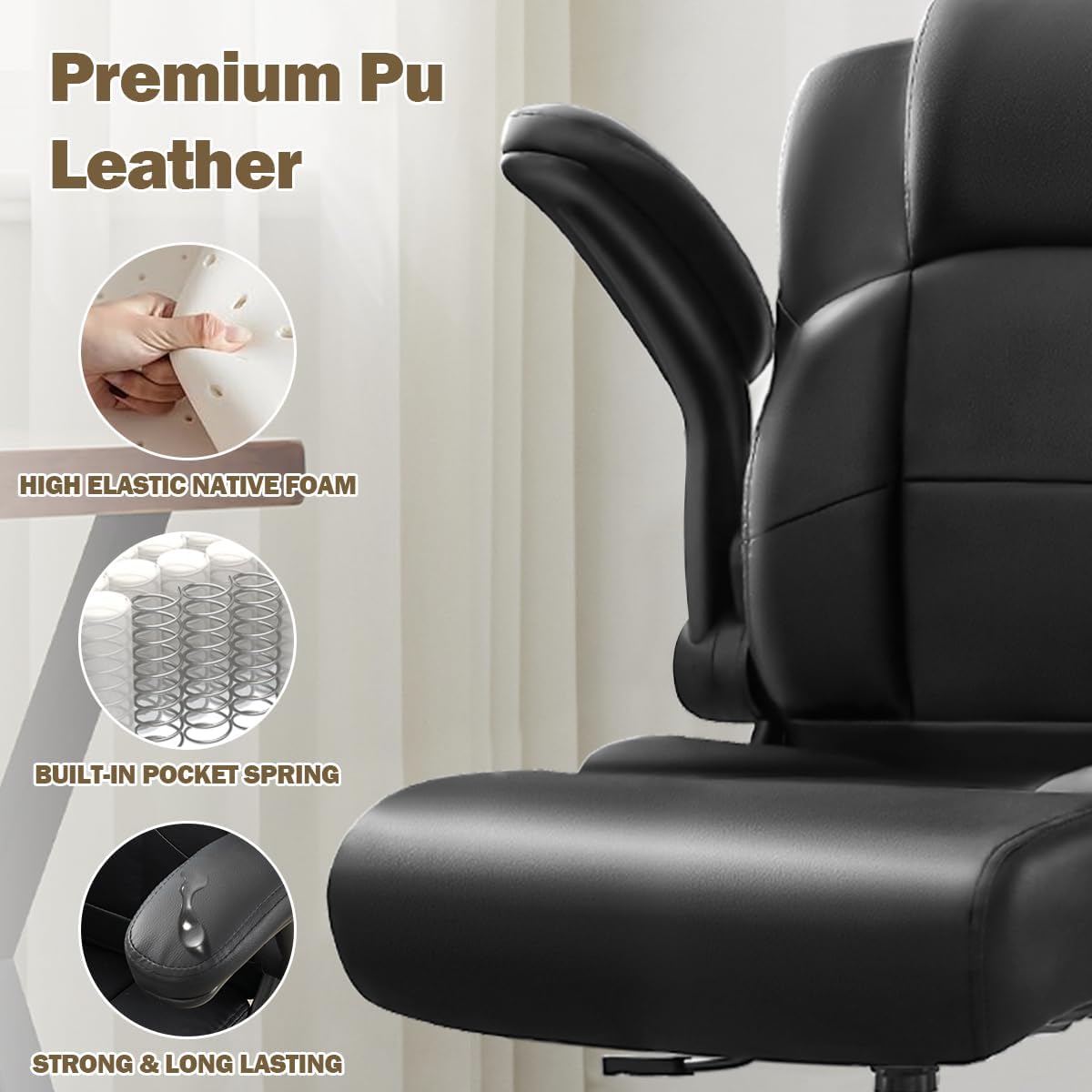
To clean the premium leather upholstery, simply wipe it with a clean, damp cloth. Avoid using harsh chemicals or abrasive cleaners, as these may damage the material.
Figure 4.1: The chair's premium PU leather is easy to clean.
4.2 General Maintenance
Periodically check all screws and bolts to ensure they remain tight. Re-tighten if necessary. Inspect the casters for any debris and clean them to ensure smooth rolling mobility.
5. Troubleshooting
5.1 Chair Instability
If the chair feels unstable, ensure all assembly screws are securely tightened. Verify that the chair is placed on a flat, even surface.
5.2 Difficulty Adjusting Height
If the seat height adjustment is stiff or unresponsive, check for any obstructions around the gas lift cylinder. Ensure the lever mechanism is functioning correctly.
5.3 Noisy Casters
If the casters are noisy or not rolling smoothly, inspect them for trapped hair or debris. Clean the casters thoroughly to restore silent mobility.
6. Specifications
Feature
Detail
Brand
KWKSV
Model Number
722772007130
Color
Black
Product Dimensions (D x W x H)
18.11" x 19.88" x 39.76"
Maximum Weight Recommendation
500 Pounds
Material
Leather (PU), Sponge (Fill)
Special Features
Adjustable Height, Big and Tall, Space Saving, Heavy Duty, Ergonomic, Flip-Up Armrests, Adjustable Foot Ring, 360° Swivel
Item Weight
33 pounds
7. Warranty & Support
7.1 Product Warranty
This KWKSV Ergonomic Drafting Chair comes with a 1-year warranty from the date of purchase, covering manufacturing defects.
7.2 Customer Support
For any questions, concerns, or assistance, please contact our 24/7 customer support team. Refer to your purchase documentation for contact details.
Ask a question about this manual
Ask about setup, troubleshooting, compatibility, parts, safety, or missing instructions. Manuals+ will review the question and use this page’s manual context to help answer it.