
Introduction
This manual provides detailed instructions for the assembly, operation, and maintenance of your DurayLoly 48.1 Inch Gaming Desk. Please read all instructions carefully before assembly and use to ensure proper function and safety. Keep this manual for future reference.
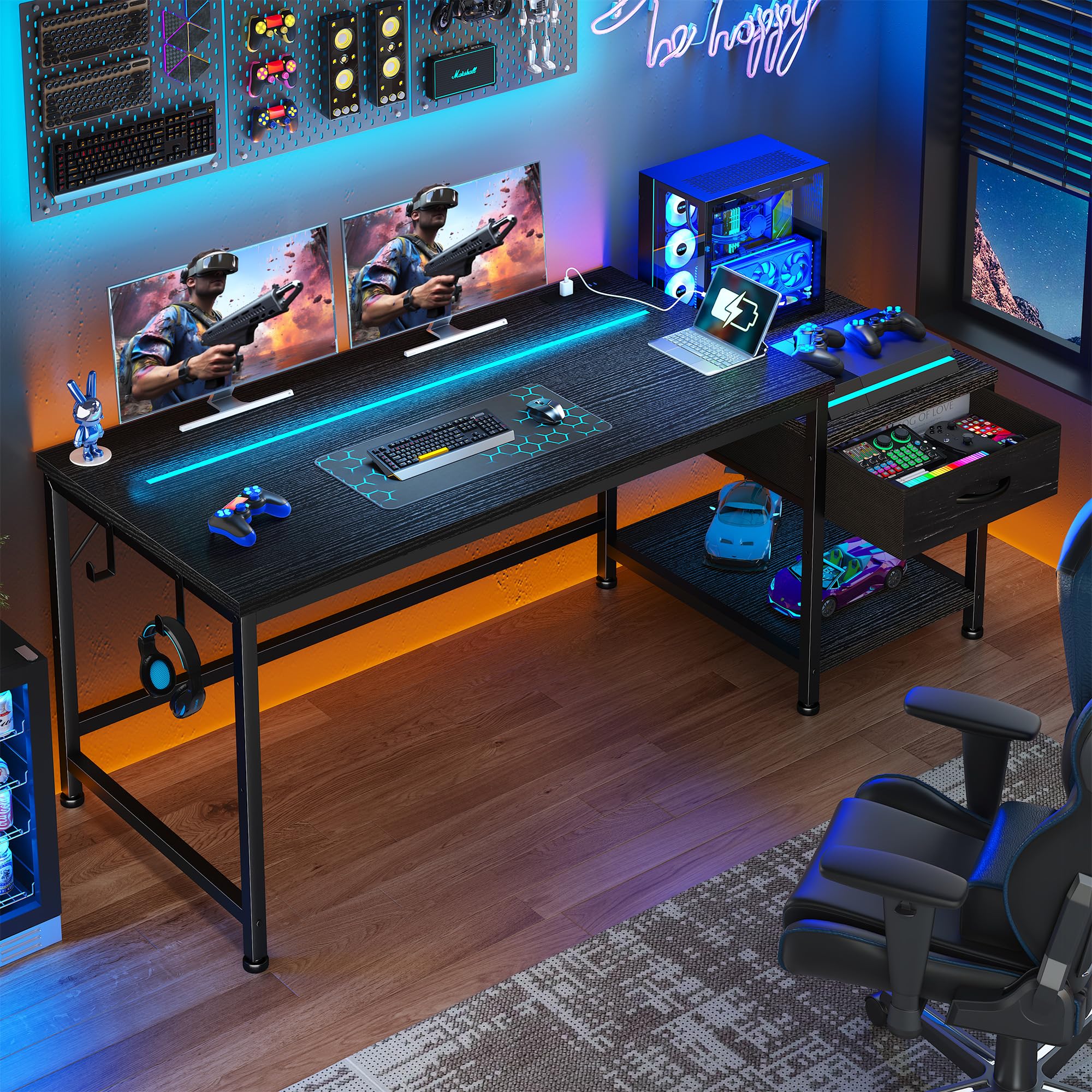
Image: The DurayLoly 48.1 Inch Gaming Desk, showcasing its design with LED lighting and integrated power outlets.
Safety Information
- Always follow the assembly instructions carefully.
- Ensure the desk is properly assembled and all fasteners are tightened before use.
- Adjust the leveling feet to ensure the desk is stable and balanced on an even surface.
- Do not overload the desk beyond its weight capacity to prevent damage or injury.
- Keep liquids away from electrical components, including power outlets and LED lights.
- Do not allow children to climb on or play with the desk.
Package Contents
Please verify that all components listed below are present before beginning assembly. If any parts are missing or damaged, contact customer service.
- Desktop Panel
- Side Storage Unit (with fabric drawer and open shelf)
- Steel Frame Components
- Integrated Power Outlet Unit (2 AC outlets, 2 USB ports)
- LED Light Strip with Remote Control
- Headphone Hooks (2)
- Adjustable Leveling Feet
- Assembly Hardware (screws, bolts, Allen wrench)
- Instruction Manual
Assembly Instructions
Assembly typically requires two people and can be completed in approximately 20 minutes. Refer to the included diagram for visual guidance.

Image: Step-by-step assembly diagram for the desk.
- Step 1: Assemble the Main Desk Frame. Connect the main desk frame components using the provided hardware. Ensure all connections are secure.
- Step 2: Attach the Side Storage Unit. Secure the side storage unit frame to the main desk frame. The side storage unit can be installed on either the left or right side according to your preference.
- Step 3: Install the Desktop Panels. Place the main desktop panel and the side storage unit's top panel onto their respective frames and secure them with the designated screws.
- Step 4: Insert the Fabric Drawer. Slide the fabric drawer into its designated slot within the side storage unit.
- Step 5: Install Accessories. Attach the headphone hooks to the desired locations on the desk frame. Adjust the leveling feet at the bottom of the desk legs to ensure stability.
- Step 6: Connect Power and LED. Integrate the power outlet unit into the pre-drilled slot on the desktop. Attach the LED light strip to the underside of the desktop or desired location and connect it to a power source.
For a visual guide on the desk's features and setup, please watch the video below:
Video: Overview of the DurayLoly Gaming Desk, highlighting its suitability for various rooms and its key features.
Features
Ample Storage Space
The desk includes a fabric drawer and an open wooden shelf, providing convenient storage for documents, office supplies, gaming gear, or other essentials. Two side hooks are also included for hanging headphones or bags.
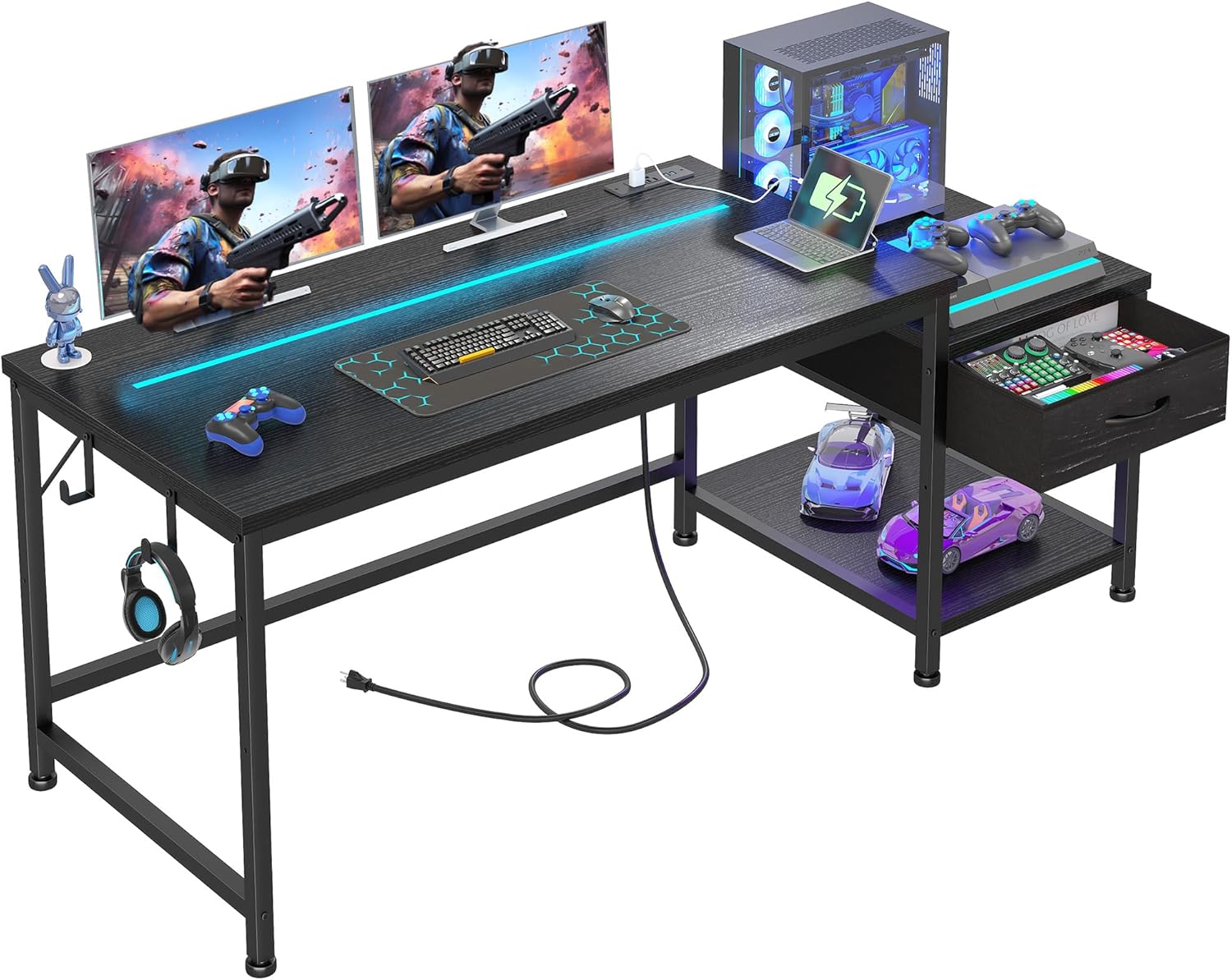
Image: The desk's storage features, including the fabric drawer and open shelf.

Image: Detail of the headphone hook and adjustable foot pad.
Large & Sturdy Desktop
The desktop measures 48.1"W x 19"D, comfortably accommodating two monitors. Reinforced steel frames and four adjustable leveling feet ensure stability and balance.

Image: Detailed product dimensions.
Built-In Power Outlets & LED Lighting
The desk is equipped with 2 AC outlets and 2 USB ports for convenient charging. The integrated LED light offers 20 color options and 21 dynamic lighting modes with adjustable brightness, controlled by a remote.

Image: Integrated power outlets and USB ports.

Image: Desk with LED lights active, creating a gaming atmosphere.
Reversible Design
The side storage unit, including the printer shelf and drawer, can be installed on either the left or right side of the main desk to suit your room layout and personal preference.

Image: Illustration of the reversible design for the side storage unit.
See the drawer feature in action:
Video: A short demonstration of the desk's fabric drawer functionality.
Operating Instructions
LED Lights
The LED light strip is controlled by the included RF wireless remote. Use the remote to:
- Turn the lights On/Off.
- Select from 20 static color options.
- Choose from 21 dynamic lighting modes (e.g., flash, fade, strobe).
- Adjust the brightness level.
- Adjust the speed of dynamic modes.
Power Outlets and USB Ports
The integrated power strip provides 2 standard AC outlets (110V/12A) and 2 USB charging ports (5V/2A). Simply plug your devices into the appropriate ports for power or charging. The power cord is 4.9 feet long.
Maintenance
- Cleaning: Wipe the desk surfaces with a soft, damp cloth. Avoid harsh chemicals or abrasive cleaners that may damage the finish.
- Dusting: Regularly dust the desk and LED strip to maintain optimal appearance and light output.
- Inspections: Periodically check all screws and bolts to ensure they remain tight. Re-tighten if necessary.
- Cable Management: Organize cables to prevent tangles and reduce strain on connections.
Troubleshooting
| Problem | Possible Cause | Solution |
|---|---|---|
| Desk is wobbly | Uneven floor; loose fasteners | Adjust leveling feet; tighten all assembly screws. |
| LED lights not working | Power connection loose; remote battery dead; LED strip damaged | Check power connection; replace remote battery; contact customer service if damaged. |
| Power outlets not working | Power cord not plugged in; circuit breaker tripped; faulty outlet unit | Ensure power cord is fully plugged into wall outlet; check household circuit breaker; contact customer service. |
| Drawer does not slide smoothly | Obstruction; misaligned fabric drawer | Remove any obstructions; ensure fabric drawer is correctly inserted and not overfilled. |
Specifications
| Feature | Detail |
|---|---|
| Product Dimensions (D x W x H) | 19" x 48.1" x 29.6" |
| Color | Black |
| Material | Wood (Top Material), Steel (Frame Material) |
| Desk Design | Computer Desk (Rectangular) |
| Storage Options | 1 Fabric Drawer, 1 Open Shelf |
| Power Outlets | 2 AC Outlets (110V/12A) |
| USB Ports | 2 USB Ports (5V/2A) |
| LED Lights | 20 Color Options, 21 Dynamic Modes, Adjustable Brightness |
| Special Features | Reversible Side Storage, Headphone Hooks, Adjustable Leveling Feet |
| Assembly Required | Yes |
Warranty and Customer Support
DurayLoly is committed to providing high-quality products and excellent customer service. If you encounter any quality issues, require assistance with assembly, or have questions about your product, please do not hesitate to contact our customer service team.
Contact Information: Please refer to the contact details provided on your purchase receipt or the official DurayLoly website for the most up-to-date customer service information.
We recommend retaining your proof of purchase for warranty claims.