1. Introduction
This manual provides comprehensive instructions for the operation and maintenance of your JeeJTek Smart Watch 2025 Model. Please read this manual thoroughly before using the device to ensure proper function and to maximize your user experience. Keep this manual for future reference.
2. Safety Information
- Do not attempt to disassemble or modify the device.
- Keep the device away from extreme temperatures and direct sunlight.
- Avoid exposing the device to strong impacts or drops.
- Consult a medical professional before starting any new exercise regimen, especially if you have pre-existing health conditions.
- The device is IP68 waterproof for daily activities but is not suitable for swimming or diving.
3. Package Contents
Verify that all items are present in your package:
- JeeJTek Smart Watch (1 unit)
- Charging Cable (1 unit)
- User Manual (this document)
4. Setup
4.1 Charging the Device
Before first use, fully charge your smart watch. Connect the magnetic charging cable to the charging contacts on the back of the watch and plug the USB end into a power adapter (not included) or a computer USB port. The watch typically charges in approximately 1.5 hours.
4.2 Downloading the App
To unlock all features, download the Halofit application on your smartphone. Search for "Halofit" in the Apple App Store (for iOS devices) or Google Play Store (for Android devices) and install it.
4.3 Pairing the Smart Watch
- Ensure your phone's Bluetooth is enabled.
- Open the Halofit app and follow the on-screen instructions to register or log in.
- In the app, navigate to 'Device' and select 'Start Pairing'. The app will search for available devices.
- Select your watch from the list (e.g., 'Gaea_xxxx') and confirm pairing on both your phone and the watch.
- For iOS users, after initial pairing, go to your phone's Bluetooth settings and pair with 'Gaea_BT_xxxx' to enable Bluetooth call functionality.

Image Description: A five-step visual guide demonstrating how to connect the smart watch. It shows downloading the Halofit app, enabling Bluetooth, initiating pairing in the app, accepting pairing, and for iOS, connecting to the call Bluetooth.
5. Operating Instructions
5.1 Basic Navigation
The smart watch features a 1.83" HD touch screen for navigation. Swipe left, right, up, or down to access different menus and functions. The side button typically serves as a power button, back button, or to access the main menu.
5.2 Making and Answering Calls
Once paired via Bluetooth, you can make and answer calls directly from your watch.
- To Make a Call: Open the dialpad on the watch, enter the number, and initiate the call. You can also access frequent contacts saved in the app.
- To Answer a Call: When a call comes in, the watch will display the caller ID. Tap the green icon to answer.

Image Description: A smart watch on a wrist showing an incoming call from 'Amy zhou' and a circle of app icons (LinkedIn, Twitter, YouTube, Facebook, Instagram, WhatsApp, Gmail, Messages, Phone, Weather, Snapchat, Google Maps) around it, indicating smart notification capabilities.

Image Description: A three-step visual guide showing how to make or answer a call. Step 1 illustrates using the dialpad on the watch. Step 2 shows enabling incoming call notifications in the Halofit app. Step 3 demonstrates adding contacts through the app.
5.3 Smart Notifications
Receive notifications for messages, calls, and alerts from various apps directly on your wrist. Configure which app notifications you wish to receive through the Halofit app settings.

Image Description: A smart watch screen showing notifications from various apps like Missed calls, Instagram, and WeChat, demonstrating its smart notification feature.
5.4 Quick Reply Function (Android Only)
For Android users, the watch supports quick replies to incoming calls and messages using preset sentences. This feature is not available for iOS.
- Open the Halofit app, go to 'Device', and enable 'Quick Reply' permission.
- Edit the preset quick reply content within the app.
- When a message or call comes in, use the watch to send a quick reply within 5 seconds.

Image Description: Two smart watch screens displaying quick reply options like 'I am busy. I will call you later.' and 'I am driving. I will call you later.' alongside a phone screen showing quick reply customization options in the app.

Image Description: A three-step visual guide on how to use the quick reply function. Step 1 shows enabling quick reply in the Halofit app. Step 2 illustrates editing preset quick reply messages. Step 3 displays the watch sending a quick reply to an incoming message.
5.5 AI Voice Assistant
Interact with your watch using voice commands for hands-free operation. The AI voice assistant can help with navigation, calls, music control, and setting alarms.
- For iOS: Activate Siri on your phone, then use the function.
- For Android: Activate the voice assistant on your phone, then use the function.
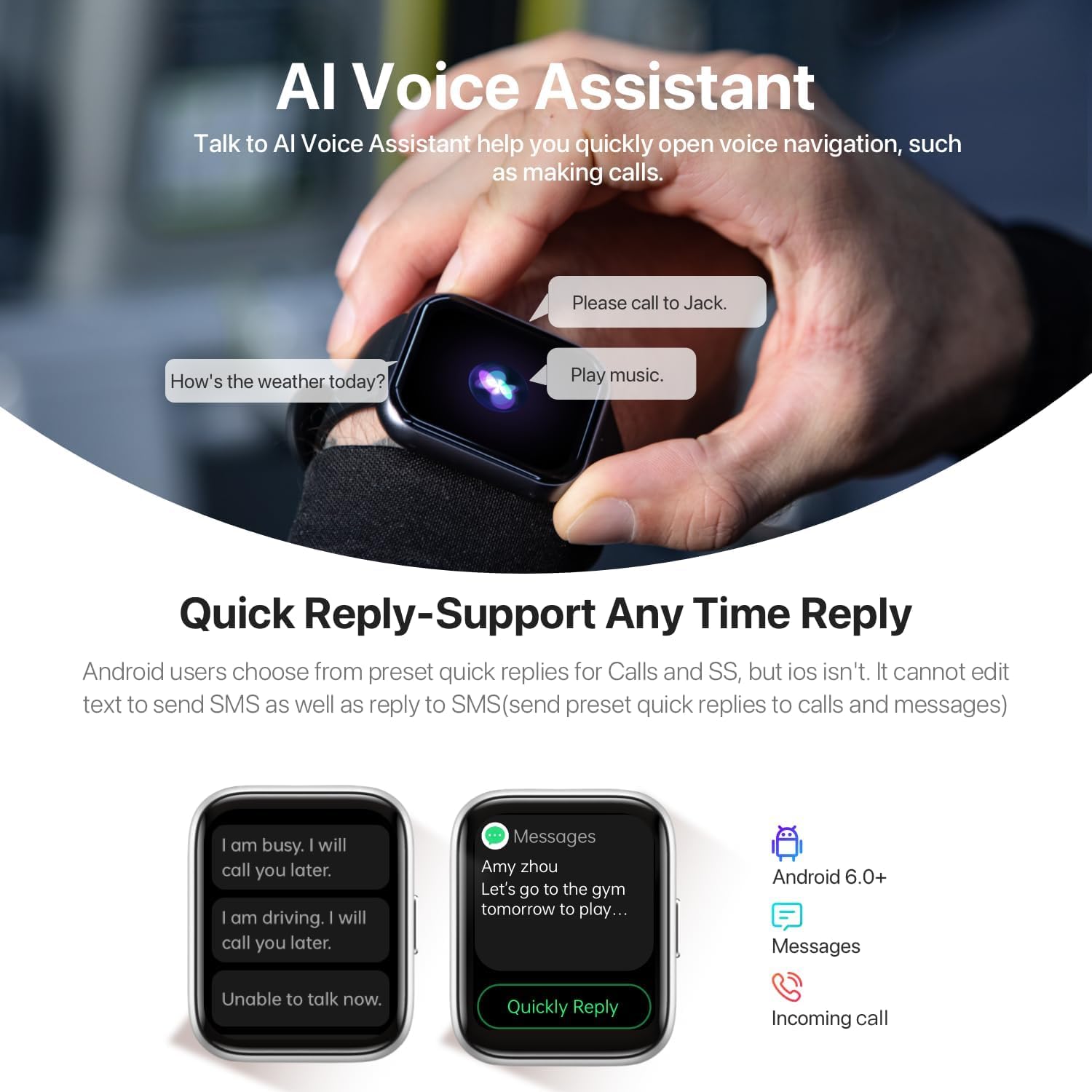
Image Description: A hand wearing the smart watch, with speech bubbles indicating voice commands like "Please call to Jack.", "How's the weather today?", and "Play music.", demonstrating the AI Voice Assistant feature.

Image Description: A smart watch on a wrist with speech bubbles showing voice commands like "Please call to Jack.", "How's the weather today?", and "Play music.", highlighting the AI Voice Assistant's capabilities.
5.6 Health Monitoring
The smart watch provides comprehensive health tracking features.
- Heart Rate Monitor: Tracks your heart rate 24/7. Set maximum and minimum heart rate preferences for alerts.
- Sleep Monitor: Monitors your sleep patterns, including deep sleep, REM, light sleep, and awake times.
- Stress Monitor: Provides 24-hour detection of stress levels.
- Blood Oxygen Monitor: Measures your blood oxygen saturation levels.
- Menstrual Cycle Tracker: Predicts ovulation and period based on data entered in the app.
Note: For accurate measurements, wear the watch tightly on your wrist and keep your body steady.

Image Description: A collage showing various health tracking features: heart rate monitoring during running, stress monitoring during yoga, blood oxygen monitoring during cycling, and sleep tracking. A smart watch displays heart rate data, and a phone screen shows detailed heart rate graphs.

Image Description: A smart watch screen showing sleep duration and different sleep stages (deep sleep, REM, light sleep, awake) with their respective durations, alongside an image of a person sleeping.

Image Description: A smart watch displaying real-time heart rate and a phone screen showing a detailed 24/7 heart rate graph, with a person running in the background, illustrating the heart rate monitoring feature.

Image Description: A smart watch screen showing sleep duration and a phone screen displaying a detailed sleep analysis graph, with a person sleeping in the background, illustrating the all-day sleep monitoring feature.

Image Description: A smart watch displaying a stress level reading and a phone screen showing a detailed stress level graph, with a person working on a laptop in the background, illustrating the 24-hour stress monitoring feature.

Image Description: Four smart watch screens illustrating the menstrual cycle tracker, showing different stages like 'Day 1 Menstrual period' and 'Day 1 Fertile period', indicating its ability to predict cycles.
5.7 Sports Modes
The watch supports over 100 sports modes to track your workouts. It also features automatic recognition for 3 common sports.
- Selecting a Sport Mode: Navigate to the 'Workout' section on your watch and choose your preferred activity.
- Automatic Recognition: The watch can automatically detect outdoor running, outdoor walking, and treadmill activities, starting tracking without manual selection.

Image Description: A smart watch screen displaying various sports modes like 'Outdoor run', 'Outdoor walk', 'Rower', and 'Indoor run', surrounded by icons for other daily functions such as calculator, timer, weather, and games.

Image Description: A smart watch screen showing various sports modes and a grid of icons representing over 100 different sports activities, highlighting the extensive workout tracking capabilities.

Image Description: A person using gym equipment while wearing the smart watch, with icons for 'Outdoor running', 'Outdoor walking', and 'Treadmill' below, indicating the watch's automatic 3-sport recognition feature.
5.8 Customizing Watch Faces
Personalize your watch with a variety of watch faces. You can choose from over 100 dynamic watch faces in the Halofit app or create custom dials using your own photos.
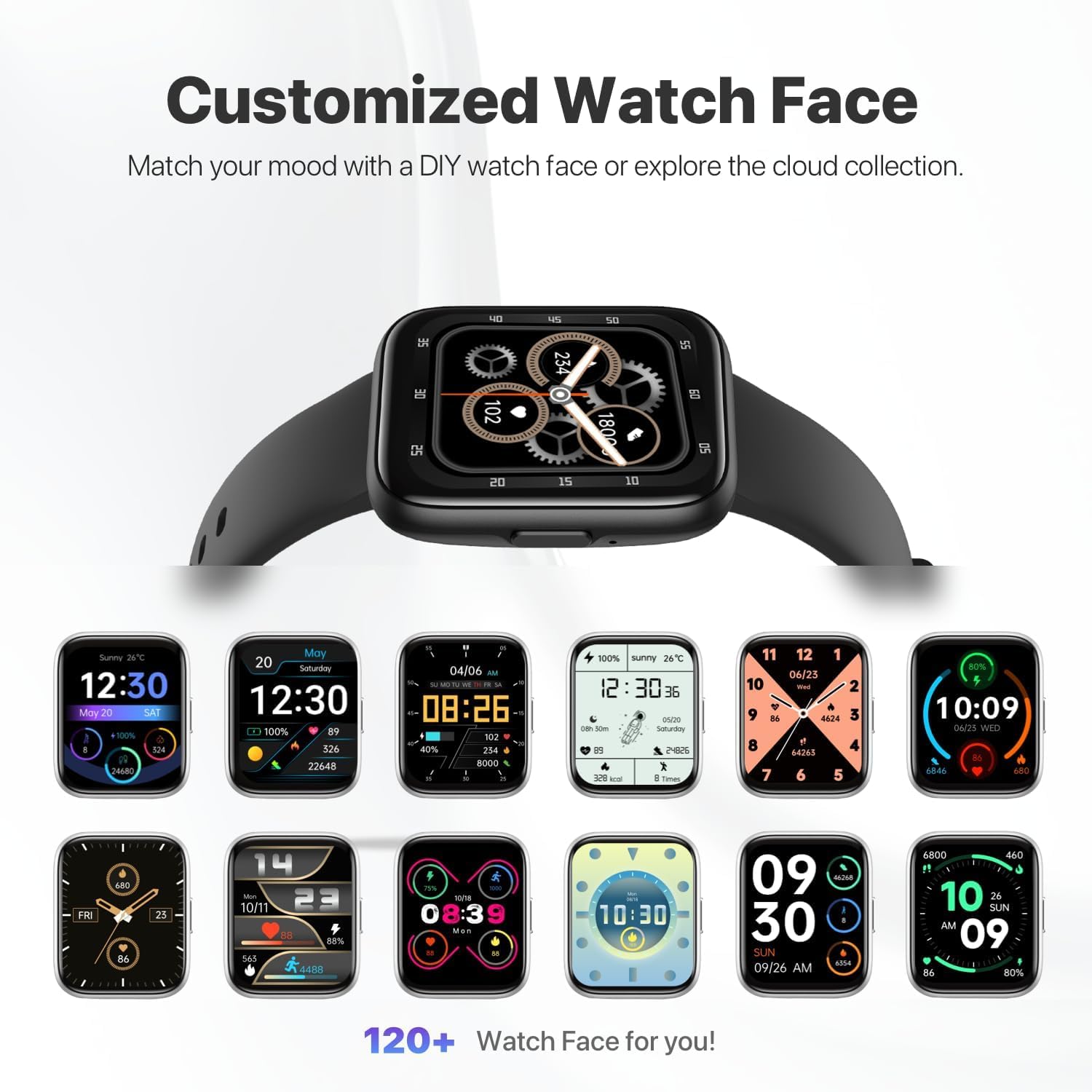
Image Description: A smart watch displaying a customizable watch face, surrounded by a grid of various other watch face designs, illustrating the wide range of personalization options available.

Image Description: A smart watch displaying a customizable watch face, with text highlighting '150+ Dials in the APP', 'Support DIY Unique Design Style', and '1.83" HD Touch Screen', showcasing personalization options.
5.9 Music Control
Control music playback on your smartphone directly from your watch. Play, pause, skip tracks, and adjust volume without needing to access your phone.

Image Description: A smart watch displaying music controls (play, pause, skip) next to a smartphone showing a music player interface, with a person enjoying music in the background, illustrating the music control feature.
5.10 Other Functions
The smart watch includes additional useful features:
- Calculator: Perform basic calculations.
- Timer/Stopwatch: For timing activities.
- Weather: View current weather conditions.
- Games: Enjoy simple games like Jigsaw puzzle, Color blindness, and Tic Tac Toe.
- Find My Phone: Locate your paired smartphone.
- Sedentary Reminder: Alerts you to move after periods of inactivity.
- Breathe Training: Guided breathing exercises for relaxation.
- Alarm: Set alarms for reminders.
- Calendar: View dates and events.

Image Description: A smart watch screen showing various sports modes (Outdoor run, Outdoor walk, Rower, Indoor run) surrounded by icons representing other functions like calculator, music control, weather, timer, alarm, flashlight, breathe training, sedentary reminder, and auto activity.

Image Description: Four smart watch screens displaying different games: Jigsaw puzzle, Color blindness test, and Tic Tac Toe, illustrating the 'Decompression Haven' feature for entertainment.
6. Maintenance
6.1 Water Resistance (IP68)
The JeeJTek Smart Watch is rated IP68 waterproof, meaning it is resistant to dust and can withstand immersion in water up to 1.5 meters for 30 minutes. This makes it suitable for daily waterproofing needs such as handwashing, sweating, and rain. It is not recommended for swimming, diving, or hot water activities.

Image Description: A smart watch being splashed with water, with icons indicating its suitability for 'Raining', 'Sweating', and 'Handwashing', but explicitly stating 'No Swimming' and 'No Diving', illustrating its IP68 waterproof capabilities.
6.2 Battery Life and Charging
The watch is equipped with a 300mAh battery, offering:
- Up to 10 days of typical usage.
- Up to 30 days on standby.
- Approximately 3 days with heavy usage.
Charge the device using the provided magnetic charging cable. Avoid using damaged cables or non-certified chargers.

Image Description: A close-up of the smart watch displaying 80% battery charge, with text indicating 'Up to 10 Days Battery' and '30 Days on Standby', emphasizing its long battery life.
6.3 Cleaning
Wipe the watch and strap regularly with a soft, damp cloth. Avoid using harsh chemicals or abrasive materials that could damage the device.
7. Troubleshooting
- Watch not turning on: Ensure the watch is fully charged.
- Cannot pair with phone: Check if Bluetooth is enabled on your phone and the watch is within range. Restart both devices and try again.
- Notifications not received: Verify that app notifications are enabled in both your phone's settings and the Halofit app. Ensure the watch is properly connected.
- Inaccurate health data: Ensure the watch is worn snugly on your wrist. Avoid excessive movement during measurements.
- Short battery life: Reduce screen brightness, disable unnecessary notifications, and limit continuous heart rate monitoring.
8. Specifications
| Feature | Specification |
|---|---|
| Brand | JeeJTek |
| Screen Size | 1.83 Inches |
| Operating System | RTOS |
| Connectivity Technology | Bluetooth |
| Battery Capacity | 300 Milliamp Hours |
| Battery Type | Lithium Polymer |
| Water Resistance | IP68 |
| Memory Storage Capacity | 128 MB |
| Item Weight | 3.52 ounces |
| Special Features | Activity Tracker, Bluetooth Call Make/Answer, Heart Rate/Sleep/Stress Monitor, 105+ Sports Modes, Pedometer, Alarm Clock, Message Notification, Music Control, Voice Control |
9. Warranty and Support
For warranty information and customer support, please refer to the product packaging or contact JeeJTek customer service through their official channels. Keep your purchase receipt as proof of purchase for warranty claims.