
1. Introduction
This manual provides essential information for the setup, operation, maintenance, and troubleshooting of your XUNDEFINED 32 Inch 4K UHD Monitor (Model XD32UH60). Please read this manual thoroughly before using the product to ensure proper functionality and to prevent damage.
2. What's in the Box
Verify that all components are present in the packaging:
- 32-inch Monitor Panel x 1
- Monitor Stand x 1
- HDMI Cable x 1
- Instruction Manual x 1
3. Setup
3.1 Stand Assembly
To assemble the monitor stand:
- Carefully remove the monitor panel from its packaging, keeping it protected.
- Attach the stand neck to the back of the monitor panel by aligning the slots and sliding it into place until it clicks securely.
- Secure the stand base to the neck using the provided screw. Ensure it is tightened firmly.
For a visual guide on unboxing and assembly, please refer to the video below.
Video: Unboxing and assembly of a 32-inch 4K monitor. This video demonstrates how to safely remove the monitor from its packaging, attach the stand components, and prepare it for use. It highlights the physical components included and the ease of assembly.
3.2 Connectivity
The monitor offers versatile connectivity options:
- 2x HDMI 2.0 Ports: Connect your PC, laptop, gaming console, or other HDMI-compatible devices.
- 1x DisplayPort 1.4: For high-resolution and high-refresh-rate connections to compatible graphics cards.
- 3.5mm Audio Out Port: Connect external speakers or headphones for audio output.
Ensure all cables are securely connected to the appropriate ports on both the monitor and your device.

Image: Rear view of the monitor displaying its multiple input ports. This image illustrates the available connectivity options for various devices.
4. Operating Instructions
4.1 Power On/Off and Menu Navigation
Locate the power button and joystick control (if applicable) on the back or bottom of the monitor. Use these controls to power the monitor on/off and navigate the on-screen display (OSD) menu for settings adjustments.
4.2 Key Features
- 4K UHD Resolution (3840x2160): Experience exceptional detail and clarity for all content.
- Pro-Grade Color Performance: With 120% sRGB coverage and 16.7 million colors, enjoy accurate and vibrant visuals.
- Adaptive-Sync Technology: Synchronizes the monitor's refresh rate with your GPU for smooth, tear-free visuals, especially during gaming.
- 3000:1 High Contrast Ratio: Delivers enhanced black and white details for greater depth in images.
- Blue Light Filter & Flicker-Free: Reduces eye strain during extended use, promoting a more comfortable viewing experience.
- Ultra-Slim Bezel: The three-sided borderless design provides an immersive viewing experience and is ideal for multi-monitor setups.
- Tilt Adjustment: Adjust the screen angle from -5° to +15° for optimal viewing comfort.

Image: Front view of the XUNDEFINED 32 Inch 4K UHD Monitor showcasing its key display features and vibrant color capabilities.
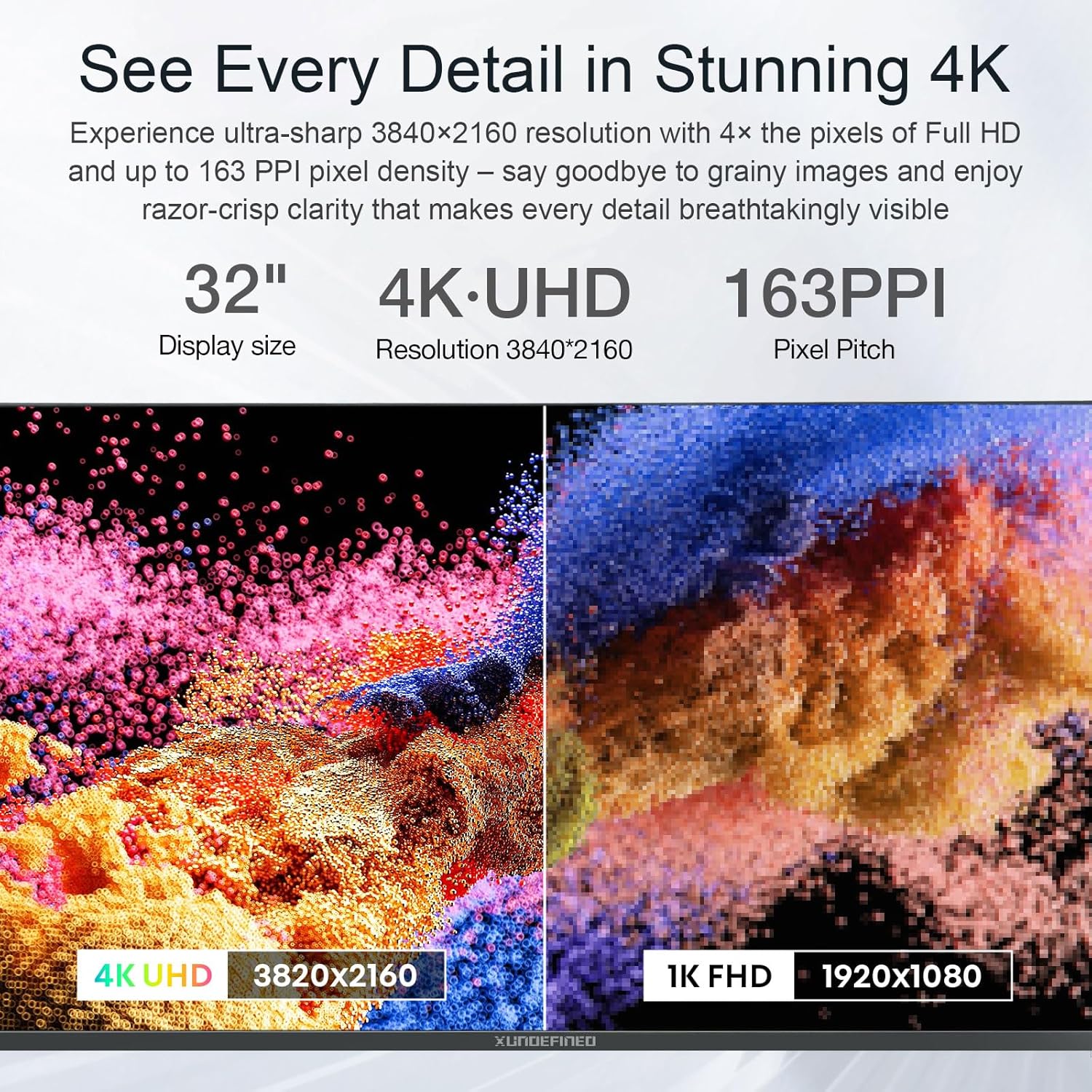
Image: A visual comparison demonstrating the superior detail of 4K UHD resolution compared to Full HD on the monitor.

Image: The monitor displaying a high-resolution racing game, illustrating its suitability for 4K gaming and streaming with smooth performance.
Video: A brief overview of the 32-inch 4K monitor for office and home use. This video highlights the monitor's visual quality and design in various usage scenarios.
4.3 Multi-Monitor Setups
The ultra-slim bezel design makes this monitor ideal for creating an immersive multi-monitor workspace. Connect multiple monitors using the available HDMI and DisplayPort connections to expand your desktop area.

Image: Three monitors arranged in a multi-screen setup, demonstrating the seamless visual experience provided by the ultra-slim bezels.
Video: A user demonstrating a multi-monitor setup with the XUNDEFINED monitor, highlighting how it reduces clutter and enhances productivity in an office environment.
5. Maintenance
To ensure the longevity and optimal performance of your monitor:
- Cleaning: Use a soft, lint-free cloth slightly dampened with water or a screen-cleaning solution. Avoid harsh chemicals or abrasive materials.
- Ventilation: Ensure adequate airflow around the monitor to prevent overheating. Do not block ventilation openings.
- Storage: When not in use for extended periods, store the monitor in a cool, dry place, ideally in its original packaging.
6. Troubleshooting
If you encounter any issues, refer to the following common troubleshooting steps:
- No Display/Black Screen:
- Ensure the power cable is securely connected to both the monitor and a working power outlet.
- Verify that the video cable (HDMI/DisplayPort) is firmly connected to both the monitor and your computer.
- Check if the correct input source is selected on the monitor's OSD menu.
- Restart your computer.
- Screen Tearing or Stuttering (during gaming):
- Ensure Adaptive-Sync is enabled in your monitor's OSD menu and your graphics card settings.
- Update your graphics card drivers to the latest version.
- Poor Image Quality/Incorrect Colors:
- Adjust brightness, contrast, and color settings via the monitor's OSD menu.
- Ensure your computer's display resolution is set to 3840x2160 (4K UHD).
- Check the video cable for damage or loose connections.
If problems persist, please contact XUNDEFINED customer support.
7. Specifications
| Feature | Detail |
|---|---|
| Product Dimensions | 5 x 30 x 19 inches |
| Item Weight | 14.3 pounds |
| Manufacturer | XUNDEFINED |
| Item Model Number | XD32UH60 |
| Standing Screen Display Size | 32 Inches |
| Aspect Ratio | 16:9 |
| Resolution | 3840 x 2160 Pixels (4K UHD 2160p) |
| Image Brightness | 250 Candela |
| Screen Surface Description | Glossy |
| First Available Date | April 16, 2025 |
8. Warranty and Support
Your XUNDEFINED 32 Inch 4K UHD Monitor is backed by a 2-year warranty and a 90-day replacement policy. For technical assistance, troubleshooting, or warranty claims, please contact XUNDEFINED customer support.
Contact information can typically be found on the product packaging or the official XUNDEFINED website.