
Pruchant 47.2" Lift Top Coffee Table
Pruchant 47.2" Lift Top Coffee Table User Manual
Model: 47.2" Lift Top Coffee Table (Walnut Oval)
Important Safety Information
Caution: This table features a lift-top and flip-top lid. Keep fingers clear of opening and closing mechanisms to prevent injury. When utilizing the table as a desk, ensure proper weight distribution to maintain stability and prevent tipping.
Setup and Assembly
Before beginning assembly, please ensure all components are present and undamaged. Refer to the included assembly guide for a complete list of parts and hardware. An Allen Key and Screwdriver are recommended for assembly.
Video: Pruchant Lift Top Coffee Table Assembly Manual. This video provides a visual guide for assembling your coffee table, demonstrating each step from unboxing to final adjustments.
Assembly Steps Overview:
- Prepare Components: Identify all numbered boards and hardware.
- Assemble Base Structure: Attach side panels (e.g., boards 3, 4, 5, 6) using cam locks and dowels.
- Attach Table Legs: Secure the four table legs (component 10) to the bottom panel (component 9) using screws.
- Install Curved Panels: Attach the curved end panels (component 8) to the main structure.
- Mount Hinges for Flip-Top: Secure hinges to the curved panels (component 8) and the flip-top lids (component 2). Ensure precise alignment.
- Install Lift Mechanism: Attach the lift-top mechanism to the main tabletop (component 1) and the internal side panels (components 5 and 6).
- Final Adjustments: After assembly, check for levelness and uniform gaps. Adjust hinges as needed (refer to "Troubleshooting and Adjustments" section).

Image: This image highlights key features such as the 90-degree flip-top design for easy access, the easy-to-clean surface, and the aesthetic laminated wood grain finish.
Operating Instructions
The Pruchant Lift Top Coffee Table is designed for versatile use, functioning as both a coffee table and a temporary workspace.
- Lift-Top Function: Gently lift the main tabletop to raise it from 16 inches to 21 inches in height. This mechanism allows the table to transform into a comfortable surface for working or dining while seated on a sofa. The premium hydraulic support rod ensures smooth and stable operation.
- Flip-Top Storage: The oval ends of the table feature flip-top lids that open to reveal hidden storage compartments. These are ideal for organizing books, snacks, remote controls, and other small items, helping to keep your living space tidy.
- Storage Capacity: The hidden compartments provide ample space for various items, as illustrated in the accompanying image.

Image: This visual demonstrates the table's dual functionality, showcasing its use as a standard coffee table for leisure and as a raised desk for working with a laptop.

Image: This image highlights the versatile storage capabilities of the coffee table, showing how it can accommodate items such as books, tissue boxes, small accessories, snacks, and blankets.
Care and Maintenance
To ensure the longevity and appearance of your Pruchant Lift Top Coffee Table, follow these care guidelines:
- Cleaning: The table features a water-resistant finish, making it easy to clean. Wipe surfaces with a soft, damp cloth. Avoid abrasive cleaners or harsh chemicals that could damage the finish.
- Scratch Resistance: While designed to be scratch-resistant, it is advisable to use coasters for drinks and placemats for hot items to prevent potential damage.
- Moving the Table: When relocating the coffee table, always lift it with both hands or have two people carry it. Avoid dragging the table, as this can damage the legs or structure.

Image: This image provides a visual tip on how to properly move the coffee table, emphasizing the importance of lifting it with two hands or two people to prevent damage.
Troubleshooting and Adjustments
If you encounter issues with the tabletop's alignment or gaps, follow these adjustment procedures:

Image: This diagram details how to perform flexible adjustments to the tabletop. It shows how to adjust the gap between tabletop sections and how to adjust the overall height of the tabletop by manipulating specific screws on the hinges.
- Adjusting Tabletop Gap: To decrease the gap between tabletop sections, turn the adjustment screws counterclockwise. To enlarge the gap, turn the screws clockwise.
- Adjusting Tabletop Height: If the tabletop is uneven, loosen the screws by turning them counterclockwise. Adjust the height to level the tabletop as needed, then tighten the screws by turning them clockwise.
- Uneven Tabletop/Gaps: If the tabletop is uneven or the gaps are not uniform after initial assembly, revisit the hinge adjustment steps (refer to the assembly video at approximately 0:43 and the "Flexible Adjustment" image). Ensure all screws are securely fastened after adjustments.
Product Specifications
| Brand | Pruchant |
| Model | 47.2" Lift Top Coffee Table (Walnut Oval) |
| Product Dimensions | 19.7"D x 47.2"W x 16.1"H |
| Material Type | Engineered Wood |
| Frame Material Type | Wood |
| Color | Walnut |
| Shape | Oval |
| Tools Recommended for Assembly | Allen Key, Screwdriver |
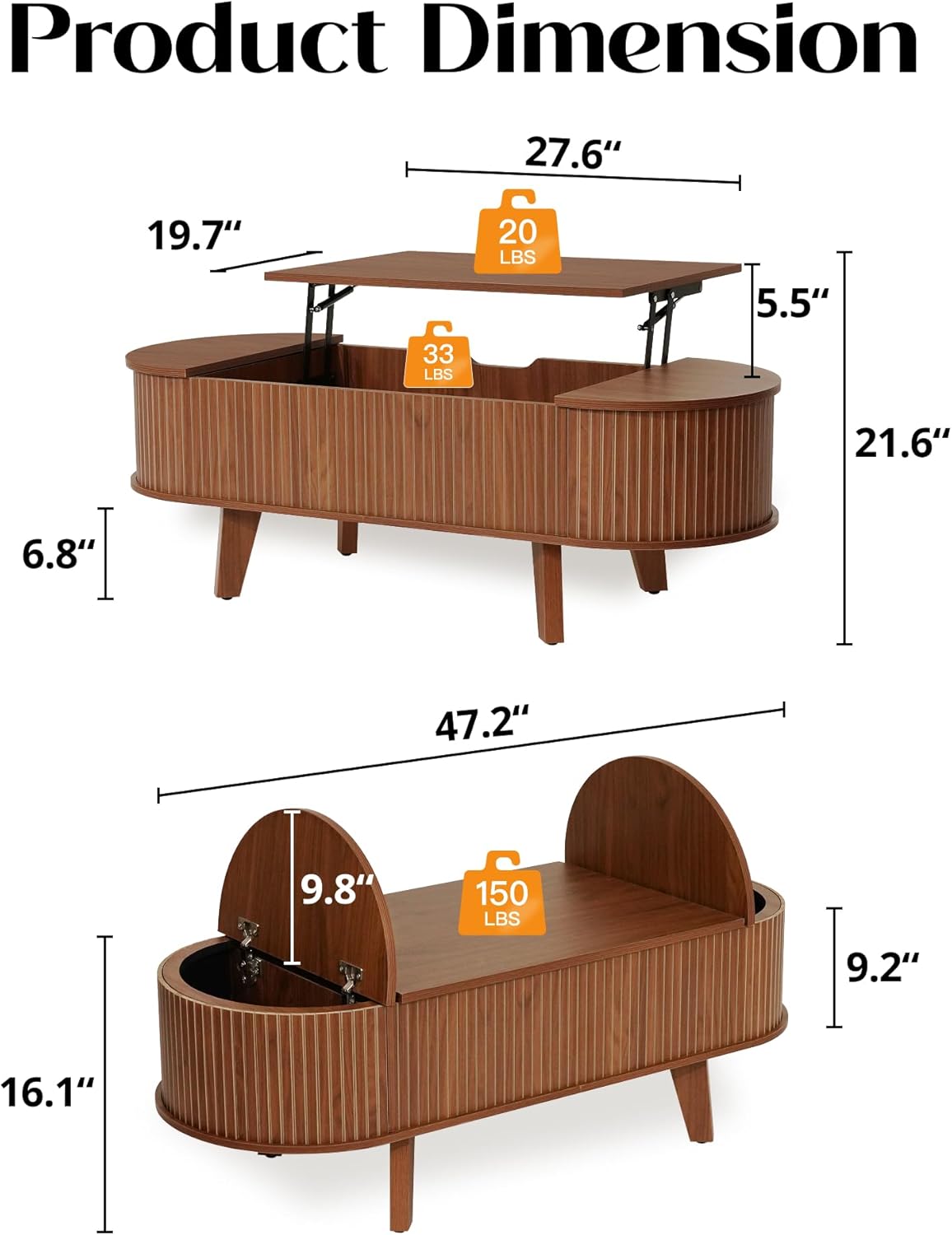
Image: This image provides a comprehensive overview of the product dimensions, including the overall size of the table and the internal measurements of the storage compartments, along with indicated weight limits.
Customer Support
For any questions, assistance with assembly, or other inquiries, please contact Pruchant customer support. You can visit the official Pruchant store for more information and contact options: Pruchant Store on Amazon.
Color Disclaimer
Due to variations in monitor settings, lighting conditions, environment, and camera equipment, the colors of the product in images may appear slightly different from the actual product. Please refer to the physical product for accurate color representation.
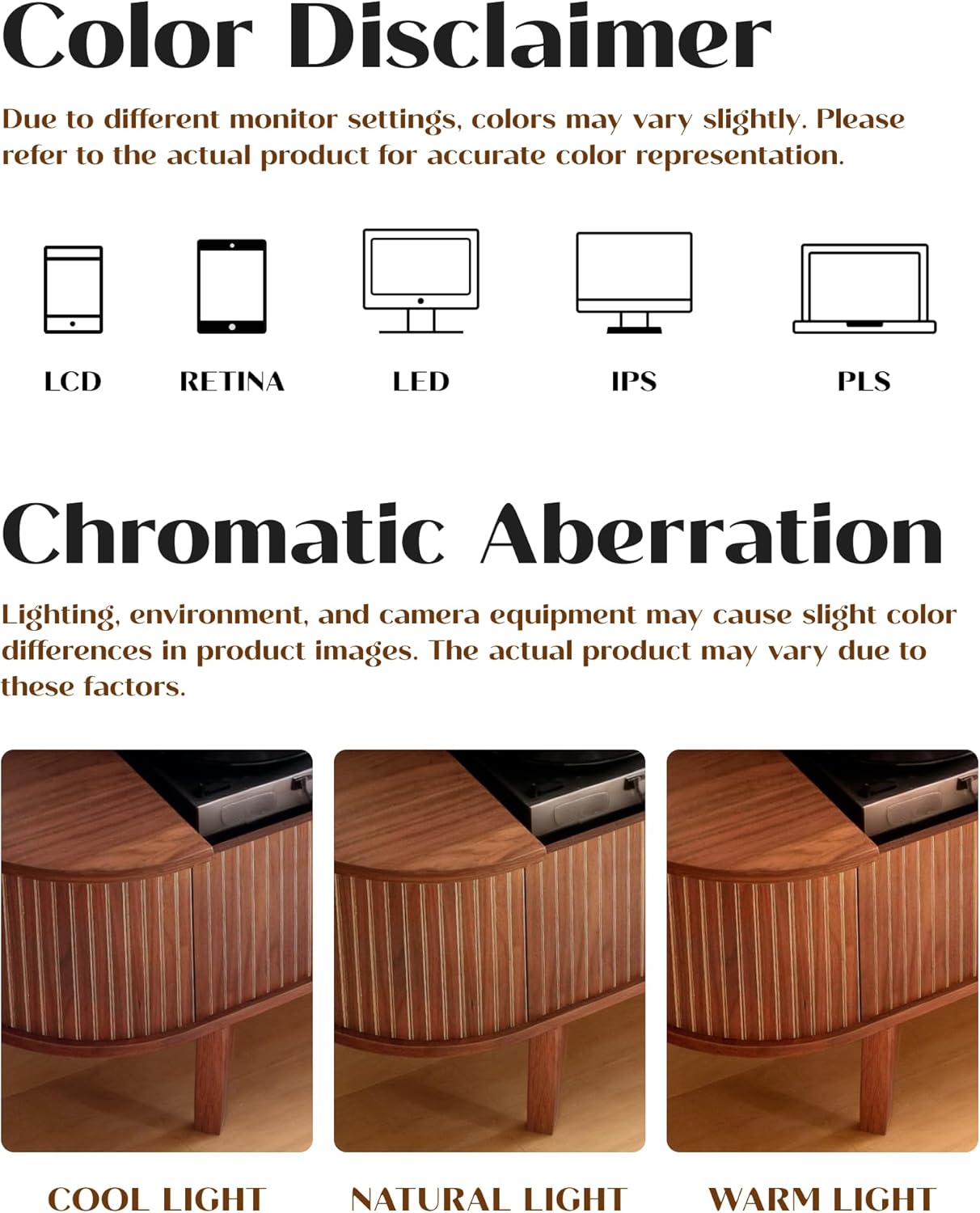
Image: This image illustrates how different lighting conditions and display types can affect the perceived color of the product, providing examples under cool, natural, and warm light.
Ask a question about this manual
Ask about setup, troubleshooting, compatibility, parts, safety, or missing instructions. Manuals+ will review the question and use this page’s manual context to help answer it.