
1. Introduction
Thank you for choosing the Yespick ZQ02377 200W LED Moving Head Light. This professional stage lighting fixture is designed to deliver powerful and dynamic lighting effects for clubs, parties, concerts, discos, and DJ events. Featuring a high-power 80W white LED complemented by 29 RGB LEDs, it offers vibrant color mixing, precise beam control, and a wide array of creative effects. This manual provides essential information for the safe and efficient operation of your moving head light.
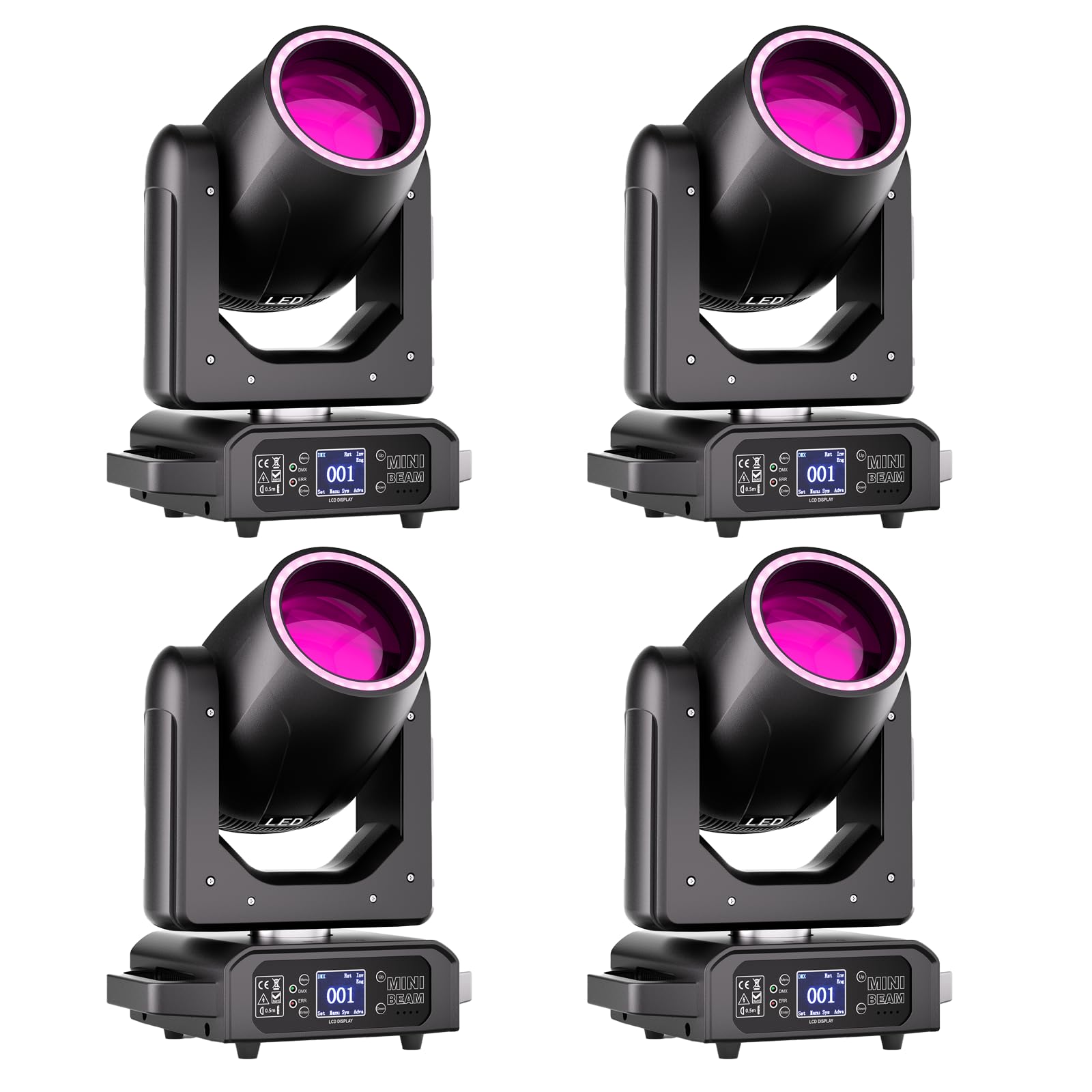
Figure 1: Yespick ZQ02377 200W LED Moving Head Light overview, showing control modes and effect wheels.
2. Safety Instructions
- Always connect the fixture to a grounded power outlet.
- Ensure proper ventilation around the unit to prevent overheating.
- Do not open the housing; there are no user-serviceable parts inside. Refer all servicing to qualified personnel.
- Avoid direct eye exposure to the light source.
- Mount the fixture securely using appropriate clamps and safety cables.
- Disconnect from power before cleaning or maintenance.
3. Package Contents
Verify that all items are present and in good condition upon unpacking.
- Moving Head Light *1
- Power Cable *1
- Light Hook Bracket *2
- Instruction Manual *1

Figure 2: Contents included in the product package.
4. Setup
4.1 Mounting
The moving head light can be mounted in various positions (e.g., truss, floor, wall) using the provided hook brackets. Ensure the mounting surface or truss can support the weight of the fixture. Always use a safety cable in addition to the primary mounting method.
4.2 Connections
Connect the power cable to a suitable grounded power outlet. For DMX control, connect a DMX cable from your DMX controller to the DMX IN port of the first fixture. Use DMX OUT to connect to the DMX IN of subsequent fixtures in a daisy chain.

Figure 3: Control panel and connection ports.
5. Operating Instructions
5.1 Control Panel
The fixture features a 1.77-inch backlit LCD display and control buttons (MENU, UP, DOWN, ENTER) for easy navigation and setting adjustments.
5.2 Operating Modes
The Yespick ZQ02377 offers multiple operating modes for versatile control:
- Automatic Mode: The fixture runs through pre-programmed sequences without external control.
- Master/Slave Mode: Link multiple fixtures where one acts as the master, controlling the others (slaves) to synchronize effects.
- Sound-Activated Mode: The light reacts to ambient sound, creating dynamic effects synchronized with music.
- DMX512 Mode: For professional control, connect to a DMX controller. The fixture supports 15/13 DMX channels for detailed command over movement, colors, gobos, and effects.
5.3 Dynamic Effects
Explore a wide range of effects to enhance your light show:
- Color Wheel: 7+1 colors with half-color and reversible rotation.
- Gobo Wheel: 11+1 fixed gobos for pattern projection.
- Rainbow Wheel: 6-color rainbow effect.
- Prism: 18-facet rotating prism (0-360°) for complex, multi-layered patterns.
- Dimming: Linear dimming from 0-100%.
- Strobe: Adjustable strobe effect from 1-20 Hz.
- Movement: Precise 16-bit control for 540° Pan (X-axis) and 200° Tilt (Y-axis) with electronic error correction.

Figure 4: Color and Gobo wheel effects.

Figure 5: Examples of integrated lighting effects.
6. Maintenance
Regular maintenance ensures the longevity and optimal performance of your moving head light.
- Cleaning: Periodically clean the lenses and exterior housing with a soft, lint-free cloth. Do not use abrasive cleaners or solvents.
- Inspection: Regularly check power and DMX cables for damage. Ensure all mounting hardware is secure.
- Ventilation: Keep ventilation openings clear of dust and debris to prevent overheating.
- Storage: When not in use, store the fixture in a dry, dust-free environment.
The LED light source has a lifespan of over 2000 hours. No user-serviceable parts are inside the unit.
7. Troubleshooting
If you encounter issues, refer to the following common troubleshooting steps:
- No Power:
- Check if the power cable is securely connected to both the fixture and the power outlet.
- Verify the power outlet is functional.
- No DMX Control:
- Ensure DMX cables are correctly connected (DMX OUT to DMX IN).
- Check DMX address settings on the fixture and controller.
- Verify DMX signal integrity; try a different DMX cable.
- Ensure the DMX controller is sending a signal.
- Fixture Not Responding:
- Cycle power to the fixture (turn off, wait 10 seconds, turn on).
- Check for any error messages on the LCD display.
- Abnormal Movement/Noise:
- Ensure the fixture is securely mounted and not obstructed.
- If the issue persists, contact customer support.
8. Specifications
| Feature | Detail |
|---|---|
| Model Number | ZQ02377 |
| Light Source | 80W White LED + 29 RGB LEDs |
| Optical System | 100mm lens, 2° ultra-narrow beam angle |
| Color Wheel | 7 colors + white, half-color, reversible rotation |
| Gobo Wheel | 11 fixed gobos + open |
| Prism | 18-facet rotating prism (0-360°) |
| Dimmer | 0-100% linear electronic dimming |
| Strobe | 1-20 Hz adjustable |
| Pan Movement | 540° (16-bit precision) |
| Tilt Movement | 200° (16-bit precision) |
| Control Modes | Auto, Master/Slave, Sound-Activated, DMX512 |
| DMX Channels | 15/13 channels |
| DMX Connector | 3-pin XLR IN/OUT |
| Display | 1.77-inch backlit LCD |
| Construction | Metal and Nylon |
| LED Lifespan | >2000 hours |
| Dimensions (approx.) | 35.1 cm (H) x 25.1 cm (W) x 18 cm (D) / 13.8 in (H) x 9.9 in (W) x 7.1 in (D) |

Figure 6: Product dimensions and movement range.
9. Warranty and Support
Information regarding product warranty and customer support is typically provided with the product packaging or on the manufacturer's official website. Please refer to these sources for details on warranty coverage, return policies, and contact information for technical assistance.