
1. Introduction
Thank you for choosing the Fire-Boltt Aero TWS Earbuds. These earbuds are designed to provide a superior audio experience with advanced features like custom EQ, Bluetooth 5.4 connectivity, long playtime, and low latency for gaming. This manual will guide you through the setup, operation, and maintenance of your new earbuds.
2. What's in the Box
Upon opening your Fire-Boltt Aero package, you should find the following items:
- Fire-Boltt Aero TWS Earbuds (Left and Right)
- Charging Case
- USB Charging Cable
- User Manual
- Additional Eartips (various sizes)

Image: The Fire-Boltt Aero TWS Earbuds, charging case, and included accessories.
3. Product Overview & Key Features
The Fire-Boltt Aero TWS Earbuds are engineered for performance and convenience. Key features include:
- Crystal-Clear Calls with Quad Mic ENC: Equipped with 4 advanced microphones and Environmental Noise Cancellation (ENC) for precise voice capture and reduced background noise during calls.
- FirePods App Customization: Personalize your audio experience with custom EQ settings, theme switching, remapping touch controls, and real-time battery status checks via the dedicated FirePods App.
- Extended Playtime: Enjoy up to 50 hours of total playtime with the robust 400mAh charging case and 40mAh earbuds.
- FireCharge Fast Charging: A quick 5-minute charge provides 300 minutes of playback, ensuring your earbuds are ready when you are.
- Ultra-Low 50ms Game Mode: Experience real-time, lag-free audio for gaming with ultra-low 50ms latency.
- IPX4 Water Resistant: Designed to withstand splashes and sweat, making them suitable for workouts and outdoor activities.
- Bluetooth 5.4: Ensures stable and efficient wireless connectivity.

Image: A visual summary of the Fire-Boltt Aero's key features.

Image: Detailed view of the 13mm dynamic drivers, emphasizing enhanced bass and build quality.

Image: Illustration of Quad Mic with ENC technology for superior call clarity.
4. Setup and Getting Started
4.1 Initial Charge
Before first use, fully charge your Fire-Boltt Aero earbuds and charging case. Connect the charging case to a USB power source using the provided USB cable. The indicator light on the case will show charging status.
4.2 Pairing with Your Device
- Open the charging case. The earbuds will automatically enter pairing mode, indicated by a flashing LED light on the earbuds.
- On your smartphone or Bluetooth-enabled device, go to Bluetooth settings.
- Search for available devices and select "Fire-Boltt Aero" from the list.
- Once connected, the LED indicator on the earbuds will stop flashing.
The earbuds will automatically reconnect to the last paired device when taken out of the case, if Bluetooth is enabled on your device.

Image: The earbuds in their case, illustrating fast pairing capabilities.
5. Operating Instructions
5.1 Touch Controls
The Fire-Boltt Aero earbuds feature intuitive touch controls for easy management of music, calls, and voice assistant:
- Play/Pause: Single tap on either earbud.
- Next Track: Double tap on the right earbud.
- Previous Track: Double tap on the left earbud.
- Answer/End Call: Single tap on either earbud.
- Reject Call: Long press on either earbud.
- Activate Voice Assistant: Triple tap on either earbud.
- Game Mode On/Off: Long press the right earbud for 2 seconds.

Image: Smart Touch Control functionality on the earbuds.
5.2 FirePods App Control
Enhance your experience by downloading the FirePods App. The app allows for advanced customization:
- Custom EQ Profiles: Adjust sound frequencies to your preference.
- Theme Switcher: Change the app interface theme.
- Noise Reduction: Manage Environmental Noise Cancellation settings.
- Battery Status: Monitor real-time battery levels of both earbuds and the case.
- One-Tap Controls Customization: Remap touch controls to suit your usage.

Image: The FirePods App interface for customizing EQ and other settings.
5.3 Voice Assistant
The earbuds support integrated voice assistants like Siri and Google Assistant. Triple tap on either earbud to activate your device's voice assistant and issue commands.

Image: Demonstrating voice assistant functionality with the earbuds.
5.4 Gaming Mode
Activate the Ultra-Low 50ms Game Mode for a seamless and responsive gaming audio experience. This mode minimizes audio lag, providing a competitive edge in fast-paced games. To activate/deactivate, long press the right earbud for 2 seconds.
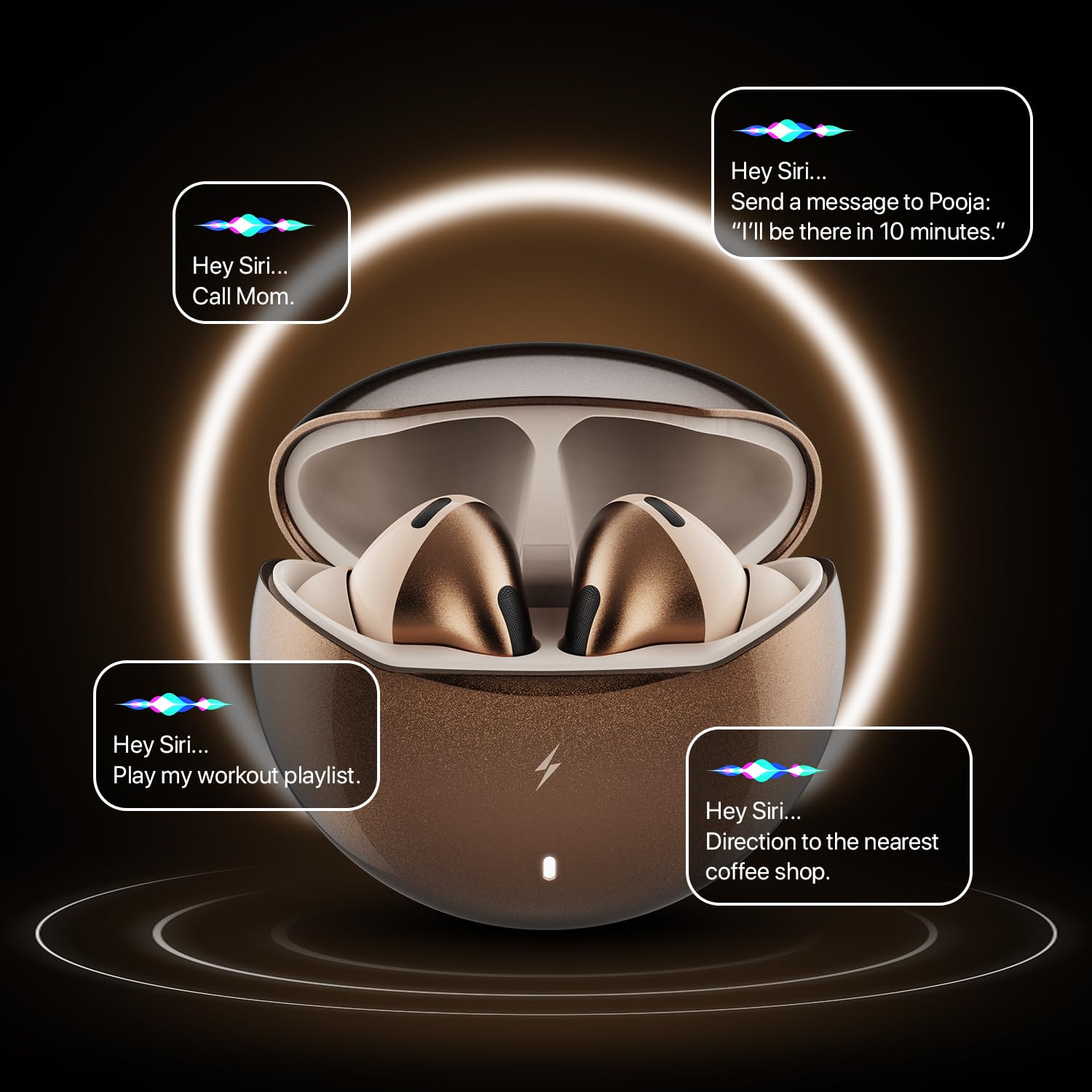
Image: The earbuds in a gaming context, emphasizing zero lag and pure play.
6. Battery and Charging
The Fire-Boltt Aero earbuds offer impressive battery life and fast charging capabilities:
- Total Playtime: Up to 50 hours with multiple charges from the charging case.
- Earbud Battery: 40mAh per earbud.
- Charging Case Battery: 400mAh.
- Fast Charging: FireCharge Technology provides 300 minutes of entertainment from just 5 minutes of charging.
- Full Charge Time: Approximately 3 hours for the charging case.

Image: The earbuds and case, highlighting the 50-hour playtime and fast charging feature.
7. Maintenance and Care
To ensure the longevity and optimal performance of your Fire-Boltt Aero TWS Earbuds, follow these care instructions:
- Cleaning: Regularly clean the earbuds and charging case with a soft, dry, lint-free cloth. Avoid using harsh chemicals or abrasive materials.
- Water Resistance: The earbuds are IPX4 water resistant, meaning they are protected against splashing water from any direction. Do not submerge them in water or expose them to heavy rain. Ensure they are dry before placing them back in the charging case.
- Storage: Store the earbuds in their charging case when not in use to protect them from dust and damage. Keep them in a cool, dry place away from extreme temperatures.
- Charging: Use only the provided charging cable or a certified equivalent. Avoid overcharging.

Image: The earbuds demonstrating their IPX4 water resistance.
8. Troubleshooting
If you encounter any issues with your Fire-Boltt Aero TWS Earbuds, please refer to the following common solutions:
| Problem | Solution |
|---|---|
| Earbuds not pairing | Ensure earbuds are charged. Turn off and on Bluetooth on your device. Forget "Fire-Boltt Aero" from your device's Bluetooth list and re-pair. |
| Only one earbud working | Place both earbuds back in the charging case, close the lid, wait a few seconds, then open and try again. Ensure both earbuds are charged. |
| Low volume or poor sound quality | Adjust volume on your device and through the earbuds' touch controls. Ensure eartips provide a snug fit. Clean any debris from the earbud speakers. Check EQ settings in the FirePods App. |
| Charging case not charging | Ensure the charging cable is securely connected to both the case and the power source. Try a different USB cable or power adapter. |
| Touch controls unresponsive | Ensure your fingers are clean and dry. Restart the earbuds by placing them in the case and taking them out again. Check touch control settings in the FirePods App. |
9. Specifications
Here are the detailed specifications for your Fire-Boltt Aero TWS Earbuds:
- Brand: Fire-Boltt
- Model Name: Aero
- Model Number: BE1700
- Ear Placement: In Ear
- Form Factor: True Wireless
- Bluetooth Version: 5.4
- Audio Driver Size: 13 Millimetres (Dynamic Driver)
- Impedance: 32 Ohms
- Noise Control: Environmental Noise Cancellation (ENC)
- Battery Life (Earbuds): 40mAh
- Battery Life (Charging Case): 400mAh
- Total Playtime: Up to 50 Hours (with charging case)
- Fast Charging: FireCharge Technology (5 mins charge = 300 mins playtime)
- Water Resistance: IPX4
- Control Method: Touch, App Control
- Low Latency: 50ms (Game Mode)
- Compatible Devices: TVs, gaming consoles (via adapter), Bluetooth speakers, Windows PCs/laptops, MacBooks/iMacs, Chromebooks, iPads, Android tablets, iPhones, Samsung Galaxy, OnePlus, Google Pixel, Xiaomi, Oppo, Vivo, and more.
- Item Weight: 30 Grams
- Material: Metal
10. Warranty and Support
Your Fire-Boltt Aero TWS Earbuds come with a 1-Year Brand Warranty. For warranty claims, technical support, or further inquiries, please contact Fire-Boltt customer service or visit the official Fire-Boltt website.
For additional product details and support, you can also refer to the product page on Amazon.in.
11. Official Product Videos
Watch these official videos to learn more about your Fire-Boltt Aero TWS Earbuds:
Fire-Boltt Aero TWS Earbuds Overview
Video: A comprehensive overview of the Fire-Boltt Aero TWS Earbuds, highlighting key features and design. This video provides a quick introduction to the product's capabilities.
Fire-Boltt Aero TWS Earbuds - Features Demo
Video: This demonstration showcases the custom EQ profiles and other customizable features of the Fire-Boltt Aero TWS Earbuds through the FirePods App, along with the ANC functionality.