
Introduction
This manual provides detailed instructions for the assembly, operation, and maintenance of your DurayLoly 39.3" Gaming Desk. Please read all instructions carefully before beginning assembly and retain this manual for future reference. Ensure all parts are present and undamaged before proceeding.
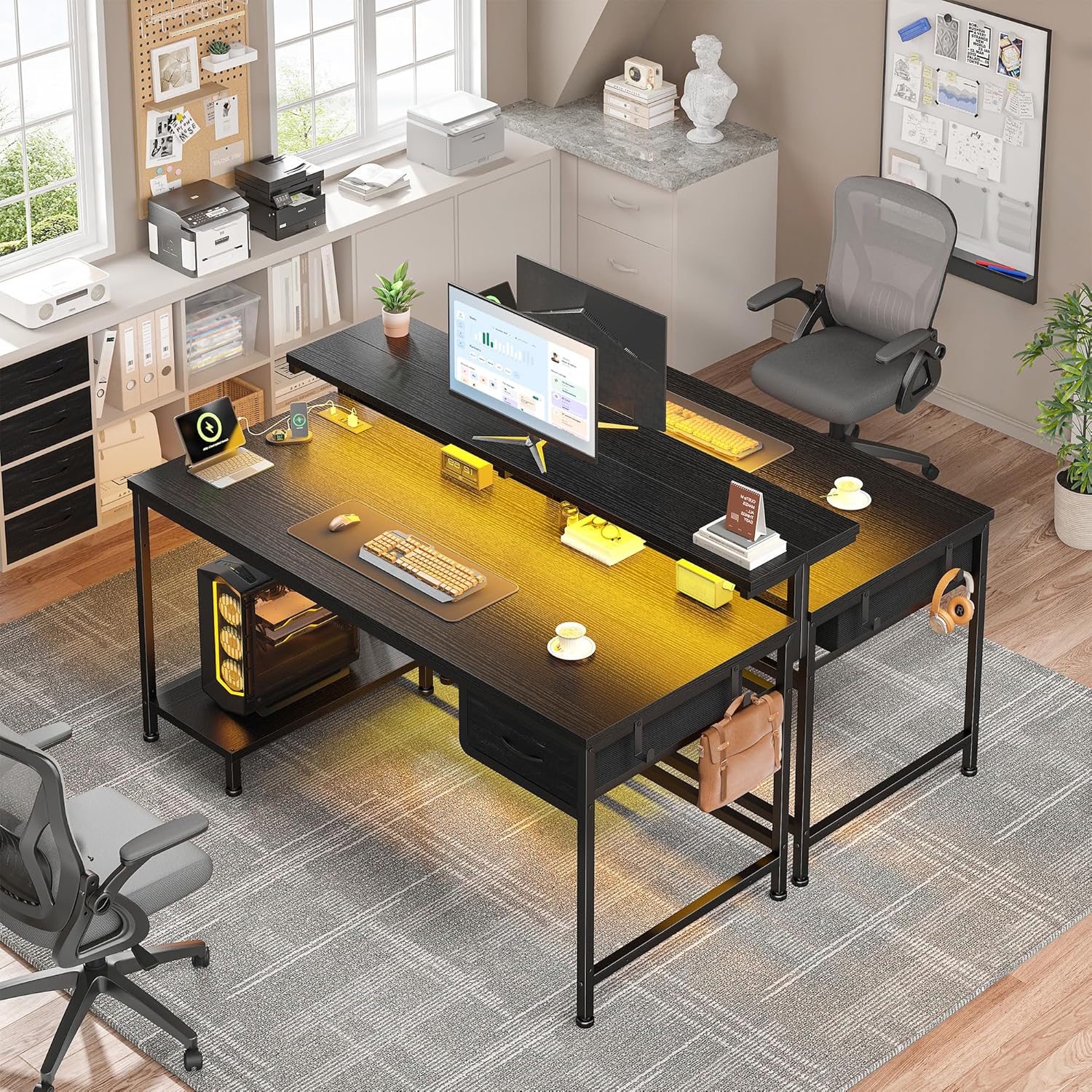
Image: The DurayLoly 39.3" Gaming Desk, showcasing its monitor stand, LED lighting, and overall design.
Package Contents
Verify that all components listed below are included in your package. If any parts are missing or damaged, please contact customer support.

Image: All components of the desk laid out on a wooden floor, numbered for easy identification during assembly.
Parts List:
- Panels: Main Desktop Panels (1, 2), Monitor Stand Panels (3, 4), CPU Stand Panel (5)
- Metal Frames: Main Desk Frames (6, 7), Crossbars (8, 9), Monitor Stand Supports (10, 11), CPU Stand Supports (12, 13), Side Hook Frame (14), Drawer Support Bar (15), Adjustable Feet (16), Monitor Stand Brackets (17), Monitor Stand Connector (18), Back Support Bar (19), Power Outlet Support (20)
- Accessories: Fabric Drawer (21), Drawer Bottom (22), Screws (A, B, C, D, E, F, H), Hooks (G), Wooden Dowels (T), Drawer Handle (N), Allen Wrench
Assembly Instructions
Follow these steps carefully for proper assembly. It is recommended to assemble the desk on a soft, clean surface to prevent scratches.
Assembly Video Guide:
Video: A step-by-step visual guide demonstrating the complete assembly process of the DurayLoly Gaming Desk.
Step-by-Step Written Instructions:
- Assemble the Main Desk Frame:
Attach the adjustable feet (A) to the bottom of the main desk frames (6 and 7). Connect the crossbar (15) between frames (6) and (7) using screws (C). Ensure all connections are secure.

Image: Close-up of adjustable feet being screwed into the frame, and the crossbar being attached.
- Assemble the CPU Stand:
Connect the CPU stand supports (12 and 13) using screws (D) and the small connector (R). Attach the CPU stand panel (5) to the assembled supports using screws (H).

Image: Assembly of the CPU stand, showing the connection of supports and the panel.
- Attach Main Desktop Panels:
Place the main desktop panels (1 and 2) onto the assembled desk frame. Use wooden dowels (T) to align and secure the panels together. Fasten them to the frame using screws (C).

Image: The two main desktop panels being placed and aligned on the desk frame using wooden dowels.
- Install Power Outlet:
Place the power outlet (J) into its designated slot on the desktop. Secure it using screws (F).

Image: A hand screwing the power outlet into the desk surface.
- Assemble Monitor Stand:
Connect the monitor stand panels (3 and 4) using wooden dowels (T). Attach the monitor stand brackets (17) and connector (18) to the panels using screws (B and D). Then, attach the assembled monitor stand to the main desk frame using screws (C).

Image: The monitor stand being attached to the main desk frame.
- Install Back Support Bar and Side Hooks:
Attach the back support bar (19) to the rear of the desk frame using screws (D). Install the side hooks (G) to the side of the desk using screws (D).

Image: A hand screwing a side hook into the desk frame.
- Assemble and Insert Drawer:
Assemble the fabric drawer (21) by inserting the drawer bottom (22). Attach the drawer handle (N) to the front of the drawer using screws (E). Slide the assembled drawer into its designated slot under the desktop.

Image: A hand attaching the handle to the fabric drawer.
Operating Instructions
LED Lights
The desk is equipped with an LED light strip offering 20 static colors and 22 dynamic modes. Use the included remote control to adjust colors, modes, and brightness. The memory control function will recall your last setting when powered on.

Image: The desk illuminated by its integrated LED lights, set to a blue color, enhancing the gaming or work environment.
Power Outlet and USB Ports
The integrated charging station includes 2 standard AC power sockets (125V/12A) and 2 Type-C USB ports (5V/2A). These allow for convenient charging of electronic devices such as smartphones, gaming devices, and Bluetooth accessories directly from your desk.
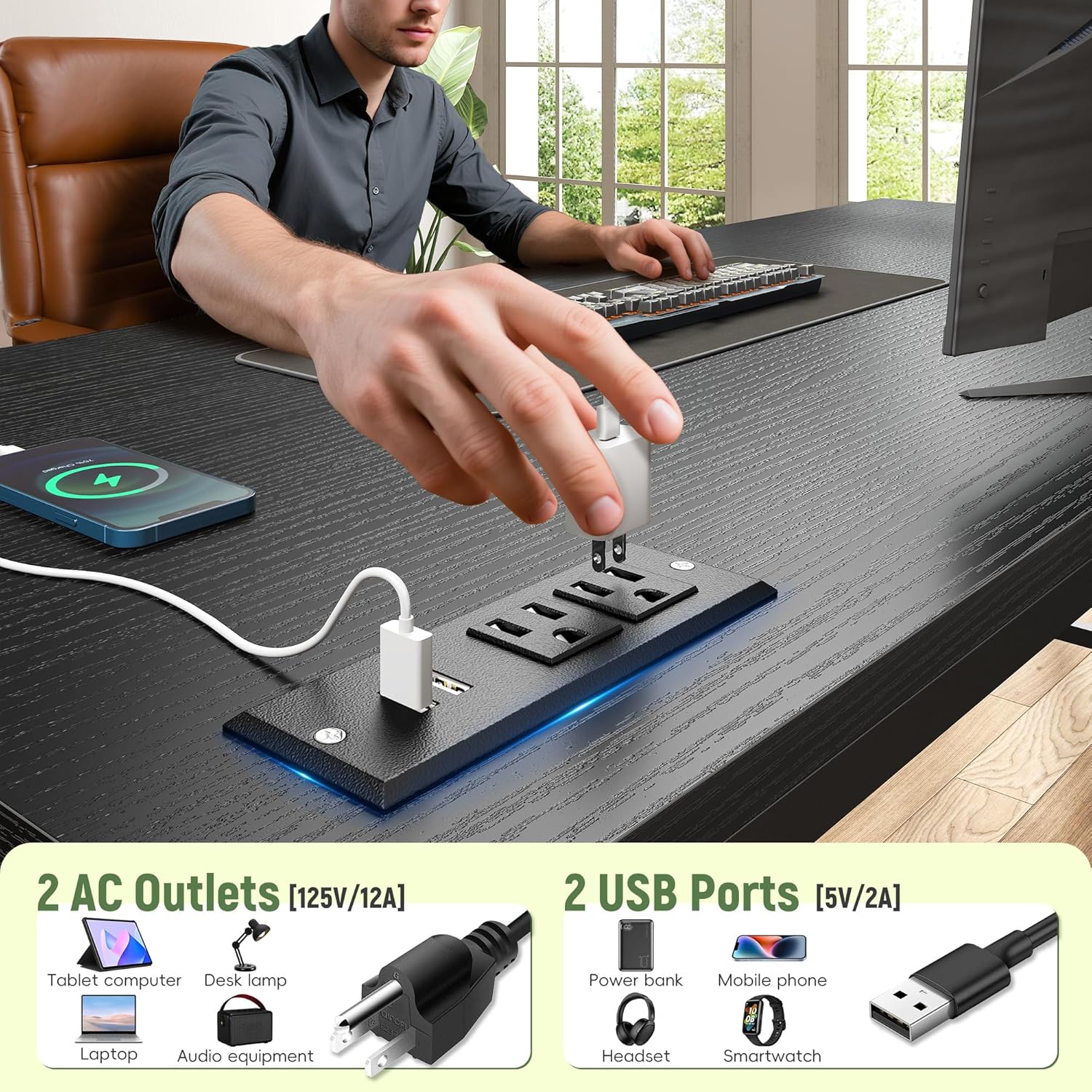
Image: A hand plugging a device into the integrated power strip on the desk, highlighting the AC outlets and USB ports.
Adjustable Monitor Stand
The 39.3-inch extended monitor stand is designed to accommodate two monitors, raising them to an ergonomic eye level. This helps reduce strain on your neck and back during prolonged use.

Image: An illustration demonstrating the ergonomic advantage of the monitor stand, showing correct and incorrect sitting postures.
Flexible Storage Options
The fabric drawer can be installed on either the left or right side of the desk. The CPU stand is also adjustable and can be positioned in four different locations (left, right, inside, outside) to suit your setup. Two side hooks are provided for hanging headphones or other accessories.
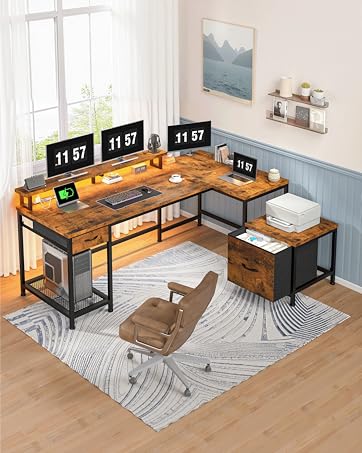
Image: A visual representation of the CPU stand's four adjustable positions and the reversible fabric drawer, highlighting the desk's flexible storage.
Maintenance
To ensure the longevity and appearance of your desk, follow these maintenance guidelines:
- Cleaning: Wipe the desk surfaces with a soft, damp cloth. Avoid abrasive cleaners or harsh chemicals that may damage the finish.
- Spills: The desk surface has an IP65 waterproof rating. Promptly wipe up any spills to prevent water damage, especially around the power outlet.
- Tighten Fasteners: Periodically check and tighten all screws and fasteners to maintain stability.
- LED Lights: Avoid direct contact with water or excessive force on the LED strip.

Image: A hand cleaning the desk surface with a cloth, demonstrating the desk's waterproof feature.
Troubleshooting
If you encounter any issues with your DurayLoly Gaming Desk, refer to the following common problems and solutions:
| Problem | Possible Cause | Solution |
|---|---|---|
| Desk is wobbly/unstable. | Loose screws or uneven floor. | Ensure all screws are tightened. Adjust the leveling feet at the bottom of the desk to compensate for uneven surfaces. |
| LED lights not working. | Power connection issue, remote control battery, or faulty LED strip. | Check if the power cord for the LED lights is properly plugged in. Ensure the remote control has a working battery. If issues persist, contact customer support. |
| Power outlets/USB ports not charging. | Desk power cord not plugged in, or device not properly connected. | Verify the main power cord of the desk is securely plugged into a wall outlet. Ensure devices are correctly connected to the outlets/ports. |
| Drawer does not slide smoothly. | Improper assembly or obstruction. | Recheck the drawer assembly steps. Ensure no items are obstructing the drawer's movement. |
Specifications
Detailed technical specifications for the DurayLoly 39.3" Gaming Desk:
| Feature | Detail |
|---|---|
| Product Dimensions | 19.6"D x 39.3"W x 35.8"H |
| Color | Black |
| Material | Wood (Top Material Type), Metal (Base Material) |
| Special Features | Extended Adjustable Monitor Stand, Fabric Drawer, CPU Stand, LED Lights, Power Outlet (2 AC, 2 Type-C USB) |
| Power Outlet | 2 AC Outlets (125V/12A), 2 Type-C USB Ports (5V/2A) |
| LED Lights | 20 Static Colors, 22 Dynamic Modes, Memory Control Function |
| Assembly Required | Yes |

Image: Detailed product dimensions of the desk, including the monitor stand and CPU stand.
Warranty and Support
For any questions, concerns, or assistance with your DurayLoly Gaming Desk, please contact DurayLoly customer support. Refer to your purchase documentation for specific warranty details and contact information.
We are committed to providing high-quality products and services to meet your needs.