
1. Introduction
This user manual provides comprehensive instructions for the dotn M17B Portable Bluetooth Speaker. Please read this manual thoroughly before using the product to ensure proper operation and to maximize its lifespan. Keep this manual for future reference.
2. Safety Information
- Do not immerse the speaker in water for extended periods, despite its IP7 waterproof rating.
- Keep the speaker away from extreme temperatures, direct sunlight, and heat sources.
- Do not disassemble, repair, or modify the speaker. This may void the warranty and cause damage.
- Use only the provided Type-C charging cable.
- Avoid dropping or subjecting the speaker to strong impacts.
- Keep out of reach of children.
3. Package Contents
Verify that all items are present in the package:
- dotn M17B Portable Bluetooth Speaker x 1
- Type-C Charging Cable x 1
- Instruction Manual x 1
4. Product Overview
4.1. Speaker Components
The dotn M17B speaker features a robust design with intuitive controls and multiple connectivity options.

Image: Side view of the dotn M17B speaker, highlighting the control panel and input ports.
- Power Button: Press and hold to power on/off. Short press to change LED light modes.
- Volume Up / Next Track Button: Short press for next track, long press for volume up.
- Play/Pause / TWS Pairing Button: Short press to play/pause. Long press to initiate TWS pairing.
- Volume Down / Previous Track Button: Short press for previous track, long press for volume down.
- EQ Button: Short press to cycle through EQ sound modes.
- USB Port: For USB drive playback.
- TF Card Slot: For MicroSD card playback.
- DC 5V Charging Port (Type-C): For charging the speaker.
- AUX-in Port: For wired audio connection.
- LED Light Ring: Displays various light effects.
- Portable Lanyard: For easy carrying.

Image: Close-up of the portable lanyard and metal dust net for protection.
Product Demonstration
Video: A demonstration of the dotn M17B Portable Bluetooth Speaker, showcasing its features, sound, and LED lights.
5. Setup
5.1. Charging the Speaker
Before first use, fully charge the speaker. Connect the provided Type-C charging cable to the DC 5V port on the speaker and the other end to a USB power adapter (not included).
- The LED indicator will show charging status.
- A full charge typically takes approximately 3-4 hours.
- The speaker provides up to 20 hours of playtime at 50% volume. Actual playtime varies with volume, audio content, and LED light usage.
5.2. Powering On/Off
- To Power On: Press and hold the Power button (⏻) for 2-3 seconds. You will hear an audible prompt, and the LED light ring will illuminate.
- To Power Off: Press and hold the Power button (⏻) for 2-3 seconds. You will hear an audible prompt, and the LED light ring will turn off.
5.3. Bluetooth Pairing
The speaker will automatically enter Bluetooth pairing mode when powered on for the first time or if no device is connected.
- Ensure the speaker is powered on and in pairing mode (LED indicator will flash).
- On your device (smartphone, tablet, laptop), enable Bluetooth.
- Search for "M17" in the list of available Bluetooth devices.
- Select "M17" to connect. Once connected, you will hear a confirmation sound, and the LED indicator will remain solid.
- The speaker will automatically reconnect to the last paired device when powered on, if available.
Image: Bluetooth 5.4 connection process with a mobile device.
5.4. True Wireless Stereo (TWS) Pairing
You can pair two M17B speakers together for an immersive stereo sound experience.
- Ensure both M17B speakers are powered on and not connected to any Bluetooth device.
- On one speaker (this will be the primary speaker), long press the Play/Pause/TWS button (∞) for 2-3 seconds. You will hear a prompt indicating TWS pairing mode.
- The two speakers will automatically search for and pair with each other. Once paired, you will hear a confirmation sound.
- Now, connect your device to the primary speaker via Bluetooth as described in section 5.3. The audio will play in stereo through both speakers.

Image: Diagram illustrating True Wireless Stereo pairing between two speakers.
6. Operating the Speaker
6.1. Playing Music
- Bluetooth Mode: After successful Bluetooth pairing, play music from your connected device.
- AUX-in Mode: Insert a 3.5mm audio cable into the AUX-in port and connect to your audio source. The speaker will automatically switch to AUX mode.
- TF Card Mode: Insert a MicroSD (TF) card with audio files into the TF card slot. The speaker will automatically switch to TF card mode and begin playback.
- USB Mode: Insert a USB drive with audio files into the USB port. The speaker will automatically switch to USB mode and begin playback.
6.2. Adjusting Volume and Playback
- Volume Up: Long press the Volume Up / Next Track button (▲).
- Volume Down: Long press the Volume Down / Previous Track button (▼).
- Play/Pause: Short press the Play/Pause / TWS Pairing button (∞).
- Next Track: Short press the Volume Up / Next Track button (▲).
- Previous Track: Short press the Volume Down / Previous Track button (▼).
6.3. EQ Modes
The speaker features 3 Equalizer (EQ) modes to optimize your listening experience.
- Short press the EQ button to cycle through the available sound modes (e.g., Bass Boost, Vocal, Standard).

Image: Demonstrating the EQ button to select sound modes.
6.4. LED Light Modes
The speaker includes adjustable LED lights with eight different effects.
- Short press the Power button (⏻) to cycle through the various LED light modes.
- To turn off the LED lights, continue pressing the Power button until the lights are off.

Image: Visual representation of the eight available LED light effects.
6.5. Hands-Free Calling
The built-in microphone allows for hands-free calls when connected via Bluetooth.
- Answer Call: Short press the Play/Pause / TWS Pairing button (∞).
- End Call: Short press the Play/Pause / TWS Pairing button (∞) during a call.
- Reject Call: Long press the Play/Pause / TWS Pairing button (∞).

Image: Illustration of using the speaker for one-touch calls.
7. Maintenance
7.1. Cleaning
Wipe the speaker with a soft, damp cloth. Do not use harsh chemicals or abrasive cleaners. Ensure all ports are dry before charging.
7.2. Water Resistance (IP7 Rating)
The M17B speaker has an IP7 waterproof rating, meaning it can withstand splashes, rain, and accidental submersion up to 1 meter for 30 minutes. However, it is not designed for continuous underwater use. Ensure the port cover is securely closed before exposure to water.
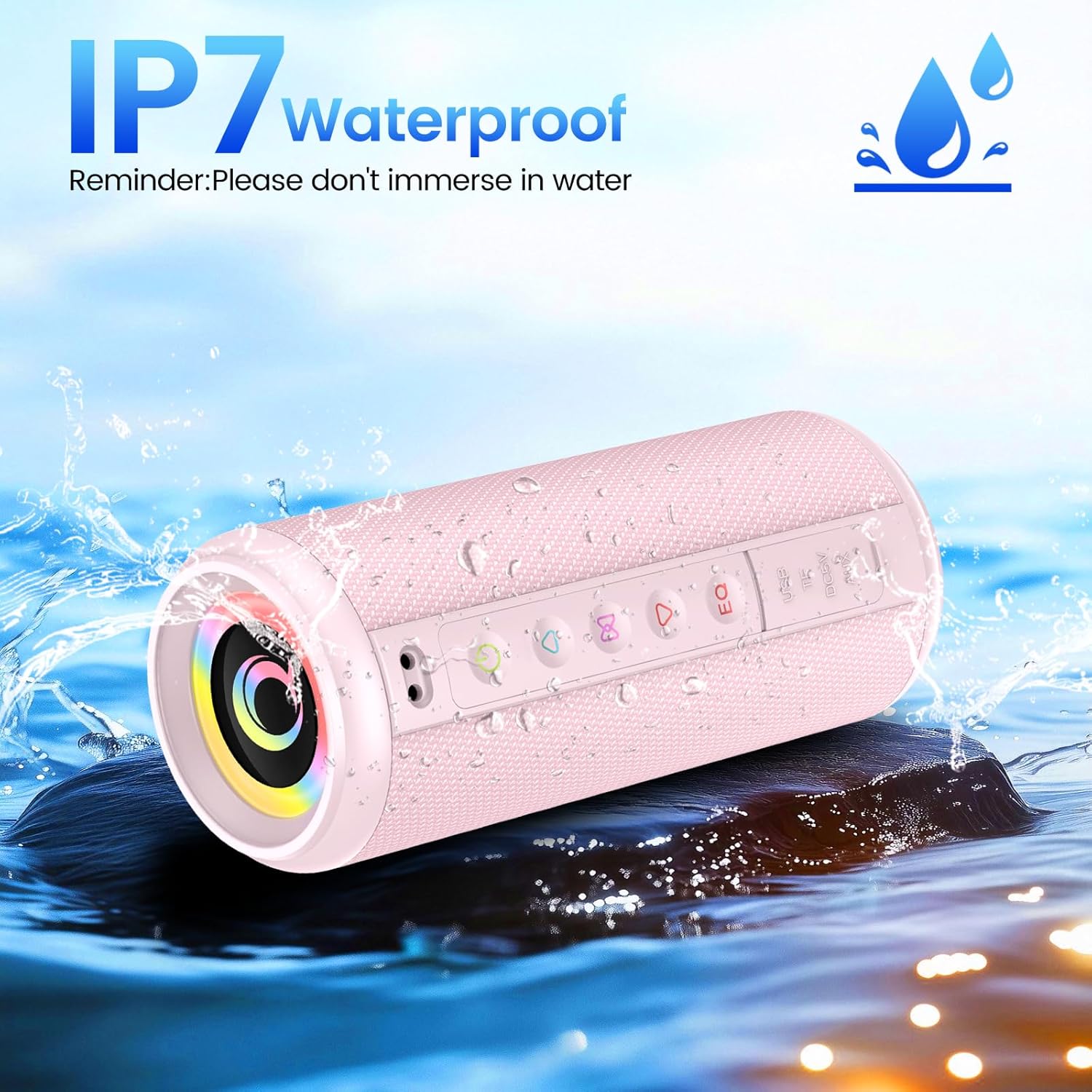
Image: The speaker demonstrating its IP7 waterproof capability.
7.3. Storage
Store the speaker in a cool, dry place when not in use. Avoid storing in areas with extreme temperatures or high humidity.
8. Troubleshooting
| Problem | Possible Cause | Solution |
|---|---|---|
| Speaker does not power on. | Low battery. | Charge the speaker fully using the provided Type-C cable. |
| Cannot pair via Bluetooth. | Bluetooth is off on your device; speaker is too far; speaker is already connected to another device. | Ensure Bluetooth is enabled on your device. Move the speaker closer to your device. Disconnect from other devices or reset the speaker. |
| No sound or low volume. | Volume is too low on speaker or device; incorrect input mode. | Increase volume on both the speaker and your device. Ensure the correct input mode (Bluetooth, AUX, TF, USB) is selected. |
| TWS pairing failed. | Speakers are too far apart; one speaker is already paired to a device. | Ensure both speakers are within close proximity and not connected to any other Bluetooth device before initiating TWS pairing. |
| Sound distortion. | Volume too high; low battery. | Reduce the volume. Charge the speaker. |
9. Specifications
| Feature | Detail |
|---|---|
| Model Name | M17B |
| Brand | dotn |
| Speaker Type | Portable Speaker |
| Connectivity Technology | Bluetooth |
| Bluetooth Version | 5.4 |
| Bluetooth Range | 98 Feet |
| Audio Output Mode | Stereo |
| Speaker Maximum Output Power | 20 Watts |
| Frequency Response | 16 KHz |
| Water Resistance Level | IP7 (Waterproof) |
| Playtime | Up to 20 hours (at 50% volume) |
| Control Method | Push Button |
| Power Source | Battery Powered (1 A battery included) |
| Product Dimensions | 0.39"D x 0.39"W x 0.39"H (Note: Refer to image for more accurate dimensions) |
| Item Weight | 1.46 pounds |
| Material | Plastic |
| Included Components | Bluetooth Speaker x 1, Type-C Charging Cable x 1, Instruction Manual x 1 |

Image: Physical dimensions and weight of the dotn M17B speaker.
10. Warranty and Support
The dotn M17B Portable Bluetooth Speaker comes with a standard manufacturer's warranty. For detailed warranty information, please refer to the warranty card included in your package or contact dotn customer support.
If you encounter any issues or have questions regarding your speaker, please contact dotn customer support through their official website or the contact information provided in your product documentation.