
Introduction
Thank you for choosing the TONEMAY H5Max Wireless Over-Ear Headphones. These headphones are designed to provide a high-quality audio experience with advanced features such as -56dB Hybrid Active Noise Cancelling (ANC), Hi-Res Audio support, and extended battery life. This manual will guide you through the setup, operation, and maintenance of your new headphones to ensure optimal performance and longevity.
Package Contents
Please check the package for the following items:
- TONEMAY H5Max Wireless Over-Ear Headphones
- USB-C Charging Cable
- 3.5mm Audio Cable
- User Manual (this document)
Product Overview
The TONEMAY H5Max headphones feature a comfortable over-ear design with soft memory foam ear cushions and 360° rotating earcups for an adaptive fit. Key controls are located on the earcups for easy access.
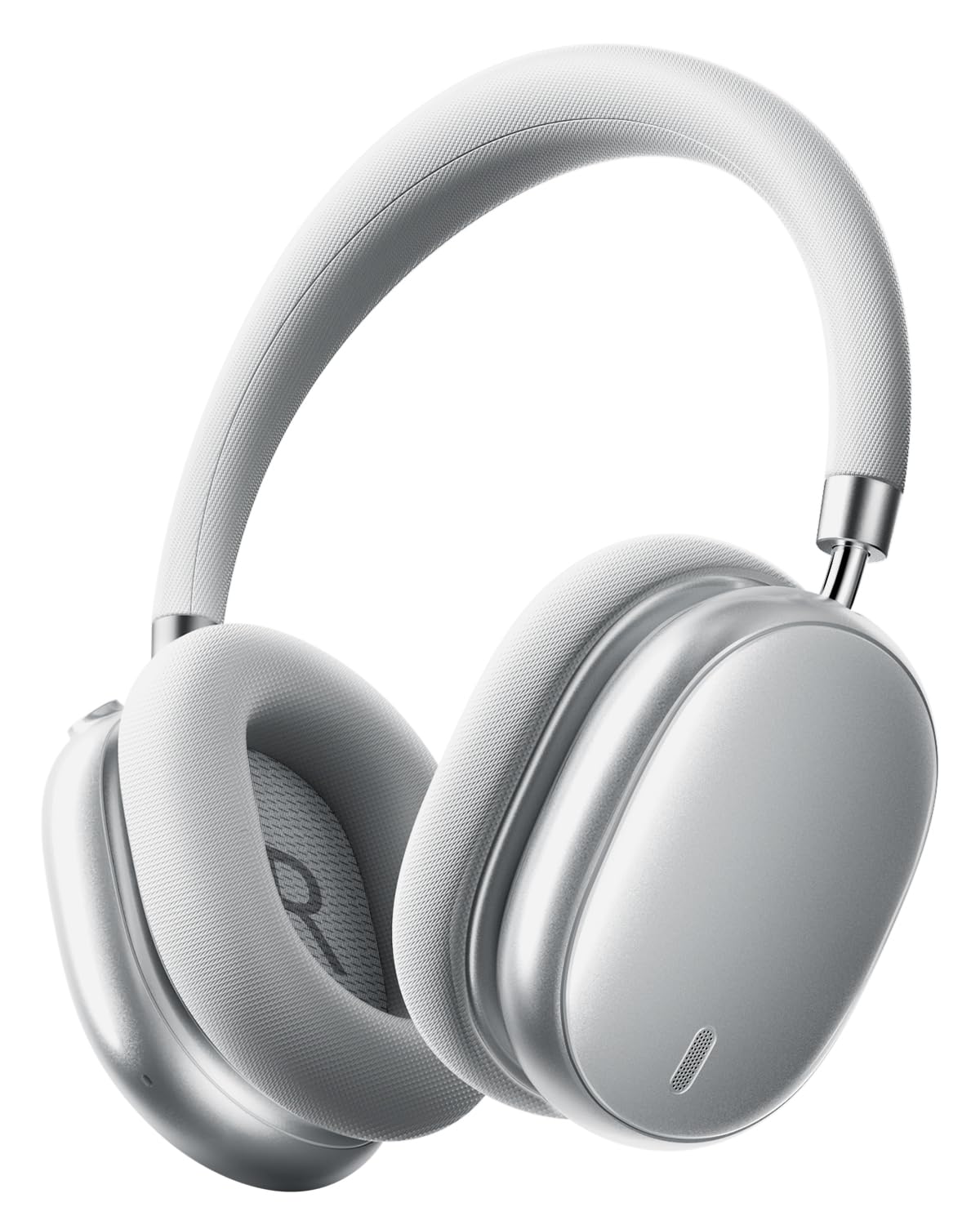
Image: TONEMAY H5Max Wireless Over-Ear Headphones in Silver. This image displays the sleek design of the headphones, highlighting the earcups and headband.
Controls and Indicators:
- Power Button: Used to power on/off the headphones and initiate Bluetooth pairing.
- Volume Up/Next Track Button: Increases volume with a short press, skips to the next track with a long press.
- Volume Down/Previous Track Button: Decreases volume with a short press, goes to the previous track with a long press.
- Multi-function Button (MFB): Play/Pause, Answer/End calls.
- ANC Button: Toggles Active Noise Cancelling (ANC) and Transparency modes.
- USB-C Port: For charging the headphones.
- 3.5mm Audio Jack: For wired audio connection.
- LED Indicator: Displays power, charging, and Bluetooth status.
Setup
1. Charging the Headphones
- Connect the provided USB-C charging cable to the USB-C port on the headphones.
- Connect the other end of the cable to a USB power adapter (not included) or a computer's USB port.
- The LED indicator will show the charging status. A full charge provides up to 130 hours of playtime.
Note: For optimal battery life, fully charge the headphones before first use.
2. Bluetooth Pairing
- Ensure the headphones are fully charged and powered off.
- Press and hold the Power button for approximately 3-5 seconds until the LED indicator flashes blue and red, indicating pairing mode.
- On your device (smartphone, tablet, computer), enable Bluetooth and search for available devices.
- Select "TONEMAY H5Max" from the list of found devices.
- Once connected, the LED indicator will turn solid blue or flash blue slowly.
- The headphones support Bluetooth 6.0 for stable and efficient wireless connectivity.
Tip: If pairing fails, turn off the headphones and your device's Bluetooth, then repeat the steps.
3. App Control (Optional)
For personalized sound control, download the TONEMAY companion app from your device's app store. The app allows you to:
- Customize EQ settings to tailor your audio experience.
- Adjust ANC levels and switch between noise cancelling and transparency modes.
- Update headphone firmware.
- Change voice prompt language (if applicable).
Note: Some app features or language settings may vary. Refer to the app for specific instructions.
Operating Instructions
Power On/Off
- Power On: Press and hold the Power button for 2 seconds. The LED indicator will light up.
- Power Off: Press and hold the Power button for 3 seconds. The LED indicator will turn off.
Music Playback
- Play/Pause: Press the MFB once.
- Volume Up: Short press the Volume Up button.
- Volume Down: Short press the Volume Down button.
- Next Track: Long press the Volume Up button.
- Previous Track: Long press the Volume Down button.
Call Management
- Answer/End Call: Press the MFB once.
- Reject Call: Press and hold the MFB for 2 seconds.
- The 5-microphone ENC system ensures clear calls even in noisy environments.
Active Noise Cancelling (ANC) and Transparency Mode
- Press the ANC button to cycle through modes: ANC On, Transparency Mode, ANC Off.
- ANC On: Reduces ambient noise by up to -56dB, ideal for travel or focused work.
- Transparency Mode: Allows you to hear your surroundings without removing the headphones, useful for conversations or awareness.
Wired Mode
To use the headphones in wired mode:
- Connect one end of the 3.5mm audio cable to the audio jack on the headphones.
- Connect the other end to your audio source's 3.5mm output.
- Wired mode can be used even if the headphone battery is depleted.
Maintenance
- Cleaning: Wipe the headphones with a soft, dry cloth. Do not use harsh chemicals or abrasive materials.
- Storage: Store the headphones in a cool, dry place away from direct sunlight and extreme temperatures. The earcups can swivel flat for easier storage.
- Battery Care: To preserve battery life, charge the headphones regularly, even if not in frequent use. Avoid fully discharging the battery for extended periods.
- Water Resistance: These headphones are not waterproof. Avoid exposure to liquids.
Troubleshooting
| Problem | Possible Solution |
|---|---|
| Headphones do not power on. | Ensure the headphones are fully charged. Connect to a power source using the USB-C cable. |
| Cannot pair via Bluetooth. |
|
| No sound or low volume. |
|
| ANC is not effective. |
|
| App language is not English. | Access the settings within the TONEMAY companion app to change the voice prompt language to English or your preferred language. |
Specifications
- Model: TONEMAY H5Max
- Connectivity: Bluetooth 6.0, Wired (3.5mm audio cable)
- Audio Drivers: 40mm + 26mm Dual Dynamic Drivers
- Noise Cancellation: -56dB Hybrid Active Noise Cancelling (ANC)
- Microphones: 5-Mic ENC for Clear Calls
- Audio Coding: LDAC High-Resolution Coding
- Playtime: Up to 130 hours (on a single charge)
- Battery Type: Lithium Ion (rechargeable)
- Charging Port: USB-C
- Weight: 260 Grams
- Ear Placement: Over Ear
- Special Features: App Control, Customizable EQ, Transparency Mode
Warranty and Support
TONEMAY products are designed and manufactured to the highest quality standards. For information regarding warranty coverage, technical support, or customer service, please refer to the warranty card included with your purchase or visit the official TONEMAY website. Please retain your proof of purchase for warranty claims.
Contact Information: For further assistance, please contact TONEMAY customer support through their official channels.
