1. Introduction
Thank you for purchasing the Gtheos Captain 370 Wireless Gaming Headset. This manual provides detailed instructions for setup, operation, and maintenance to ensure optimal performance and an immersive gaming experience across various platforms.
2. Package Contents
Please verify that all items listed below are included in your package:
- Gtheos Captain 370 Gaming Headset
- Detachable Noise-Cancelling Microphone
- 2.4GHz USB-A Wireless Receiver
- USB Type-C Adapter for Receiver
- USB Type-C Charging Cable
- 3.5mm Audio Cable
- User Manual (this document)

Image: All components included in the Gtheos Captain 370 package.
3. Product Overview
Familiarize yourself with the headset's controls and ports:
- Power Button: Long press to power on/off.
- Volume Control: +/- buttons to adjust audio volume.
- Mode Switch: Toggle between 2.4GHz wireless and Bluetooth 5.3 modes.
- Microphone Mute Button: Single click to mute/unmute the microphone. Double click to change RGB light color. Long press to turn off RGB lights.
- Microphone Port: For connecting the detachable external microphone.
- 3.5mm Audio Port: For wired connection using the 3.5mm audio cable.
- Type-C Charging Port: For charging the headset.

Image: Detailed view of the headset's control buttons and ports.
4. Setup and Connection Modes
The Gtheos Captain 370 offers four versatile connection modes:
- 2.4GHz USB Wireless Connection:
Connect the USB-A wireless receiver to your PS4, PS5, PC, Mac, or smartphone. This mode provides low-latency audio with a communication range of up to 15 meters. Note: The external microphone is not supported when connected to Nintendo Switch via this mode. - Type-C Wireless Connection:
Detach the USB-A adapter from the wireless receiver to reveal the Type-C connector. Plug the Type-C receiver into compatible smartphones, tablets, or PS5 consoles for wireless audio. - Bluetooth 5.3 Connection:
Activate Bluetooth on your smartphone, tablet, or laptop and pair with the headset. This mode is ideal for general audio listening and communication. - 3.5mm Wired Connection:
Use the included 3.5mm audio cable to connect to PS4, PS5, Nintendo Switch, PC, or Xbox One Series consoles. Note: Game consoles typically support only wired connections for full functionality.

Image: Visual guide to the headset's multi-device connection capabilities.
Video: Demonstrates the unboxing, physical features, and various connection methods of the Gtheos Captain 370 headset.
5. Operating Instructions
- Power On/Off: Press and hold the Power Button for approximately 3 seconds until the indicator light illuminates/extinguishes.
- Adjusting Volume: Use the Volume +/- buttons located on the headset to increase or decrease the audio level.
- Controlling RGB Lights:
- Single click the Microphone Mute Button to mute/unmute the microphone.
- Double click the Microphone Mute Button to cycle through different RGB light colors.
- Long press the Microphone Mute Button to turn off the RGB lights.
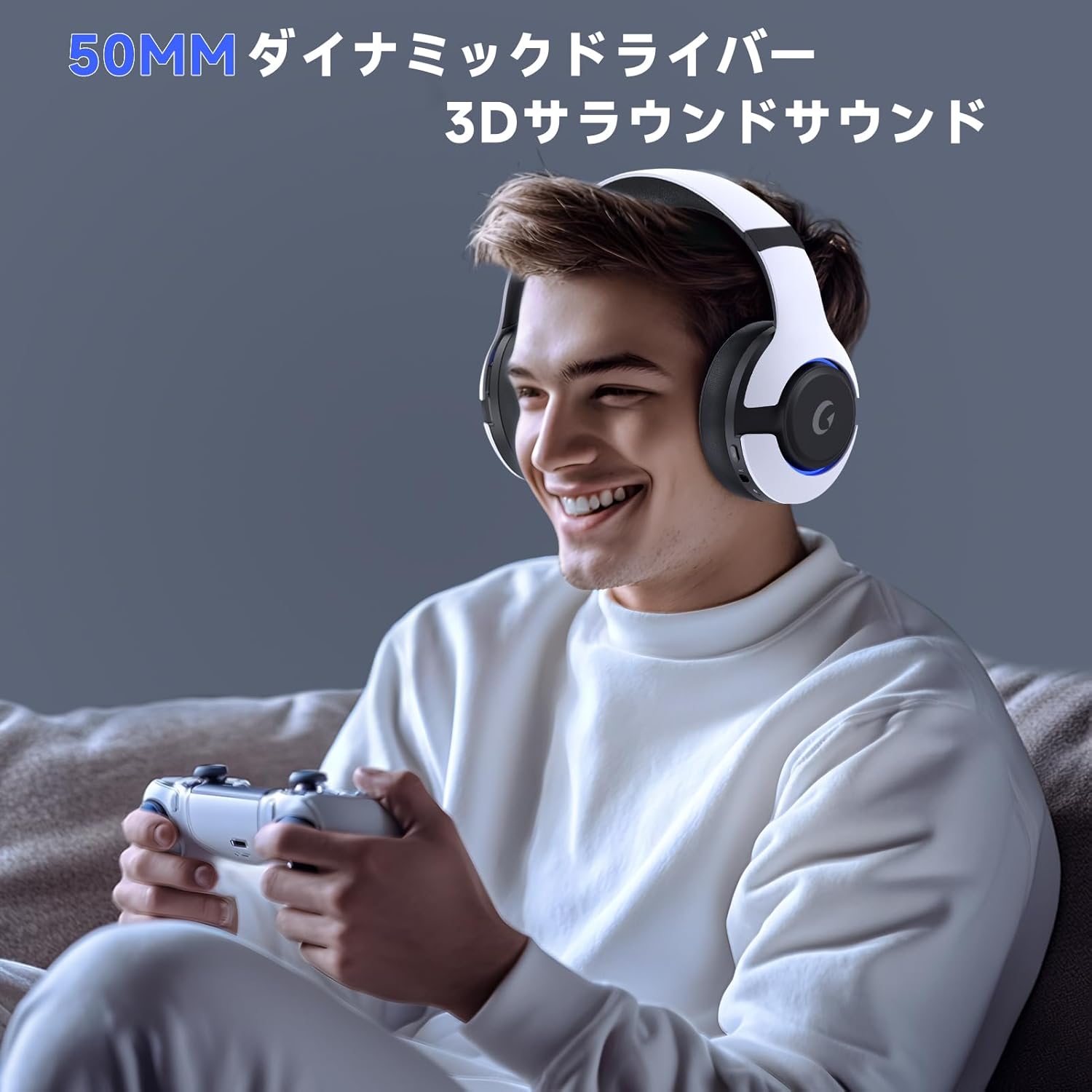
Image: Multi-function button for controlling microphone mute and RGB lighting.
6. Audio Features
Experience superior sound quality with the Gtheos Captain 370 headset:
- 50mm Dynamic Drivers: Equipped with high-precision 50mm magnetic neodymium drivers, enhancing speaker sensitivity to deliver deep bass and clear high-frequency details.
- 3D Surround Sound: Immerse yourself in a realistic audio experience, allowing for precise sound localization in games.

Image: Illustration of the 50mm dynamic drivers for enhanced audio.
7. Battery and Charging
The headset is designed for extended gaming sessions:
- Extended Battery Life: Enjoy up to 45 hours of continuous use on a single charge.
- Fast Charging: The Type-C port allows for quick charging, reaching a full charge in approximately 3 hours.
- Low Battery Alert: A voice alert will notify you when the battery level drops below 3%.

Image: Visual representation of the headset's battery capacity and usage time.
8. Microphone Features
Communicate clearly with your teammates:
- Detachable Noise-Cancelling Microphone: The external microphone features Environmental Noise Cancellation (ENC) technology, effectively reducing background noise during team communication. Its performance is 40% improved compared to previous generations.
- Built-in Backup Microphone: The headset includes an internal microphone, allowing for normal calls even when the main external microphone is detached.

Image: The detachable noise-cancelling microphone for clear communication.
9. Comfort and Design
Designed for comfort during prolonged use:
- Premium Materials: Constructed with high-quality, durable materials and a stylish design.
- Comfortable Earcups: The earcups are made from soft protein material, providing a comfortable, skin-friendly, and breathable fit that minimizes discomfort during long gaming sessions.
- Adjustable Headband: The headband is adjustable to fit various head sizes securely and comfortably.

Image: Soft protein material earcups for enhanced comfort.
10. Troubleshooting
- Xbox One Controller Connection: When connecting to an Xbox One controller via the 3.5mm audio cable, a separate adapter (not included) is required. Direct compatibility with the Xbox One controller using only the audio cable is not available.
- Microphone Not Working with Switch: The microphone of this gaming headset is not compatible with Nintendo Switch. If the microphone does not function upon initial use with other compatible devices, please verify that the 'microphone mute button' is not activated. If it is muted, simply unmute the 'microphone button' for normal operation.
11. Specifications
| Brand | Gtheos |
| Model Name | Captain 370 |
| Color | White + Black |
| Noise Control | Sound Isolation |
| Connectivity Technology | 2.4GHz USB Wireless, Type-C Wireless, Bluetooth 5.3, 3.5mm Wired |
| Driver Size | 50mm Magnetic Neodymium |
| Battery Capacity | 1000mAh (Rechargeable Polymer Lithium Battery) |
| Battery Life | Up to 45 hours |
| Charging Time | Approx. 3 hours |
| Wireless Range | Up to 15 meters |
| Low Latency | As low as 20ms |
| Package Dimensions | 21 x 18.1 x 10.7 cm |
| Weight | 500 g |
12. Warranty and Support
Gtheos provides a one-year warranty for this product. For any inquiries or technical assistance, please contact our dedicated support team. We are committed to providing comprehensive support to all our customers.


