
Introduction
This manual provides detailed instructions for the setup, operation, and maintenance of your Generic EM3566A-1 Atomic Digital Wall Clock. Please read this manual thoroughly before using the device to ensure proper function and longevity.
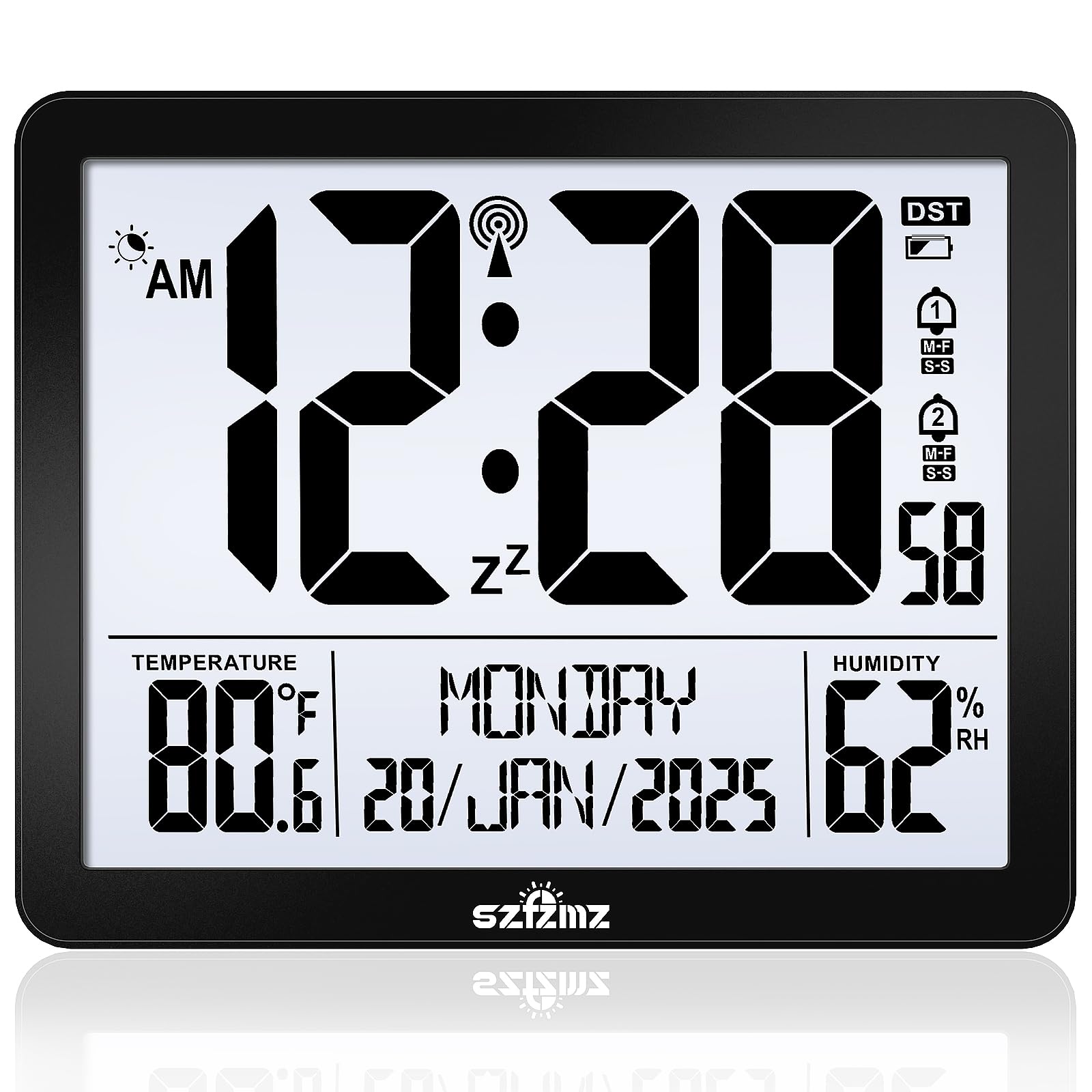
Figure 1: Front view of the Generic EM3566A-1 Atomic Digital Wall Clock. This image shows the large LCD display, indicating time, date, and potentially temperature.
Safety Information
- Do not expose the clock to extreme temperatures, direct sunlight, or high humidity.
- Avoid dropping the clock or subjecting it to strong impacts.
- Do not mix old and new batteries, or different types of batteries.
- Remove batteries if the clock will not be used for an extended period to prevent leakage.
- Keep batteries out of reach of children.
- Clean the clock with a soft, dry cloth. Do not use abrasive cleaners or solvents.
Package Contents
Please check the package contents to ensure all items are present:
- 1 x Generic EM3566A-1 Atomic Digital Wall Clock
- 1 x Instruction Manual (this document)
- Note: Batteries are not included and must be purchased separately.
Setup
1. Battery Installation
- Locate the battery compartment cover on the back of the clock.
- Slide or lift the cover to open the compartment.
- Insert the required batteries (typically AA or AAA, refer to the compartment label) according to the polarity indicators (+ and -).
- Replace the battery compartment cover securely.
Image of battery compartment not available. Please refer to the back of your clock for battery installation.
2. Initial Power On and Atomic Time Synchronization
Upon battery installation, the clock will power on and automatically begin searching for the atomic time signal (WWVB in North America, or equivalent in other regions). This process may take several minutes to several hours, depending on your location and environmental conditions.
- Place the clock near a window for better signal reception, away from electronic devices that may cause interference.
- A signal icon (e.g., an antenna symbol) on the display will flash during synchronization and become solid once the signal is successfully received.
- The clock will automatically set the correct time, date, and adjust for Daylight Saving Time (DST) if enabled.
3. Mounting Options
The EM3566A-1 clock supports both tabletop and wall mount options.
- Tabletop: Extend the integrated stand (if available) from the back of the clock to place it on a flat surface.
- Wall Mount: Use the keyhole slots on the back of the clock to hang it securely on a screw or nail fixed into a wall. Ensure the mounting hardware is appropriate for your wall type and the weight of the clock.
Operating Instructions
1. Manual Time and Date Setting
If the atomic signal is weak or unavailable, you can manually set the time and date.
- Press and hold the "SET" button (or similar, refer to button labels on your clock) for a few seconds until the display flashes.
- Use the "UP" or "DOWN" buttons to adjust the flashing value (e.g., hour, minute, year, month, day).
- Press "SET" again to confirm the setting and move to the next adjustable item.
- Continue until all settings are complete, then press "SET" one last time to exit the setting mode.
Image of control buttons not available. Please refer to the back or side of your clock for button locations.
2. Alarm Function
The EM3566A-1 includes an alarm feature.
- Setting the Alarm: Press the "ALARM" button (or similar) once to display the current alarm time. Press and hold "ALARM" until the alarm time flashes. Use "UP" or "DOWN" to adjust the hour and minute, pressing "ALARM" to confirm each.
- Activating/Deactivating Alarm: Press "ALARM" repeatedly to toggle the alarm ON/OFF. An alarm icon will appear on the display when activated.
- Snooze Function: When the alarm sounds, press the "SNOOZE" button (often combined with "LIGHT") to temporarily silence it. The alarm will sound again after a few minutes.
- Stopping the Alarm: To stop the alarm for the day, press any button other than "SNOOZE" when it is sounding.
3. Backlight
The clock features a backlight for improved visibility in low-light conditions.
- Press the "LIGHT" button (often combined with "SNOOZE") to activate the backlight.
- The backlight will typically stay on for a few seconds before automatically turning off to conserve battery power.
Maintenance
1. Cleaning
To clean your clock, use a soft, dry cloth. Do not use liquid cleaners, sprays, or abrasive materials, as these can damage the display or casing.
2. Battery Replacement
When the display becomes dim or the clock stops functioning, it is time to replace the batteries. Follow the battery installation steps outlined in the "Setup" section. Always replace all batteries at the same time with new ones of the same type.
Troubleshooting
| Problem | Possible Cause | Solution |
|---|---|---|
| No display or dim display. | Dead or incorrectly installed batteries. | Replace batteries with new ones, ensuring correct polarity. |
| Clock not synchronizing with atomic signal. | Poor signal reception due to location, interference, or weather. | Move the clock closer to a window, away from electronics. Try manual time setting if signal remains poor. |
| Incorrect time displayed. | Failed atomic synchronization or incorrect manual setting. | Attempt manual time setting. Ensure correct time zone is selected if applicable (check manual for advanced settings). |
| Alarm not sounding. | Alarm is not activated or set incorrectly. | Verify alarm is set and activated (alarm icon visible). Check alarm volume settings if available. |
Specifications
| Feature | Detail |
|---|---|
| Model Number | EM3566A-1 |
| Brand | Generic |
| Display Type | LCD |
| Operation Mode | Atomic |
| Power Source | Battery Powered (Batteries not included) |
| Special Features | Alarm, Backlight |
| Mounting Type | Tabletop, Wall Mount |
| Product Dimensions (W x H) | 17.3W x 14H centimetres |
| Material | Acrylonitrile Butadiene Styrene (ABS) |
| Indoor/Outdoor Use | Indoor |
Warranty and Support
This product comes with a standard manufacturer's warranty. For specific warranty details, please refer to the documentation provided at the time of purchase or contact your retailer. For technical support or further assistance, please contact the retailer or manufacturer directly.
Please retain your purchase receipt as proof of purchase for warranty claims.