
1. Introduction
This manual provides essential instructions for the ZYJOZMD 4DRC V38 Drone Propeller Set. Please read carefully before installation and use to ensure safe and optimal performance. This product is designed as a replacement propeller set for the 4DRC V38 RC quadcopter.
2. Safety Information
- Always inspect propellers for damage before each flight. Do not use damaged propellers.
- Keep hands, face, and loose clothing away from rotating propellers.
- Ensure propellers are securely attached to the drone before operation.
- Store propellers in a safe place, away from children and pets.
- Handle propellers with care to avoid bending or breaking.
3. Package Contents
Verify that your package contains the following items:
- 3 Sets of ZYJOZMD 4DRC V38 Drone Propellers (typically 12 individual blades)
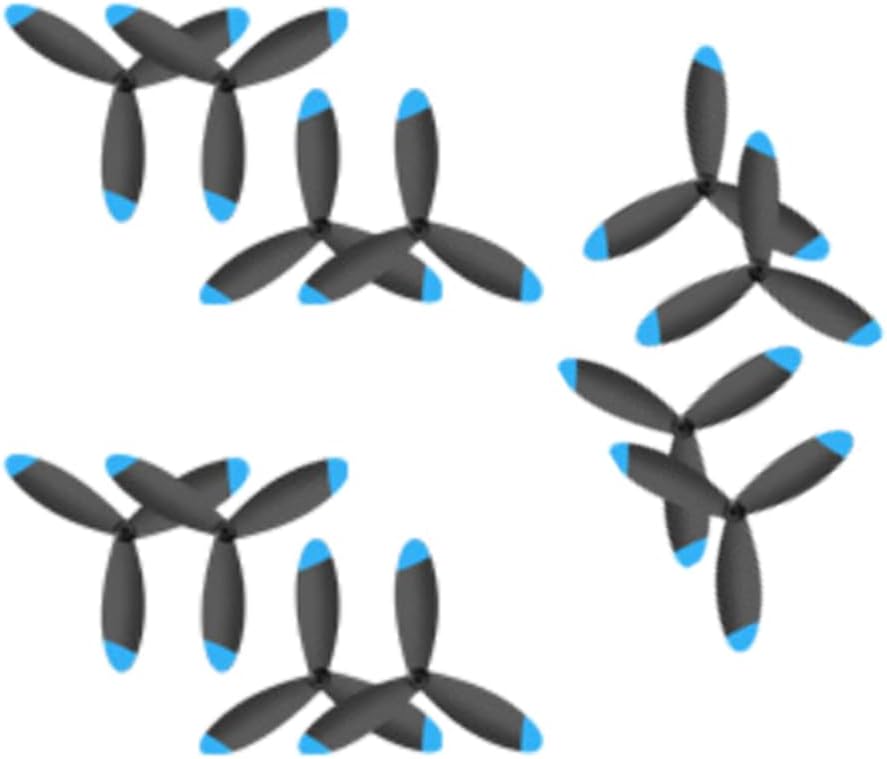
Image: Contents of the 3-set propeller package.
4. Setup (Propeller Installation)
- Power Off Drone: Ensure your drone is powered off and the battery is disconnected before attempting any installation.
- Identify Propeller Type: Drone propellers are typically marked for their rotation direction (e.g., CW for Clockwise, CCW for Counter-Clockwise) or have a specific shape for designated motor arms. Refer to your drone's original manual for correct propeller placement.
- Remove Old Propellers: Carefully remove any damaged or old propellers. This may involve unscrewing them or gently prying them off, depending on your drone model.
- Install New Propellers: Match the new propellers to the correct motor arms based on their rotation direction. Ensure they sit flush on the motor shaft.
- Secure Propellers: Fasten the propellers securely. If screws are used, tighten them firmly but do not overtighten to avoid stripping the threads or damaging the propeller hub.
- Verify Installation: Gently try to spin each propeller by hand to ensure it is properly seated and does not wobble.
5. Operating Guidelines
While these are replacement parts, proper operation of your drone relies on their integrity:
- Pre-Flight Check: Always perform a visual inspection of all propellers before each flight. Look for any cracks, bends, chips, or signs of stress.
- Flight Performance: If you notice unusual vibrations, reduced lift, or unstable flight after propeller replacement, land the drone immediately and re-check propeller installation and condition.
6. Maintenance
- Cleaning: Gently wipe propellers with a soft, dry cloth to remove dust or debris. Avoid using harsh chemicals.
- Storage: Store spare propellers in their original packaging or a protective case to prevent damage.
- Replacement: Replace propellers immediately if they show any signs of damage, even minor ones, as this can severely impact flight safety and performance.
7. Troubleshooting
- Drone Vibrates Excessively:
Possible Cause: Damaged, bent, or unbalanced propeller.
Solution: Inspect all propellers. Replace any that are damaged. Ensure propellers are securely fastened and correctly oriented. - Drone Not Lifting or Unstable:
Possible Cause: Propellers installed incorrectly (e.g., CW on CCW motor) or loose.
Solution: Double-check that each propeller is installed on the correct motor arm and is tightened securely. Refer to your drone's manual for correct propeller orientation.
8. Specifications
| Brand | ZYJOZMD |
| Model Number | ZYJOZMD105 (also compatible with 4DRC V38 / 4D-V38) |
| Color/Variant | 3Set Propeller |
| Material | Composite Material |
| Country of Origin | China |
9. Warranty and Support
Specific warranty details for this product are not provided in this manual. For warranty claims, technical support, or further inquiries, please refer to the product packaging or contact ZYJOZMD customer service directly through their official channels.


