
1. Product Overview
The HIDevolution ASUS ProArt P16 H7606WP is a high-performance laptop designed for demanding creative tasks, video editing, and design work. It features an advanced processor, dedicated graphics, a stunning OLED touch display, and ample storage and memory to ensure smooth operation and efficient workflows.

Figure 1.1: Front view of the ASUS ProArt P16 H7606WP laptop, showcasing its vibrant OLED display.
Key Features:
- Processor: AMD Ryzen AI 9 HX 370 12-Core - 24 Thread Processor (2.0 GHz, Max Turbo Frequency 5.1 GHz) with 36 MB Smart Cache.
- Graphics: NVIDIA GeForce RTX 5070 with 8 GB GDDR7.
- Display: 16.0" 3K (2880 x 1800) 120Hz OLED Touch screen.
- Memory: 32 GB LPDDR5X on-board system memory.
- Storage: 4 TB (2 x 2 TB) M.2 PCIe 4.0 x4 NVMe SSD.
- Operating System: Windows 11 Home.
- Enhanced Cooling: Features Thermal Grizzly Conductonaut on CPU and Gelid GC Extreme on GPU for improved thermal performance.
2. Initial Setup
2.1 Unboxing and First Power-On
- Carefully remove the laptop and all accessories from the packaging.
- Connect the power adapter to the laptop's charging port and then to a power outlet.
- Open the laptop lid. The system may power on automatically, or you may need to press the power button.
- Follow the on-screen instructions to complete the initial Windows 11 Home setup, including language selection, network connection, and user account creation.

Figure 2.1: Side profile of the laptop, illustrating available connectivity ports for peripherals.
2.2 Connecting Peripherals
The laptop is equipped with various ports for connecting external devices:
- USB Ports: For connecting external drives, mice, keyboards, and other USB devices.
- HDMI Port: For connecting to external monitors or projectors.
- Audio Jack: For headphones or external speakers.
- Power Port: For connecting the power adapter.
3. Operating the Laptop
3.1 Keyboard and Touchpad
The laptop features a backlit chiclet keyboard and a precision touchpad for navigation and input.
- Backlit Keyboard: Adjust keyboard backlight intensity using the dedicated function keys (refer to your system's specific key combinations, usually Fn + F3/F4).
- Precision Touchpad: Supports multi-touch gestures for enhanced navigation. Customize touchpad settings in Windows Settings > Bluetooth & devices > Touchpad.
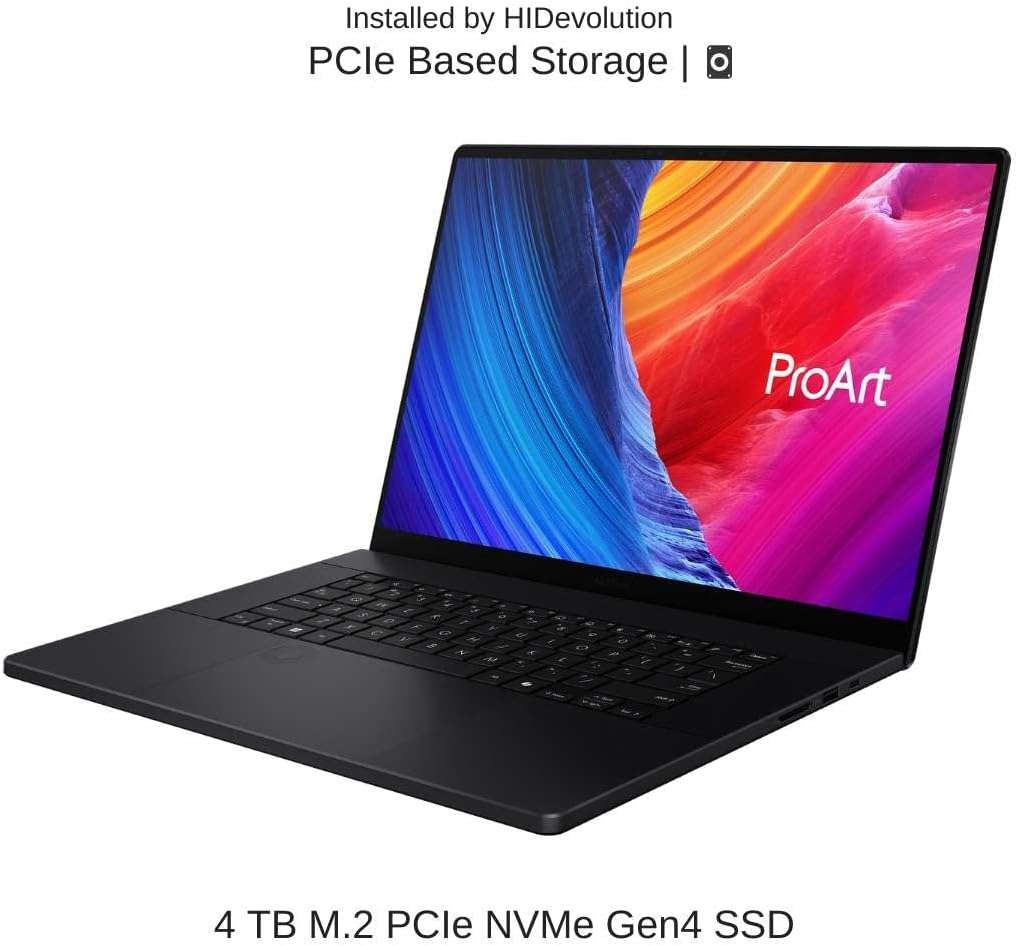
Figure 3.1: Top view of the laptop, highlighting the backlit chiclet keyboard and precision touchpad.
3.2 OLED Touch Display
The 16.0" 3K 120Hz OLED touch display offers exceptional color accuracy and deep blacks, ideal for creative professionals. Utilize touch gestures for intuitive interaction with Windows 11 Home.
- Touch Gestures: Familiarize yourself with Windows touch gestures for scrolling, zooming, and navigating applications.
- Display Settings: Adjust resolution, refresh rate, and color profiles via Windows Settings > System > Display.
3.3 Performance Management
The laptop's powerful AMD Ryzen AI 9 HX 370 processor and NVIDIA GeForce RTX 5070 GPU are optimized for demanding applications. The 32 GB LPDDR5X RAM and 4 TB PCIe SSD ensure rapid data access and smooth multitasking.
- Resource Monitoring: Use Task Manager (Ctrl+Shift+Esc) to monitor CPU, GPU, memory, and disk usage.
- Power Modes: Adjust power settings in Windows to balance performance and battery life (Settings > System > Power & battery).
4. Maintenance and Care
4.1 Cleaning the Laptop
- Screen: Use a soft, lint-free cloth lightly dampened with water or a screen cleaner. Avoid harsh chemicals.
- Keyboard and Chassis: Use a soft cloth to wipe surfaces. Compressed air can be used to clear debris from between keys.
- Ports: Ensure ports are free of dust and debris to maintain proper connectivity.
4.2 Thermal Management
The HIDevolution ProArt P16 features enhanced thermal interface materials (Thermal Grizzly Conductonaut on CPU and Gelid GC Extreme on GPU) for optimal cooling. To maintain performance:
- Ensure proper airflow around the laptop. Avoid placing it on soft surfaces that can block vents.
- Periodically clean the cooling vents to prevent dust buildup.

Figure 4.1: Rear view of the laptop, indicating the advanced thermal management system installed by HIDevolution.
4.3 Battery Care
The laptop is equipped with a 90WHrs, 4S1P, 4-cell Li-ion battery.
- Avoid fully discharging the battery frequently.
- Store the laptop in a cool, dry place if not used for extended periods.
- For optimal battery longevity, avoid prolonged exposure to extreme temperatures.
5. Troubleshooting
5.1 Common Issues and Solutions
| Issue | Possible Solution |
|---|---|
| Laptop does not power on. | Ensure the power adapter is securely connected and the outlet is functional. Try a different power outlet. |
| Screen is blank or flickering. | Check display cable connections if using an external monitor. Update graphics drivers. Restart the laptop. |
| System performance is slow. | Close unnecessary applications. Check Task Manager for high resource usage. Ensure adequate ventilation. Update drivers and Windows. |
| Peripherals not recognized. | Try connecting to a different USB port. Reinstall device drivers. Restart the laptop. |
If you encounter issues not listed here or require further assistance, please refer to the Warranty & Support section.
6. Technical Specifications
| Feature | Detail |
|---|---|
| Brand | HIDevolution |
| Model Name | ProArt P16 H7606WP |
| Item Model Number | H7606WP-P16.3KR95070-HID2 |
| Screen Size | 16 Inches |
| Screen Resolution | 2880 x 1800 pixels |
| Max Screen Resolution | 2880x1800 Pixels |
| Processor | 2 GHz Ryzen AI 9 HX 370 (12 Cores, 24 Threads) |
| RAM | 32 GB LPDDR5X |
| Hard Drive | 4 TB (2 x 2 TB) M.2 PCIe 4.0 x4 NVMe SSD |
| Graphics Coprocessor | NVIDIA GeForce RTX 5070 |
| Graphics Card RAM Size | 8 GB GDDR7 |
| Operating System | Windows 11 Home |
| Wireless Type | 802.11b |
| Item Weight | 4.08 pounds |
| Product Dimensions | 13.97 x 9.72 x 0.68 inches |
| Battery | 90WHrs, 4S1P, 4-cell Li-ion |
| Special Feature | Backlit Keyboard |
7. Warranty and Support
The HIDevolution ASUS ProArt P16 H7606WP comes with comprehensive warranty and support services.
- Warranty: A 1-Year Warranty is included with your purchase.
- Support: Access to HIDevolution's expert support staff for technical assistance and inquiries.
- HIDevolution is an authorized ASUS Build to Order (BTO) dealer, ensuring thorough quality testing and reliable products.
For warranty claims or technical support, please refer to the contact information provided with your product documentation or visit the HIDevolution official website.