
EMSense 860012088096
EMSense Triple Therapy Foot Massager Instruction Manual
Model: 860012088096
1. Product Overview
The EMSense Triple Therapy Foot Massager is a cordless and portable device designed to provide soothing relief for your feet and ankles. It combines three therapeutic elements: targeted vibration, adjustable heat, and gentle compression to enhance comfort and support circulation.
This device features 3 vibration modes and 3 heat levels, allowing for a customizable experience. Its ergonomic design ensures a comfortable and secure fit for most foot sizes.
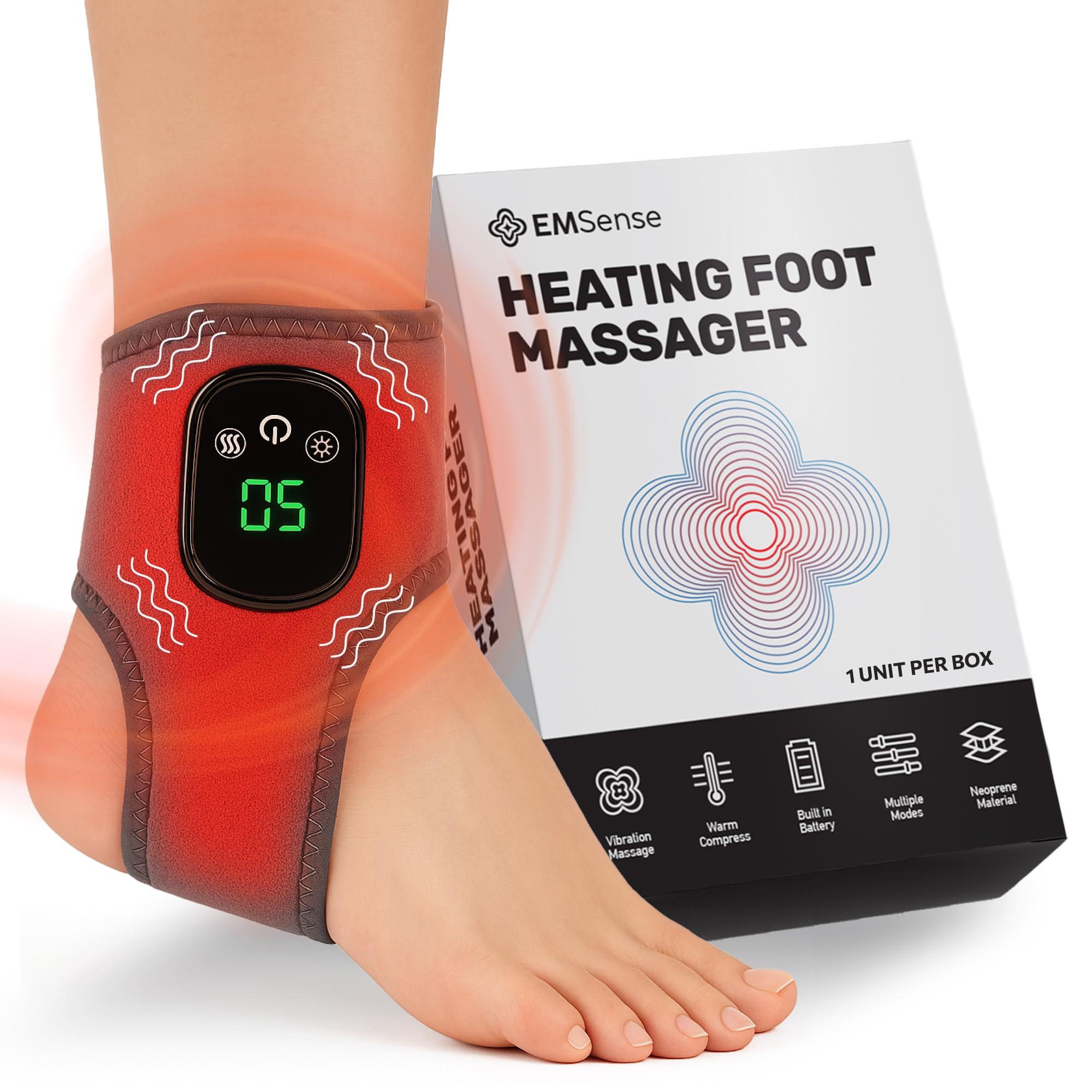
Image: The EMSense Triple Therapy Foot Massager, a compact grey device with a control panel, designed to wrap around the foot.
2. Safety Information
Important Safety Precautions:
- Results may vary from person to person.
- EMSense is not intended to diagnose, treat, cure, or prevent any medical condition.
- Consult your healthcare provider before use, especially if you have any existing health conditions.
- Keep out of reach of children and pets.
- For external use only.
- Do not use while sleeping or in wet environments.
3. Setup and First Use
Before using your EMSense Foot Massager for the first time, ensure it is fully charged. Use the provided charging cable to connect the device to a power source. The display will indicate charging status.
How to Use:
- Step 1: Wrap It Around Your Feet
Slide your feet into the massager and fasten the adjustable straps for a comfortable fit. Ensure the device is positioned correctly on your foot or ankle. - Step 2: Choose Your Settings
Select your preferred massage intensity and heat level using the simple control panel. The device offers 3 vibration modes and 3 heat levels. - Step 3: Sit Back and Relax
In just minutes, you'll feel soothing warmth and massaging pulses working together to reduce discomfort. Recommended use is 15–30 minutes per session.

Image: Visual guide demonstrating the three-step process of wearing the massager, adjusting settings on the control panel, and relaxing while using it.
Video: Demonstration of how to use the EMSense Foot Massager, including wrapping it around the foot and adjusting settings.
4. Operating Instructions
Control Panel Functions:
- Power Button: Press and hold to turn the device on/off. Short press to cycle through vibration modes.
- Heat Button: Press to activate and cycle through 3 heat levels.
- Vibration Button: Press to activate and cycle through 3 vibration modes.
The device is designed for daily foot wellness, helping to improve circulation, soothe nerve discomfort, and support long-term foot comfort. It is suitable for use while sitting, reading, watching TV, or napping.

Image: Detailed view of the control panel on the massager, showing icons for heat, power, and vibration settings.
Video: Illustrates the combination of heat, massage, and compression provided by the foot massager for foot comfort.
5. Care and Maintenance
- Cleaning: Gently wipe the device with a soft, damp cloth. Do not immerse in water or use harsh cleaning agents.
- Storage: Store the massager in a cool, dry place away from direct sunlight when not in use.
- Battery: The device contains a nonstandard rechargeable battery. Do not attempt to replace the battery yourself.
6. Troubleshooting
If you experience any issues with your EMSense Triple Therapy Foot Massager, please refer to the following common solutions:
- Device not turning on: Ensure the device is fully charged. Connect it to the charger and wait for the charging indicator to show a full charge.
- No heat or vibration: Check that the device is powered on and that the respective heat/vibration modes are activated via their buttons.
- Discomfort during use: Adjust the straps for a looser fit. Experiment with different vibration modes and heat levels to find what is most comfortable for you.
For further assistance, please contact EMSense customer support.
7. Specifications
| Feature | Detail |
|---|---|
| Product Dimensions | 3.54 x 4.33 x 1.18 inches |
| Item Model Number | 860012088096 |
| Batteries | 1 Nonstandard Battery (included) |
| Manufacturer | EMSense |
| Use for | Feet |
| Power Source | Battery Powered |
| Material | Polyester |
| Item Weight | 0.4 Pounds |
8. Warranty and Support
For information regarding product warranty, returns, or technical support, please refer to the official EMSense website or contact their customer service directly. Contact details can typically be found on the product packaging or the brand's online store.
You can visit the EMSense Store on Amazon for more information and support resources.
Related Documents - 860012088096
 |
ETS-Lindgren EMCenter SCPI Commands and Error Codes Manual Comprehensive guide to ETS-Lindgren's EMCenter system, detailing SCPI commands, error codes, and operational parameters for various plug-in modules like EMSwitch, EMPower, EMGen, EMControl, and EMSense. |
 |
ETS-Lindgren EMCenter™ Modular RF Platform User Manual Comprehensive user manual for the ETS-Lindgren EMCenter™ Modular RF Platform (Models 7000-0XX), detailing its features, operation, installation, maintenance, and specifications for RF measurement and EMC testing. |
 |
ETS-Lindgren EMSense™ EMF Probe Plug-In Card User Manual (Models 7007-001, 7007-002) User manual for ETS-Lindgren's EMSense™ EMF Probe Plug-In Cards (Models 7007-001 and 7007-002). Covers installation, operation, specifications, maintenance, and troubleshooting for RF field measurements. Features compatibility with battery-operated and laser-powered probes. |
Ask a question about this manual
Ask about setup, troubleshooting, compatibility, parts, safety, or missing instructions. Manuals+ will review the question and use this page’s manual context to help answer it.