
1. Introduction
This manual provides detailed instructions for the assembly, operation, and maintenance of your Wodeer 43-inch Purple Makeup Vanity Desk. Please read this manual thoroughly before assembly and use to ensure proper function and longevity of your product. Keep this manual for future reference.

Figure 1: Overview of the Wodeer 43-inch Purple Makeup Vanity Desk.
2. Safety Information
Please observe the following safety precautions:
- Ensure all parts are present and undamaged before beginning assembly.
- Assemble the vanity on a soft, clean surface to prevent scratches.
- Do not overtighten screws during assembly to avoid damaging the wood.
- Keep small parts away from children during assembly.
- Do not place excessively heavy items on the vanity or shelves.
- Ensure the power outlet is properly grounded and used according to electrical safety standards.
- Avoid direct contact of water with electrical components.
3. Package Contents
Verify that all components listed below are included in your package. If any parts are missing or damaged, please contact Wodeer customer service for assistance.
- Vanity Desk Frame (Engineered Wood)
- Mirror with Adjustable LED Lights
- Glass Top Panel
- 3 Drawers with Gold Handles
- 2 Glass Cabinets with Gold Knobs
- Built-in Power Outlet (2 AC outlets, 2 USB ports)
- Assembly Hardware (screws, dowels, etc.)
- Instruction Manual

Figure 2: Product dimensions and key components.
4. Setup and Assembly
Assembly is required for this product. It is recommended to have two people for assembly. Follow the numbered instructions provided in the separate assembly guide included in your package. Ensure all parts are correctly oriented before fastening.
4.1. Tools Required (Not Included)
- Phillips Head Screwdriver
- Hammer (for dowels)
4.2. Assembly Tips
- Lay out all components on a protected surface to avoid damage.
- Identify each part by its label before starting.
- Do not fully tighten screws until the entire section is assembled to allow for adjustments.
- Refer to the detailed diagrams in the assembly guide for each step.
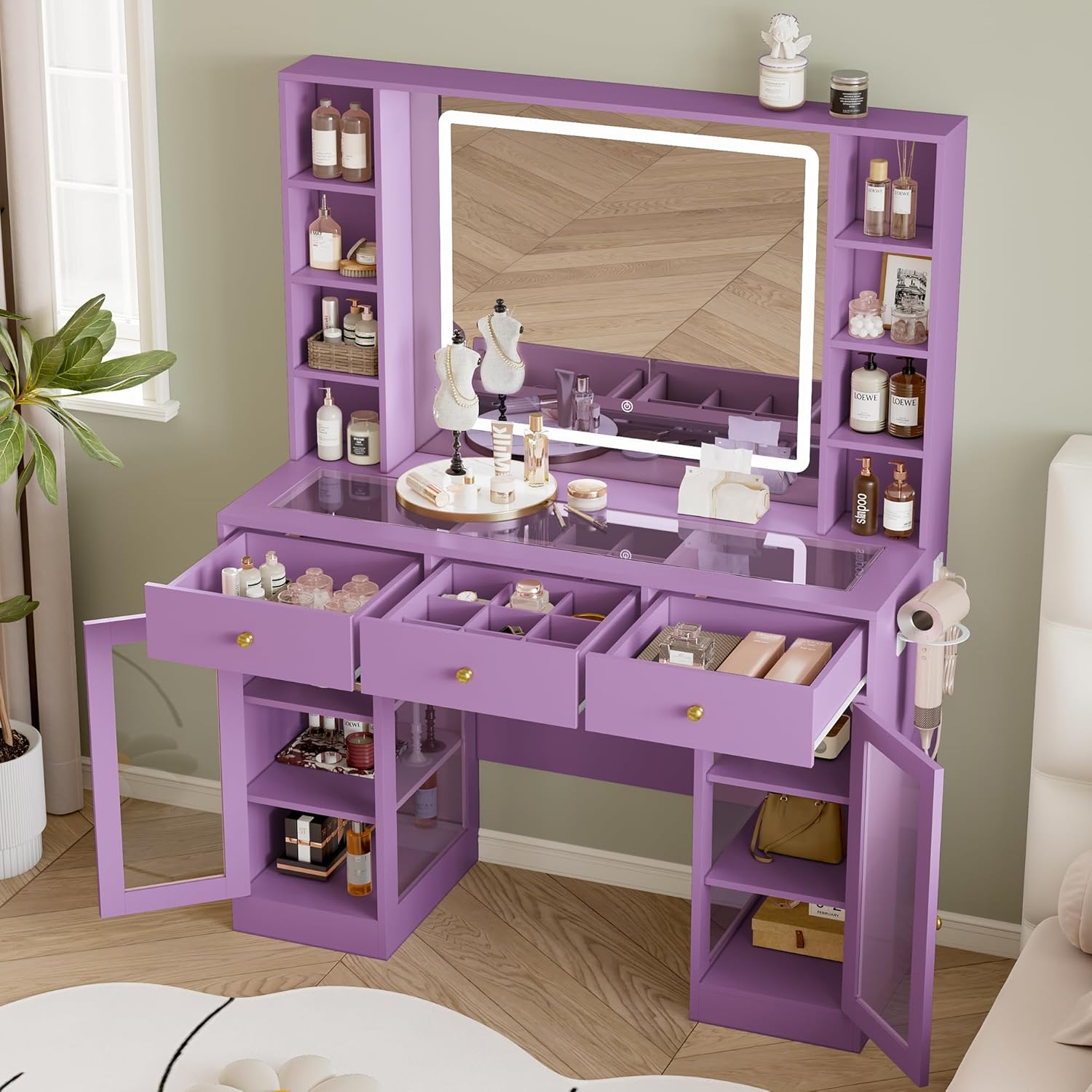
Figure 3: The vanity desk with drawers and cabinets open, illustrating storage options.
5. Operating Instructions
5.1. LED Mirror Lights
The mirror features adjustable LED lights with multiple color temperatures. To operate:
- Ensure the vanity is plugged into a power source.
- Locate the touch sensor on the mirror surface.
- Tap the sensor to turn the lights ON/OFF.
- Press and hold the sensor to cycle through different light color temperatures (e.g., warm white, cool white, warm yellow).

Figure 4: Mirror LED light color temperature options.
5.2. Built-in Power Outlet
The vanity includes a built-in power strip for convenience. It features:
- 2 standard AC outlets (125V/12A)
- 2 USB charging ports (5V/2A)
To use, simply plug your devices into the available outlets. Ensure the total power consumption does not exceed the specified limits.

Figure 5: Detail of the integrated power outlet and USB ports.
5.3. RGB Ambient Lighting (Optional)
Some models may include additional RGB ambient lighting. If present, these lights can be controlled via a dedicated remote or smartphone application, offering over 60,000 colors, adjustable brightness, music mode, mic mode, and a timing function.
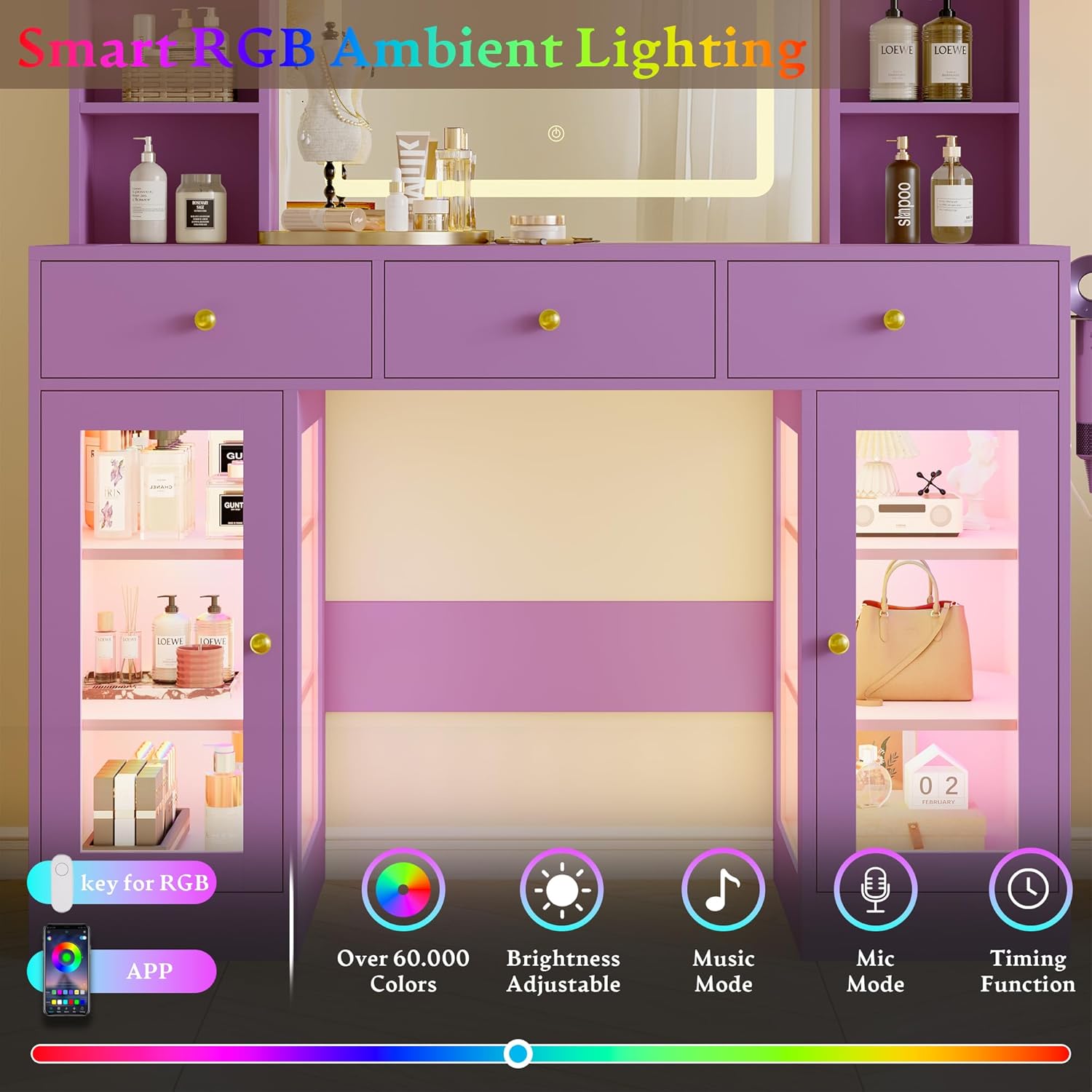
Figure 6: Illustration of RGB ambient lighting features.
6. Maintenance and Care
To maintain the appearance and functionality of your vanity desk:
- Cleaning: Wipe surfaces with a soft, damp cloth. Avoid harsh chemicals or abrasive cleaners.
- Mirror Care: Use a glass cleaner specifically designed for mirrors. Do not spray cleaner directly onto the mirror; apply to a cloth first.
- Drawer Maintenance: Periodically check drawer slides for smooth operation. If needed, apply a small amount of silicone lubricant.
- Electrical Components: Keep the power outlet and USB ports dry and free from dust. Unplug the vanity from the main power source before cleaning electrical areas.
- General Care: Avoid exposing the vanity to direct sunlight or extreme temperature changes to prevent warping or discoloration.
7. Troubleshooting
If you encounter any issues with your Wodeer Makeup Vanity Desk, refer to the following common problems and solutions:
| Problem | Possible Cause | Solution |
|---|---|---|
| LED mirror lights not turning on. | Vanity not plugged in; power outage; faulty connection; touch sensor issue. | Ensure the main power cord is securely plugged into a working outlet. Check if the power outlet is functional. Verify all internal connections are secure. Gently tap the touch sensor. |
| Power outlets/USB ports not working. | Vanity not plugged in; circuit overload; faulty power strip. | Confirm the vanity is plugged in. Unplug other devices to check for overload. Test with a different device. If issues persist, contact customer service. |
| Drawers are stiff or do not close smoothly. | Misalignment during assembly; debris in slides; overtightened screws. | Check assembly for proper alignment of drawer slides. Clear any obstructions. Loosen and re-tighten screws on drawer slides if necessary. |
| Vanity feels unstable. | Loose connections; uneven floor. | Check and tighten all screws and fasteners. Ensure the vanity is on a level surface. Use shims if needed. |
8. Specifications
| Feature | Detail |
|---|---|
| Brand | Wodeer |
| Model Number | WD-HLG094 |
| Color | Purple |
| Material | Engineered Wood |
| Product Dimensions (D x W x H) | 15.6" x 43.3" x 55.9" |
| Item Weight | 103 pounds |
| Assembly Required | Yes |
| Power Outlet | 2 AC Outlets (125V/12A), 2 USB Ports (5V/2A) |
| Mirror Lighting | Adjustable LED (Warm White, Cool White, Warm Yellow) |
| Storage | 3 Drawers, 2 Glass Cabinets, Jewelry Storage |
9. Warranty and Customer Support
Wodeer is committed to providing quality products. If you receive a damaged mirror or missing components, please contact our customer service for a fast, free replacement. There is no need to return the entire item. For any questions or issues, our professional customer service team is ready to assist you.
Contact Information: Refer to your purchase documentation or the Wodeer official website for the most current customer support contact details.