1. Introduction
Thank you for purchasing the Generic Rechargeable LED Spotlight Kit. This powerful and versatile handheld spotlight is designed to provide bright illumination for various activities, including outdoor adventures, work projects, and emergency situations. Featuring 1000 lumens of brightness, a 450-meter beam distance, and three light modes, this spotlight is an essential tool for reliable lighting. This manual provides detailed instructions for the safe and effective use, maintenance, and troubleshooting of your new spotlight.
2. Safety Information
Please read all safety instructions carefully before using the spotlight. Failure to follow these instructions may result in electric shock, fire, or serious injury.
- Do not look directly into the LED light: The intense light output can cause temporary vision impairment or eye damage.
- Keep out of reach of children: This product is not a toy.
- Do not submerge in water: This spotlight is not water-resistant. Avoid exposure to heavy rain or immersion.
- Use only the provided charging cable: Using unauthorized charging cables may damage the battery or the device.
- Do not disassemble or modify the spotlight: This will void the warranty and may lead to hazards.
- Store in a cool, dry place: Avoid extreme temperatures and high humidity.
3. Package Contents
Verify that all items are present in the package:
- 1000 Lumens LED Compact Rechargeable Spotlight
- Lithium-Ion Battery Pack (pre-installed)
- USB Charging Cable
4. Product Overview
The Generic Rechargeable LED Spotlight is designed for portability and powerful illumination. Its ergonomic grip and durable construction make it suitable for rugged environments.
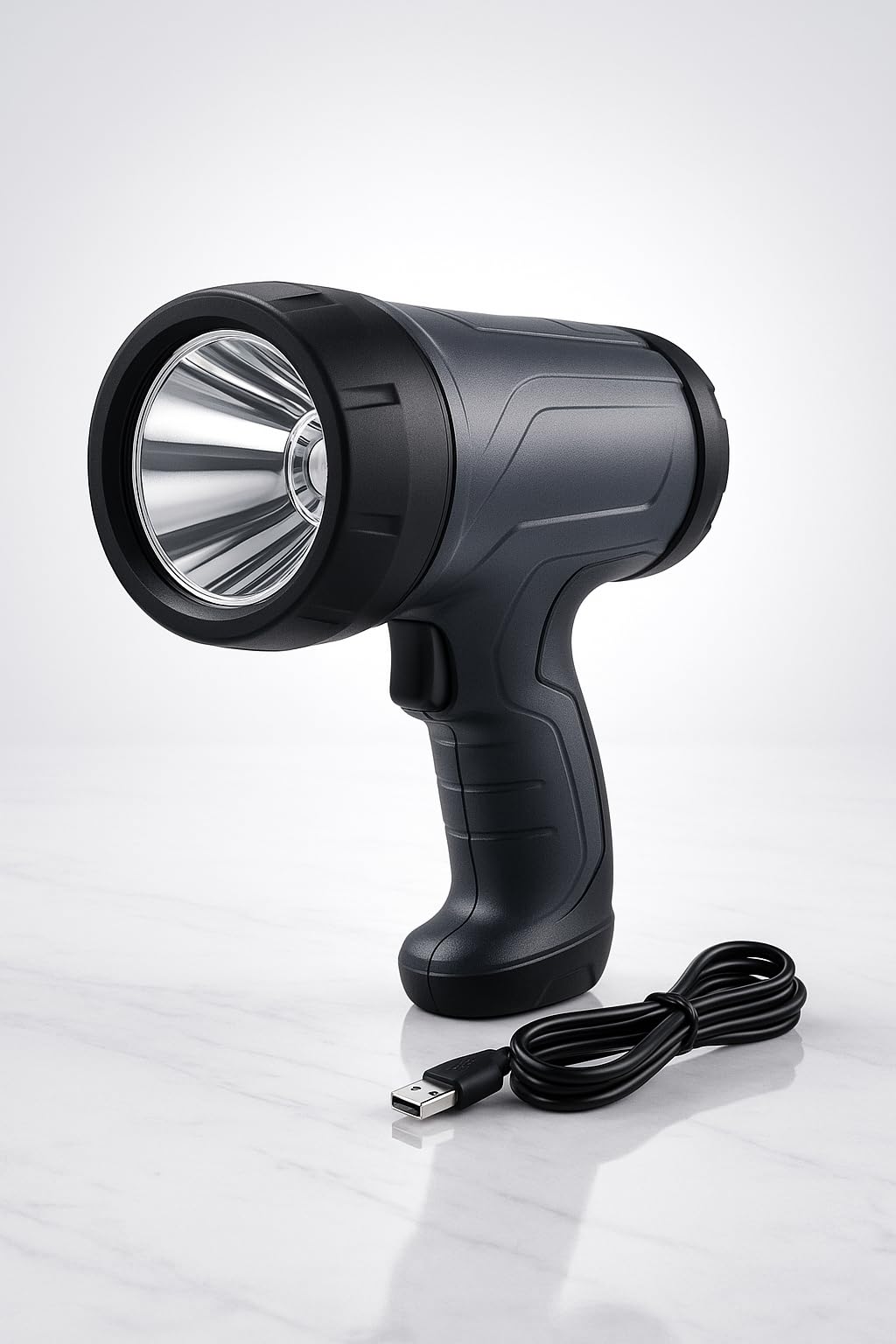
Figure 1: Rechargeable LED Spotlight Kit with USB charging cable.

Figure 2: Front view of the Rechargeable LED Spotlight highlighting its 1000 lumens, 3 light modes, and USB rechargeable feature.
5. Setup
Before first use, fully charge the spotlight's internal Lithium-Ion battery. Refer to the 'Charging the Spotlight' section for detailed instructions.
6. Charging the Spotlight
The spotlight is equipped with a rechargeable Lithium-Ion battery. Use the included USB charging cable for convenient recharging.
- Locate the USB charging port on the spotlight.
- Connect the small end of the USB charging cable to the spotlight's charging port.
- Connect the larger end of the USB charging cable to a compatible USB power source (e.g., USB wall adapter, power bank, computer USB port, or vehicle USB port).
- The charging indicator light (if present) will illuminate to show charging status. Refer to the product's specific indicator behavior for full charge notification.
- Once fully charged, disconnect the charging cable from both the spotlight and the power source.
A full charge typically takes several hours. Avoid overcharging the battery for extended periods.
7. Operating the Spotlight
The spotlight features a single button for power control and mode selection.
Power On/Off
- Press the power button once to turn the spotlight ON.
- Press and hold the power button for approximately 2 seconds to turn the spotlight OFF from any mode.
Light Modes
Cycle through the three available light modes by pressing the power button repeatedly while the spotlight is ON:
- High Mode: Provides maximum brightness (1000 lumens) for long-distance illumination.
- Medium Mode: Offers a balanced brightness for general use and extended runtime.
- Low Mode: Provides minimal brightness for close-range tasks and maximum battery conservation.
8. Maintenance
Proper maintenance ensures the longevity and optimal performance of your spotlight.
Cleaning
- Wipe the spotlight with a soft, damp cloth.
- Do not use abrasive cleaners or solvents, as they may damage the finish or internal components.
- Ensure the charging port cover (if applicable) is securely closed to prevent dust and debris entry.
Storage
- Store the spotlight in a cool, dry place away from direct sunlight and extreme temperatures.
- For long-term storage, charge the battery to approximately 50% every 3-6 months to maintain battery health.
Battery Care
- Avoid completely draining the battery before recharging, as this can reduce battery lifespan.
- If the spotlight will not be used for an extended period, ensure it is partially charged before storage.
9. Troubleshooting
If you encounter issues with your spotlight, refer to the following table for common problems and solutions.
| Problem | Possible Cause | Solution |
|---|---|---|
| Spotlight does not turn on. | Battery is depleted. | Charge the spotlight fully using the provided USB cable. |
| Spotlight does not charge. | Charging cable is faulty or not properly connected. | Ensure the USB cable is securely connected to both the spotlight and the power source. Try a different USB port or power adapter. |
| Light output is dim. | Battery is low or spotlight is in a lower mode. | Recharge the battery. Cycle through the light modes to ensure it is set to High. |
| Spotlight gets warm during use. | Normal operation for high-power LEDs. | This is normal. If it becomes excessively hot, turn it off and allow it to cool. |
If the problem persists after attempting these solutions, please contact customer support.
10. Specifications
| Feature | Specification |
|---|---|
| Model Number | 90714 |
| Light Output | 1000 Lumens (Max) |
| Beam Distance | 450 meters |
| Light Modes | High, Medium, Low |
| Power Source | Battery Powered (Lithium-Ion) |
| Charging | USB Charging Cable Included |
| Material | Plastic with Rubberized Finish |
| Color | Black/Gray |
| Item Weight | 2 Pounds |
| Product Dimensions | 5.7 x 2.95 x 6.18 inches |
| Special Features | Lightweight, Rechargeable, Shock Resistant |
| Water Resistance Level | Not Water Resistant |
11. Warranty and Support
This product is subject to a 30-day return policy from the date of purchase. Please retain your proof of purchase for any warranty claims or returns.
For technical support, troubleshooting assistance beyond what is provided in this manual, or inquiries regarding product defects, please contact the retailer or manufacturer's customer service department. Contact information can typically be found on the product packaging or the retailer's website.


