
Introduction
The AOC MS200 Wireless Optical Mouse is designed to provide freedom, precision, and comfort for your daily computing tasks. Featuring a stable 2.4 GHz wireless connection, an adjustable optical sensor, and an ergonomic, lightweight design, this mouse is suitable for various applications, from general browsing to tasks requiring higher precision.
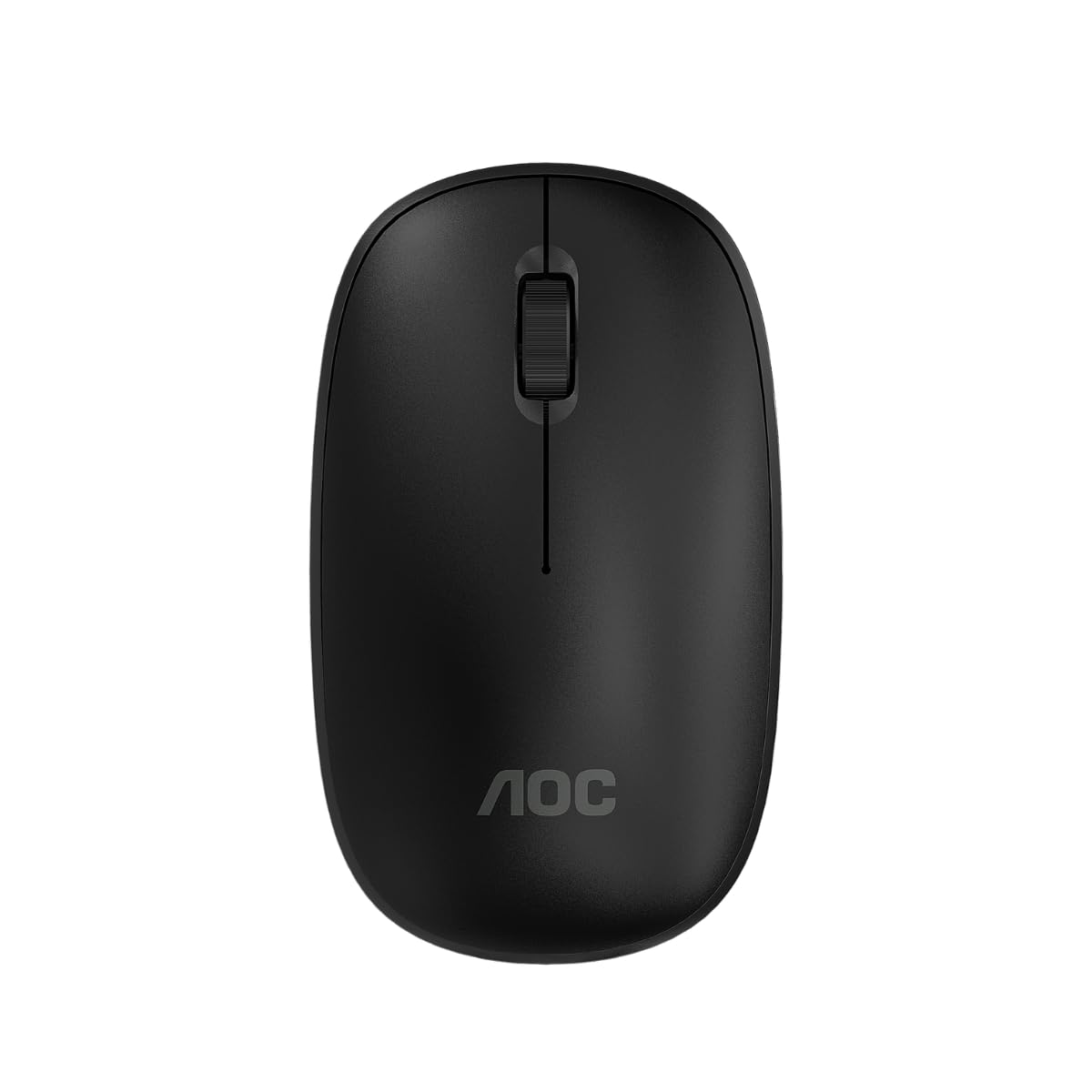
Image: The AOC MS200 Wireless Optical Mouse shown alongside its retail packaging.
Package Contents
Please check the package contents to ensure all items are present:
- AOC MS200 Wireless Optical Mouse
- USB 2.4 GHz Receiver
- User Manual (this document)
Note: Batteries are not included and must be purchased separately.
Setup
- Insert Battery: Open the battery compartment cover located on the underside of the mouse. Insert one AA battery (not included), ensuring correct polarity (+/-). Close the cover securely.
- Connect USB Receiver: Locate the USB 2.4 GHz receiver, usually stored within the battery compartment or packaged separately. Plug the USB receiver into an available USB port on your computer.
- Power On Mouse: Turn on the mouse using the power switch, typically located on the underside of the device. The mouse should automatically connect to your computer.
- Driver Installation: Your operating system should automatically detect and install the necessary drivers. No manual driver installation is typically required.

Image: The underside of the AOC MS200 mouse, illustrating the optical sensor and the battery compartment.
Operating Instructions
The AOC MS200 mouse features a standard three-button layout with a scroll wheel for intuitive navigation.
- Left Button: Primary click function for selecting items, opening links, etc.
- Right Button: Secondary click function, typically opens context menus.
- Scroll Wheel: Scroll up or down through documents and web pages. The scroll wheel also functions as a middle button when pressed.
DPI Adjustment
The MS200 mouse features an adjustable DPI (Dots Per Inch) setting, allowing you to change cursor sensitivity. The mouse supports 800 and 1200 DPI settings. To switch between DPI modes, press the DPI button located on the top of the mouse, usually below the scroll wheel. Each press cycles through the available DPI settings.

Image: Top view of the AOC MS200 mouse, highlighting the left and right click buttons, scroll wheel, and DPI adjustment button.
Maintenance
Cleaning
To maintain optimal performance and hygiene, clean your mouse regularly:
- Use a soft, lint-free cloth slightly dampened with water or a mild cleaning solution.
- Avoid using harsh chemicals, abrasive cleaners, or solvents.
- Do not allow liquids to enter the mouse casing.
- Clean the optical sensor on the underside of the mouse with a dry cotton swab to prevent tracking issues.
Battery Replacement
When the mouse performance degrades or it stops responding, it is likely time to replace the battery:
- Open the battery compartment on the underside of the mouse.
- Remove the old AA battery.
- Insert a new AA battery, ensuring correct polarity.
- Close the battery compartment cover.
Troubleshooting
If you encounter issues with your AOC MS200 mouse, refer to the following common solutions:
- Mouse not responding:
- Check if the mouse is powered on.
- Ensure the battery is correctly inserted and has sufficient charge. Replace if necessary.
- Verify that the USB receiver is securely plugged into a working USB port on your computer. Try a different USB port.
- Ensure the mouse is within the 10-meter wireless range of the receiver.
- Restart your computer.
- Erratic cursor movement or no tracking:
- Clean the optical sensor on the underside of the mouse.
- Ensure you are using the mouse on a suitable surface. Highly reflective, transparent, or uneven surfaces may affect tracking.
- Lag or delayed response:
- Reduce the distance between the mouse and the USB receiver.
- Move the receiver to a front USB port if possible, to avoid interference from other devices.
- Ensure there are no large metal objects or other wireless devices causing interference between the mouse and receiver.
Specifications
| Feature | Specification |
|---|---|
| Model Number | AOCMS200B-LA |
| Connectivity Technology | Wireless (2.4 GHz) |
| Wireless Range | Up to 10 meters |
| Sensor Technology | Optical |
| DPI Settings | 800 / 1200 DPI (Adjustable) |
| Number of Buttons | 3 (Left, Right, Scroll Wheel/Middle) |
| Power Source | Battery Powered (1x AA, not included) |
| Material | Plastic |
| Product Weight | 43 g |
| Product Dimensions | 10.4 x 6.1 x 0.1 cm (L x W x H) |
| Durability | Switches with up to 2 million clicks lifespan |
| Color | Black |
Warranty Information
AOC products are manufactured to the highest quality standards. This product is covered by a manufacturer's warranty. Please refer to the warranty card included with your purchase or visit the official AOC website for detailed warranty terms and conditions specific to your region.
Support
For further assistance, technical support, or to inquire about replacement parts, please contact AOC customer service. You can find contact information and additional resources on the official AOC website:
When contacting support, please have your product model (MS200) and any relevant purchase information ready.


