1. Introduction
The Mighty Max Battery ML-12V10A is an advanced 12V/24V 10Amp smart automatic battery charger and maintainer designed for a wide range of lead-acid batteries, including AGM, SLA, Gel, Wet, and Deep Cycle types. It features a fully automatic 7-stage charging system, battery restoration mode, and temperature-adaptive charging to ensure optimal performance and longevity for your batteries. This manual provides essential information for safe and effective use of your charger.
Video: Overview of Mighty Max Battery products, including features like shock and vibration resistance, quick recharging, various terminal types, absorbent glass mat construction, mounting versatility, and maintenance-free design.
2. Safety Information
Always prioritize safety when operating battery chargers. Read and understand all instructions before use. This charger is equipped with multiple safety features, but proper handling is crucial.
- Reverse Polarity Protection: Prevents damage if battery clamps are connected incorrectly.
- Over-Voltage Shutoff: Automatically stops charging if voltage exceeds safe limits.
- Short-Circuit Protection: Protects against accidental short circuits.
- Spark-Free Operation: Designed to minimize sparks during connection and disconnection.
- Over-Temperature Protection: Shuts down if the unit overheats.
- Ensure adequate ventilation during charging.
- Do not charge frozen batteries.
- Keep out of reach of children.
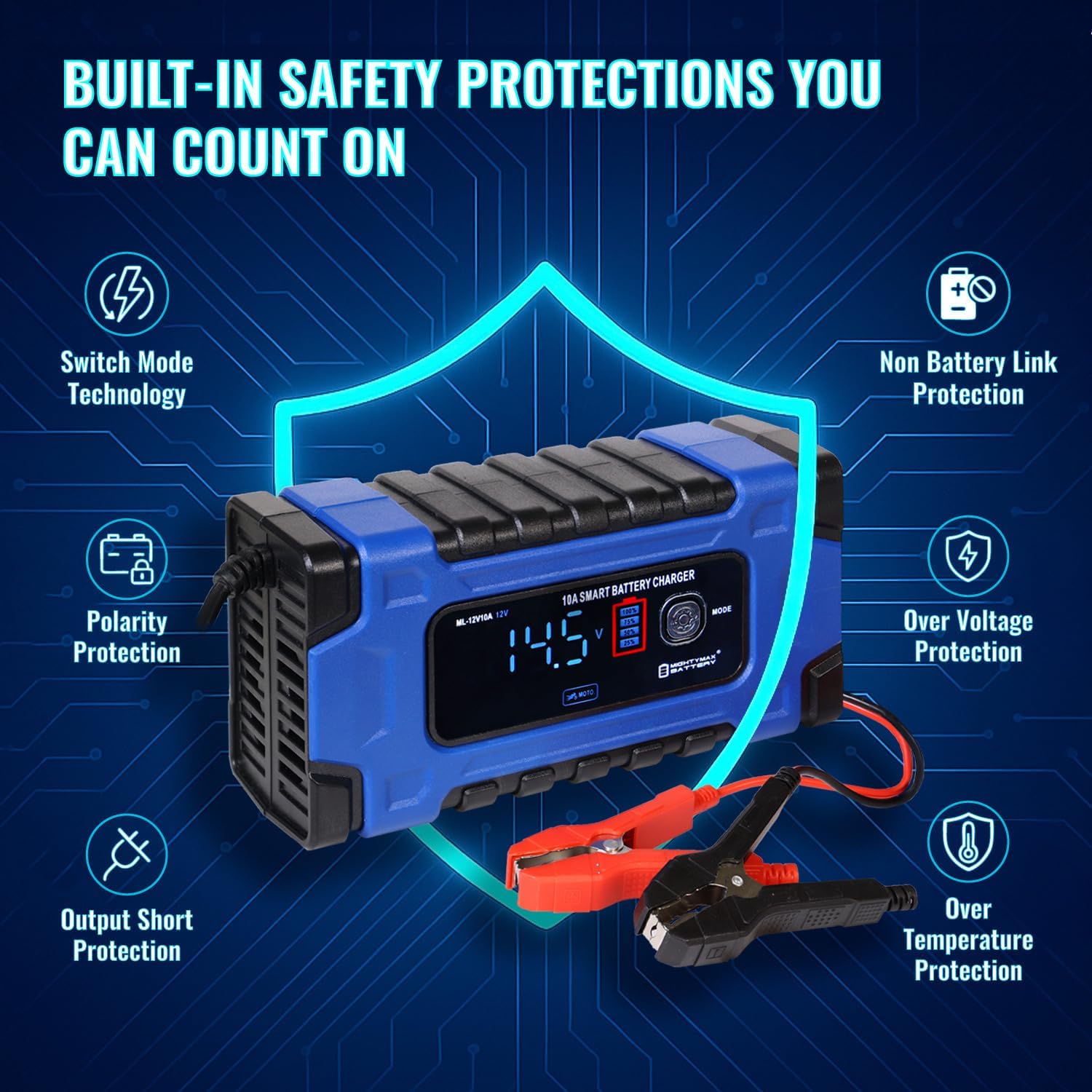
Image: Visual representation of the built-in safety protections of the ML-12V10A charger, including polarity protection, over-voltage protection, output short protection, non-battery link protection, and over-temperature protection.
3. Setup and Connection
Follow these steps to safely connect your charger to a battery:
- Identify Battery Type: Ensure the battery type (AGM, SLA, Gel, Wet, Deep Cycle) is compatible with the charger.
- Clean Battery Terminals: Remove any corrosion or dirt from the battery terminals for a good connection.
- Connect Red Clamp: Attach the red positive (+) clamp to the positive (+) battery terminal.
- Connect Black Clamp: Attach the black negative (-) clamp to the negative (-) battery terminal. For vehicles, if connecting to the chassis, ensure it's away from the fuel line and battery.
- Plug in Charger: Connect the charger's AC power cord to a suitable electrical outlet.
- Select Mode: Use the 'MODE' button to select the appropriate charging mode for your battery.

Image: The ML-12V10A charger connected to a 12V AGM battery, demonstrating ease of use. Note: Battery not included.

Image: A user connecting the ML-12V10A charger to a car battery under the hood, illustrating a typical application.
4. Operating Modes and Features
The ML-12V10A charger offers intelligent charging with multiple modes and stages:
4.1. Charging Modes
Press the 'MODE' button to cycle through available charging programs:
- CAR Mode: Standard charging for 12V car batteries.
- AGM Mode: Optimized for 12V AGM batteries.
- MOTO Mode: For 12V motorcycle batteries.
- REPAIR Mode: A 16-hour restoration program for deeply discharged or sulfated 12V car and motorcycle Sealed Lead Acid (SLA) batteries. This mode uses pulse repair technology to revive batteries.
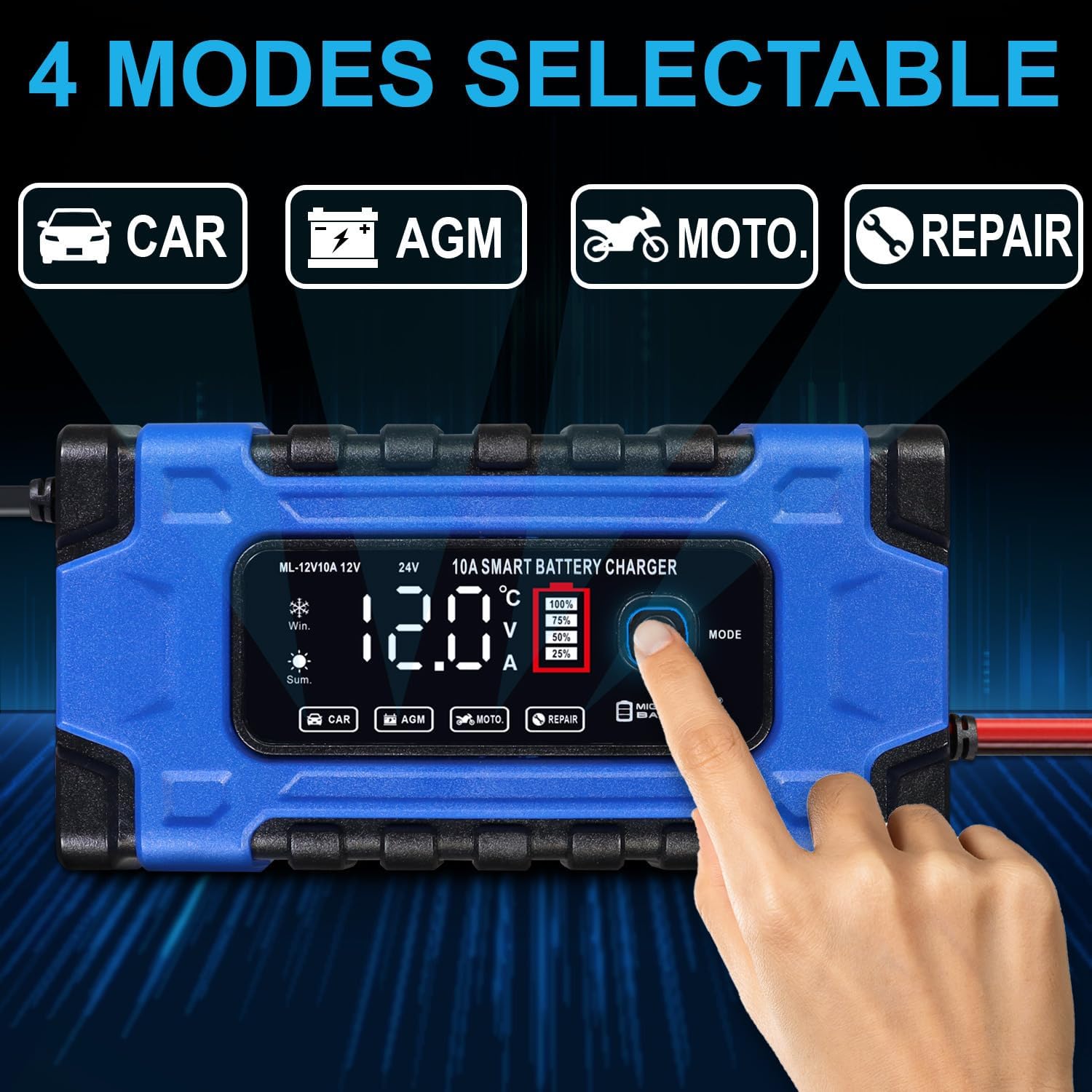
Image: The charger's LED display showing the four selectable modes: CAR, AGM, MOTO, and REPAIR, with a finger pressing the mode button.
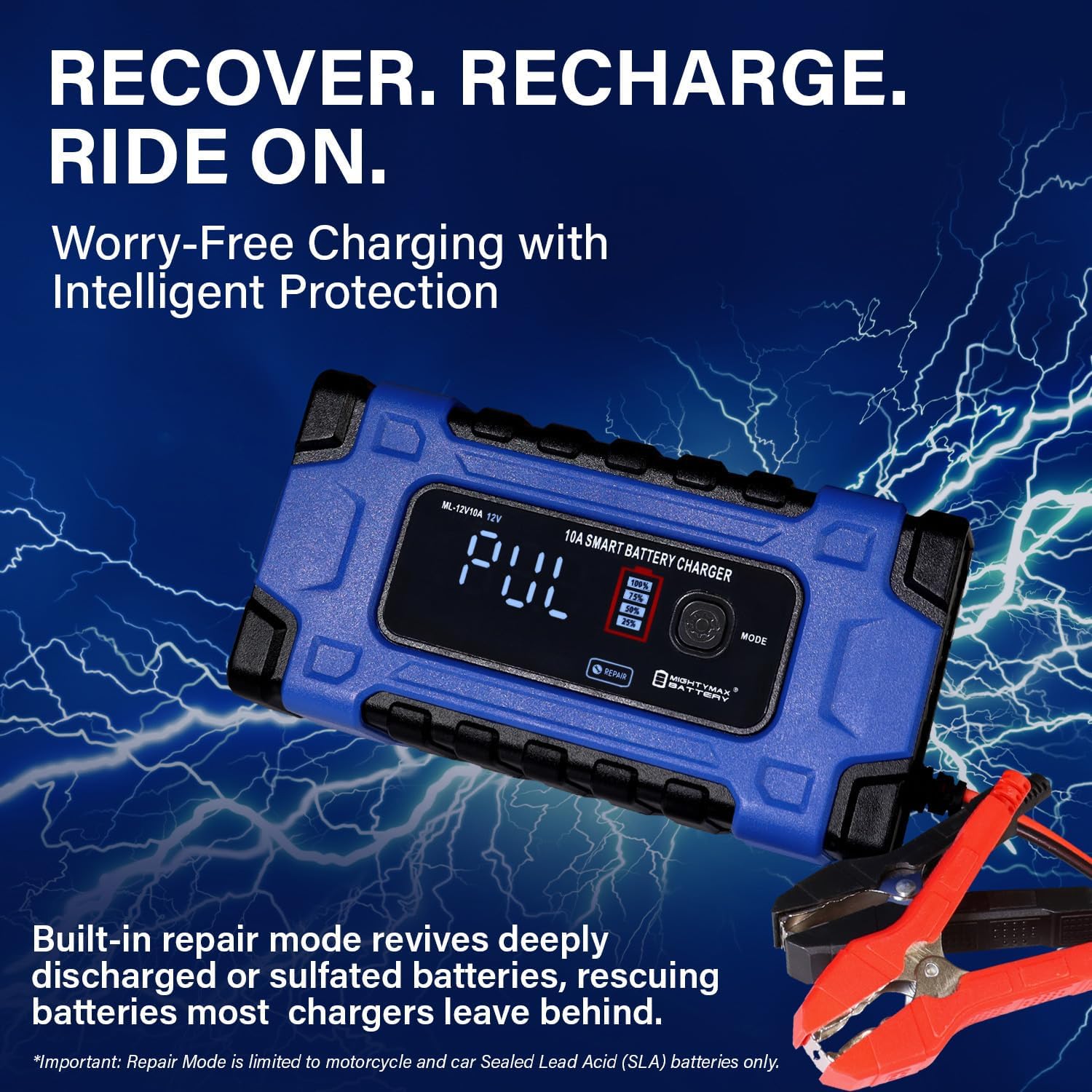
Image: The ML-12V10A charger displaying "PUL" for pulse repair mode, indicating the battery restoration process is active. This mode is for deeply discharged or sulfated batteries.
4.2. 7-Stage Smart Charging Process
The charger employs a sophisticated 7-stage charging algorithm to optimize battery health and performance:
- Desulfation: Revives dead or neglected batteries by breaking down lead sulfate crystals.
- Soft Start: Smooth, safe startup to prevent current surges.
- Bulk Charge: Fast and efficient power-up to approximately 80% capacity.
- Absorption: Brings the battery to 100% charge without overcharging.
- Battery Test: Checks battery condition mid-charge.
- Recondition: Boosts battery health and longevity.
- Float/Maintenance: Keeps the battery fully charged without overcharging, ideal for long-term storage.

Image: A detailed diagram explaining the 7-stage smart charging process, from desulfation to float/maintenance, highlighting how the charger intelligently adapts to battery conditions.
4.3. Temperature Adaptive Charging
The charger automatically adjusts charging voltage based on ambient temperature (for Car Mode only) to prevent under or overcharging:
- Winter Mode: Boosts voltage for optimal charging in cold weather (below 50°F / 10°C).
- Summer Mode: Reduces charge in hot conditions (above 82.4°F / 28°C).

Image: Visual comparison of Summer Mode (temperature above 82.4°F / 28°C) and Winter Mode (temperature below 50°F / 10°C), demonstrating the charger's automatic temperature adaptation for optimal battery charging.
4.4. Real-Time Charging Display
The bright LED screen provides instant readouts of voltage, amperage, temperature, charge level, and the active mode, allowing for easy monitoring of the charging process.
5. Maintenance
To ensure the longevity and proper functioning of your ML-12V10A charger:
- Cleaning: Disconnect the charger from power and the battery before cleaning. Wipe the casing with a soft, damp cloth. Do not use harsh chemicals or abrasives.
- Storage: Store the charger in a cool, dry place when not in use. Keep cables neatly coiled.
- Cable Inspection: Regularly inspect the charging cables and clamps for any signs of damage, fraying, or corrosion. Replace if necessary.
- Cooling Fan: The charger is equipped with a cooling fan. Ensure the fan vents are not obstructed during operation to prevent overheating.

Image: Close-up view of the ML-12V10A charger's cooling fan, emphasizing its role in maintaining stable operation during charging and reducing thermal stress.
6. Troubleshooting
If you encounter issues with your charger, refer to the following common problems and solutions:
| Problem | Possible Cause | Solution |
|---|---|---|
| Charger not turning on | No power from outlet; loose connection; internal fault. | Check power outlet; ensure all connections are secure; contact support if problem persists. |
| Charger not charging | Incorrect mode selected; poor battery connection; battery too deeply discharged/damaged; reverse polarity. | Select correct mode; ensure clamps are firmly attached; try Repair Mode for deeply discharged batteries; check polarity. |
| Charger displays error code | Specific fault detected (e.g., over-voltage, short circuit, reverse polarity). | Refer to the safety features section and re-check connections. Disconnect and reconnect the charger. |
| Charger gets hot | Normal during charging; obstructed cooling vents; prolonged use in high ambient temperature. | Ensure proper ventilation; if overheating persists or unit shuts down, contact support. |
7. Specifications
Key technical specifications for the Mighty Max Battery ML-12V10A charger:

Image: The ML-12V10A charger with its physical dimensions labeled (6.88" x 2.63" x 3.50"), providing a clear understanding of its size.
| Feature | Detail |
|---|---|
| Model | ML-12V10A |
| Input Voltage | 100-240V AC, 50/60Hz |
| Output Voltage | 12V / 24V (Automatic Detection) |
| Max Output Current | 10 Amps |
| Compatible Battery Types | AGM, SLA, Gel, Wet, Deep Cycle Lead-Acid Batteries |
| Charging Stages | 7-Stage Automatic (Desulfation, Soft Start, Bulk, Absorption, Battery Test, Recondition, Float/Maintenance) |
| Special Modes | Repair Mode (16-hour), Winter Mode, Summer Mode |
| Safety Protections | Reverse Polarity, Over-Voltage, Short-Circuit, Spark-Free, Over-Temperature |
| Display | LED Screen (Voltage, Amperage, Temperature, Charge Level, Mode) |
| Dimensions | 6.88 x 2.63 x 3.5 inches |
| Item Weight | 1.47 pounds |
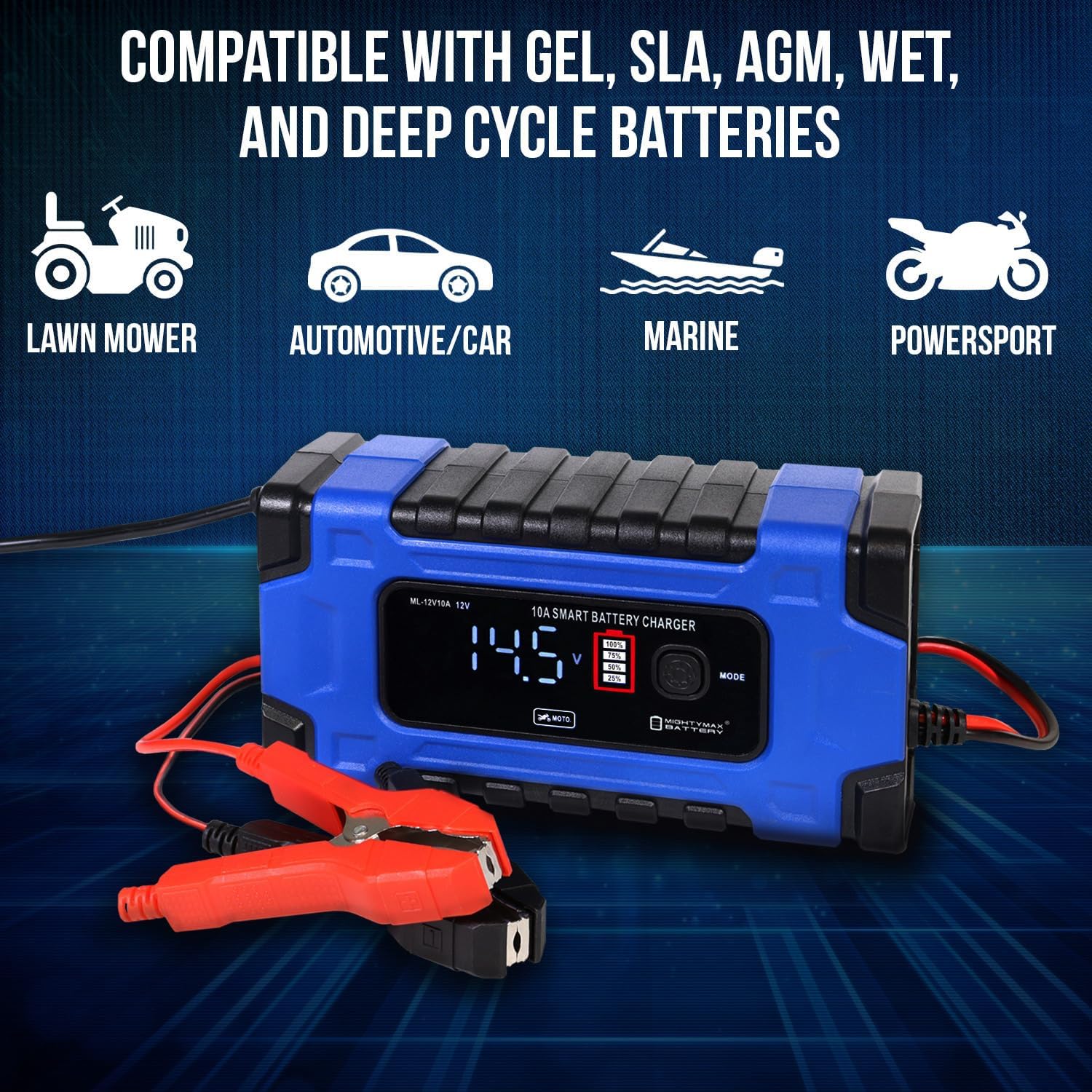
Image: The ML-12V10A charger highlighting its compatibility with GEL, SLA, AGM, WET, and Deep Cycle batteries, suitable for lawn mowers, automotive/cars, marine vehicles, and powersports.
8. Warranty and Support
The Mighty Max Battery ML-12V10A charger comes with a one-year limited warranty, providing confidence in its quality and durability. For technical assistance, warranty claims, or any questions regarding the product, please refer to the contact information provided with your purchase or visit the official Mighty Max Battery website.
Always ensure you have your proof of purchase when contacting support for warranty services.