
Introduction
Thank you for choosing the JRFYHFT V16 PRO Cordless Vacuum Cleaner. This manual provides essential information for the safe and efficient operation, maintenance, and troubleshooting of your new appliance. Please read it thoroughly before first use and keep it for future reference.
Product Overview
The JRFYHFT V16 PRO is a powerful 650W cordless stick vacuum cleaner designed for versatile home cleaning. It features a 55KPa suction power, an anti-tangle brush, an OLED screen, and a 1.8L dust cup. Its self-standing design offers convenient storage and pausing during cleaning tasks.

Figure 1: JRFYHFT V16 PRO Cordless Vacuum Cleaner (Grayish Purple)
Setup
- Unboxing and Component Identification: Carefully remove all components from the packaging. Verify that all parts listed in the packing list are present.
- Battery Installation: Align the battery pack with the main unit and slide it into place until it clicks securely. To release, press the red button on the battery.
- Extension Wand Assembly: Connect the extension wand to the main unit and the floor brush. Ensure both connections click into place. The wand features an adjustable length; press the button on the backside of the wand to slide it up or down to your desired height.
- Accessory Attachment: Attach desired accessories (e.g., crevice tool, dusting brush) directly to the main unit or the end of the extension wand.
- Initial Charging: Fully charge the battery before first use to ensure optimal performance and battery longevity. The wall-mounted charging dock allows for convenient charging and accessory storage.
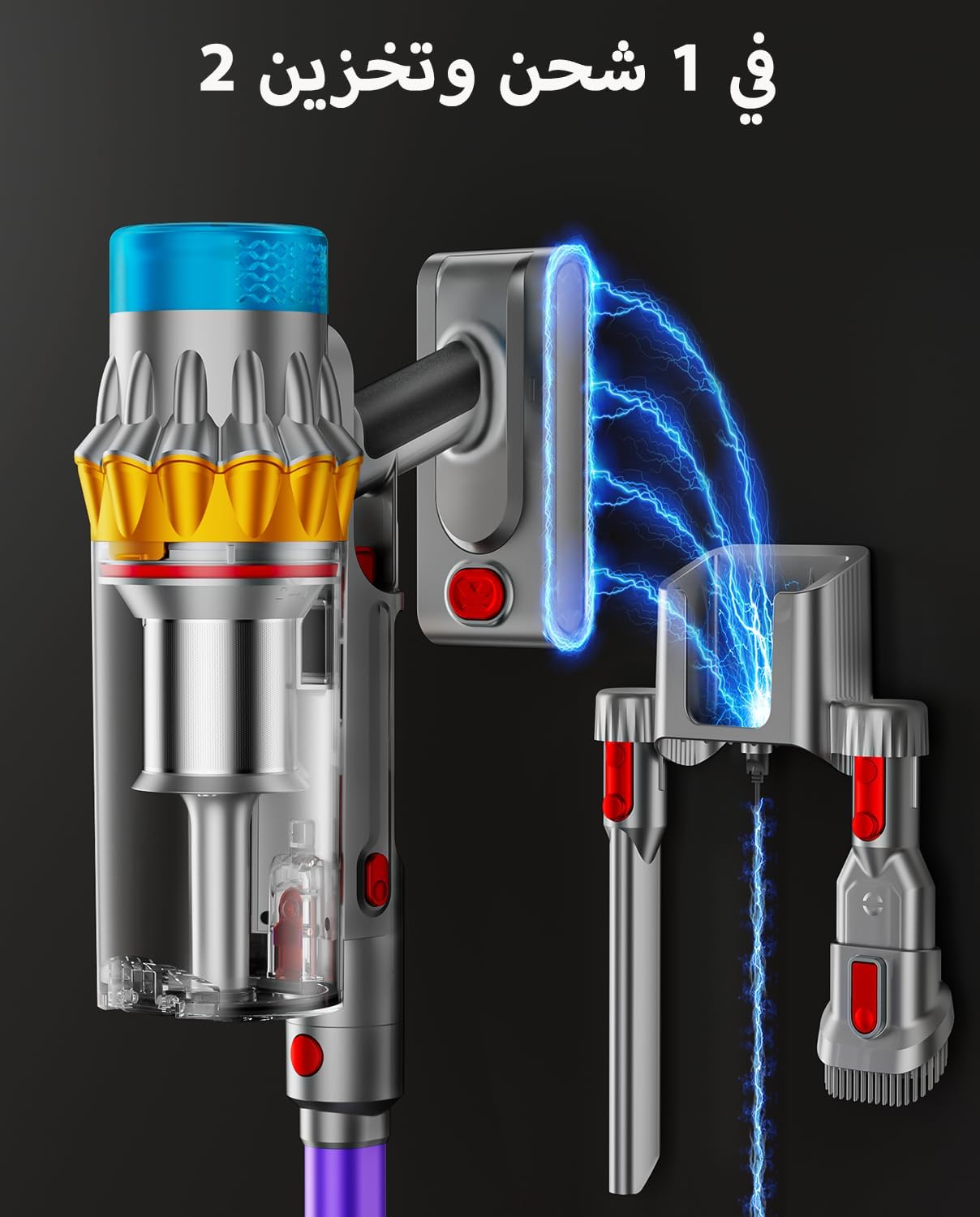
Figure 2: Wall-mounted charging dock for convenient storage and charging.
Operating Instructions
Power On/Off and Suction Modes
- To power on or off, press the power button on the OLED screen.
- The OLED screen displays battery percentage and current suction mode.
- Cycle through three adjustable suction levels (Green: Low, Yellow: Medium, Red: High) by pressing the mode selection button on the OLED screen.
Battery Runtime
The built-in 8*2800mAh high-capacity battery provides a runtime of 20 to 70 minutes, depending on the selected suction mode. Lower suction modes offer longer runtime. A full charge takes approximately 4 hours. Additional genuine batteries can be purchased separately to extend cleaning sessions.
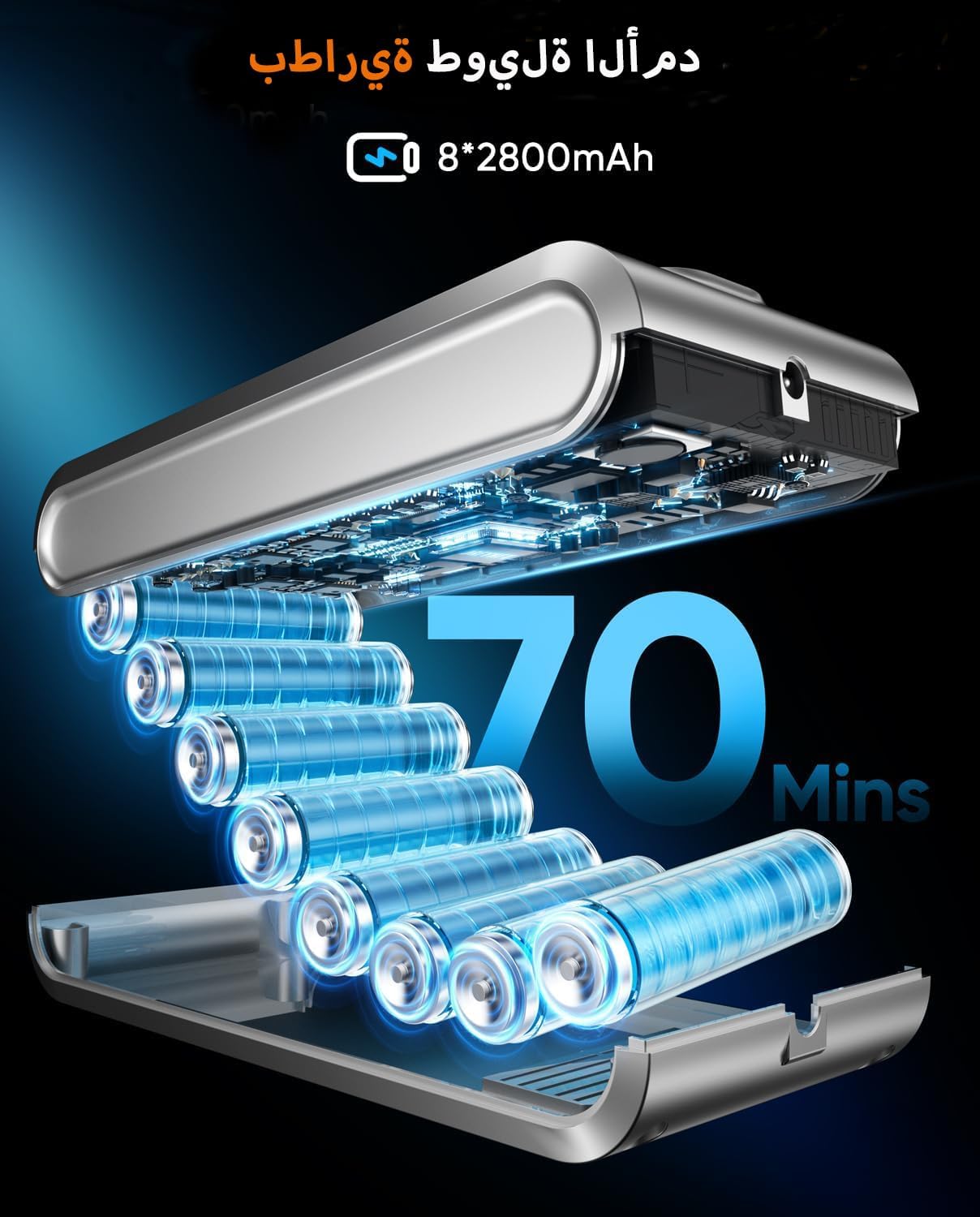
Figure 3: Illustration of battery cells and up to 70 minutes runtime.
Self-Standing Design
The vacuum features a self-standing design, allowing it to stand upright independently. This is convenient for pausing during cleaning or for storage without needing to lean it against a wall.
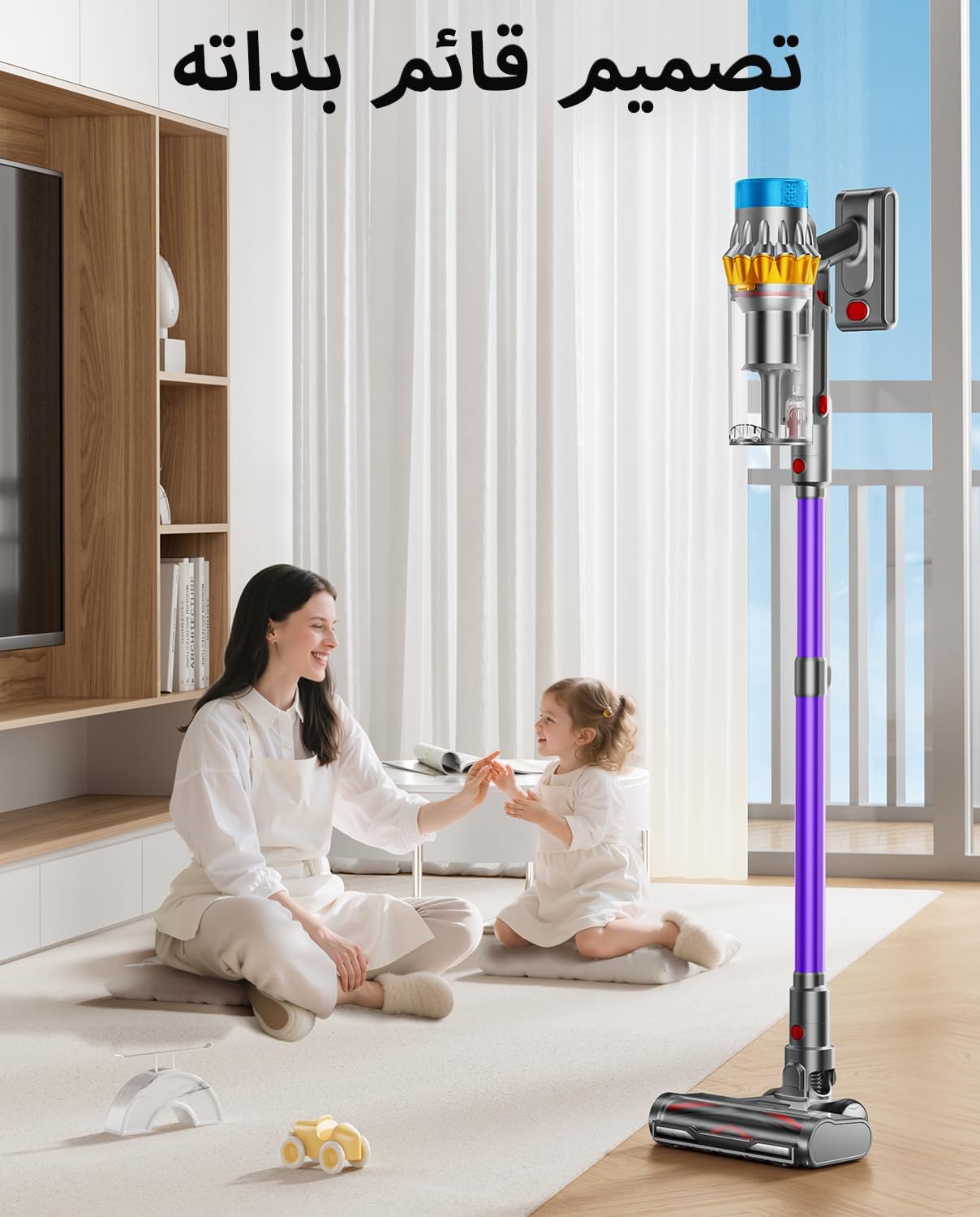
Figure 4: The vacuum's self-standing feature in use.
Cleaning Performance
- Powerful Suction: The 650W brushless motor delivers up to 55000Pa suction, effectively removing hair, dust, dirt, and debris from all floor types, including carpets and hardwood floors.
- V-Shaped Anti-Tangle Brush & Green Light: The floor brush incorporates a V-shaped roller brush and comb teeth to minimize hair entanglement. Integrated green lighting technology illuminates dust and debris, making it easier to spot and clean in corners and low-light areas.
- Dry Messes Only: This vacuum is designed exclusively for dry messes. Do not use it to clean up wet spills or liquids, as this can damage the appliance and void the warranty.

Figure 5: Visual representation of the vacuum's powerful 55KPa suction.

Figure 6: The 360-degree rotating brush head with green light for enhanced visibility.
Maintenance
Dust Cup Emptying
The 1.8L super large dust cup collects more debris, reducing the frequency of emptying. It supports one-touch dust removal: simply press the trigger to release the bottom flap and empty contents directly into a trash bin. This avoids manual contact with dirt.
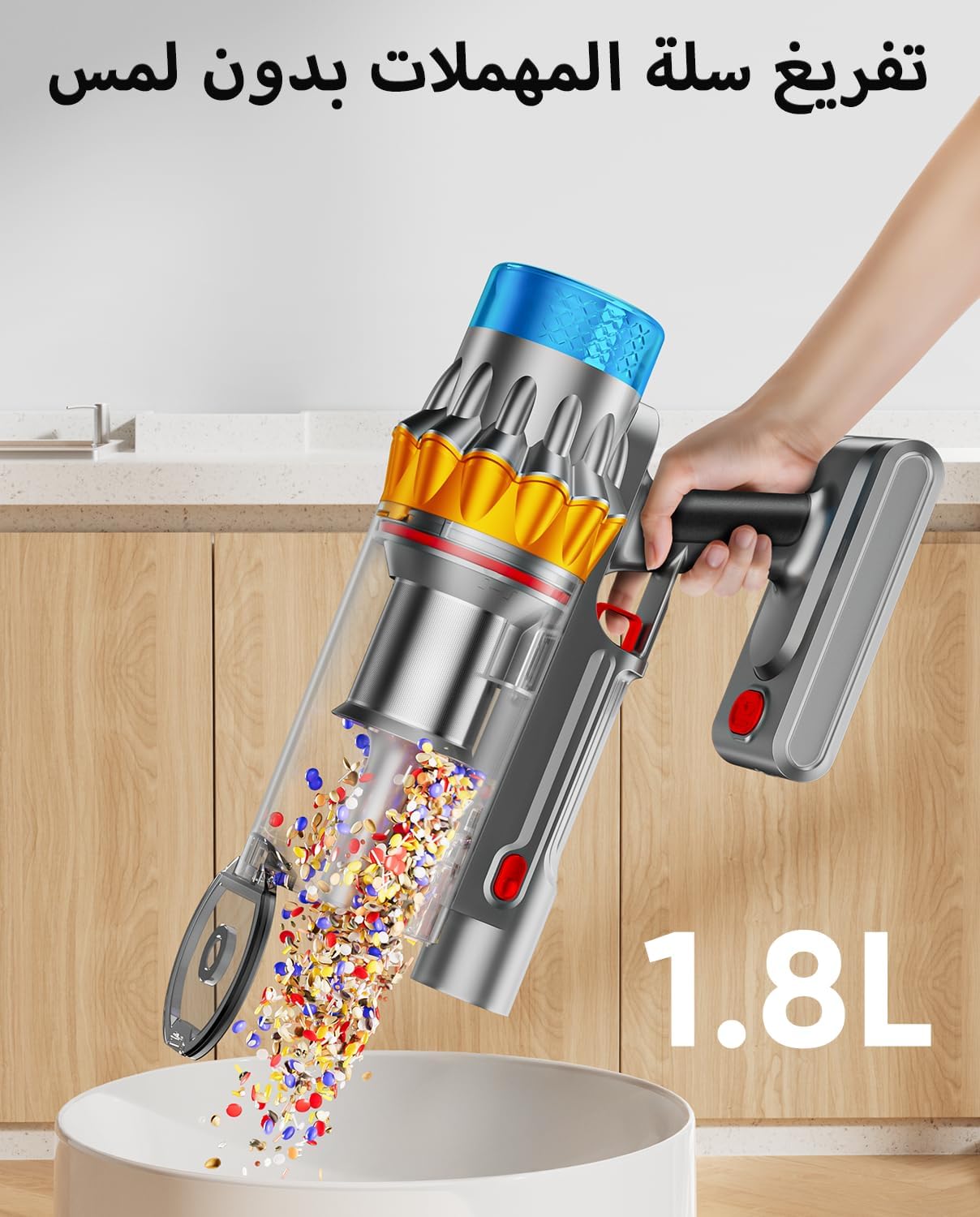
Figure 7: One-touch emptying of the 1.8L dust cup.
Filter Replacement
For optimal performance, it is recommended to replace the HEPA filter every three months. Genuine replacement filters are available from the official JRFYHFT store or by searching for "JRFYHFT filter".
Anti-Tangle Brush Cleaning
The V-shaped anti-tangle brush is designed to minimize hair wrap. Periodically check and clean the brush roll to ensure efficient operation. Refer to the included instructions for detailed steps on removing and cleaning the brush roll.
Troubleshooting
If you experience any issues with your JRFYHFT V16 PRO, please refer to the following common solutions:
- No Power: Ensure the battery is fully charged and correctly installed. Check the power outlet if using the charging dock.
- Reduced Suction: Empty the dust cup. Clean or replace the HEPA filter. Check the brush roll and extension wand for any blockages.
- Brush Roll Not Spinning: Check for hair or debris tangled around the brush roll and remove any obstructions. Ensure the brush head is properly attached.
- OLED Screen Errors: The large LED display provides real-time information on dust fullness, clogging, and suction power status. Consult the display for specific error indicators.
For further assistance, please contact JRFYHFT customer service. Our contact details can be found in the user manual, and our team will respond within 24 hours.
Specifications
| Brand | JRFYHFT |
| Model Name | V16 PRO |
| Model Number | YILU-ZCV004-v16PRO |
| Power Source | Battery Powered |
| Wattage | 650 watts |
| Suction Power | 55KPa |
| Battery Life (Min) | 20 minutes (Max Suction) |
| Runtime (Max) | 70 minutes (Min Suction) |
| Dust Cup Capacity | 1.8 Liters |
| Filter Type | HEPA Filter |
| Noise Level | 62 Decibels |
| Surface Recommendation | All floors (Carpet, Hard Floor) |
| Item Weight | 3.5 Kilograms |
| Color | Grayish Purple |
Warranty and Support
JRFYHFT is committed to product quality. If you experience any issues with your V16 PRO Cordless Vacuum Cleaner, please contact our customer service team directly. Our contact details are provided in the original packaging and user manual. We aim to respond to all inquiries within 24 hours.


