
1. Introduction
This manual provides essential information for the safe and efficient operation, installation, and maintenance of your QQDETRR PA600 Electric Hoist. Please read this manual thoroughly before operating the hoist to ensure proper use and to prevent injury or damage.

Figure 1: Overview of the QQDETRR PA600 Electric Hoist, showing the main unit, wired control, and wireless remote.
2. Safety Information
Your safety and the safety of others are paramount. Always adhere to the following safety guidelines:
- Read the Entire Manual: Understand all instructions and warnings before operating the hoist.
- Personal Protective Equipment: Always wear appropriate safety gear, including gloves and eye protection.
- Work Area Safety: Ensure the lifting area is clear of personnel and obstructions. Set up a designated lifting zone if necessary.
- Load Capacity: Never exceed the rated lifting capacity. The hoist supports 660 lbs (300 kg) with a single cable and 1320 lbs (600 kg) with a dual cable.
- Inspect Before Use: Before each operation, inspect the hoist, wire rope, and hook for any signs of damage, wear, kinks, or corrosion. Do not use the product if the hook is cracked or deformed, or if the wire rope is kinked or corroded.
- Secure Mounting: Ensure the hoist is securely mounted to a structure capable of supporting the hoist's weight and the maximum load.
- Power Supply: Connect the hoist to a 110V, 60Hz power supply.
- Emergency Stop: Familiarize yourself with the emergency stop button. The hoist is equipped with a safety limit switch and emergency stop button for automatic power cut-off and prevention of over-lifting.
- Remote Control: Be aware of the remote control range (within 100m/328 ft) and operate from a safe distance.
- Avoid Overheating: The hoist has a work rate of 20% (10 minutes). Allow for cool-down periods to prevent overheating.
- Children and Unauthorized Personnel: Keep children and unauthorized personnel away from the operating area.
3. Package Contents
Carefully unpack the box and verify that all items listed below are present and undamaged. If any items are missing or damaged, contact customer support immediately.
- 1 x Electric Lift (Main Unit)
- 1 x Wireless Remote Control (Model: YDL-V2S)
- 1 x Wired Remote Control
- 1 x Hook with Lock
- 2 x Mounting Clamp Brackets
- All necessary accessories for installation (e.g., bolts, nuts)
- 1 x English Manual (This document)
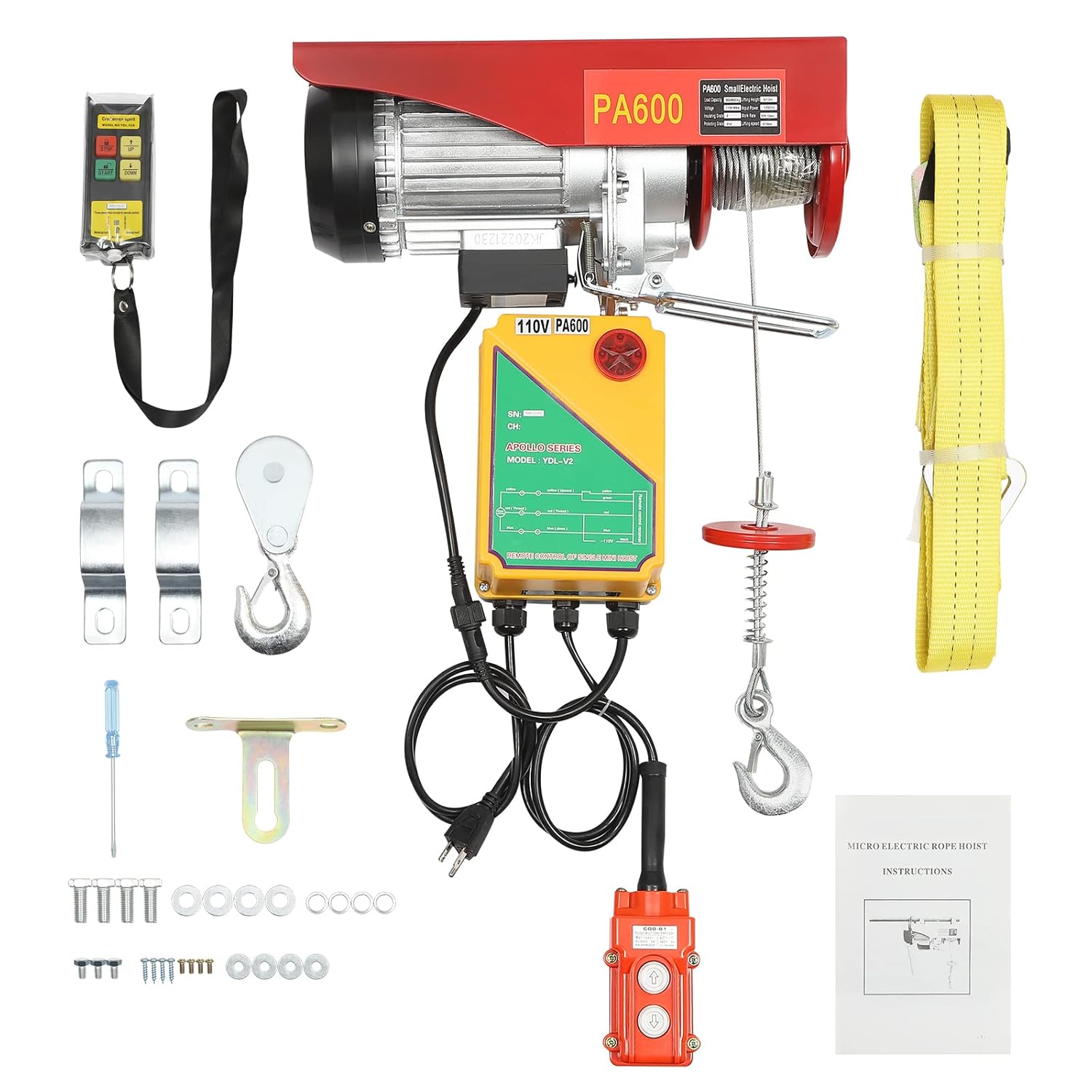
Figure 2: All components included in the QQDETRR PA600 Electric Hoist package.
4. Specifications
Detailed technical specifications for the QQDETRR PA600 Electric Hoist:
| Feature | Specification |
|---|---|
| Main Material | Steel and Aluminum Alloy |
| Shell Material | Alloy |
| Hook Material | Alloy |
| Cable Material | Galvanized Steel Wire |
| Mounting Type | Vertical |
| Finish | Electrostatic Plastic Spraying, Paint Spraying |
| Motor Type | Pure Copper Motor |
| Color | Red |
| Model | PA600 |
| Remote Control Model | YDL-V2S |
| Remote Control Range | Within 100m / 328 ft |
| Plug Type | US Standard |
| Voltage | 110V, 60Hz |
| Input Power | 1200W |
| Insulation Grade | B |
| Protection Grade | IP40 |
| Lifting Capacity (Single Cable) | 660 lbs / 300 kg |
| Lifting Capacity (Dual Cable) | 1320 lbs / 600 kg |
| Lifting Speed (Single Cable) | 10m / 33 ft per minute |
| Lifting Speed (Dual Cable) | 5m / 17 ft per minute |
| Lifting Height (Single Cable) | 12 m / 39.4 ft |
| Lifting Height (Dual Cable) | 6 m / 20 ft |
| Work Rate | 20%, 10 minutes |
| Lanyard Length | 12m / 39.37 feet |
| Package Size | 48 x 20 x 39 cm / 18.9 x 7.87 x 15.35 in |
| Gross Weight | 18.3 kg / 40.67 lbs |
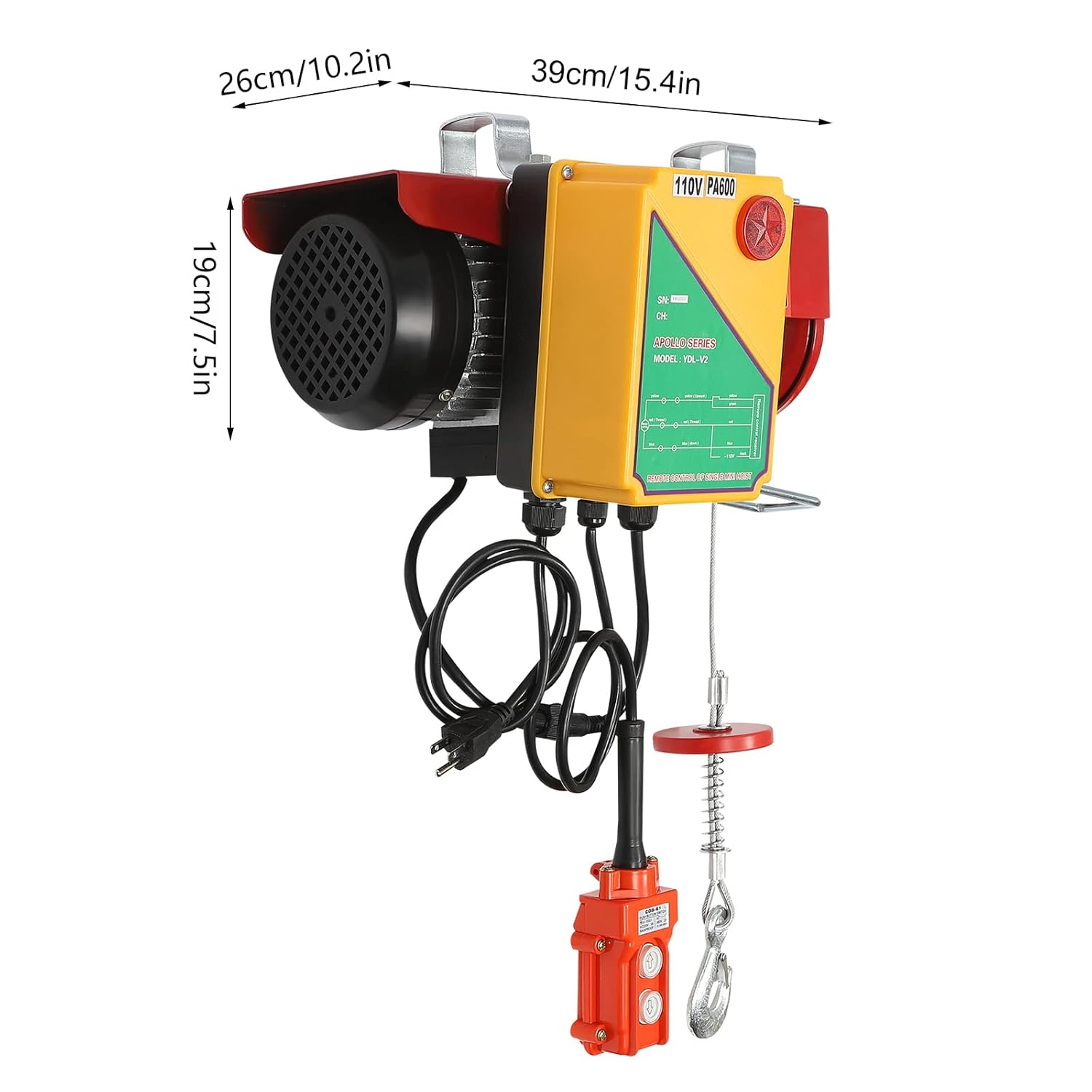
Figure 3: Physical dimensions of the QQDETRR PA600 Electric Hoist.
5. Setup and Installation
Proper installation is crucial for safe operation. Follow these steps carefully:
- Choose a Mounting Location: Select a sturdy overhead beam or structure capable of supporting the hoist and its maximum load (1320 lbs / 600 kg). Ensure the width and height of the boom do not exceed the internal dimensions of the mounting bracket.
- Attach Mounting Brackets: Use the provided mounting clamp brackets to securely fasten the hoist to the chosen support structure. Ensure all bolts are tightened to the manufacturer's specifications.
- Power Connection: Connect the hoist to a grounded 110V, 60Hz power outlet. Ensure the power cord is not pinched or damaged.
- Cable Configuration (Single vs. Dual):
- Single Cable: For loads up to 660 lbs (300 kg) and a lifting height of 12m (39.4 ft). The hook is directly attached to the end of the wire rope.
- Dual Cable: For loads up to 1320 lbs (600 kg) and a lifting height of 6m (20 ft). Loop the wire rope through the pulley block on the hook and back to the hoist's secondary attachment point. This configuration doubles the lifting capacity but halves the lifting speed and height.
- Test Run: Before lifting any load, perform a test run with no load to ensure all functions (up, down, emergency stop) operate correctly.
6. Operating Instructions
Operate the hoist using either the wired control or the wireless remote control.
6.1. Pre-Operation Checklist
- Confirm the hoist is securely mounted.
- Inspect the wire rope, hook, and power cable for damage.
- Ensure the load does not exceed the hoist's capacity for the chosen cable configuration.
- Clear the lifting path of any obstacles and personnel.
6.2. Using the Controls
Both the wired and wireless controls feature UP and DOWN buttons. The wireless remote also includes an emergency stop button.
- To Lift: Press and hold the "UP" button.
- To Lower: Press and hold the "DOWN" button.
- Emergency Stop: In case of an emergency, press the red emergency stop button on either control. This will immediately cut power to the hoist. Reset by twisting or pulling the button to release it.
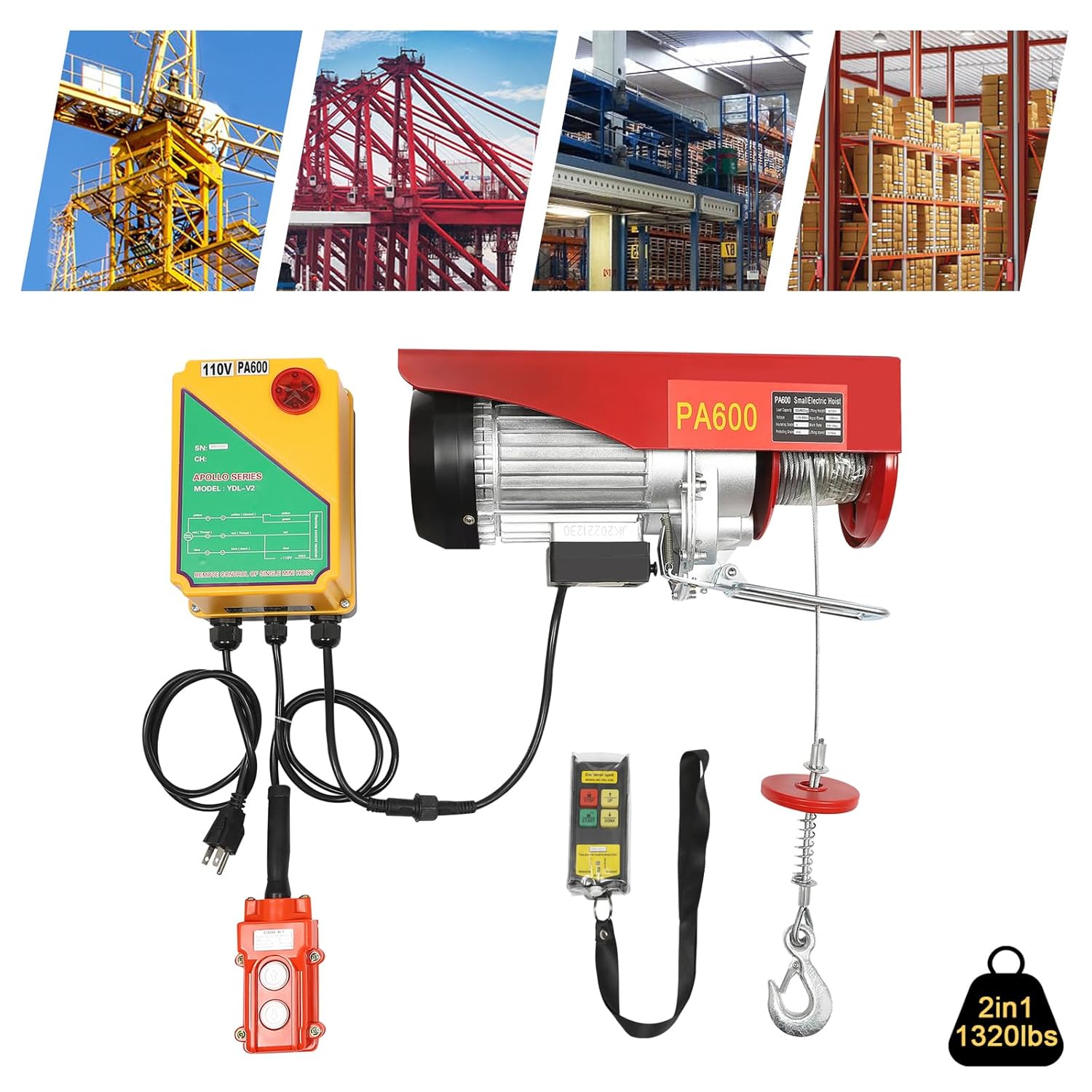
Figure 4: The electric hoist lifting a load, demonstrating the use of both wired and wireless remote controls.
6.3. Lifting Procedure
- Attach the load securely to the hook. Ensure the safety latch on the hook is closed.
- Stand clear of the load and the lifting path.
- Slowly lift the load a few inches to check for balance and secure attachment.
- Continue lifting the load to the desired height, maintaining a clear line of sight or having a spotter.
- Lower the load slowly and carefully to its destination.
- Once the load is safely on the ground, detach it from the hook.
Important: Observe the hoist's work rate (20%, 10 minutes). Avoid continuous operation for extended periods to prevent motor overheating. Allow the hoist to cool down after 10 minutes of continuous use.
7. Maintenance
Regular maintenance ensures the longevity and safe operation of your electric hoist.
- Daily Inspection: Before each use, visually inspect the wire rope for fraying, kinks, or corrosion. Check the hook for deformation or cracks. Ensure all fasteners are tight.
- Lubrication: Periodically lubricate the wire rope and moving parts according to standard industrial practices for hoists. Consult a professional if unsure.
- Cleaning: Keep the hoist clean and free of dust, dirt, and debris. The mesh-type heat dissipation holes should be kept clear to ensure proper cooling.
- Electrical Components: Regularly check the power cord and control cables for any signs of damage. Do not attempt to repair electrical components yourself; contact qualified personnel.
- Storage: When not in use, store the hoist in a dry, clean environment, protected from extreme temperatures and moisture.
8. Troubleshooting
This section addresses common issues you might encounter. For problems not listed here, contact customer support.
| Problem | Possible Cause | Solution |
|---|---|---|
| Hoist does not operate | No power supply; Emergency stop engaged; Overload protection activated; Damaged power cord/control. | Check power connection; Release emergency stop button; Reduce load; Inspect and replace damaged cables (by qualified personnel). |
| Hoist stops during operation | Overload protection activated; Motor overheating; Limit switch engaged. | Reduce load; Allow motor to cool down; Check if the hook has reached the upper limit switch. |
| Unusual noise during operation | Lack of lubrication; Worn gears; Loose components. | Lubricate moving parts; Inspect for worn components; Tighten loose fasteners. If noise persists, discontinue use and seek professional inspection. |
| Remote control not responding | Out of range; Battery low (wireless remote); Interference. | Move closer to the hoist; Replace batteries in wireless remote; Reduce sources of interference. |
9. Warranty and Support
For warranty information, technical support, or to order replacement parts, please refer to the warranty card included with your purchase or contact QQDETRR customer service directly. Please have your model number (PA600) and purchase date available when contacting support.
Contact information for QQDETRR can typically be found on the product packaging or their official website.


