
1. Product Overview
The Samsung Galaxy A07 4G is a smartphone designed for everyday use, offering a balance of display size, camera capabilities, and battery life. It features a slim design and is equipped with a processor capable of handling multiple applications efficiently.
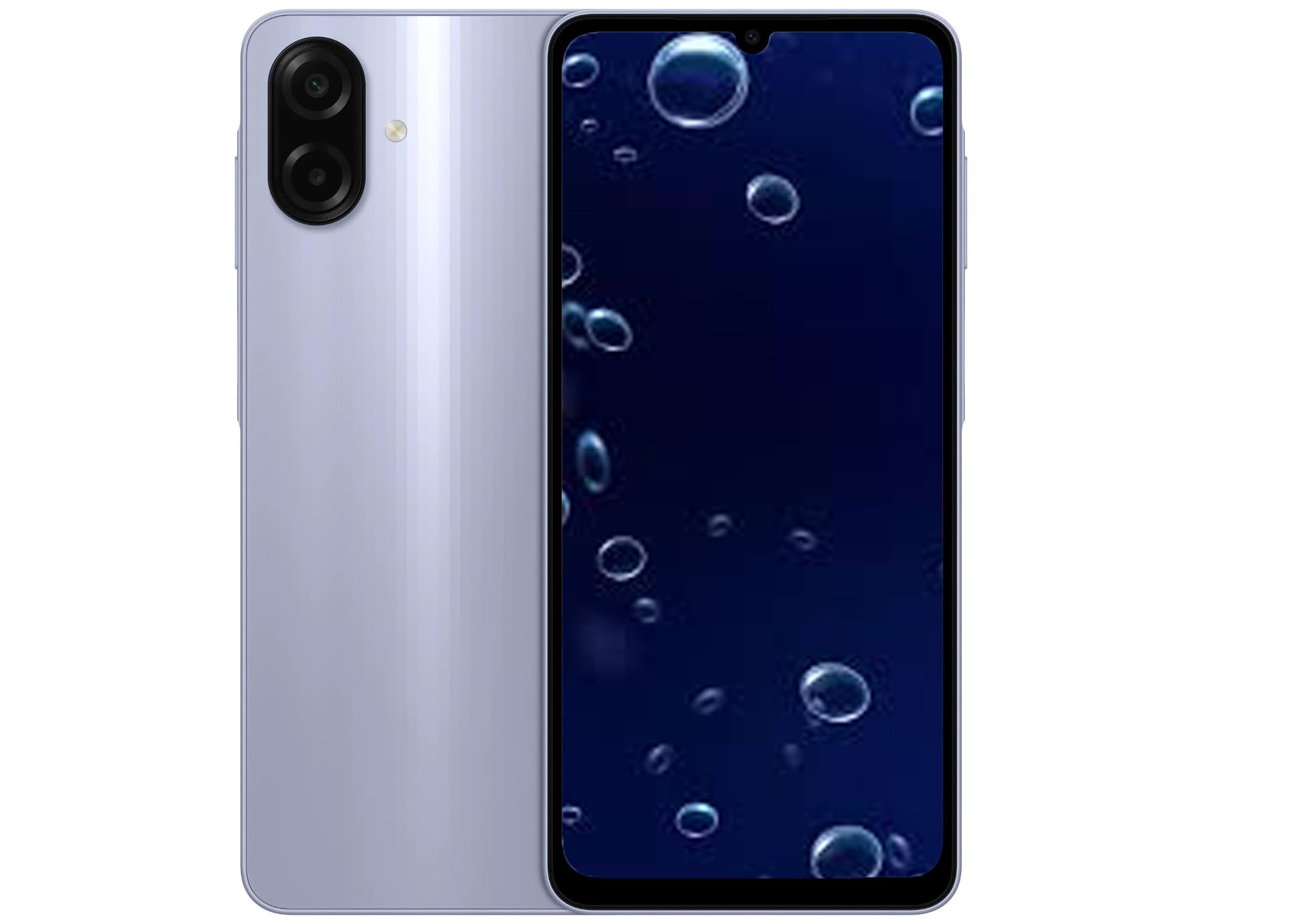
Figure 1: Samsung Galaxy A07 4G smartphone.
Key Features:
- Display: 6.7-inch immersive display with a 90 Hz refresh rate for smooth visuals.
- Design: Sleek and slim 7.6 mm profile.
- Performance: 6 nm Octa-core processor for efficient multitasking.
- Software Updates: Supports 6 major OS upgrades and 6 years of security updates.
- Durability: IP54 rating for dust and water splash resistance.
- Camera: 50 MP Pro-Grade main camera for detailed photos.
- Battery: 5000 mAh battery for extended use.
2. Initial Setup
2.1 Unboxing and Contents
Carefully remove all items from the product packaging. The box should contain the Samsung Galaxy A07 4G smartphone and a USB cable. A charger is not included and must be acquired separately.
2.2 Inserting SIM Card(s) and MicroSD Card
- Locate the SIM tray on the side of your device.
- Insert the SIM ejection tool (not included) into the small hole on the SIM tray to open it.
- Place your Nano-SIM card(s) and/or MicroSD card into the tray with the gold contacts facing down. The device supports Dual SIM and MicroSD cards up to 1TB.
- Carefully reinsert the tray into the device until it clicks into place.
2.3 Powering On and Initial Configuration
- Press and hold the Power button (located on the side) until the Samsung logo appears.
- Follow the on-screen prompts to complete the initial setup, including language selection, Wi-Fi connection, Google account setup, and security settings.
3. Operating Your Device
3.1 Basic Navigation
- Touchscreen: Tap, swipe, pinch, and spread to interact with the display.
- Home Screen: Access apps, widgets, and notifications.
- Volume Buttons: Adjust media and call volume.
- Power Button: Press to turn the screen on/off, or press and hold for power options.
3.2 Making Calls and Sending Messages
- Open the Phone app to dial numbers or select contacts.
- Open the Messages app to compose and send text messages.
3.3 Using the Camera
The Galaxy A07 4G features a 50 MP main camera and an 8 MP front camera.
- Open the Camera app.
- Select your desired mode (Photo, Video, Portrait, etc.).
- Tap the shutter button to capture an image or start/stop recording a video.
3.4 Connectivity
- Wi-Fi: Connect to wireless networks via Settings > Connections > Wi-Fi.
- Bluetooth: Pair with other Bluetooth devices via Settings > Connections > Bluetooth.
- Mobile Data: Enable or disable mobile data via Settings > Connections > Data usage.
- GPS: Utilize location services for navigation and other apps.
4. Maintenance and Care
4.1 Battery Care
- To prolong battery life, avoid extreme temperatures.
- Use only Samsung-approved charging accessories.
- Avoid fully discharging the battery frequently.
4.2 Cleaning Your Device
- Wipe the screen and body with a soft, lint-free cloth.
- Avoid using harsh chemicals or abrasive materials.
- Ensure all ports are dry before charging.
4.3 Software Updates
Regularly check for and install software updates to ensure optimal performance and security. Your device is eligible for 6 major OS upgrades and 6 years of security updates.
- Go to Settings > Software update > Download and install.
5. Troubleshooting
5.1 Device Not Powering On
- Ensure the battery is charged. Connect the device to a charger for at least 10 minutes.
- Press and hold the Power button for 10-15 seconds to perform a forced restart.
5.2 Apps Crashing or Freezing
- Close and reopen the app.
- Clear the app's cache and data (Settings > Apps > [App Name] > Storage).
- Ensure your device software and apps are up to date.
5.3 Network Connectivity Issues
- Toggle Wi-Fi or Mobile Data off and on.
- Restart your device.
- Check your SIM card insertion.
- Verify your network settings with your carrier.
6. Specifications
| Feature | Detail |
|---|---|
| Model Name | A07 4G (SM-A075/DS) |
| Display Size | 6.7 inches (171.3mm full rectangle / 167.3mm rounded corners) |
| Display Resolution | 720 x 1600 (HD+) |
| Display Technology | PLS LCD |
| Processor | Octa-core (2x2.2 GHz Cortex-A76 & 6x2.0 GHz Cortex-A55) |
| GPU | Mali-G57 MC2 |
| RAM | 4 GB |
| Internal Storage | 128 GB |
| Expandable Storage | Micro SD up to 1TB |
| Rear Camera | 50 MP, f/1.8 (wide), 1/2.76", 0.64µm, PDAF 2 MP, f/2.4 (depth) |
| Front Camera | 8 MP, f/2.0 (wide), 1/4.0", 1.12µm |
| Battery Capacity | 5000 Milliamp Hours (Nonstandard Battery) |
| Operating System | Android |
| Connectivity | 4G LTE, Wi-Fi 802.11a/b/g/n/ac (2.4GHz+5GHz, VHT80), Bluetooth, GPS, Glonass, Beidou, Galileo, QZSS |
| Sensors | Accelerometer, Fingerprint Sensor, Light Sensor, Proximity Sensor |
| Ports | USB Type-C, 3.5mm Earjack |
| Dimensions | 2 x 2 x 2 inches |
| Item Weight | 9.2 ounces |
| Color | Violet (SM-A075MLVGGTO) |
| What's in the Box | USB Cable |
7. Warranty and Support
7.1 Product Warranty
This Samsung Galaxy A07 4G is a Latin American Version and comes with a 1-year warranty in South, Central, Latin America, and the Caribbean. Please verify your phone's model number (SM-A075/DS) to confirm local warranty eligibility. If the model differs, local warranty may not apply.
7.2 Customer Support
For further assistance, technical support, or warranty claims, please visit the official Samsung support website or contact their customer service in your region. Keep your proof of purchase for warranty services.


