
Introduction
The SwitchBot Universal Remote Control with Hub 3 is a multi-functional smart device designed to consolidate control of various home appliances. It integrates infrared (IR) and Bluetooth devices, offering a unified control experience through its intuitive interface and smart home compatibility. This manual provides instructions for setup, operation, maintenance, and troubleshooting.
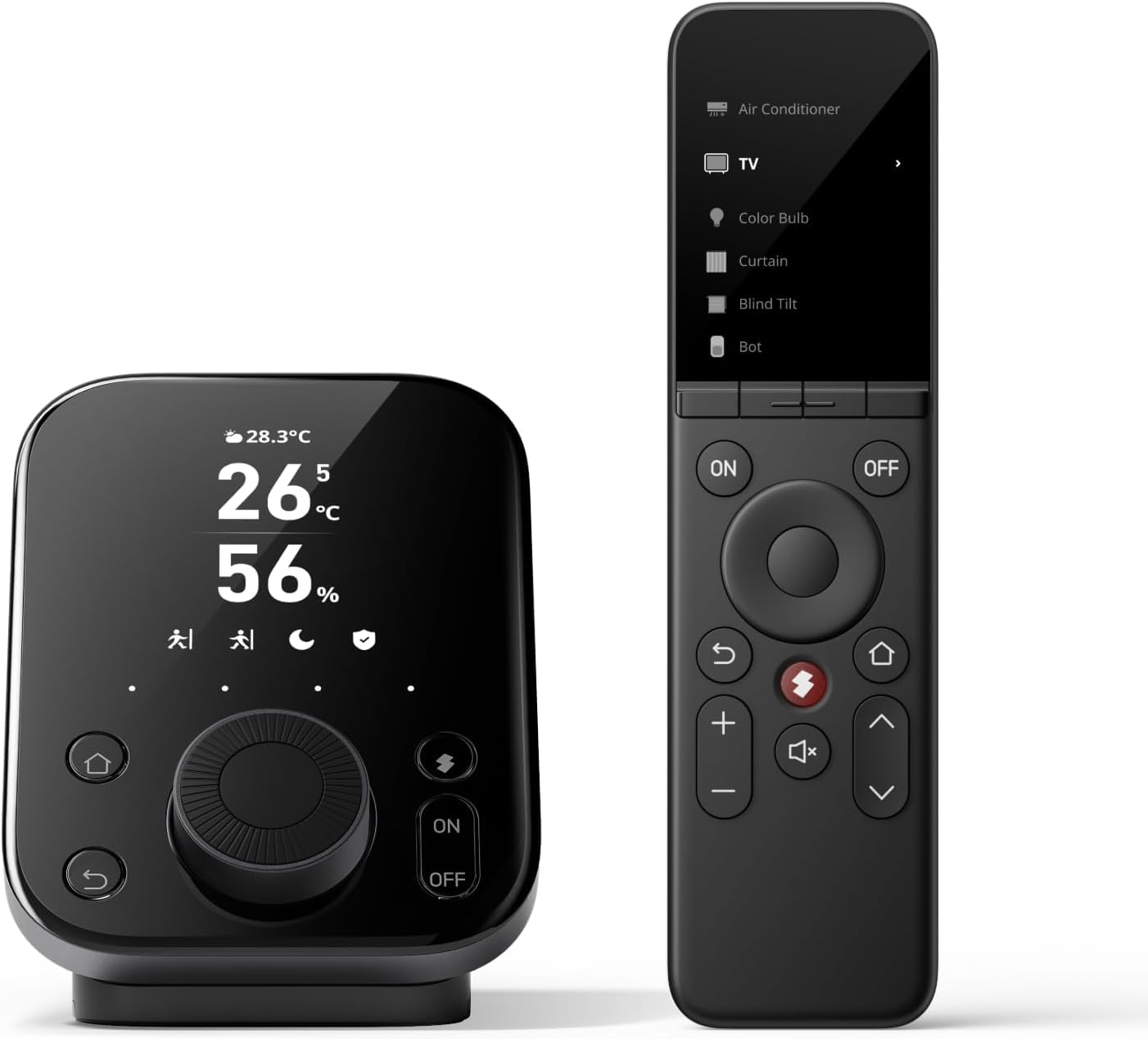
Image: The SwitchBot Universal Remote Control and the accompanying Hub 3 display unit.
Setup
The SwitchBot Universal Remote Control with Hub 3 offers a fast and straightforward setup process. The built-in infrared code library supports nearly 100,000 models, which is regularly updated. No Hub is required for adding SwitchBot Bluetooth devices. The included Hub 3 enables one-tap pairing, key-by-key learning, and advanced IR customization.
Adding Infrared Home Devices
Infrared devices can be added using Smart Matching, Learn Buttons, or other methods within the application.

Image: Step-by-step guide within the SwitchBot application for adding infrared devices, including selecting device type and manual selection.
Adding Bluetooth Devices
Follow the in-app instructions to add Bluetooth devices to your system.

Image: Screenshots illustrating the process of adding Bluetooth devices through the SwitchBot app, navigating to third-party control options.
Adding SwitchBot Devices
Integrate your existing SwitchBot devices into the system for centralized control.

Image: Screenshots demonstrating how to add existing SwitchBot appliances by importing them within the app's device management section.
Matter Integration
To enable Matter functionality, pair the Universal Remote with the included Hub 3. This allows integration with Apple Home and other Matter-compatible ecosystems.

Image: Screenshots detailing the four-step process to add the Universal Remote SwitchBot device to Matter through the application's third-party control settings.
Synchronizing Remote Controls
Remote controls learned by Hub 3 can be synchronized to the Universal Remote in four steps.

Image: Screenshots illustrating the synchronization of learned remote controls from Hub 3 to the Universal Remote within the app's device management.
Operating Instructions
The Universal Remote Control with Hub 3 provides comprehensive control over your home environment. It features 19 intuitive buttons and a responsive Touch Wheel for device selection and adjustments. The compact design ensures essential controls are within one-hand reach.
Controlling Devices
Manage infrared appliances such as air conditioners, TVs, fans, lights, and projectors. The remote is compatible with Fire TV, Apple TV, and SwitchBot Bluetooth devices, supporting up to 25 devices total (10 IR + 15 Bluetooth).

Image: A user holding the Universal Remote, demonstrating control over a television in a modern living room setting.

Image: The SwitchBot Hub 3 display unit centrally controlling various home appliances, including IR devices, SwitchBot products, and streaming services.
Smart Home Integration
The Hub 3 enables Matter integration, allowing control and automation across brands like Philips Hue and IKEA through Apple Home. It brings both SwitchBot and IR devices into a unified ecosystem.

Image: A smartphone screen displaying the Apple Home app, showing integrated SwitchBot devices like curtains, locks, and blind tilts, with Hub 3 temperature and humidity readings.
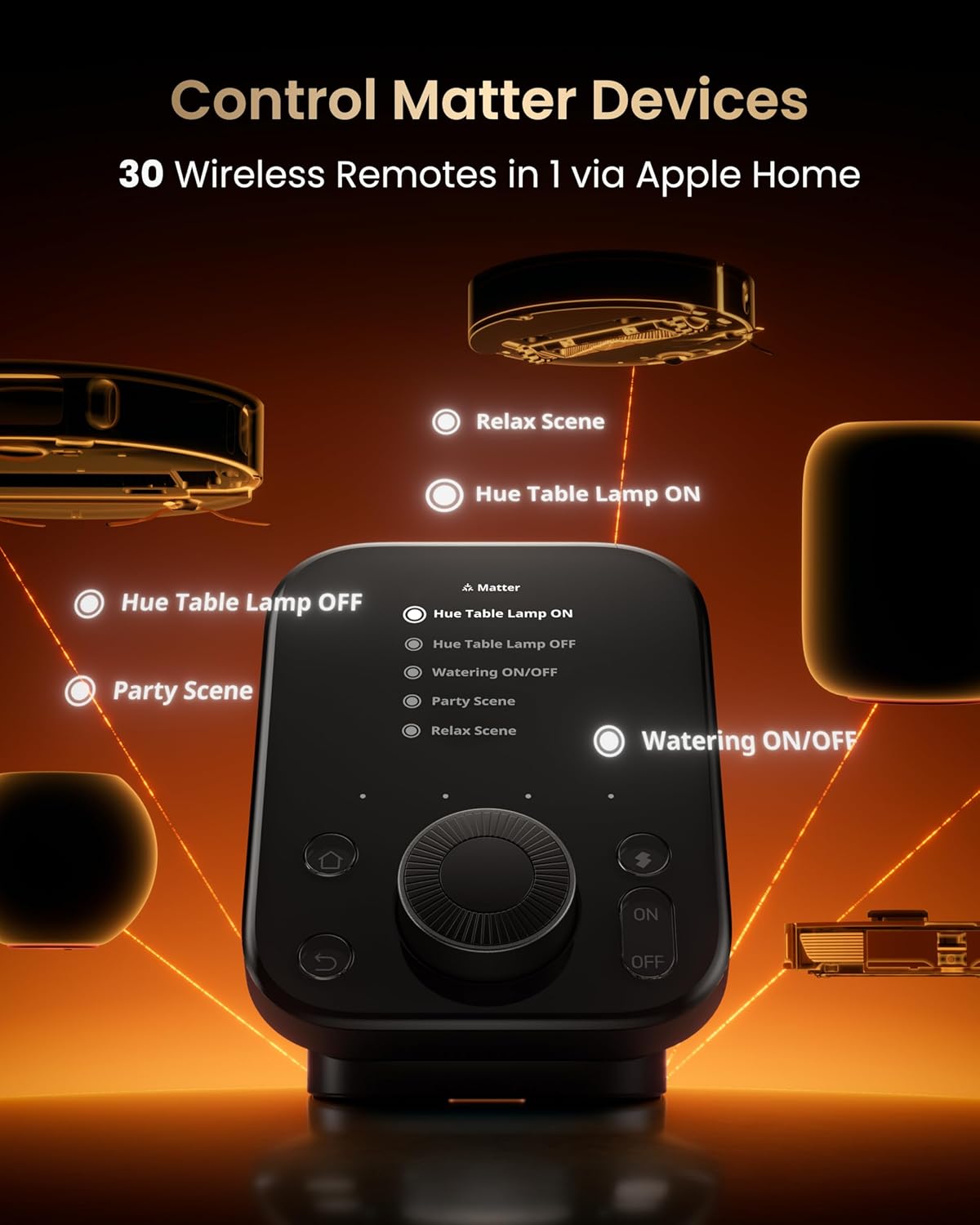
Image: The SwitchBot Hub 3 display showing control options for Matter devices, including scenes like 'Relax Scene' and 'Party Scene', and individual device controls like 'Hue Table Lamp ON/OFF'.
Monitoring and Sensing
The Hub 3 transforms your space into a smart ecosystem, displaying real-time data like temperature, humidity, CO₂ levels, and weather alerts on its vivid IPS display. It features a 4-in-1 smart sensor for temperature, humidity, light, and motion.

Image: The SwitchBot Hub 3 display unit showing various monitored data points including weather, CO2 levels, door status, internal clock, and indoor temperature and humidity.

Image: An internal diagram of the SwitchBot Hub 3, illustrating its 4-in-1 smart sensors for temperature, humidity, light, and motion detection.
Control Options and Automation
The system supports various control methods including voice commands, the SwitchBot app, smartwatches, and physical buttons. Automation features include scenes, geofencing, and timed controls for enhanced convenience and energy efficiency.

Image: A collage showing different ways to control SwitchBot devices: through a smartphone app, a smartwatch, and the physical Hub 3 interface.

Image: An elderly person and a child comfortably using the SwitchBot Hub 3 in a living room, highlighting its user-friendly design for all ages.

Image: Three panels demonstrating the precision control offered by the Hub 3's rotary dial for adjusting air conditioner temperature, dimming lights, and controlling streaming device volume.

Image: A person tapping the SwitchBot Hub 3 to activate a 'Smart Leaving Home Scene', which automatically turns off various devices.

Image: A hand interacting with the SwitchBot Hub 3 to activate a 'Smart Party Scene', resulting in dynamic, colorful lighting in a living room.

Image: An illustration of the geofencing feature, where the air conditioner automatically turns on as a user heads home from work.

Image: A smartphone screen displaying the SwitchBot app's smart temperature control schedule, showing automated adjustments for different times of the day, alongside the Hub 3 display.

Image: A collage illustrating various timed control scenarios, such as waking up to sunshine, automatically closing curtains, turning on the air conditioner before arriving home, and turning off lights before bed.
Finding the Universal Remote
If the Universal Remote is misplaced, tap the designated button in the app to make it emit a sound, aiding in its location.

Image: The Universal Remote partially hidden in a couch cushion, with visual cues indicating it is emitting a sound to be found.
Maintenance
Battery Life and Charging
The Universal Remote is powered by a 2000 mAh battery, providing up to 150 days of use per charge. The buttons are designed for durability, rated for over 100,000 presses.
Cleaning
To clean the device, use a soft, dry cloth. Avoid using abrasive cleaners or solvents that may damage the surface.
Troubleshooting
Remote Not Powering On
If the Universal Remote does not power on, press the reset button while the device is charging to restore its functionality.
Connectivity Issues
Ensure the device is connected to a 2.4 GHz Wi-Fi network, as it does not support 5 GHz. Verify that the Hub 3 is within range of your Wi-Fi router and the devices it controls.
IR Learning Difficulties
If the IR learning feature is not working as expected, ensure the original remote is pointed directly at the Hub 3's IR receiver during the learning process. Try multiple attempts if necessary.
Specifications
| Feature | Detail |
|---|---|
| Package Dimensions | 8.66 x 6.85 x 5.43 inches |
| Item Weight | 2.27 pounds |
| ASIN | B0FT3F7ZGZ |
| Item Model Number | B0FT3F7ZGZ |
| Batteries | 1 Nonstandard Battery required |
| Manufacturer | Wonderlabs |
| Brand | SwitchBot |
| Special Feature | Ergonomic |
| Color | Black |
| Max Number of Supported Devices | 25 (10 IR + 15 Bluetooth) |
| Compatible Devices | Air Conditioner, Fan, Light, Projector, Streaming Device, Television |
Warranty and Support
SwitchBot provides free replacement for any hardware-related issues during the warranty period. For specific warranty duration and terms, please refer to the product packaging or contact SwitchBot customer support.
Return Policy
This product is eligible for a 30-day return for refund or replacement, subject to the retailer's return policy.
