
1. Introduction
This manual provides instructions for the TOOBUR DR07 Smart Watch. It covers setup, operation, maintenance, and troubleshooting to ensure optimal use of your device.
2. Product Overview
The TOOBUR DR07 is a compact smartwatch designed for daily wear, featuring a 1.1-inch AMOLED display and comprehensive health and fitness tracking capabilities. It supports Bluetooth connectivity for calls and notifications when paired with compatible Android and iOS smartphones.

Image: The TOOBUR DR07 Smart Watch in beige, showcasing its round display and silicone strap.
3. Package Contents
Verify that all items are present in the package:
- TOOBUR DR07 Smart Watch
- Charging Cable
- User Manual
4. Setup
4.1. Charging the Device
Before first use, fully charge the smartwatch.
- Connect the charging cable to the charging port on the back of the watch.
- Connect the other end of the cable to a USB power adapter (not included) or a computer's USB port.
- The watch display will indicate charging status. A full charge typically takes approximately 2 hours.

Image: The smartwatch display indicating battery percentage and charging status.
4.2. App Installation and Pairing
The TOOBUR DR07 Smart Watch requires a companion application for full functionality.
- Scan the QR code in the manual or search for the "TOOBUR" app in your smartphone's app store (Google Play Store for Android, Apple App Store for iOS).
- Install the application.
- Open the app and create an account or log in.
- Enable Bluetooth on your smartphone.
- In the app, navigate to "Device" or "Add Device" and select the TOOBUR DR07 from the list of available devices.
- Follow the on-screen prompts to complete the pairing process.
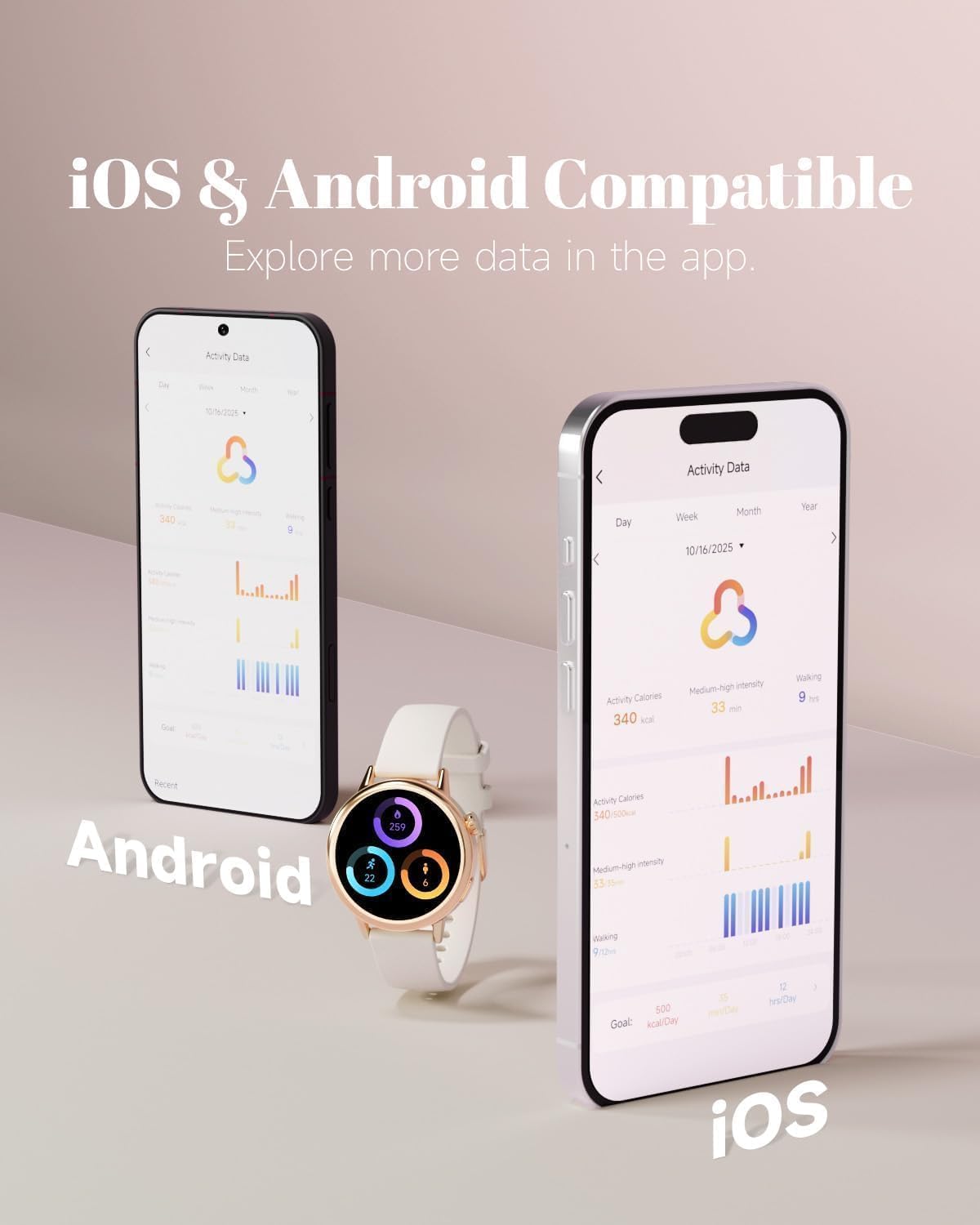
Image: The TOOBUR DR07 Smart Watch paired with both Android and iOS smartphones, showing activity data within the companion app.
5. Operating Instructions
5.1. Basic Navigation
The watch features a 1.1-inch AMOLED touchscreen and a physical button for navigation.
- Swipe Up/Down: Scroll through notifications or menu options.
- Swipe Left/Right: Access quick functions or widgets.
- Tap: Select an item or confirm an action.
- Press Button: Return to the home screen or wake the device.
5.2. Customizing Watch Faces
Personalize your watch with various watch faces.
- On the watch, long-press the home screen to access watch face options.
- Swipe left or right to browse available watch faces.
- Tap to select a watch face.
- More watch faces and custom photo options are available through the companion app.

Image: The smartwatch's AMOLED display showing a clear time and date interface.
5.3. Making and Answering Calls
Once paired with your smartphone, the watch can handle calls via Bluetooth.
- Answering Calls: When an incoming call is received, tap the green icon on the watch screen to answer.
- Making Calls: Access the dialer or contact list through the watch's menu to initiate a call.

Image: A user answering a call directly from the TOOBUR DR07 Smart Watch while driving.
5.4. Notifications
Receive notifications for calls, SMS, and social media apps directly on your wrist.
- Ensure notifications are enabled in both your smartphone settings and the TOOBUR app.
- Swipe down from the watch face to view recent notifications.
6. Health and Fitness Tracking
The TOOBUR DR07 Smart Watch monitors various health and fitness metrics.
6.1. Activity Tracking
The watch automatically tracks daily steps, distance, and calories burned. It supports over 100 sport modes.
- Access the "Workout" or "Sport Modes" menu on the watch.
- Select your desired activity (e.g., running, yoga, cycling).
- Start the activity to record data.
- End the activity to save the session.

Image: The smartwatch displaying various sport modes, including running, cycling, and yoga.
6.2. Heart Rate Monitoring
The watch provides 24/7 heart rate monitoring.
- To view your current heart rate, navigate to the heart rate interface on the watch.
- For continuous monitoring, ensure the feature is enabled in the TOOBUR app.
6.3. Sleep Monitoring
The watch automatically tracks your sleep patterns, including light, deep, and REM sleep.
- Wear the watch to bed.
- View sleep data and analysis in the TOOBUR app the next morning.
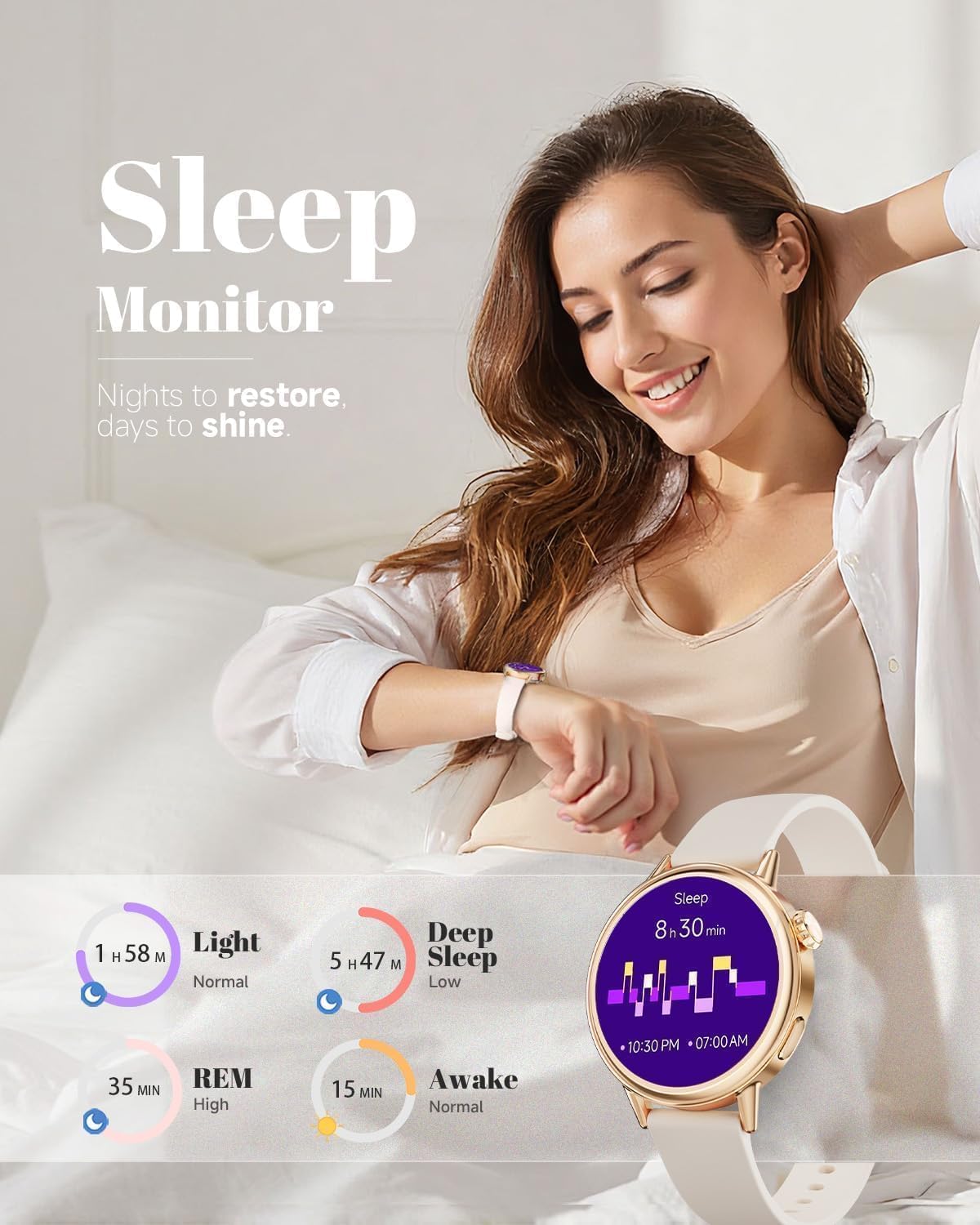
Image: The smartwatch displaying sleep duration and different sleep stages (light, deep, REM, awake).
6.4. Women's Health Tracking
The watch includes features for period tracking.
- Enable and configure women's health features within the TOOBUR app.
- Input relevant data to receive predictions and reminders.
7. Maintenance
7.1. Cleaning
Regularly clean your watch and strap to prevent skin irritation and maintain performance.
- Wipe the watch screen and body with a soft, damp, lint-free cloth.
- For the silicone strap, use mild soap and water, then rinse thoroughly and dry completely before wearing.
- Do not use harsh chemicals or abrasive materials.
7.2. Water Resistance (IP68)
The TOOBUR DR07 has an IP68 water resistance rating, meaning it is protected against dust ingress and immersion in water up to 1.5 meters for up to 30 minutes.
- It is suitable for daily use, such as hand washing, rain, and showering (cold water).
- Avoid hot water, saunas, or diving, as steam and high pressure can compromise the seal.
- Do not operate buttons underwater.
7.3. Battery Care
To prolong battery life:
- Avoid extreme temperatures.
- Do not allow the battery to fully discharge frequently.
- Charge the watch using the provided charging cable.
8. Troubleshooting
8.1. Watch Not Turning On
- Ensure the watch is fully charged. Connect it to the charger for at least 30 minutes.
- Press and hold the power button for 10-15 seconds.
8.2. Cannot Pair with Smartphone
- Ensure Bluetooth is enabled on your smartphone.
- Make sure the watch is within Bluetooth range (typically 10 meters).
- Restart both the watch and your smartphone.
- Check if the TOOBUR app is updated to the latest version.
- If previously paired, try "forgetting" the device in your phone's Bluetooth settings and re-pairing.
8.3. Inaccurate Health Data
- Ensure the watch is worn snugly on your wrist, about one finger's width above the wrist bone.
- Clean the sensor on the back of the watch.
- Environmental factors and movement can affect accuracy.
8.4. Notifications Not Received
- Verify that notifications are enabled in the TOOBUR app.
- Check your smartphone's notification settings to ensure the TOOBUR app has permission to send notifications.
- Ensure the watch is connected via Bluetooth.
9. Specifications
| Feature | Specification |
|---|---|
| Model | DR07 |
| Screen Size | 1.1 Inches AMOLED |
| Battery Capacity | 185 Milliamp Hours |
| Battery Life | Up to 5-7 days (typical use) |
| Connectivity | Bluetooth |
| Water Resistance | IP68 |
| Compatibility | Android & iOS |
| Special Features | Activity Tracker, Alarm Clock, Always On Display, Calendaring, Touchscreen, Heart Rate Monitor, Sleep Monitor, Period Tracker, Call/Message Notifications |
| GPS | Via Smartphone |
10. Warranty and Support
For warranty information and technical support, please refer to the TOOBUR official website or contact customer service.
Manufacturer Contact Information: Shenzhen, Guangdong 518111, CN.