
1. Product Overview
The Hiradio Y23UV-98PLUS is a versatile 10W multiband two-way radio designed for amateur communications and outdoor activities. It features extensive frequency coverage, GPS APRS functionality, a cross-band repeater, and a large channel capacity.
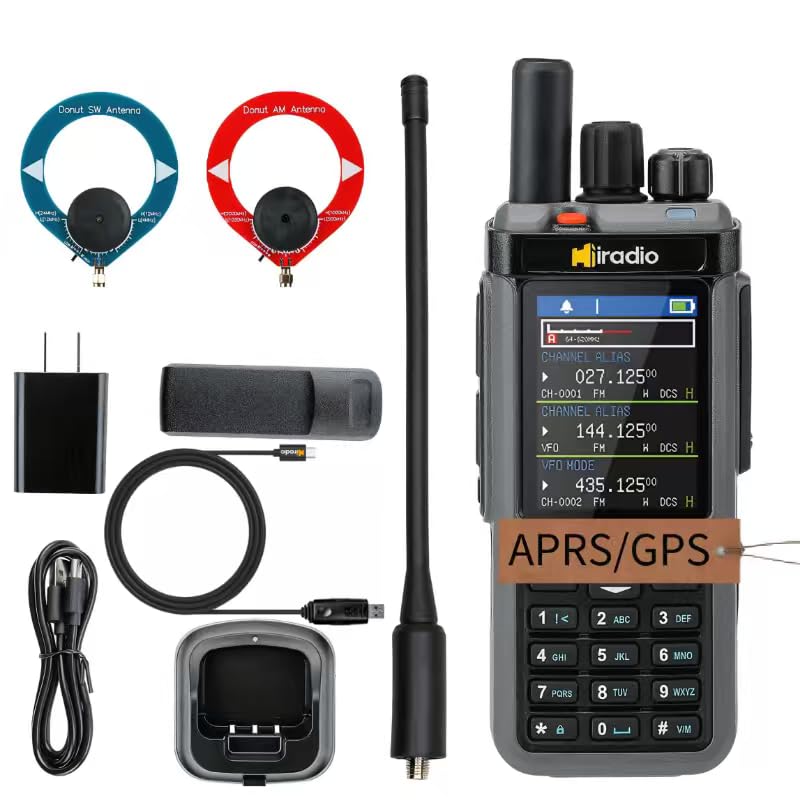
Figure 1: Hiradio Y23UV-98PLUS Two-Way Radio
Key Components and Controls

Figure 2: Key Components and Controls of the Y23UV-98PLUS. This image highlights the antenna, channel switch, flashlight, PTT button, Moni button, and function button, along with a detailed view of the display showing channel alias and VFO mode frequencies.
- Antenna: For transmitting and receiving radio signals.
- Channel Switch: Rotary knob for selecting channels or adjusting settings.
- Flashlight: Integrated light for illumination.
- PTT Button (Push-To-Talk): Activates transmission. The radio features triple PTT for enhanced operational convenience.
- Moni Button: Used for monitoring signals.
- Function Button: Accesses various radio functions and menus.
- 2.4-inch TFT HD Color Screen: Provides clear display of channel and frequency information.
2. Setup
2.1 Unboxing and Package Contents
Before starting, ensure all components are present:
- 1x Y23UV-98PLUS Main unit
- 1x 2400mAh Li-ion Battery
- 1x Dual band antenna
- 1x Belt Clip
- 1x Type C charging Cable
- 1x Power supply with USB port
- 1x MW Antenna
- 1x SW Antenna
- 1x English User Manual
2.2 Battery Installation and Charging
Install the provided 2400mAh Li-ion battery into the radio. Ensure it clicks securely into place. The radio supports two charging methods:
- Type-C Direct Charging: Connect the Type-C cable to the radio's port and a power source.
- Dock Charging: Place the radio in the charging dock.

Figure 3: Dual Charging Options. This image illustrates both Type-C direct charging and dock charging methods for the radio, offering flexibility.
Video 1: Radtel RT-880/880G Main Video. This video provides a general overview of the radio, including a demonstration of its charging capabilities.
2.3 Antenna Connection
Attach the appropriate antenna for your desired frequency band. The Y23UV-98PLUS is compatible with various antennas, including the included dual-band antenna, MW (Medium Wave) antenna, and SW (Shortwave) antenna. Ensure the antenna is securely screwed into the top port.

Figure 4: Detachable Nut. This image shows the detachable nut feature, allowing for easy antenna changes and compatibility with various antenna types, including donut antennas for optimized performance.

Figure 5: Donut Antenna Compatibility. This image illustrates the radio's compatibility with specialized donut antennas for both AM medium wave and SW shortwave, enhancing reception and transmission.
3. Operating Instructions
3.1 Power On/Off and Volume Control
To power on the radio, rotate the Power Switch/Volume Control knob clockwise. Continue rotating to adjust the volume. To power off, rotate the knob counter-clockwise until it clicks.
3.2 Frequency Modes (VFO/Channel) and Channel Selection
The radio offers 1024 channels and three VFO (Variable Frequency Oscillator) channels for flexible operation. You can switch between VFO mode for direct frequency input and channel mode for pre-programmed frequencies.
Video 2: Radtel RT-880G How to Open and Switch Shortwave Reception. This video demonstrates how to access and switch between different shortwave reception modes and channels on a similar Radtel radio model.

Figure 6: 1024 Memory Channels. This image highlights the radio's capability to store 1024 custom frequencies, offering extensive options for communication.
3.3 Multiband Operation (CB/SSB/HF/FM/SW/MW/LW)
The Y23UV-98PLUS supports a wide range of frequency receptions and transmissions:
- CB, SSB, and HF modes: For diverse amateur radio communications.
- FM (64 - 108MHz): For standard FM radio reception.
- SW (2.3 - 30MHz): Shortwave reception.
- MW (520 - 1710kHz): Medium wave reception.
- LW (153 - 279kHz): Long wave reception.
- 400 - 520MHz TX/RX: For transmission and reception in UHF bands.

Figure 7: Multiband Capabilities. This image details the extensive frequency coverage and features of the Y23UV-98PLUS, including CB/SSB/HF, GPS APRS, Cross-Band Repeater, 10W output, and 1024 channels.
Video 3: How to Switch Shortwave Mode and SSB Modulation. This video demonstrates the process of switching between shortwave modes and SSB modulation on a compatible radio.
3.4 GPS APRS Functionality
The integrated GPS APRS allows the radio to automatically or manually send your GPS location to the APRS network. This feature is crucial for group outdoor activities, enabling real-time location tracking on a map for enhanced safety and coordination.
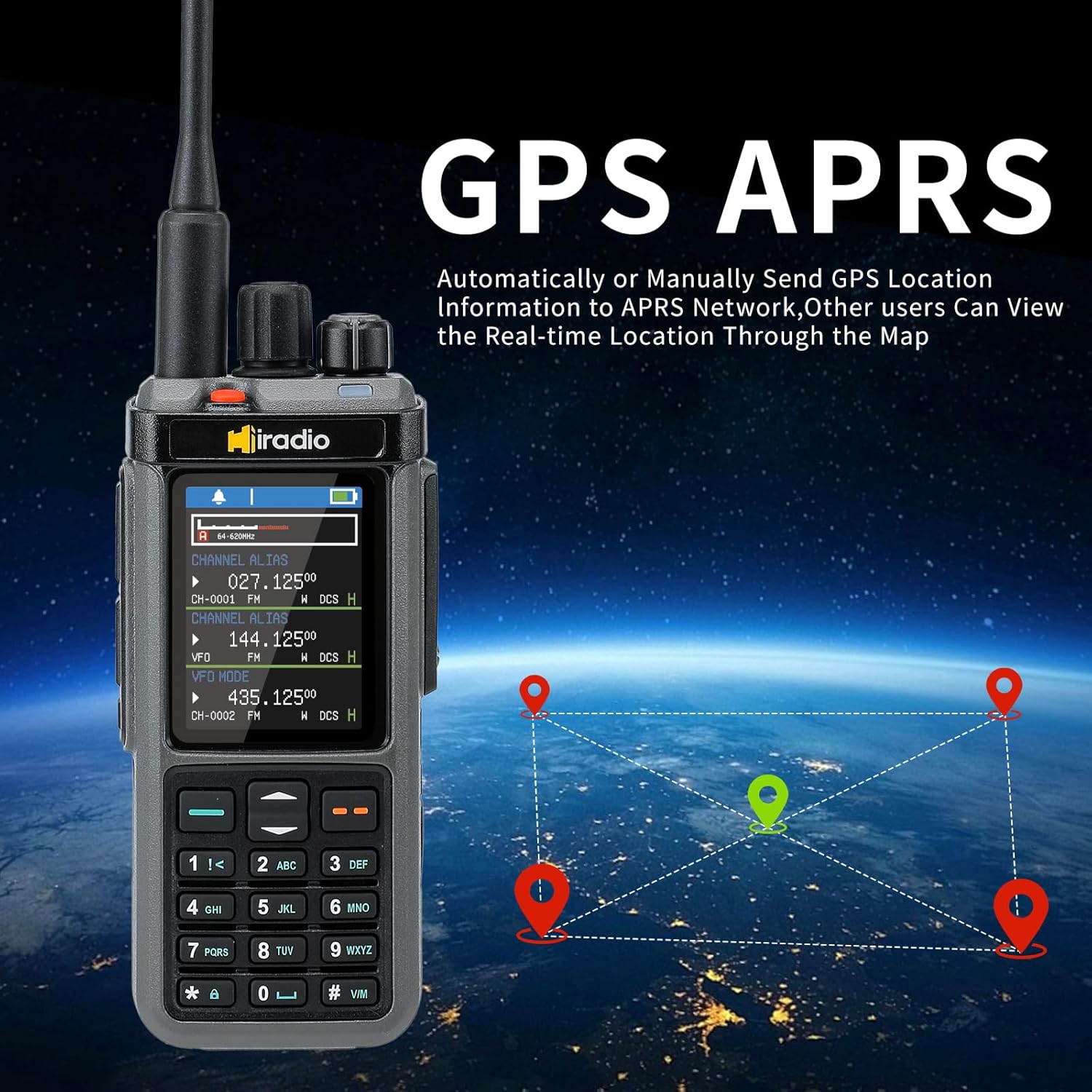
Figure 8: GPS APRS. This image shows the radio's display with GPS APRS functionality, indicating its ability to send and receive location information for enhanced awareness.
Video 4: RT-950 GPS APRS Setting. This video demonstrates how to configure GPS APRS settings on a similar Radtel radio model.
3.5 Cross-Band Repeater
The 10W output power ensures strong signal transmission. The cross-band repeater feature extends communication range by relaying signals between different frequency bands, which is beneficial in challenging terrains or for long-distance communication during expeditions.

Figure 9: Cross Band Repeater. This image illustrates the Cross Band Repeater function, enabling hands-free communication with automatic voice activation.
3.6 NOAA Weather Channels
Stay informed with real-time weather updates by accessing the 11 NOAA weather channels available on the radio.

Figure 10: NOAA Weather Channels. This image shows the radio display tuned to a NOAA weather channel, providing real-time weather updates.
4. Maintenance
4.1 General Care
- Keep the radio clean by wiping it with a soft, damp cloth. Avoid harsh chemicals.
- Do not expose the radio to extreme temperatures, direct sunlight for prolonged periods, or excessive moisture. The radio is not water resistant.
- Store the radio in a dry, cool place when not in use.
4.2 Battery Care
- Charge the battery fully before first use.
- Avoid overcharging or completely draining the battery to prolong its lifespan.
- If storing the radio for an extended period, charge the battery to approximately 50% capacity.
5. Troubleshooting
If you encounter issues with your Hiradio Y23UV-98PLUS, refer to the following common problems and solutions:
- No Power: Ensure the battery is correctly installed and fully charged. Check the power switch.
- No Signal/Poor Reception: Verify the antenna is securely attached and the correct type for the frequency band. Check for obstructions or interference. Adjust frequency or channel.
- Programming Difficulties: Refer to the user manual for detailed programming steps. Ensure the correct software is used if programming via computer.
- Firmware Update Issues: If experiencing problems during a firmware update, ensure the data cable is properly connected and follow the instructions carefully.
Video 5: Radtel RT-880/880G How to Update Firmware. This video provides a step-by-step guide on how to update the firmware for a compatible Radtel radio model.
6. Specifications
| Feature | Specification |
|---|---|
| Item Weight | 1.76 pounds |
| Product Dimensions | 1.26 x 2.36 x 12 inches |
| Item Model Number | Y23UV-98PLUS |
| Batteries | 1 9V batteries required. (included) |
| Warranty | 1 Year |
| Number of Channels | 1024 |
| Special Features | 1024 Channels, AM FM SSB Reception, Adjustable Receiver Sensitivity, Cross Band Repeater, GPS/APRS |
| Frequency Range | 144-148Mhz/420-450Mhz (TX/RX), FM (64-108MHz RX), SW (2.3-30MHz RX), MW (520-1710kHz RX), LW (153-279kHz RX) |
| Talking Range Maximum | 10 Kilometer |
| Voltage | 7.38 Volts |
| Water Resistance Level | Not Water Resistant |
7. Warranty
The Hiradio Y23UV-98PLUS comes with a 1-Year Warranty. Please retain your proof of purchase for any warranty claims. For detailed warranty terms and conditions, refer to the documentation included with your product or contact customer support.
8. Support
For further assistance, technical support, or inquiries, please refer to the official Hiradio website or contact their customer service department. Always ensure your radio's firmware is up to date for optimal performance and access to the latest features.