1. Introduction
Thank you for choosing the VBESTLIFE 5K Digital Camera. This manual provides detailed instructions for the safe and effective use of your camera. Please read it thoroughly before operation and keep it for future reference. This camera is designed for capturing high-resolution photos and 5K videos, featuring a 75MP sensor, 18x digital zoom, and a 3-inch 180° flip screen.
2. Product Overview
2.1 Package Contents
Verify that all items are present in your package:
- VBESTLIFE 5K Digital Camera
- BL-5C Battery
- USB Charging Cable
- Storage Bag
- Cleaning Cloth
- User Manual (this document)

Image: Package contents including the camera, BL-5C battery, USB charging cable, storage bag, and cleaning cloth.
2.2 Camera Components and Controls
Familiarize yourself with the camera's physical features and controls.
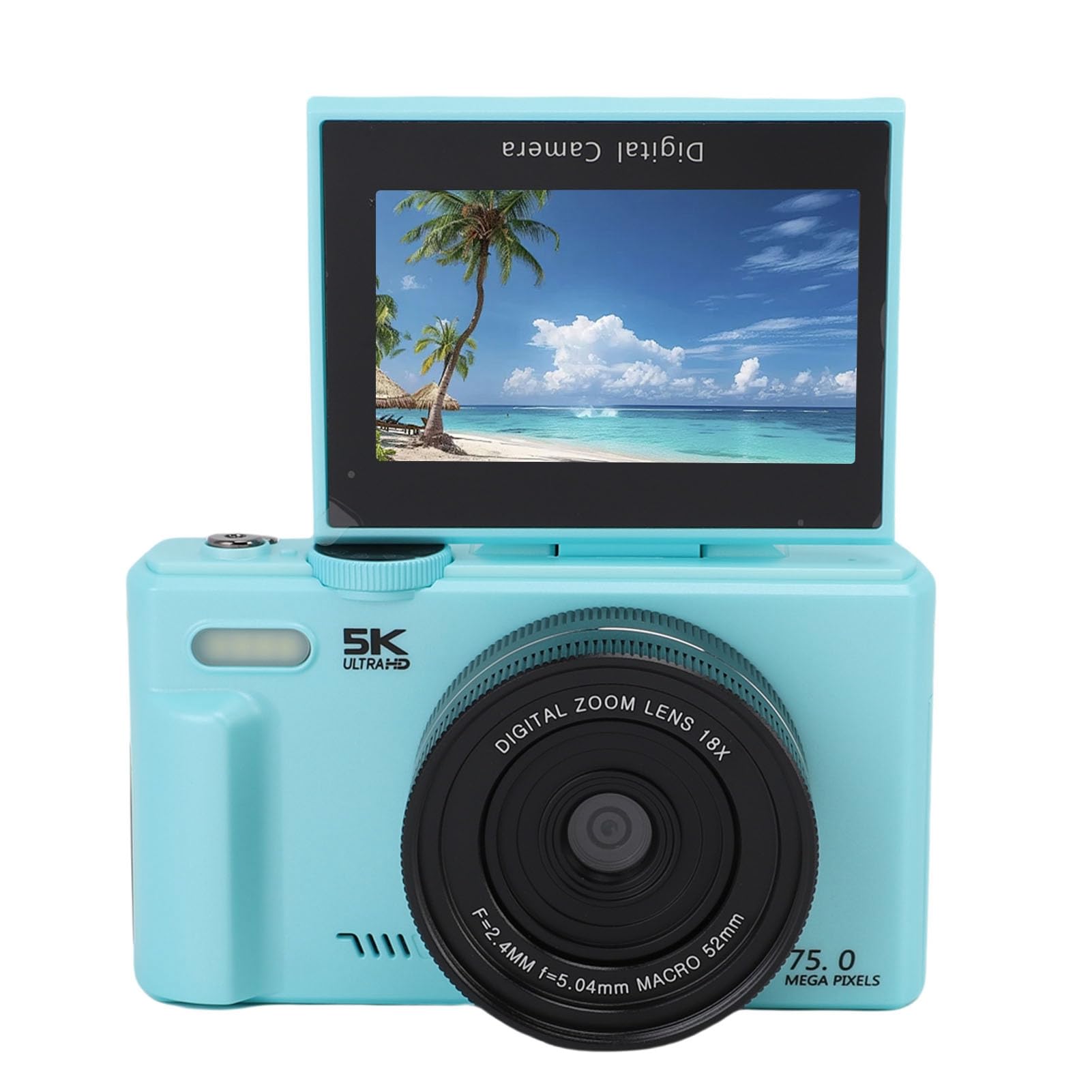
Image: Front view of the VBESTLIFE 5K Digital Camera, highlighting the lens and flash.

Image: Rear view of the VBESTLIFE 5K Digital Camera, displaying the 3-inch flip screen and control buttons (T/W zoom, Playback, Delete, Directional Pad with OK, DISP, MENU).
- Lens: Main optical component for capturing images.
- Flash: Provides illumination in low-light conditions.
- 3-inch 180° Flip Screen: For framing shots, reviewing content, and self-portraits/vlogging.
- Power Button: Turns the camera on or off.
- Shutter Button: Press to capture photos.
- Zoom Lever (T/W): Adjusts the 18x digital zoom. 'T' for Telephoto (zoom in), 'W' for Wide (zoom out).
- Mode Dial: Selects between 8 different filming modes.
- Directional Pad (Up/Down/Left/Right): Navigates menus and settings.
- OK Button: Confirms selections.
- MENU Button: Accesses camera settings.
- DISP Button: Changes display information on the screen.
- Playback Button: Enters playback mode to view photos and videos.
- Delete Button: Deletes selected files in playback mode.
- USB Port: For charging and data transfer.
- Battery Compartment: Houses the BL-5C battery.
- Memory Card Slot: For inserting an SD card (not included, required for storage).
3. Setup
3.1 Battery Installation and Charging
- Open the battery compartment cover located on the bottom of the camera.
- Insert the BL-5C battery, ensuring the correct orientation according to the diagram inside the compartment.
- Close the battery compartment cover securely.
- Connect the camera to a power source using the provided USB cable and a compatible USB adapter (not included). The charging indicator will illuminate.
- Charge the battery fully before first use. The indicator will change or turn off when charging is complete.
3.2 Memory Card Insertion
A memory card (SD card, not included) is required to store photos and videos.
- Locate the memory card slot, usually next to the battery compartment or on the side.
- Insert the SD card with the metal contacts facing the front of the camera until it clicks into place.
- To remove, gently press the card until it springs out.
Note: Ensure the camera is powered off before inserting or removing the memory card.
3.3 Powering On/Off
- To power on, press and hold the Power button until the screen illuminates.
- To power off, press and hold the Power button again until the screen turns off.
4. Operating Instructions
4.1 Basic Photography
- Turn on the camera.
- Frame your shot using the 3-inch flip screen.
- Press the Shutter button halfway down to focus (if autofocus is enabled).
- Press the Shutter button fully to capture the photo.
4.2 Video Recording
- Turn the Mode Dial to the video recording mode.
- Press the Shutter button to start recording. A red indicator or timer will appear on the screen.
- Press the Shutter button again to stop recording.

Image: The 3-inch 180° flip screen in use, ideal for vlogging and selfies.
4.3 Using the 18x Digital Zoom
Use the T/W zoom lever to adjust the digital zoom. Push 'T' to zoom in on distant subjects and 'W' to zoom out for a wider field of view.

Image: Overview of camera features including 75MP resolution, 5K video, 18x digital zoom, 3-inch flip screen, and WiFi transmission.
4.4 Macro Photography
The camera features an F/3.2 large aperture and 7.36mm macro capability for close-up shots. Ensure you are in a suitable shooting mode for macro photography, typically indicated by a flower icon on the mode dial or in settings.
4.5 WiFi Wireless Transfer
The camera supports WiFi for quick transfer of photos and videos to your smartphone.
- Enable WiFi on the camera via the MENU settings.
- On your smartphone, connect to the camera's WiFi network (SSID and password will be displayed on the camera screen).
- Use the dedicated camera app (if available, check manufacturer's website) to browse, download, and share your media.

Image: Wireless WiFi transmission feature, showing the camera connecting to a smartphone for media sharing.
4.6 Filming Modes and Flash
Rotate the Mode Dial to select from 8 available filming modes, including options for night time flash. Consult the on-screen menu for specific mode descriptions and settings.
5. Maintenance
5.1 Cleaning the Camera
- Use the provided cleaning cloth or a soft, lint-free cloth to gently wipe the camera body and screen.
- For the lens, use a specialized lens cleaning solution and cloth to avoid scratches.
- Do not use harsh chemicals or abrasive materials.
5.2 Battery Care
- Store the battery in a cool, dry place when not in use.
- Avoid exposing the battery to extreme temperatures.
- If the camera will not be used for an extended period, remove the battery.
5.3 Storage
When not in use, store the camera in its protective storage bag in a dry, dust-free environment away from direct sunlight and extreme temperatures.
6. Troubleshooting
If you encounter issues with your camera, refer to the following common solutions:
| Problem | Possible Cause / Solution |
|---|---|
| Camera does not power on. |
|
| Cannot take photos/videos. |
|
| Images are blurry. |
|
| WiFi connection issues. |
|
If the problem persists, please contact customer support.
7. Specifications
| Feature | Detail |
|---|---|
| Brand | VBESTLIFE |
| Model Name | VBESTLIFE6as4qge7ov |
| Resolution | 75MP (Still), 5K (Video) |
| Display | 3-inch 180° Flip Screen |
| Digital Zoom | 18x |
| Aperture | F/3.2 |
| Macro Capability | 7.36mm |
| Connectivity | WiFi, USB |
| Battery Type | BL-5C |
| Filming Modes | 8 modes |
| Manufacturer | VBESTLIFE |
8. Warranty and Support
8.1 Warranty Information
This VBESTLIFE 5K Digital Camera is covered by a manufacturer's warranty for 90 days from the date of purchase. This warranty covers defects in materials and workmanship under normal use. It does not cover damage caused by misuse, accidents, unauthorized modifications, or natural disasters. Please retain your proof of purchase for warranty claims.
8.2 Customer Support
For technical assistance, troubleshooting beyond this manual, or warranty inquiries, please contact VBESTLIFE customer support. Refer to the product packaging or the official VBESTLIFE website for the most current contact information.


