
Introduction
The HOXLRSA P110 Smart Watch is a versatile device designed for daily wear and activity tracking. It features a durable construction, a vibrant AMOLED display, and a range of functions to support your health and connectivity needs. This manual provides detailed instructions for setting up, operating, and maintaining your smartwatch.
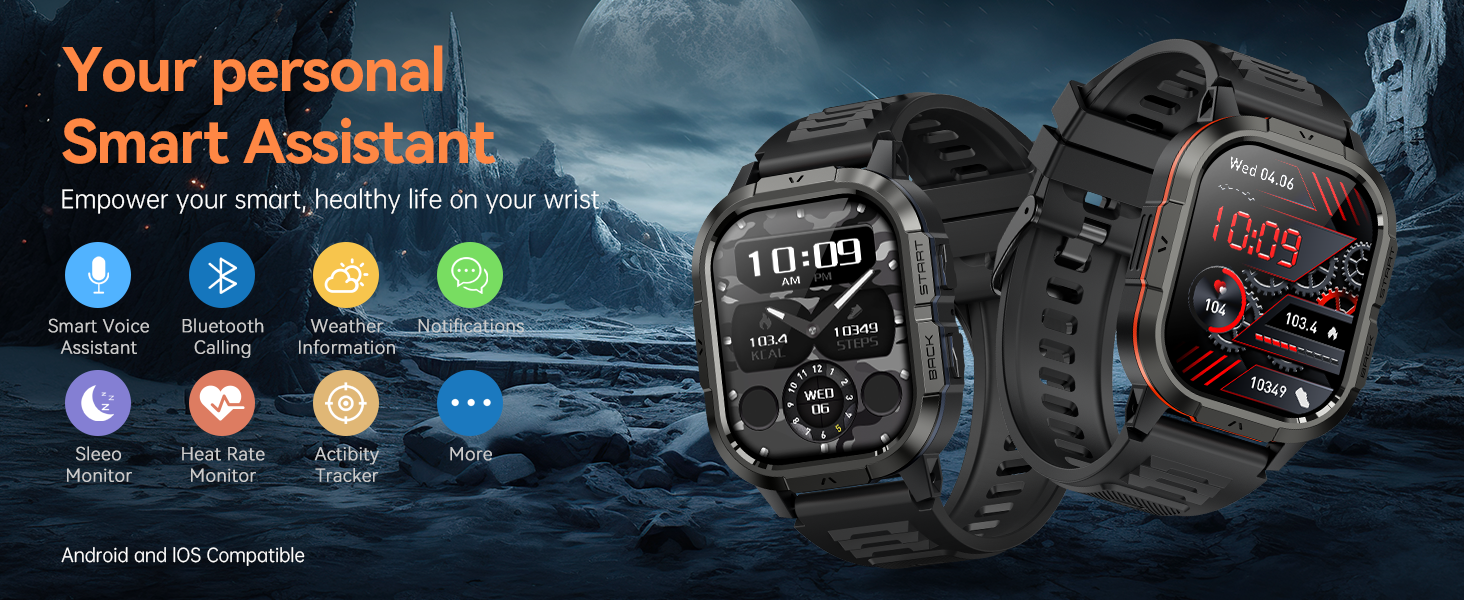
Image: The HOXLRSA P110 Smart Watch offers a variety of features including smart voice assistant, Bluetooth calling, weather information, notifications, sleep monitoring, heart rate monitoring, and activity tracking. It is compatible with both Android and iOS devices.
Setup
1. Package Contents
Before beginning, ensure all items are present in the package:
- HOXLRSA P110 Smart Watch
- Charging Cable
- Additional Watch Strap (if included)
- User Manual
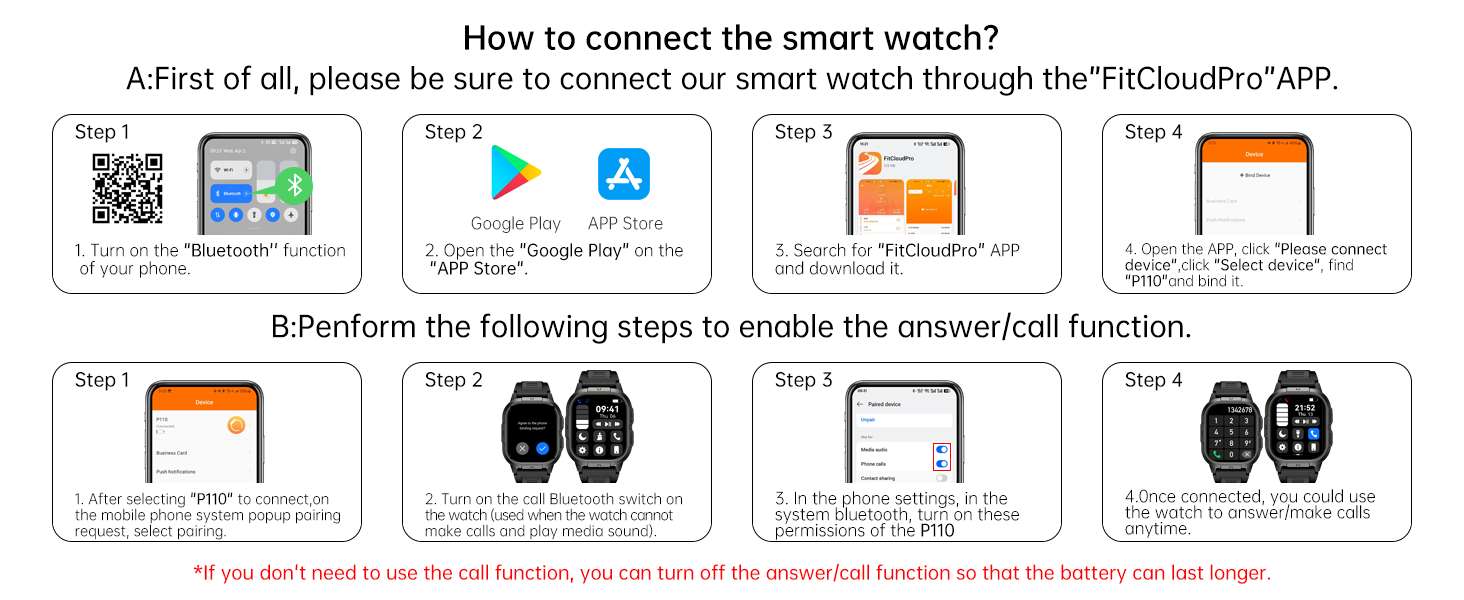
Image: This diagram illustrates the dimensions of the HOXLRSA P110 Smart Watch and lists the typical package contents, including the watch, two straps, a charging cable, and the user manual.
2. Charging the Smart Watch
Connect the provided charging cable to the magnetic charging points on the back of the watch. Plug the USB end into a standard USB power adapter (not included). The watch display will indicate charging status. Ensure the watch is fully charged before first use.
Video: This video demonstrates the physical appearance of the smartwatch, including its interchangeable straps and the magnetic charging mechanism on the back. It highlights the watch's basic functions like time, date, step counter, and daily activity tracking, and shows how to connect it to a phone via Bluetooth for notifications and calls. The video also mentions the inclusion of a charging cable.
3. App Installation and Pairing
To unlock the full functionality of your HOXLRSA P110 Smart Watch, you must connect it to your smartphone via the "FitCloudPro" app.
- Step 1: Turn on the Bluetooth function on your smartphone.
- Step 2: Open the Google Play Store (for Android) or Apple App Store (for iOS) on your phone.
- Step 3: Search for "FitCloudPro" and download the application. Alternatively, scan the QR code provided in the manual or on the watch screen to download the app. Scan QR Code for FitCloudPro App
- Step 4: Open the "FitCloudPro" app, navigate to the device section, and select "Add Device" or "Connect Device". The app will search for available devices. Select "P110" from the list to bind it.
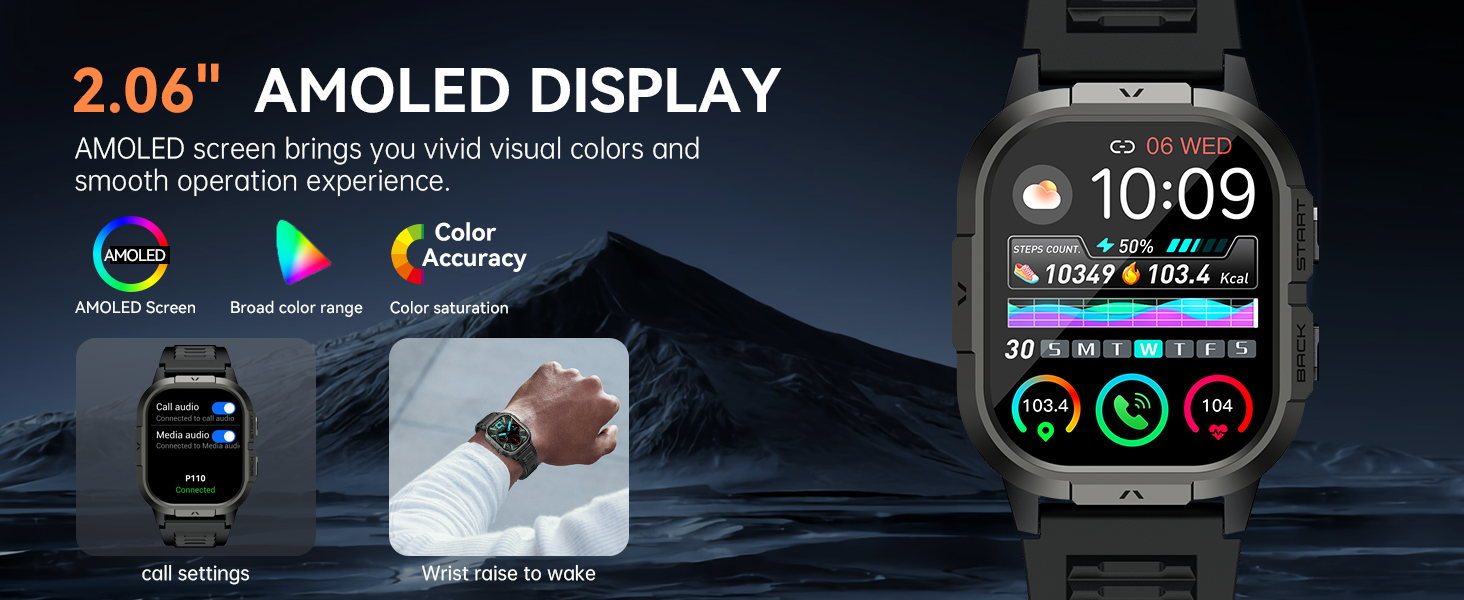
Image: This image provides a visual, step-by-step guide for connecting the smartwatch to your phone using the "FitCloudPro" application, detailing the process from enabling Bluetooth to binding the device.
4. Enabling Call/Answer Function
To use the call and answer features directly from your watch, follow these additional steps after initial pairing:
- Step 1: After selecting "P110" to connect, your mobile phone will display a Bluetooth pairing request. Confirm the pairing.
- Step 2: On the watch, turn on the call Bluetooth switch. This allows the watch to make calls and play media sound.
- Step 3: In your phone's Bluetooth settings, locate the connected "P110" device and ensure all necessary permissions are granted for calls and audio.
- Step 4: Once connected, you can use the watch to answer or make calls anytime.
*Note: If you do not intend to use the call function, you can turn off the answer/call function on the watch to conserve battery life.

Image: This image highlights the Bluetooth Call feature, demonstrating how the watch allows users to make and answer calls directly, receive notification alerts, and utilize its built-in microphone and speaker, along with an AI Voice Assistant.
Operating Instructions
1. Basic Navigation
The HOXLRSA P110 Smart Watch features a 2.06" AMOLED touchscreen for intuitive navigation. Swipe left, right, up, or down to access different menus and functions. Use the side buttons for quick access to specific features or to return to the previous screen.
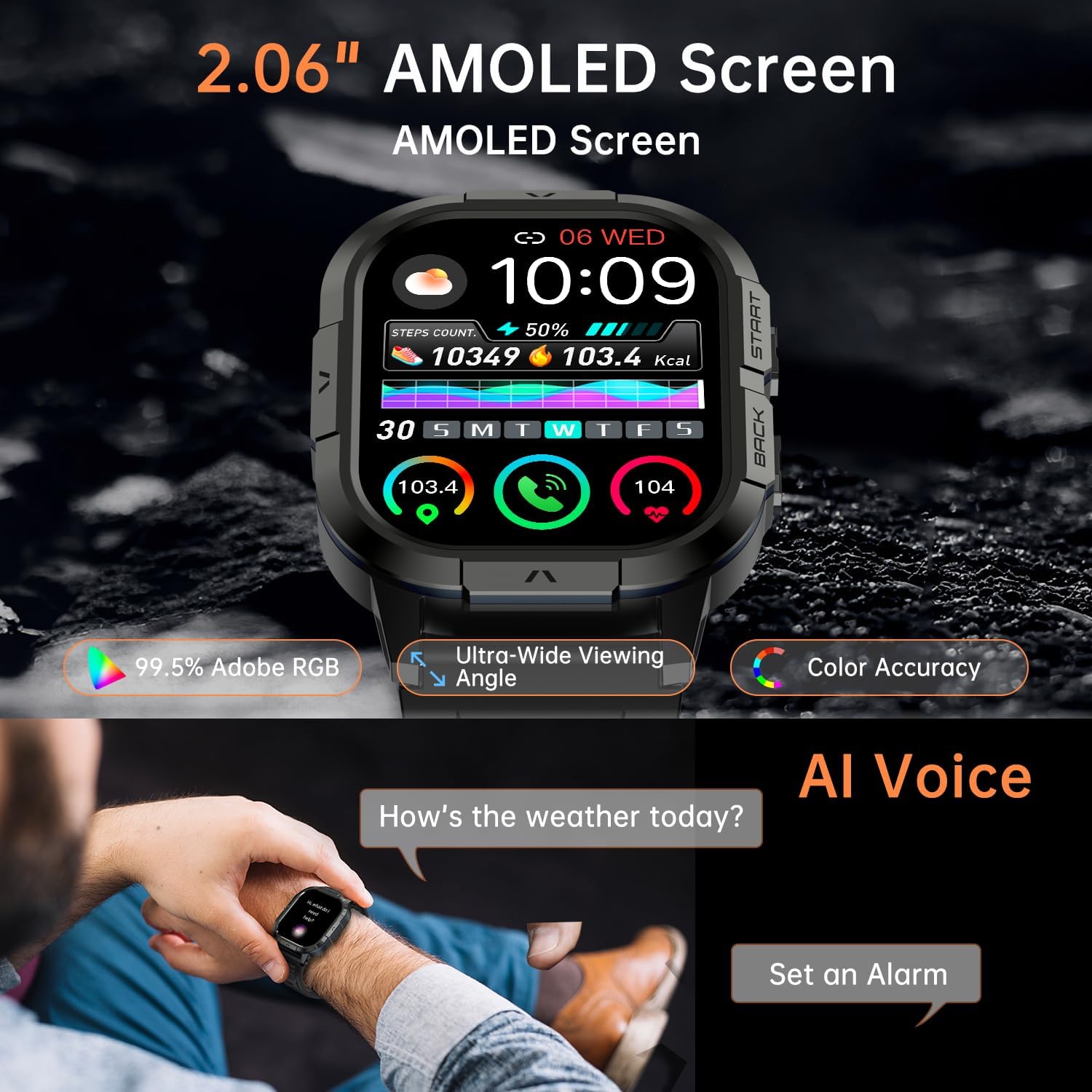
Image: A detailed view of the 2.06-inch AMOLED display on the HOXLRSA P110 Smart Watch, showcasing its vibrant colors and clear presentation of health and activity data. The image emphasizes the screen's ultra-wide viewing angle and color accuracy.
2. Health Monitoring
The watch is equipped with high-performance optical sensors to monitor various health metrics.
- Heart Rate Monitoring: Continuously tracks your dynamic heart rate 24/7. Access the heart rate interface on the watch or in the app for detailed data.
- Blood Oxygen (SpO2) Monitoring: Measures your blood oxygen saturation throughout the day.
- Sleep Monitoring: Automatically tracks your sleep patterns, including light sleep, deep sleep, and awake times. A detailed analysis report is available in the app.
- Stress Level Monitoring: Detects and helps you adjust your stress levels.

Image: This image illustrates the sleep monitoring function of the HOXLRSA P110 Smart Watch, showing how it tracks sleep duration and differentiates between deep sleep, light sleep, and wake-up times. It also highlights the silent alarm feature.

Image: This image demonstrates the 24-hour heart rate monitoring capability of the HOXLRSA P110 Smart Watch, displaying a graph of heart rate rhythm and a user engaged in exercise, emphasizing continuous health tracking.
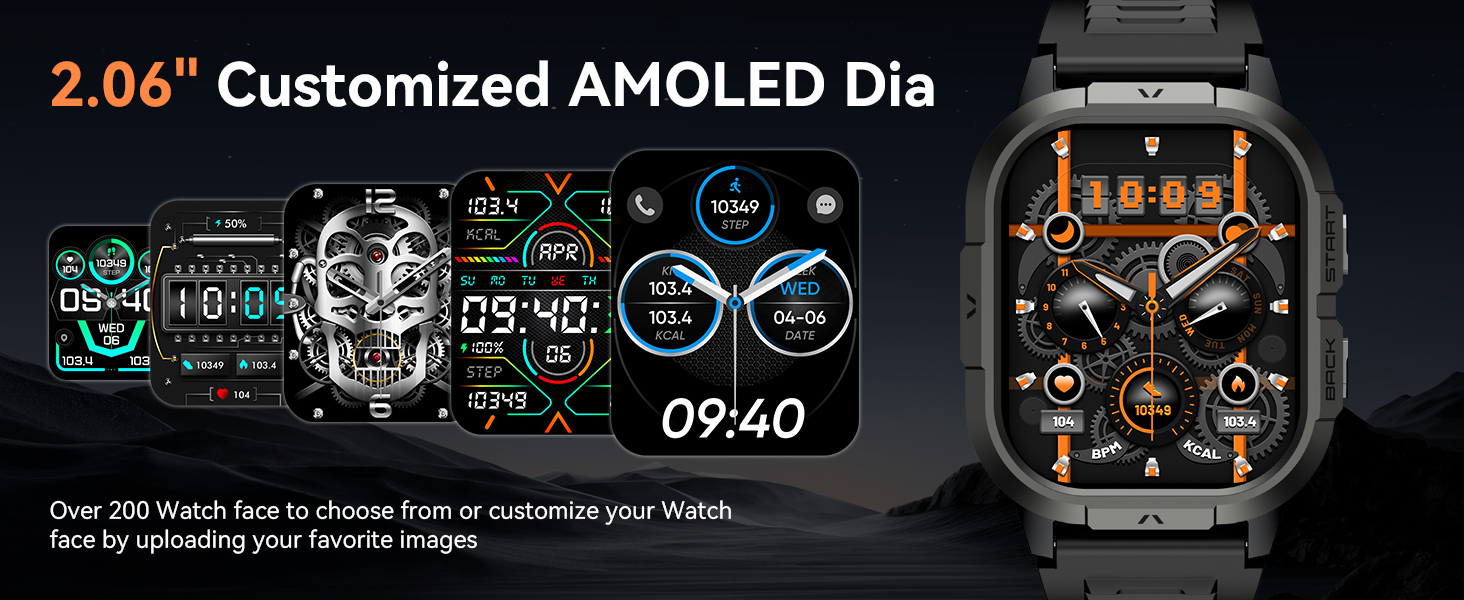
Image: This image illustrates the Blood Oxygen (SpO2) Monitoring feature of the HOXLRSA P110 Smart Watch, showing a graph of SpO2 levels over time and a user hiking, indicating continuous measurement for safety.
3. Sports Modes
The watch supports over 100 sports modes to track your physical activities. It records data such as steps, time, distance, and calories. When connected to your phone's GPS, it can also record your training routes.
- Accessing Sports Modes: Swipe on the watch face to find the sports mode menu. Select your desired activity.
- Tracking: The watch will automatically begin tracking once a mode is selected.
- Data Review: View your exercise data directly on the watch or in the FitCloudPro app for detailed analysis.
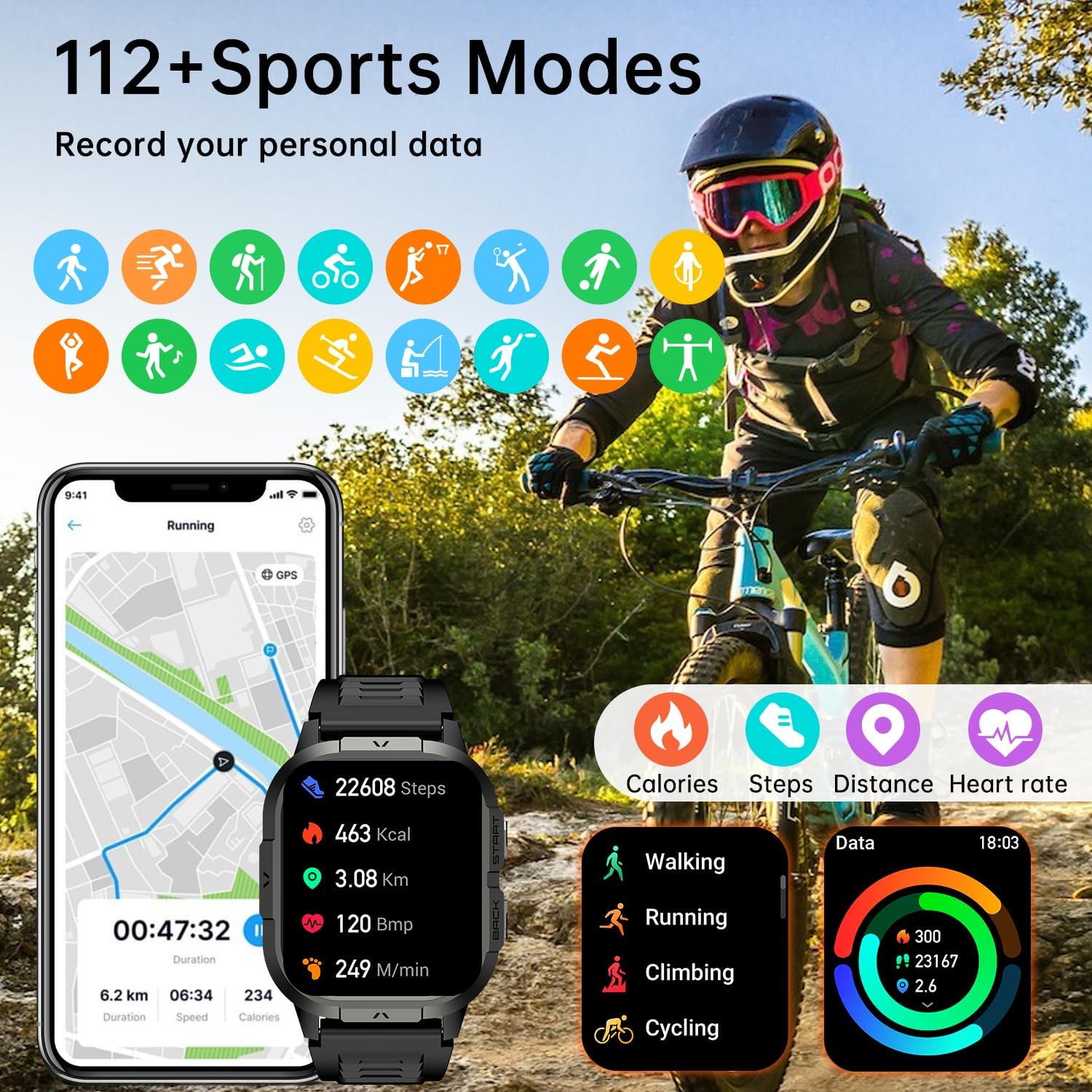
Image: This image highlights the 112+ Sports Modes feature of the HOXLRSA P110 Smart Watch, showing a person cycling and the watch displaying real-time data such as steps, distance, calories burned, and heart rate, to help users track and improve their workout efficiency.
4. Call and Message Functions
Once connected via Bluetooth, the watch allows you to manage calls and messages directly from your wrist.
- Make/Answer Calls: Use the built-in speaker and microphone to make or answer calls.
- Message Notifications: Receive notifications for SMS, WhatsApp, Facebook, and other SNS messages.
- Contact Storage: Store frequently used contacts for quick dialing.
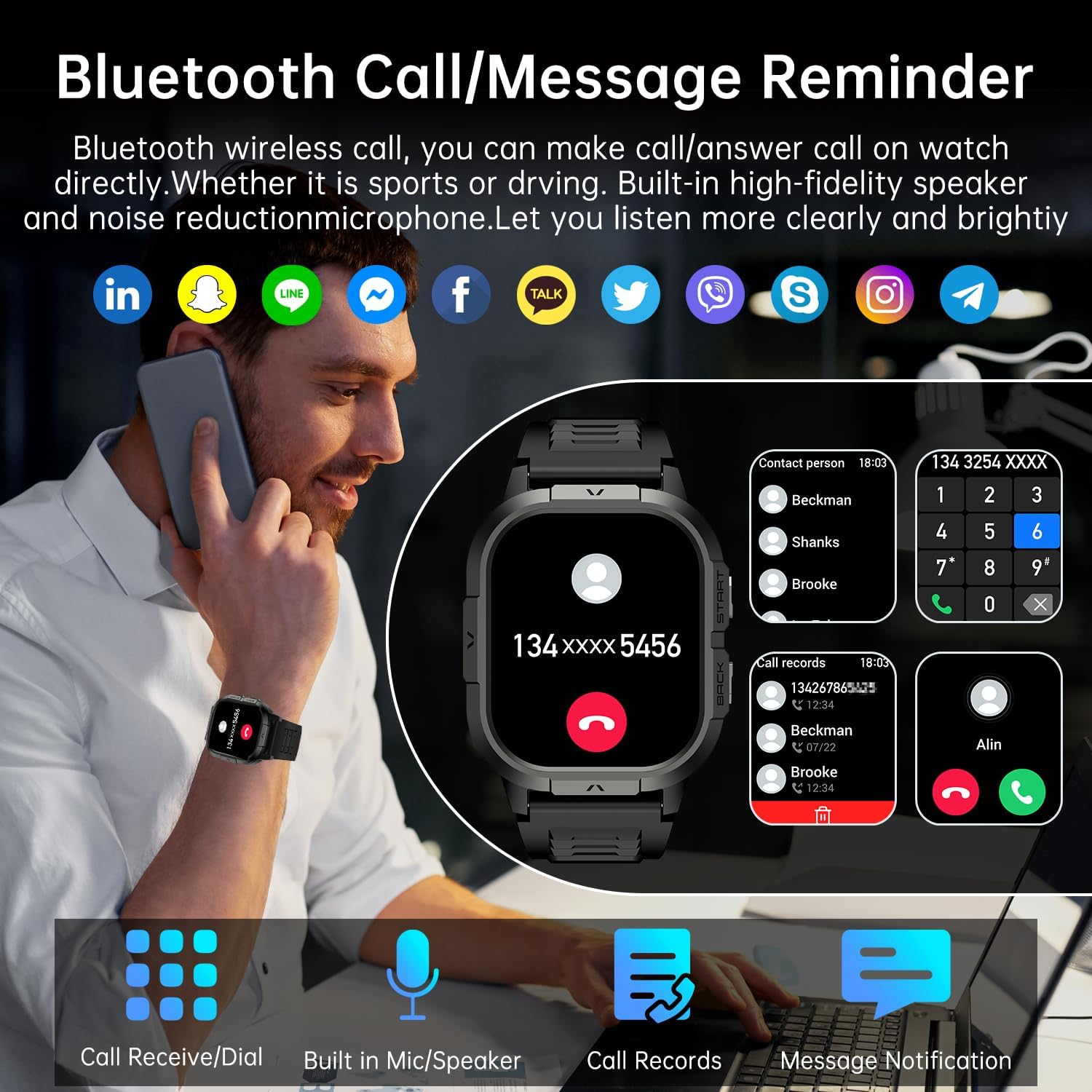
Image: This image demonstrates the Bluetooth Call and Message Reminder functions of the HOXLRSA P110 Smart Watch. It shows a user interacting with the watch to make a call and displays icons of various social media and messaging apps, indicating notification support.

Image: This image illustrates the Smart Message Notification feature of the HOXLRSA P110 Smart Watch, showing how users can receive notifications from various applications like Instagram, Facebook, and WhatsApp directly on their watch, ensuring they don't miss important messages.
5. Other Practical Functions
The HOXLRSA P110 Smart Watch includes a variety of additional features:
- Alarm Clock: Set alarms directly from your watch.
- Weather Forecast: Get real-time weather updates.
- Stopwatch & Timer: Useful for workouts or daily tasks.
- Music Control: Control music playback on your connected smartphone.
- Remote Camera: Use your watch as a remote shutter for your phone's camera.
- Find Phone: Locate your misplaced phone by triggering an alert.
- Breathing Training: Guided breathing exercises for relaxation.
- Sedentary Reminder: Alerts you to move after periods of inactivity.
- AI Voice Assistant: Access your phone's voice assistant for commands and queries.
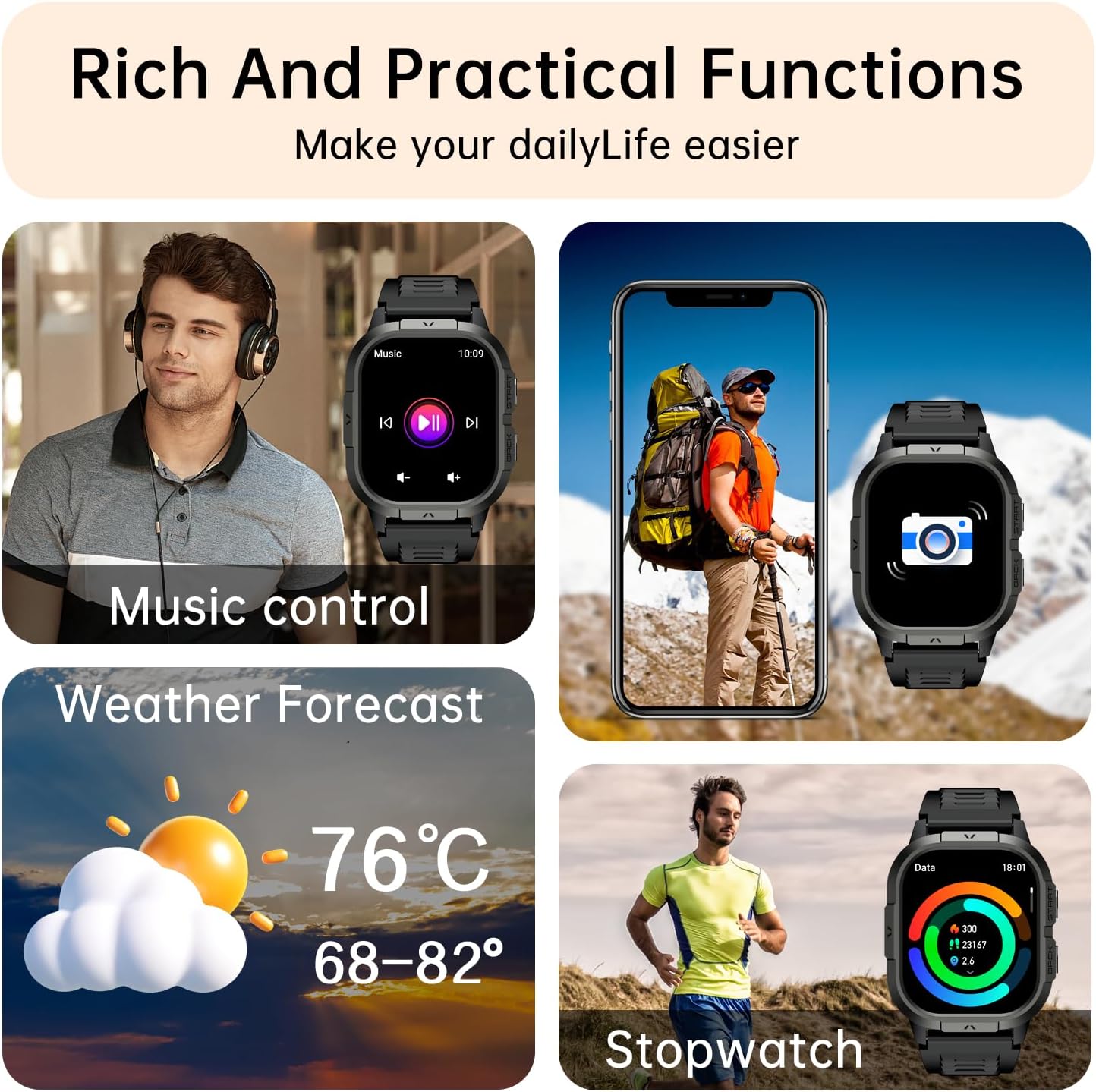
Image: This image highlights several practical functions of the HOXLRSA P110 Smart Watch, such as music control, weather forecast display, remote camera operation, and stopwatch functionality, designed to simplify daily life.

Image: This image displays a comprehensive overview of the practical functions available on the HOXLRSA P110 Smart Watch, including alarm clock, world clock, stopwatch, timer, blood pressure monitoring, camera control, weather forecast, music control, find your phone, and breathing training.

Image: This image illustrates the AI Voice Assistant feature of the HOXLRSA P110 Smart Watch, showing a user interacting with the watch to ask about the weather, set a countdown, or open a music app, demonstrating its hands-free convenience.
6. Customizing Watch Faces
The HOXLRSA P110 Smart Watch offers over 200 watch faces. You can also customize your watch face by uploading your favorite images through the FitCloudPro app.

Image: This image displays a selection of customized AMOLED watch faces for the HOXLRSA P110 Smart Watch, highlighting the availability of over 200 options and the ability for users to personalize their watch by uploading their own images.
Maintenance
1. Water Resistance
The HOXLRSA P110 Smart Watch is IP68 waterproof, meaning it is resistant to dust and can withstand immersion in water up to 1.5 meters for 30 minutes. It is suitable for daily use, such as hand washing, rain, and shallow swimming. However, it is not recommended for hot showers, saunas, or diving, as steam and high water pressure can damage the device.
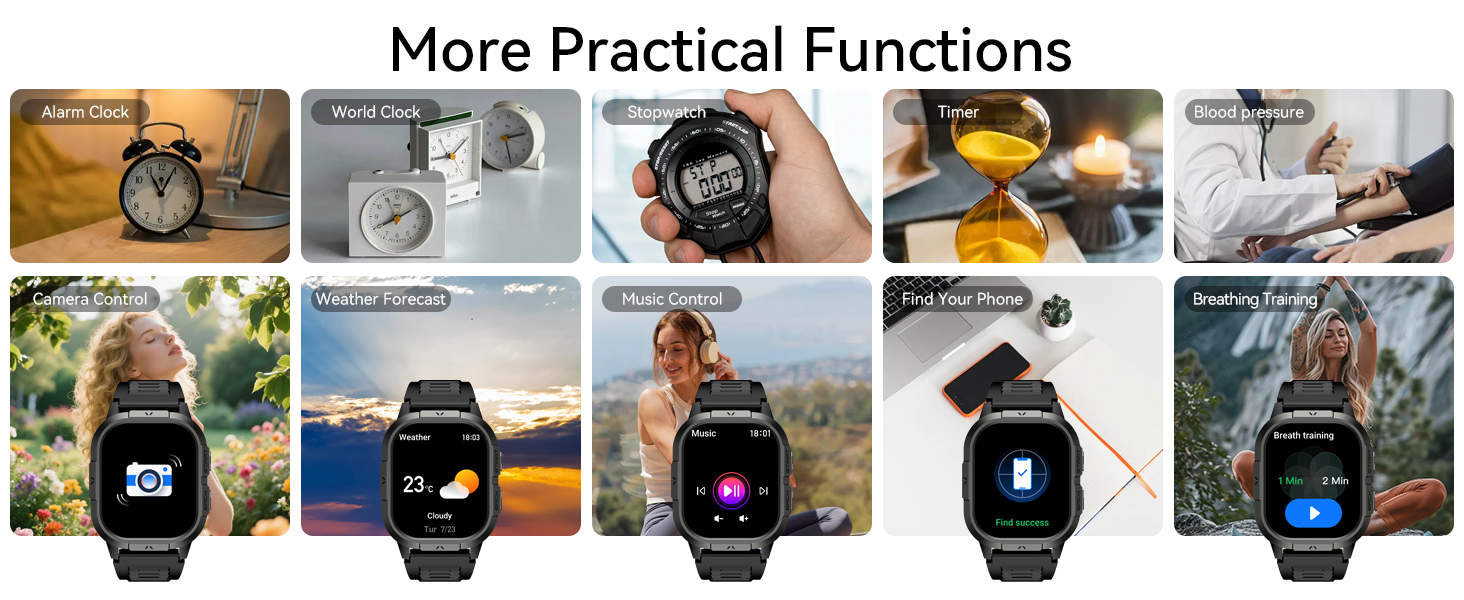
Image: This image highlights the IP68 Waterproof rating of the HOXLRSA P110 Smart Watch, showing water splashing onto the device, indicating its ability to withstand daily waterproofing needs.
2. Cleaning
Regularly clean your watch and strap to prevent skin irritation and maintain functionality. Use a soft, damp cloth to wipe the screen and body. For the silicone strap, you can use mild soap and water. Ensure the watch is completely dry before wearing or charging.
3. Durability
The watch is built to military standards, offering strong resistance to scratches, drops, and environmental factors like temperature, dust, and salt spray. This design ensures adaptability to various harsh environments.

Image: This image emphasizes the military-standard quality of the HOXLRSA P110 Smart Watch, showcasing its IP68 waterproof rating, resistance to extreme temperatures (-40°C to 70°C), dust-proof design, and anti-impact capabilities, making it suitable for rugged use.
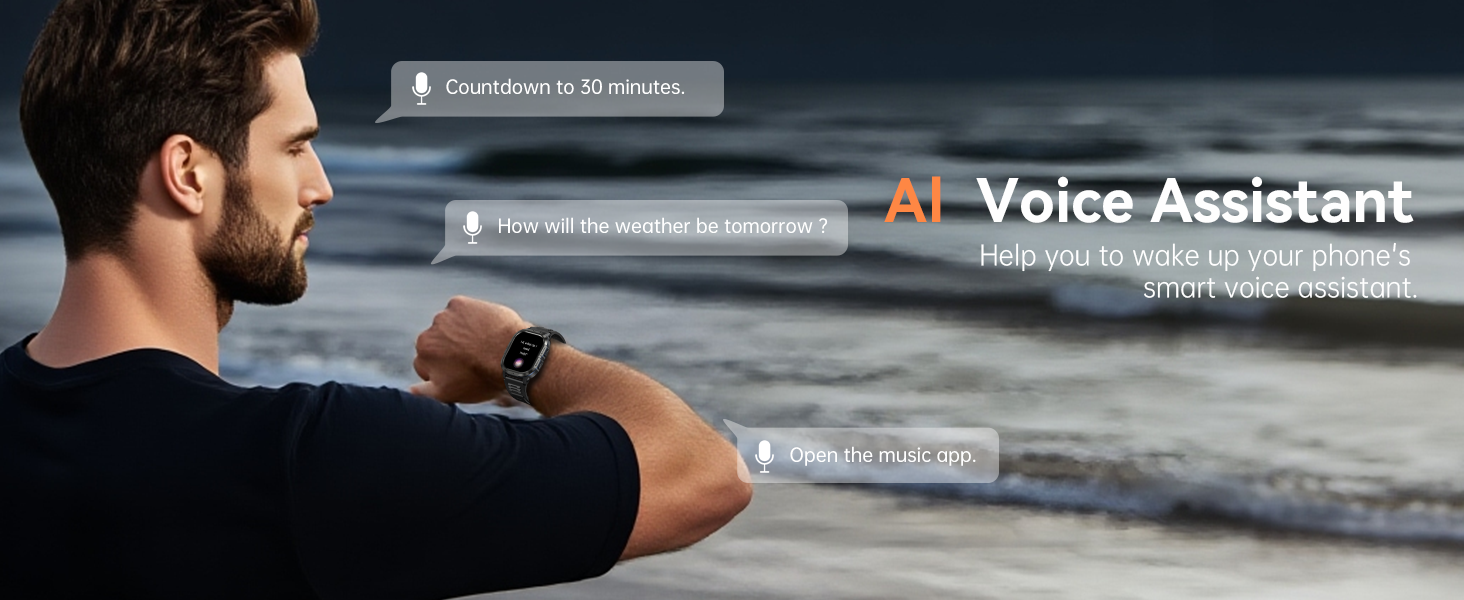
Image: This image details the "Three-prevention Technology" of the HOXLRSA P110 Smart Watch, highlighting its anti-scratch, anti-smashing, and extremely tough quality. It features icons representing various rigorous tests such as salt spray, high temperature, low pressure, vibration, low temperature, shock, rain, sand and dust, and fluid contamination, indicating its robust design for outdoor and sports enthusiasts.
Troubleshooting
- Watch not turning on: Ensure the watch is fully charged. Connect it to the charger and wait a few minutes before attempting to power it on.
- Cannot pair with phone: Make sure Bluetooth is enabled on your phone and the watch. Ensure the "FitCloudPro" app is installed and open. Try restarting both your phone and the watch.
- Inaccurate heart rate/SpO2 readings: Ensure the watch is worn snugly on your wrist, not too tight or too loose. Clean the sensor on the back of the watch. Avoid excessive movement during measurements.
- Notifications not appearing: Check that the watch is properly connected via Bluetooth. Verify that app notifications are enabled in both your phone's settings and the "FitCloudPro" app.
- Call function not working: Confirm that the call Bluetooth is enabled on the watch and that your phone has granted all necessary permissions for the watch to access calls and audio.
- Short battery life: Reduce screen brightness, disable unnecessary notifications, and turn off the call function if not in use.
Specifications
| Model Number | P110 |
| Brand | HOXLRSA |
| Operating System | Android and iOS compatible |
| Screen Size | 2.06 Inches |
| Display Type | AMOLED |
| Connectivity Technology | Bluetooth |
| Water Resistance Level | Waterproof (IP68) |
| Water Resistance Depth | 1.5 Meters |
| Battery Cell Composition | Lithium Ion |
| GPS | GPS Via Smartphone |
| Metrics Measured | Heart Rate, Sleep Duration, Stress |
| Band Material Type | Silicone |
| Human Interface Input | Touchscreen |
Warranty Information
This product comes with a Limited Warranty. Please refer to the warranty card included in your package for specific terms and conditions. For returns or replacements, a 30-day return policy is typically offered from the date of purchase.
Support
For further assistance, technical support, or inquiries regarding your HOXLRSA P110 Smart Watch, please refer to the contact information provided in your product packaging or visit the official HOXLRSA support website.