
1. Introduction
Thank you for choosing the Vannect X390S 6-in-1 Folding Treadmill. This manual provides essential information for the safe and efficient operation, maintenance, and troubleshooting of your new fitness equipment. Please read this manual thoroughly before initial use and retain it for future reference.
2. Important Safety Instructions
To reduce the risk of serious injury, always follow basic precautions when using this treadmill. Read all instructions before use.
- Ensure the safety lock is properly engaged before starting any exercise.
- The maximum user weight capacity for this treadmill is 150 kg (330 lbs). Do not exceed this limit.
- Keep children and pets away from the treadmill during operation.
- Place the treadmill on a flat, stable surface with adequate clearance around it.
- Wear appropriate athletic footwear and clothing.
- If you experience pain, dizziness, or shortness of breath, stop exercising immediately.
- Always hold the handrails when starting or stopping the treadmill.
- Unplug the treadmill from the power outlet when not in use or before cleaning and maintenance.
3. Package Contents
Verify that all components are present in the package:
- Vannect X390S Folding Treadmill
- Magnetic Remote Control
- Safety Key
- Power Cord
- User Manual (this document)
- Lubricant (for maintenance)
4. Setup
The Vannect X390S treadmill is designed for minimal setup and comes largely pre-assembled, ready for immediate use.
- Unpacking: Carefully remove the treadmill from its packaging.
- Placement: Position the treadmill on a flat, stable surface. Ensure there is sufficient space around the unit for safe operation.
- Unfolding (if applicable): If the treadmill is in its folded state, gently unfold it according to the diagrams below until it locks into the upright position.
- Power Connection: Plug the power cord into a grounded electrical outlet.
- Safety Key: Attach the safety key clip to your clothing and insert the magnetic end into the designated slot on the console. The treadmill will not operate without the safety key in place.

Figure 4.1: The treadmill's ultra-thin design (13.5 cm) allows for easy storage under furniture or against a wall. It features transport wheels for effortless movement.
5. Operating Instructions
The Vannect X390S offers multiple control methods and exercise modes to suit your fitness needs.
5.1 Control Methods
You can control the treadmill using the console display, the magnetic remote control, or the dedicated mobile application.

Figure 5.1: The treadmill console features an LED display showing speed, time, distance, and calories. Control is available via the console, remote, or app.
- Console Display: The integrated LED display clearly shows time, calories burned, step count, speed (1-12 KM/H), and distance. Touch controls on the console allow for direct adjustment.
- Magnetic Remote Control: Use the remote to start/stop the treadmill and adjust speed. Its magnetic design allows it to be securely attached to the treadmill console, preventing loss.
- Mobile Application: Connect via Bluetooth to the Vannect app for advanced control, real-time data synchronization, and access to various exercise programs.
5.2 Incline Adjustment
The treadmill features a manual incline adjustment of up to 9% to simulate uphill walking or running, enhancing calorie burn and muscle engagement.

Figure 5.2: Manual incline adjustment from 0% to 9% allows for varied workout intensity, simulating outdoor terrain.
5.3 Exercise Modes
The 6-in-1 design supports various activities:
- Work Mode (1-3 km/h): Ideal for light walking while working or reading.
- Walking Mode (4-6 km/h): Suitable for brisk walking.
- Jogging Mode (7-9 km/h): For a moderate jogging pace.
- Running Mode (10-12 km/h): For higher intensity running workouts.
- Climbing Mode (9% Incline): Engages more muscles and increases calorie expenditure.

Figure 5.3: The treadmill supports various exercise modes from walking to running and incline training.
6. App Connectivity
Enhance your workout experience by connecting your Vannect X390S treadmill to the mobile application via Bluetooth.
- Download the App: Search for the official Vannect fitness app on your mobile device's app store (e.g., Google Play Store or Apple App Store).
- Enable Bluetooth: Ensure Bluetooth is enabled on your mobile device.
- Pairing: Open the Vannect app and follow the on-screen instructions to pair with your treadmill.
- Features: Once connected, the app will synchronize real-time movement data such as speed, calories, and more. You can track your progress, participate in challenges, and access updated exercise programs. The treadmill is compatible with popular fitness apps like Zwift, Kinomap, and Fitshow.

Figure 6.1: The mobile app provides scientific and intelligent training programs, syncing data in real-time.
7. Maintenance
Regular maintenance ensures the longevity and optimal performance of your treadmill.
- Cleaning: Wipe down the treadmill with a damp cloth after each use to remove sweat and dust. Avoid using abrasive cleaners.
- Lubrication: The running belt requires periodic lubrication to reduce friction and wear. Apply the provided special treadmill lubricant under the belt as instructed in the lubricant's packaging, typically every few months depending on usage.
- Belt Tension and Alignment: Check the running belt tension and alignment regularly. If the belt slips or moves off-center, refer to the troubleshooting section or contact customer support for adjustment instructions.
- Motor: The 2.75 HP motor is designed for quiet operation (<25 dB) and low maintenance, with a lifespan exceeding 5000 hours.

Figure 7.1: The 2.75 HP motor offers a long lifespan and quiet operation, requiring minimal maintenance.
8. Troubleshooting
If you encounter any issues with your treadmill, refer to the following common problems and solutions:
| Problem | Possible Cause | Solution |
|---|---|---|
| Treadmill does not start | Power cord unplugged, safety key not inserted, circuit breaker tripped. | Check power connection, ensure safety key is fully inserted, reset circuit breaker if necessary. |
| Running belt slips or hesitates | Belt tension too loose, belt requires lubrication. | Adjust belt tension (refer to specific instructions or contact support), apply lubricant as per maintenance section. |
| Unusual noise during operation | Loose components, motor issue, belt friction. | Check for loose screws and tighten. If noise persists, contact customer support. |
| App connection issues | Bluetooth off, app not updated, pairing failed. | Ensure Bluetooth is on, update the app, try re-pairing the device. |
If the problem persists after attempting these solutions, please contact Vannect customer support.
9. Specifications
| Brand | Vannect |
| Model Number | X390S |
| Motor Power | 2.75 HP |
| Speed Range | 1 - 12 KM/H |
| Incline | Manual 0% - 9% |
| Max User Weight | 150 kg (330 lbs) |
| Running Belt Width | 40 cm (approx.) |
| Shock Absorption | 5-layer anti-slip surface, 8 silicone shock absorbers |
| Noise Level | <25 dB |
| Connectivity | Bluetooth, Mobile App |
| Display | Dual LED |
| Assembly Required | No (Ready to use) |
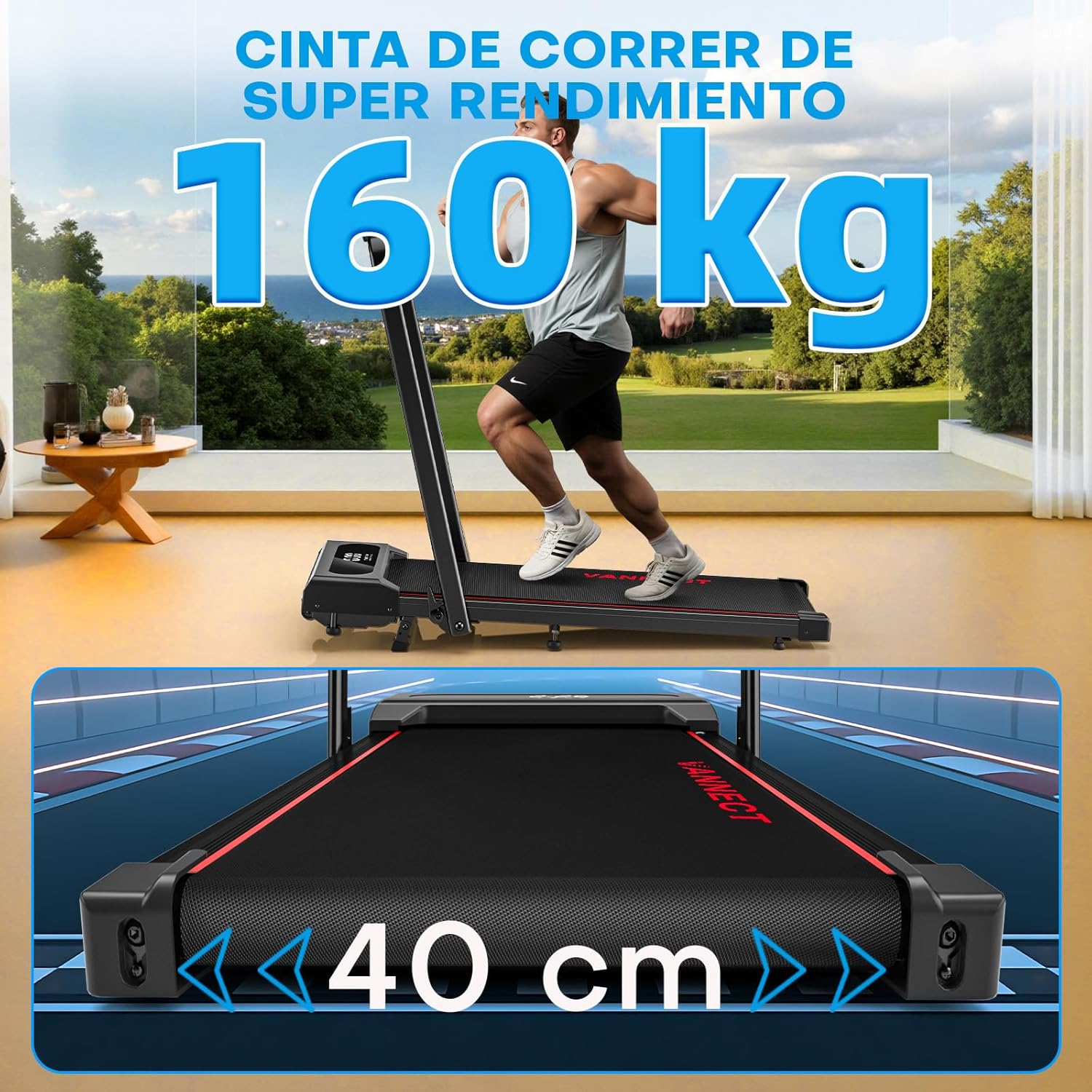
Figure 9.1: The treadmill supports users up to 150 kg (160 kg in image, using 150kg from feature bullets for consistency) and features a 40 cm wide running belt for comfort.

Figure 9.2: Advanced cushioning with 5 anti-slip layers and 8 silicone shock absorbers effectively protects joints and reduces muscle pressure.
10. Warranty and Support
Vannect is committed to providing high-quality products and excellent customer service.
- Warranty: Vannect offers a 5-year free replacement service for eligible parts.
- Technical Support: Enjoy 24-hour support for any issues you may encounter.
For warranty claims, technical assistance, or any product-related inquiries, please contact Vannect customer service through the official website or your purchase platform.