
1. Introduction
Thank you for choosing the LISEN Power Bank 20000mAh. This portable power bank is designed to provide reliable and efficient charging for your electronic devices on the go. Please read this manual carefully before using the product to ensure safe and optimal performance. Keep this manual for future reference.
2. Safety Information
- Do not expose the power bank to extreme temperatures (above 60°C/140°F or below 0°C/32°F), direct sunlight, or high humidity.
- Avoid dropping, hitting, or disassembling the device. This may cause damage or malfunction.
- Keep the power bank away from water and other liquids.
- Do not use the power bank if it has been damaged or modified.
- Keep out of reach of children.
- Use only certified charging cables and adapters.
- Do not short-circuit the power bank.
- Dispose of the power bank according to local regulations for electronic waste. Do not dispose of it in household waste.
3. Package Contents
Please check the package for the following items:
- LISEN Power Bank 20000mAh (Model 2E460)
- USB Charging Cable
- User Manual (this document)
4. Product Overview
The LISEN Power Bank 20000mAh features a high-capacity battery and multiple ports for versatile charging. Below is a general illustration of the power bank and its components.
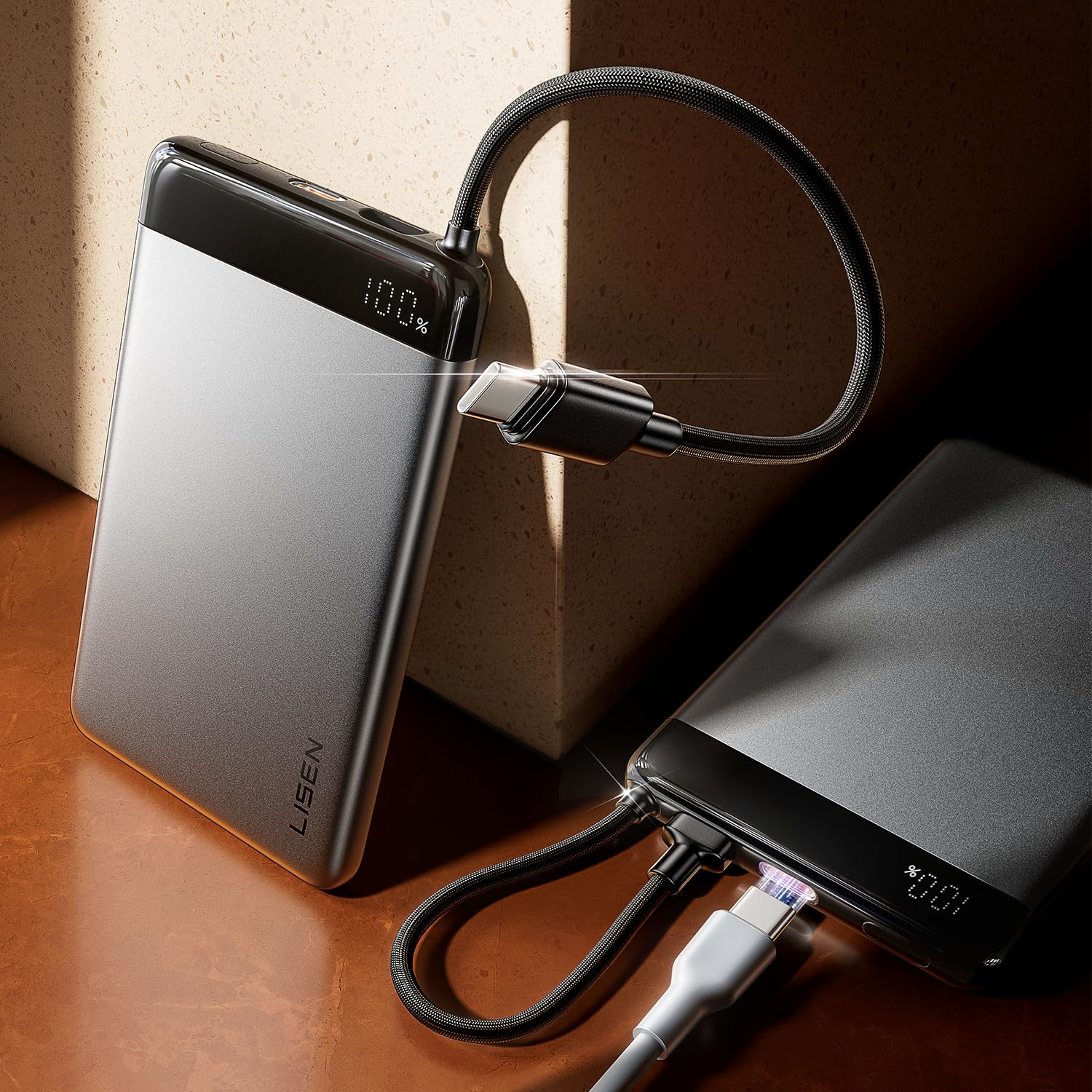
Image 1: Front view of the LISEN Power Bank 20000mAh, showing its compact design, charging ports (USB-A, USB-C), and LED power indicator lights. The power button is typically located on the side or front.
Components:
- USB-C Port (Input/Output): Used for charging the power bank itself and for charging compatible devices.
- USB-A Port (Output): Used for charging various devices.
- LED Power Indicator: Displays the remaining battery level of the power bank.
- Power Button: Activates the power bank or checks the battery level.
5. Setup
5.1 Initial Charging of the Power Bank
Before first use, it is recommended to fully charge your LISEN Power Bank. This ensures optimal battery performance and longevity.
- Connect the provided USB charging cable to the USB-C input port on the power bank.
- Connect the other end of the USB cable to a compatible USB wall charger (not included) or a computer's USB port.
- The LED power indicators will illuminate, showing the charging status. They will typically blink while charging and become solid when fully charged.
- Once fully charged, disconnect the power bank from the charging source.
6. Operating Instructions
6.1 Checking Battery Level
Press the power button once to check the remaining battery level. The LED indicators will light up to show the current charge.
- 4 LEDs: 75-100% charge
- 3 LEDs: 50-75% charge
- 2 LEDs: 25-50% charge
- 1 LED: 0-25% charge (recharge soon)
6.2 Charging Your Devices
The LISEN Power Bank can charge various USB-powered devices, such as smartphones, tablets, and other small electronics.
- Connect your device's charging cable to one of the output ports (USB-A or USB-C) on the power bank.
- Connect the other end of the cable to your device.
- The power bank should automatically begin charging your device. If not, press the power button once to initiate charging.
- The LED indicators on the power bank will show its remaining battery level during charging.
- Once your device is fully charged, disconnect it from the power bank. The power bank will typically turn off automatically after a period of inactivity.
7. Maintenance
- Cleaning: Use a soft, dry cloth to clean the surface of the power bank. Do not use harsh chemicals or abrasive materials.
- Storage: Store the power bank in a cool, dry place away from direct sunlight and extreme temperatures. If storing for extended periods, charge the power bank to approximately 50-75% every three months to maintain battery health.
- Avoid Overcharging/Over-discharging: While the power bank has built-in protection, it is best practice to disconnect it once fully charged and to recharge it before it completely drains.
8. Troubleshooting
| Problem | Possible Cause | Solution |
|---|---|---|
| Power bank not charging | Loose cable connection, faulty cable/adapter, power bank fully charged. | Ensure cables are securely connected. Try a different cable or wall adapter. Check LED indicators; if all are solid, it's fully charged. |
| Device not charging from power bank | Loose cable connection, power bank battery low, incompatible device, power bank in standby mode. | Ensure cables are securely connected. Check power bank battery level and recharge if necessary. Press the power button to activate output. Try a different cable. |
| Slow charging | Using a low-power adapter/cable, device's charging input limit. | Use a high-quality, fast-charging compatible wall adapter and cable. Ensure your device supports faster charging. |
| LED indicators not working | Power bank completely drained, internal malfunction. | Try charging the power bank for an extended period. If the issue persists, contact customer support. |
9. Specifications
| Model Number: | 2E460 |
| Battery Capacity: | 20000mAh |
| Input (USB-C): | (e.g., 5V/3A, 9V/2A) |
| Output (USB-A): | (e.g., 5V/2.4A, 9V/2A, 12V/1.5A) |
| Output (USB-C): | (e.g., 5V/3A, 9V/2.22A, 12V/1.67A) |
| Dimensions: | 11l. x 7an. x 1,5Ju centimeters |
| Weight: | 490 g |
| Compatible Devices: | Smartphone and other USB-powered devices |
Note: Specific input/output voltage and current ratings may vary. Refer to product packaging or official LISEN website for precise details.
10. Warranty and Support
LISEN products are designed and manufactured to the highest quality standards. For information regarding warranty coverage, technical support, or customer service, please refer to the warranty card included with your product or visit the official LISEN website.
Official LISEN Store: Visit LISEN Store on Amazon.com.mx