1. Introduction
Thank you for choosing the RegiisJoy R50 Ultra Handheld Game Console. This device is designed to provide a comprehensive retro gaming experience with its powerful hardware and extensive game library. This manual will guide you through the setup, operation, and maintenance of your new console to ensure optimal performance and enjoyment.
2. What's in the Box
Upon unboxing your RegiisJoy R50 Ultra, please ensure all the following items are present:
- RegiisJoy R50 Ultra Handheld Game Console
- 256GB TF Card (pre-installed)
- User Manual
- Type-C Charging Cable
- Screen Protector (x2)
- Cleaning Wipes (x2)

Figure 1: Packaging list for the RegiisJoy R50 Ultra Handheld Game Console, showing the console, 256GB TF card, user manual, Type-C charging cable, and screen protectors.
3. Product Overview
The RegiisJoy R50 Ultra is a portable gaming device featuring a 4.5-inch IPS screen and a robust Linux operating system. It is equipped with a Mali-G31MP dual-core GPU and RK3326 chip for smooth emulation of various retro game titles.
3.1 Key Features
- Powerful Performance: RK3326 chip and Mali-G31MP dual-core GPU for optimized software performance.
- Open-Source Linux OS: Provides flexibility and supports a wide range of emulators.
- Extensive Game Library: Pre-installed with 50,000 retro classic and indie titles.
- Vibrant Display: 4.5-inch IPS screen with stunning HD visuals and wide viewing angles, protected by tempered glass.
- Ergonomic Design: Dual RGB joysticks with colorful backlighting and high-fidelity stereo speakers for an immersive experience.
- Long Battery Life: 4000mAh rechargeable battery provides 6-10 hours of gameplay on a single 1.5-hour charge (requires 5V 2A charger).
- Portable: Pocket-sized and lightweight for gaming on the go.
3.2 Device Layout
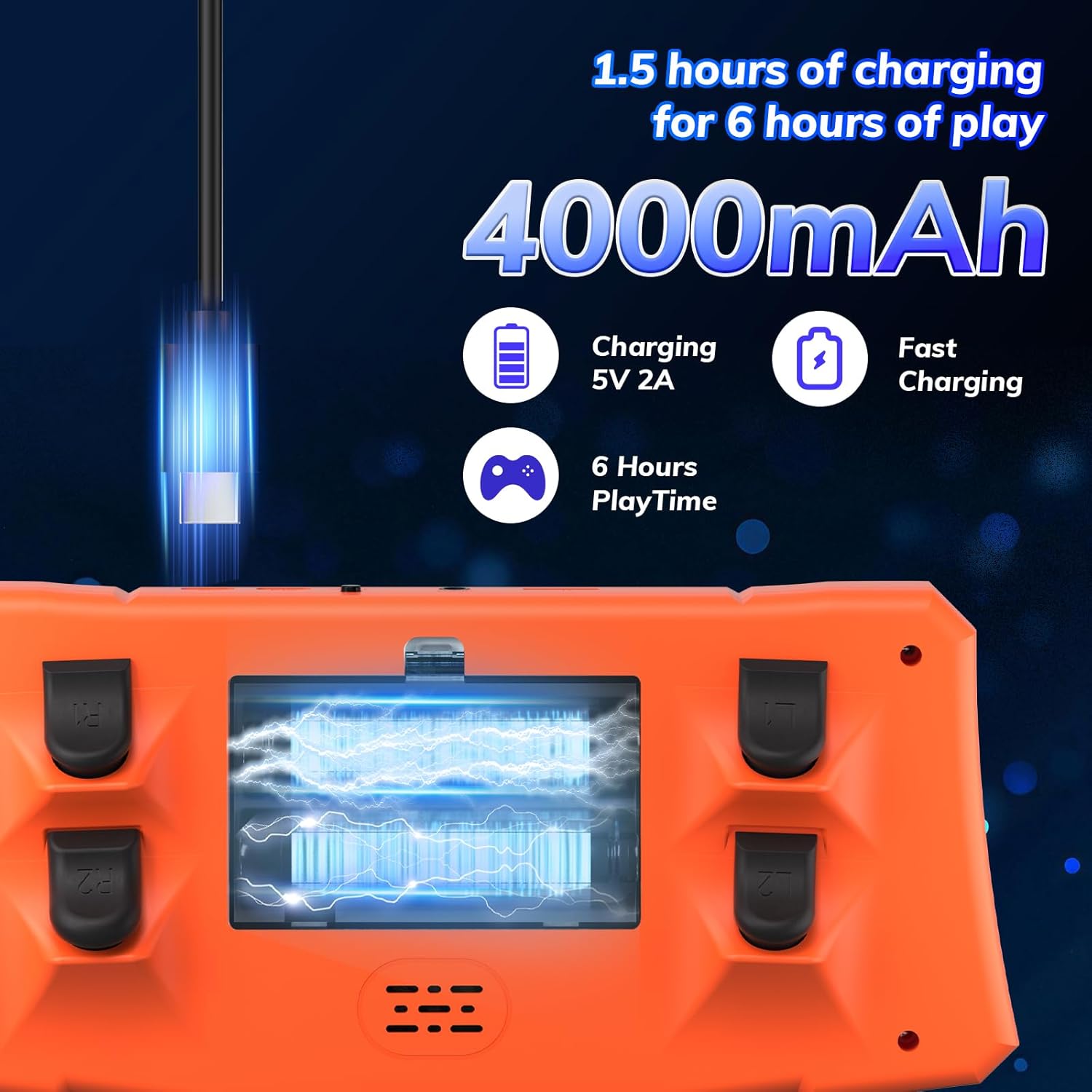
Figure 2: Front and top view of the RegiisJoy R50 Ultra, highlighting the D-pad, FN button, left rocker, Y/X/A/B keys, start/select buttons, right rocker, headphone jack, OTG jack, Type-C jack, RAM slot, and ON/OFF switch.

Figure 3: Side view of the RegiisJoy R50 Ultra, indicating the volume keys and power button.
4. Setup
4.1 Initial Charge
Before first use, fully charge the device. Connect the provided Type-C charging cable to the console's Type-C port and to a 5V 2A charger (not included). A full charge typically takes 1.5 hours and provides 6-10 hours of gameplay.

Figure 4: The console connected to a Type-C charging cable, illustrating the charging process and battery capacity.
Important Note: Please use a charger with a voltage of 5V 2A. Insufficient voltage may cause the device to freeze or crash.
4.2 TF Card Installation (if not pre-installed)
The 256GB TF card comes pre-installed. If you need to access or replace it, locate the TF card slot on the side of the device. Gently push the card to eject it, or insert a new card until it clicks into place. The memory card has a hidden area to prevent copying; you can use a memory card copier or format the card to confirm its capacity.
5. Operating Instructions
5.1 Power On/Off
- To power on: Press and hold the Power button located on the side of the console until the screen illuminates.
- To power off: Press and hold the Power button until the power-off options appear, then select "Power Off".
5.2 Navigating the Interface
The console runs on an open-source Linux system. Use the D-pad or analog joysticks to navigate through menus and select games. The A/B/X/Y buttons are used for selection and actions within games and menus. The START and SELECT buttons perform their respective functions in games and can be used for menu navigation.
Video 1: A user demonstrating the menu navigation and game selection on the RegiisJoy R50 Ultra Handheld Game Console. This video highlights the user interface and responsiveness of the controls.
5.3 Playing Games
- From the main menu, select an emulator or "All Games" to browse the library.
- Choose your desired game and press the A button to launch.
- Controls will vary by game and emulator. Refer to the on-screen prompts or the game's original instructions if available.
- To exit a game or access emulator settings, typically press a combination of buttons (e.g., START + SELECT simultaneously).
Video 2: Demonstration of the RegiisJoy R50 Ultra's game selection and gameplay, showcasing various retro titles and the console's performance.
Video 3: A brief overview of the MagicX Zero 40 Retro Game Console, demonstrating its vertical screen and game selection, which is similar in functionality to the R50 Ultra.
6. Maintenance
- Cleaning: Use a soft, dry cloth to clean the console. For the screen, use the provided cleaning wipes or a microfiber cloth. Avoid harsh chemicals or abrasive materials.
- Storage: Store the console in a cool, dry place away from direct sunlight and extreme temperatures.
- Battery Care: To prolong battery life, avoid fully discharging the battery frequently. Charge the device regularly, even if not in use for extended periods.
- Software Updates: Periodically check the official RegiisJoy website for any available firmware updates to ensure optimal performance and compatibility.
7. Troubleshooting
| Issue | Possible Cause | Solution |
|---|---|---|
| Device does not power on. | Low battery or faulty charger. | Ensure the device is fully charged using a 5V 2A charger. Try a different compatible charging cable and adapter. |
| Device freezes or crashes during use. | Insufficient charging voltage, software glitch, or corrupted game file. | Use a 5V 2A charger. Perform a soft reset by holding the Power button. If the issue persists, consider reformatting the TF card (backup data first) or checking for firmware updates. |
| Games are not loading or performing slowly. | Corrupted TF card, incompatible game ROM, or emulator settings. | Ensure the TF card is properly inserted. Verify game ROMs are compatible with the installed emulators. Adjust emulator settings if necessary. |
| Screen is scratched or damaged. | Physical impact. | Apply a screen protector for future protection. For existing damage, contact customer support for repair options. |
8. Specifications
- Model: R50 Ultra
- Screen: 4.5-inch IPS Display, 640x480 resolution
- CPU: RK3326 ARM 64bit Quad Core Cortex-A35 up to 1.5GHz
- GPU: Mali-G31MP2 (520MHz), supports OpenGL ES 3.2
- RAM: DDR4L 8Gbit
- Operating System: Open Source Linux System
- Storage: 256GB TF Card (expandable)
- Battery: 4000mAh Built-in Li-ion Battery
- Battery Life: 6-10 hours
- Charging Time: 1.5-2 hours (with 5V 2A charger)
- Interface: Type-C Charging, Type-C OTG Data Port, Standard 3.5mm Headset
- Product Dimensions: 5"L x 1"W x 8"H
- Item Weight: 8 ounces
- Material: Plastic
9. Warranty and Support
For any questions regarding your RegiisJoy R50 Ultra Handheld Game Console, please visit our official website for comprehensive support and warranty information. Our dedicated customer service team is available to assist you with any inquiries or issues you may encounter.
Official Website: RegiisJoy Store on Amazon


