1. Introduction
Thank you for choosing the NexCyber Level 2 EV Charger. This manual provides essential information for the safe and efficient operation of your electric vehicle charging station. Please read this manual thoroughly before installation and use, and retain it for future reference.
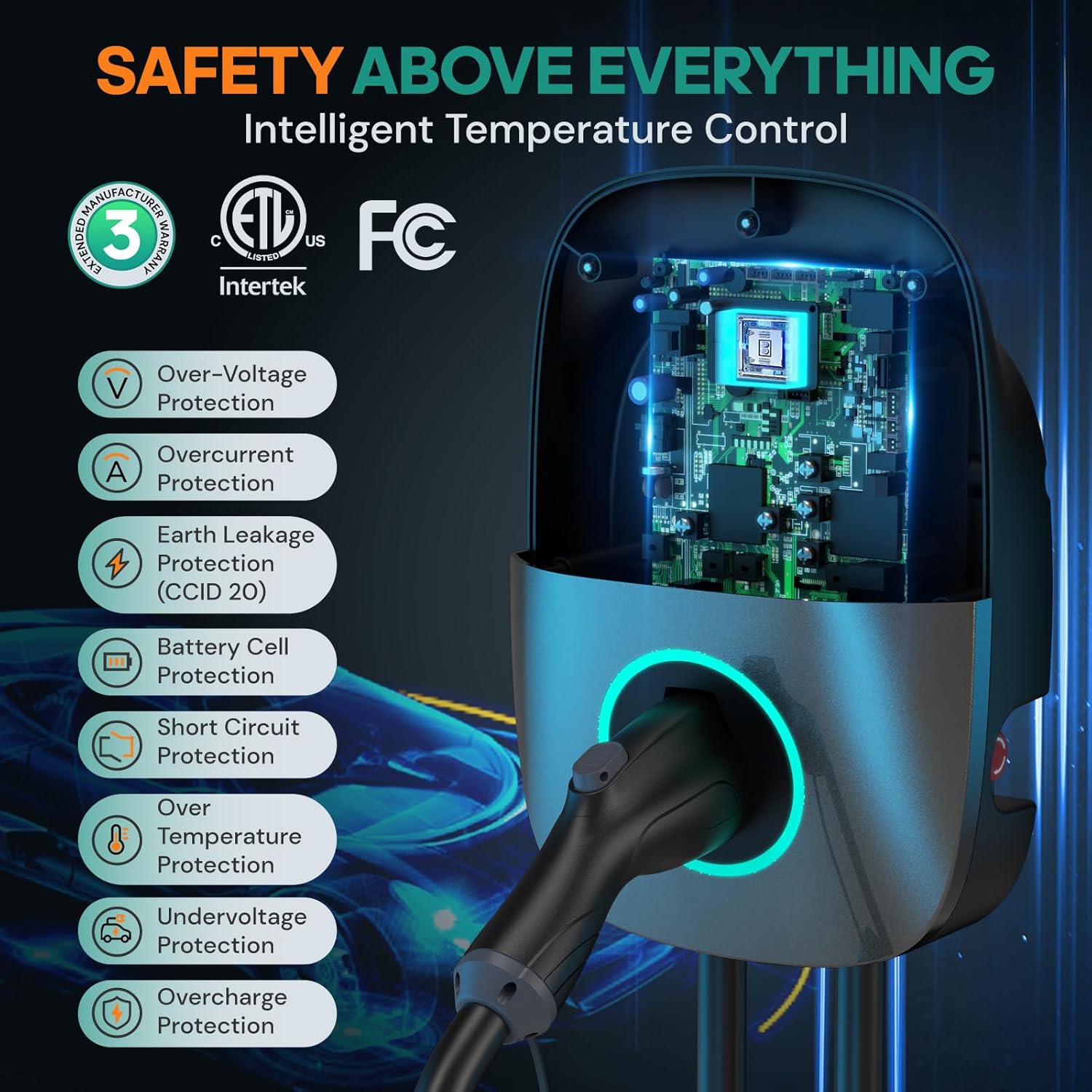
This 40 Amp Level 2 EV Charger is designed for home use, providing up to 38 miles of range per hour of charging. It features a 25-foot cable with a NEMA 14-50p plug and a J1772 connector, compatible with most North American electric vehicles. The unit is ETL and FCC certified, ensuring safety and reliability.
2. Safety Information
WARNING: Electrical shock hazard. Improper installation or use can result in serious injury or death.
- Always follow local electrical codes and standards.
- Professional installation by a qualified electrician is recommended for optimal safety and performance, especially for the NEMA 14-50 outlet wiring.
- Ensure the power outlet cord is no smaller than 8AWG for 40-48A charging; 6AWG is suggested.
- Do not install the charger in direct sunlight or exposed rainy conditions for prolonged periods, despite its NEMA Type 3 (IP65) water resistance.
- Do not attempt to disassemble or repair the charger yourself. Contact customer support for assistance.
- Keep children away from the charging equipment during operation.
3. Product Overview
The NexCyber Level 2 EV Charger is designed for efficient and convenient electric vehicle charging. Key features include:
- Fast Charging: Up to 38 miles/hour charging speed (40A, 9.6kW at 240V).
- Universal Compatibility: J1772 connector for all North American J1772 EVs/PHEVs. (A J1772 to Tesla adapter is required for Tesla vehicles, not included).
- Safety Certifications: ETL and FCC certified, meeting UL2231-1/-2, UL 991, UL 2231, UL 2251, UL1998, and UL 2594 standards. Includes multiple protection features: Over-Voltage, Overcurrent, Earth Leakage (CCID 20), Battery Cell, Short Circuit, Over Temperature, Undervoltage, and Overcharge Protection.
- Plug-and-Play & Smart Touch Screen: Default mode allows immediate charging. The touch screen displays charging amperage, speed, input voltage, and delay time.
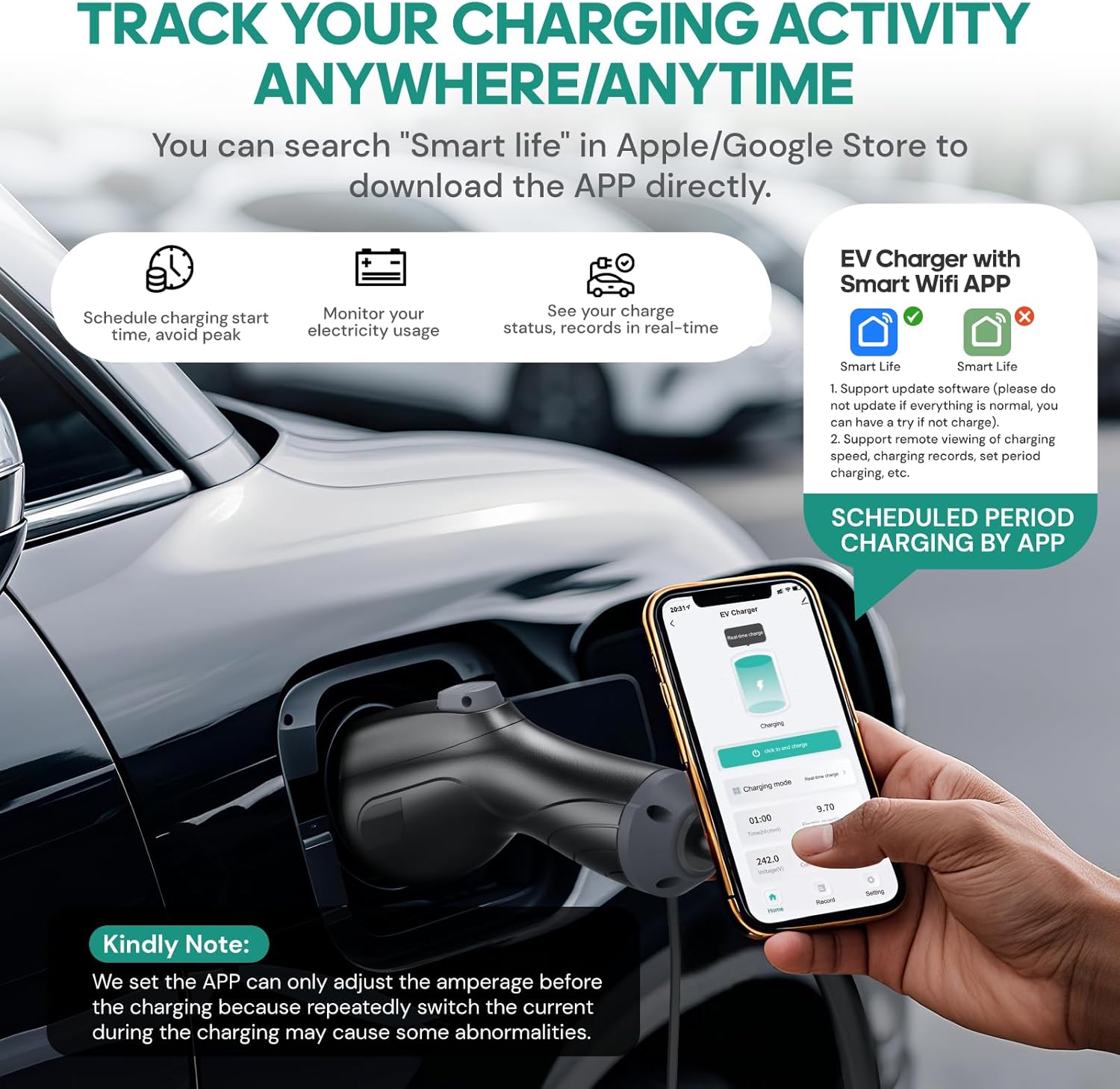
- Smart WiFi APP: Monitor charging status, cost, history, receive fully-charged notifications, and schedule charging periods for off-peak rates.
- Durable Design: NEMA Type 3 protection (IP65 waterproof) and a 25-foot military-grade charging cable designed to endure over 10,000 charges.

4. Setup
4.1 Mounting the Charger
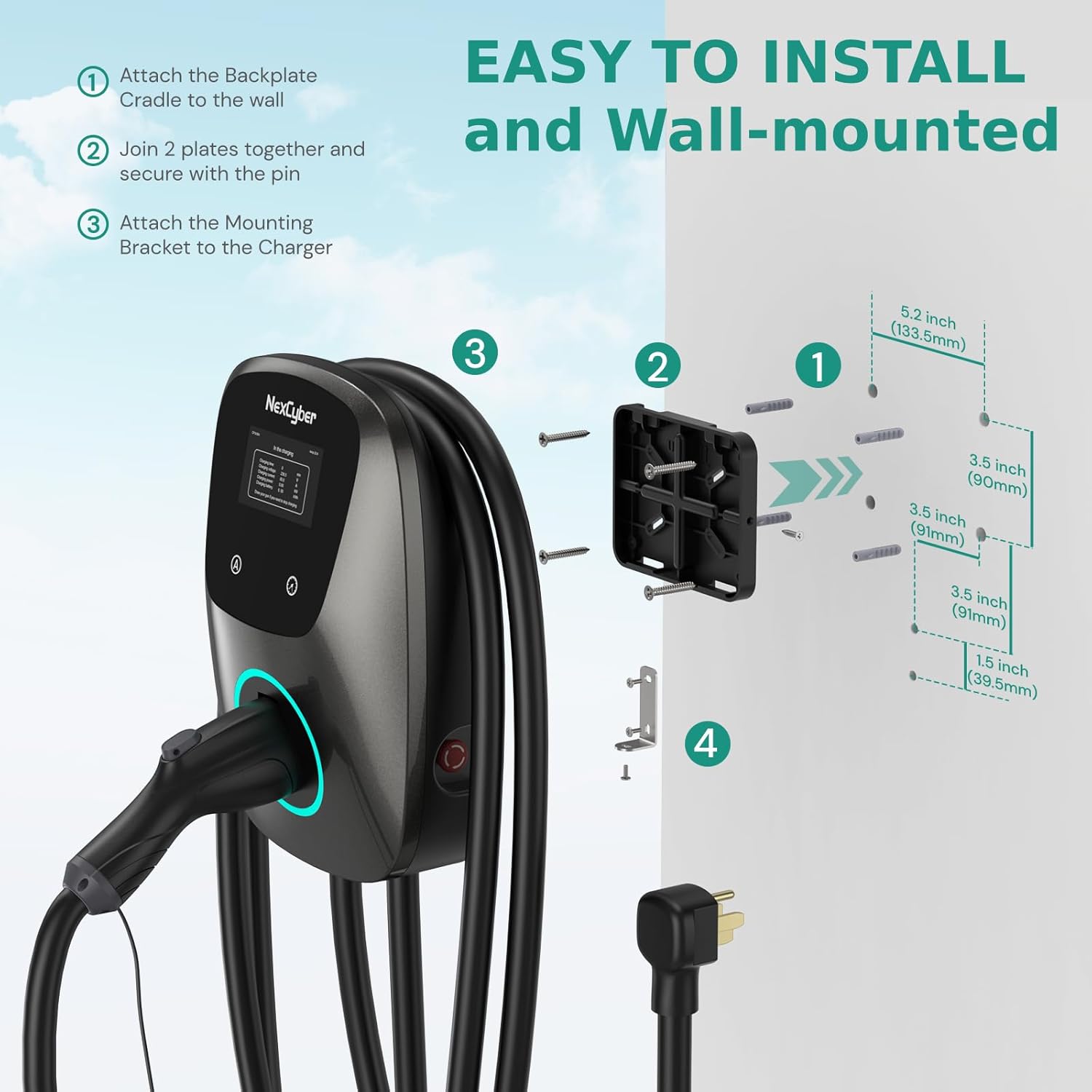
The NexCyber EV Charger is designed for wall-mounted installation. Use the provided template and hardware for secure mounting.
- Attach the backplate cradle to the wall using appropriate screws and anchors for your wall type.
- Join the two plates together and secure with the pin.
- Attach the mounting bracket to the charger unit.
- Hang the charger unit onto the installed backplate.
4.2 Electrical Connection
The charger comes with a NEMA 14-50p plug. Ensure you have a properly installed NEMA 14-50 outlet with a dedicated circuit breaker (minimum 50A for 40A charging) in your home. Professional electrical installation of the outlet is highly recommended.

4.3 Cable Management
The charger unit includes a design for neatly wrapping and storing the 25-foot charging cable when not in use. The J1772 connector can be securely inserted into the charger's housing.
Video: Demonstration of wall-mounted installation and cable management for the NexCyber EV Charger.
5. Operating Instructions
5.1 Plug-and-Play Mode (Default)
The charger operates in plug-and-play mode by default, requiring no app for basic charging. The smart touch screen provides real-time charging information.

5.2 Adjusting Charging Parameters via Touch Screen
- Pull out the charging gun before pressing the buttons; otherwise, there will be no response.
- Long press the 'A' button or 'Time' button for 2 seconds to enter the setting interface.
- Press the 'A' button to set the power output (amperage) from 16A to 40A.
- Press the 'Time' button to set a delay of 1-12 hours for charging.
- After completing the settings, press and hold the 'A' or 'Time' button for 2 seconds to confirm and exit.
Video: Demonstration of how to adjust the charging current using the buttons on the charger's display.
Video: Display showing real-time amperage, speed, input voltage, and delay time during charging.
5.3 Smart WiFi APP Control
Download the 'Smart Life' app from your device's app store (Apple App Store or Google Play Store) to access advanced features:
- Wirelessly check charging cost and history.
- Receive fully-charged notifications.
- Track charging status in real-time.
- Set charging periods to take advantage of off-peak electricity rates.
6. Maintenance
- Cleaning: Use a soft, dry cloth to clean the exterior of the charger. Do not use abrasive cleaners or solvents.
- Cable Care: Avoid kinking or crushing the charging cable. Store it neatly using the integrated cable management system when not in use. The cable is designed for durability, enduring over 10,000 charges.
- Environmental Protection: While the charger has NEMA Type 3 (IP65) water resistance, prolonged exposure to harsh weather conditions (direct sunlight, heavy rain) is not recommended.
- Regular Inspection: Periodically inspect the charger, cable, and plug for any signs of damage or wear. If any damage is found, discontinue use and contact customer support.
7. Troubleshooting
7.1 "E-Stop Fault" or "Stop Charging Suddenly"
If you encounter an "E-Stop Fault" message or the charger stops unexpectedly:
- Confirm whether the side emergency stop button is engaged.
- Press the emergency stop button to release it, then recover its position.
- Restart your charger. It should then function normally.
7.2 Factory Reset
To perform a factory reset:
- Press and raise the emergency stop button.
- Repeat this operation three times within 12 seconds.
- Restart your EV charger.
7.3 Wi-Fi Reset / Add New Device
If you cannot find your device in the app or have replaced your phone:
- Pull out the charging latches.
- Simultaneously long press the 'A' button and the 'Time' adjustment button on the product screen until it shows "Factory Reset".
- Wait 3-5 seconds and then restart your device.
8. Specifications
| Feature | Detail |
|---|---|
| Model Number | ZB04-U09K6BC-F001 |
| Output Amperage | 40 Amp (Adjustable 16A-40A) |
| Input/Output Voltage | 240 Volts |
| Cable Length | 25 feet |
| Plug Type | NEMA 14-50p |
| Connector Type | J1772 |
| Certifications | ETL, FCC |
| Protection Degree | NEMA Type 3 (IP65 waterproof) |
| Product Dimensions | 19 x 10 x 15.75 inches |
| Item Weight | 15.42 pounds |
9. Compatibility
The NexCyber Level 2 EV Charger with its J1772 connector is compatible with a wide range of electric vehicles and plug-in hybrids in North America. This includes, but is not limited to:
- Ford, GM, Audi, Kia, Honda, Hyundai, Chevrolet Bolt, VW ID 4, Nissan Leaf, Ford Mustang Mach-E, IONIQ 5 (2024 and before), BMW i3, i4, iX, Jeep Wrangler 4xe, etc.
Note for Tesla Owners:
A J1772 to Tesla adapter is required for charging Tesla vehicles. This adapter is not included with the NexCyber EV Charger.
Note for NACS Connector Cars:
This charger is not directly compatible with NACS connector cars such as Kia EV6 2025/EV9, Ariya 2025, and IONIQ 5 2025. A J1772 to NACS adapter would be needed.
10. Warranty and Support
The NexCyber Level 2 EV Charger comes with a 3-year warranty. For any questions, technical assistance, or warranty claims, please contact NexCyber customer support. 24/7 customer support is available to assist you.


