
1. Introduction
Thank you for purchasing the AKAI TWS-600Max Bluetooth Twin Tower Speaker. This manual provides essential information for the safe and efficient operation of your new speaker system. Please read it thoroughly before use and retain it for future reference.
2. Safety Information
- Read all instructions before operating the appliance.
- Keep the speaker away from water, moisture, and direct sunlight.
- Do not block any ventilation openings.
- Use only attachments/accessories specified by the manufacturer.
- Unplug the speaker during lightning storms or when unused for long periods.
- Refer all servicing to qualified service personnel.
3. Package Contents
Please check the box for the following items:
- AKAI TWS-600Max Twin Tower Speaker
- Remote Control
- Wired Microphone
- User Manual/Warranty Card
- Aux Cable
4. Product Overview
The AKAI TWS-600Max is a powerful twin tower speaker system designed for versatile audio playback. It features 60W RMS output, a 5.25-inch woofer for high bass performance, and multiple connectivity options.
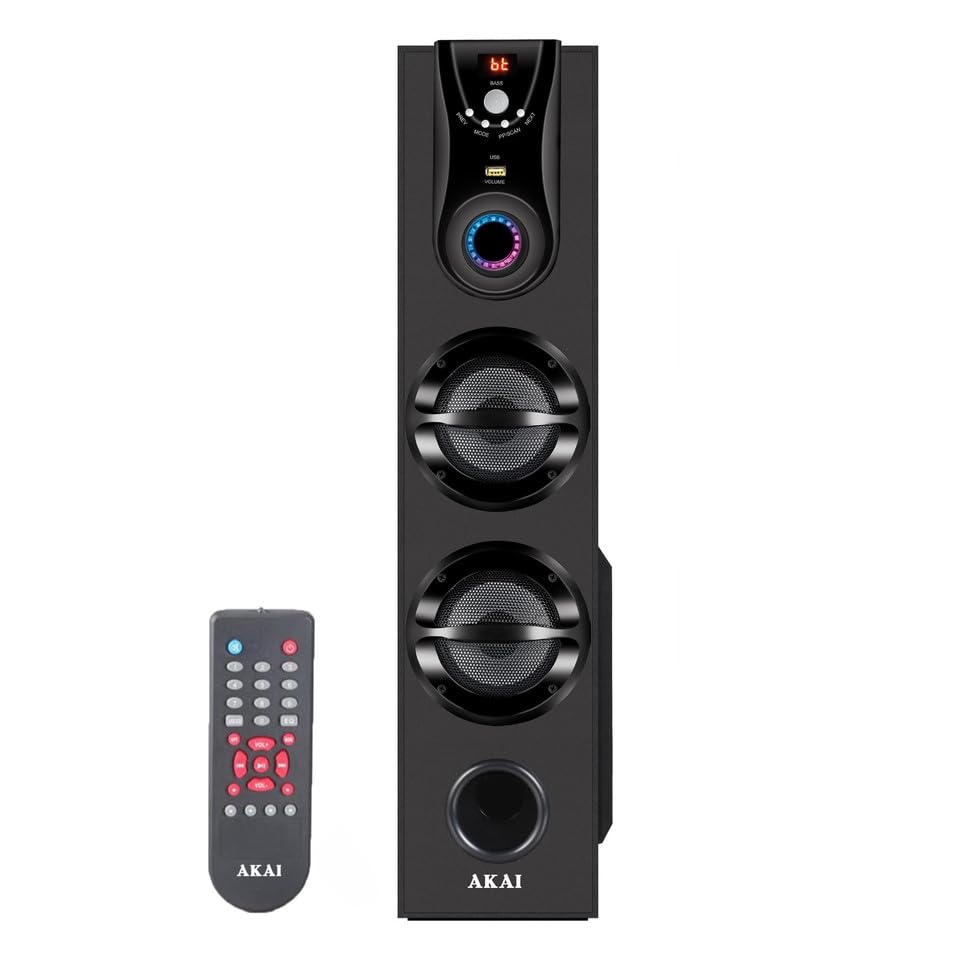
Image: AKAI TWS-600Max Twin Tower Speaker with included remote control.
Key Features:
- 60W RMS Output: Delivers clear and powerful audio.
- High Bass Performance: Equipped with a 5.25-inch woofer for deep bass.
- Wired Microphone Support: For karaoke and vocal performances.
- Easy Control Interface & Digital Display: Intuitive controls and clear display.
- Remote Control Convenience: Full control from a distance.
- Built-in FM Radio: Tune into your favorite radio stations.
- Effortless Connectivity: Supports AUX, Bluetooth, and USB inputs.
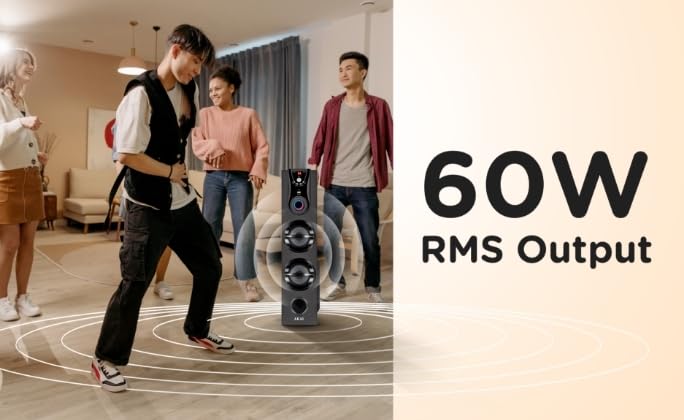
Image: The AKAI TWS-600Max speaker providing 60W RMS output in a living room setting.

Image: The AKAI TWS-600Max speaker emphasizing its high bass performance.

Image: A user enjoying karaoke with the AKAI TWS-600Max speaker and its wired microphone support.

Image: The remote control for the AKAI TWS-600Max, enabling effortless audio control.

Image: An icon representing the built-in FM Radio feature of the speaker.

Image: A smartphone demonstrating the easy connectivity options (Bluetooth, AUX, USB) of the speaker.
5. Setup
5.1 Unpacking and Placement
- Carefully remove the speaker and all accessories from the packaging.
- Place the speaker on a stable, flat surface. Ensure there is adequate ventilation around the unit.
- Avoid placing the speaker near heat sources, direct sunlight, or areas with high humidity.
5.2 Power Connection
- Connect the power cord to the AC input on the back of the speaker.
- Plug the other end of the power cord into a standard wall outlet.
- Press the Power button on the speaker or remote control to turn on the unit. The digital display will illuminate.
5.3 Connecting the Wired Microphone
- Locate the microphone input jack on the speaker's control panel.
- Insert the plug of the wired microphone firmly into the microphone input jack.
- Adjust the microphone volume using the dedicated control on the speaker or remote, if available.
6. Operating Instructions
6.1 Power On/Off
- Press the POWER button on the speaker's control panel or the remote control to turn the speaker ON or OFF.
6.2 Mode Selection
- Press the MODE button on the speaker or remote control to cycle through available input modes: Bluetooth, AUX, USB, and FM Radio. The current mode will be displayed on the digital screen.
6.3 Bluetooth Mode
- Switch the speaker to Bluetooth mode using the MODE button. The display will show "BT" and a pairing indicator will flash.
- Enable Bluetooth on your mobile device (smartphone, tablet, laptop).
- Search for "AKAI TWS-600Max" in your device's Bluetooth settings.
- Select the speaker to pair. Once connected, you will hear a confirmation sound, and the pairing indicator will stop flashing.
- You can now play audio from your device through the speaker.
6.4 AUX Mode
- Switch the speaker to AUX mode using the MODE button. The display will show "AUX".
- Connect one end of the provided AUX cable to the AUX input jack on the speaker.
- Connect the other end of the AUX cable to the audio output jack of your external device (e.g., MP3 player, TV).
- Play audio from your external device.
6.5 USB Mode
- Insert a USB flash drive into the USB port on the speaker.
- The speaker will automatically switch to USB mode and begin playing compatible audio files. If not, press the MODE button to select USB mode.
- Use the playback controls (Play/Pause, Next/Previous) on the speaker or remote to manage your music.
6.6 FM Radio
- Switch the speaker to FM mode using the MODE button. The display will show the FM frequency.
- Press and hold the PLAY/PAUSE button (or Auto Scan button on remote) to automatically scan and save available FM stations.
- Use the NEXT/PREVIOUS buttons to navigate through the saved stations.
6.7 Karaoke Function
- Ensure the wired microphone is connected as described in Section 5.3.
- Play your desired music through any input mode (Bluetooth, AUX, USB).
- Speak or sing into the microphone. Adjust the microphone volume and echo effects (if available) to your preference.
6.8 Remote Control
The included remote control allows you to operate the speaker from a distance. Functions include Power, Mode selection, Volume Up/Down, Play/Pause, Next/Previous track, FM scan, and Microphone volume control.
7. Maintenance
- Cleaning: Use a soft, dry cloth to clean the exterior of the speaker. Do not use liquid cleaners or abrasive materials.
- Storage: When not in use for extended periods, store the speaker in a cool, dry place, away from direct sunlight and extreme temperatures.
- Ventilation: Ensure the speaker's ventilation openings are not blocked to prevent overheating.
8. Troubleshooting
If you encounter any issues with your AKAI TWS-600Max speaker, please refer to the following common problems and solutions:
| Problem | Possible Cause | Solution |
|---|---|---|
| No power | Power cord not connected; Power outlet not working; Speaker is off. | Check power cord connection; Try a different outlet; Press the POWER button. |
| No sound | Volume too low; Incorrect input mode; Audio cable not connected properly (AUX); Bluetooth not paired. | Increase volume; Select correct input mode; Reconnect audio cable; Re-pair Bluetooth device. |
| Bluetooth not connecting | Speaker not in pairing mode; Device too far; Interference; Device already connected to another speaker. | Ensure speaker is in BT mode and flashing; Move device closer; Turn off other Bluetooth devices; Disconnect from other speakers. |
| Microphone not working | Microphone not connected properly; Microphone volume too low. | Ensure microphone is fully inserted; Increase microphone volume. |
| FM radio poor reception | Weak signal; Interference. | Adjust speaker position; Try auto-scanning again. |
9. Specifications
| Feature | Specification |
|---|---|
| Brand | AKAI |
| Model Number | TWS-600Max |
| Output Power | 60W RMS |
| Woofer Size | 5.25 inches |
| Connectivity Technology | AUX, Bluetooth, USB |
| Bluetooth Version | 5.0 |
| Power Source | Corded Electric |
| Frequency Response | 40 KHz |
| Impedance | 8 Ohms |
| Number of Channels | 1 |
| Item Dimensions (L x W x H) | 33 x 21.5 x 69.5 Centimeters |
| Item Weight | 6 Kilograms |
| Compatible Devices | Smartphone, Laptop, MP3 Player |
| Mounting Type | Floor Standing |
10. Warranty and Support
10.1 Warranty Information
The AKAI TWS-600Max Twin Tower Speaker comes with a 1 Year Manufacturer Warranty from the date of purchase. Please retain your purchase receipt for warranty claims. The warranty covers manufacturing defects and does not cover damage caused by misuse, accidents, or unauthorized modifications.
10.2 Customer Support
For any support, service, or warranty-related inquiries, please contact:
Hometech Digital Limited
SCO 363-64, 1st Floor, 35B,
Chandigarh, 160035
Please refer to the contact details provided on your warranty card for the most up-to-date support information.
