
Introduction
Thank you for choosing the NUTROMO Smart Space Heater SH002. This 1500W PTC ceramic heater is designed to provide efficient heating and cooling for indoor spaces. Featuring smart control options via Wi-Fi, a dedicated app, and voice assistants like Alexa and Google Assistant, it offers convenient climate management. This manual provides essential information for safe operation, setup, maintenance, and troubleshooting to ensure optimal performance and longevity of your device.
Important Safety Instructions
When using electrical appliances, basic precautions should always be followed to reduce the risk of fire, electric shock, and injury to persons, including the following:
- Read all instructions before using this heater.
- This heater is hot when in use. To avoid burns, do not let bare skin touch hot surfaces.
- Always plug heaters directly into a wall outlet/receptacle. Never use with an extension cord or relocatable power tap (outlet/power strip).
- Do not operate any heater with a damaged cord or plug or after the heater malfunctions, has been dropped or damaged in any manner. Discard heater, or return to authorized service facility for examination and/or repair.
- Do not use outdoors.
- This heater is not intended for use in bathrooms, laundry areas, and similar indoor locations. Never locate heater where it may fall into a bathtub or other water container.
- Do not run cord under carpeting. Do not cover cord with throw rugs, runners, or similar coverings. Arrange cord away from traffic area and where it will not be tripped over.
- To disconnect heater, turn controls to off, then remove plug from outlet.
- Do not insert or allow foreign objects to enter any ventilation or exhaust opening as this may cause an electric shock or fire, or damage the heater.
- To prevent a possible fire, do not block air intakes or exhaust in any manner. Do not use on soft surfaces, like a bed, where openings may become blocked.
- This heater has hot and arcing or sparking parts inside. Do not use it in areas where gasoline, paint, or flammable vapors or liquids are used or stored.
- Use this heater only as described in this manual. Any other use not recommended by the manufacturer may cause fire, electric shock, or injury to persons.
- Always plug into a 3-prong grounded outlet.
- ETL Listed: This product is ETL listed for certified safety.
- Tip-Over Protection: The heater automatically shuts off if accidentally tipped over.
- Overheat Auto-Shutoff: Internal safety mechanism prevents overheating.
- Cool-Touch Exterior: Designed to remain cool to the touch to prevent burns, making it safe around children and pets.
- Fire-Resistant Materials: Constructed with fire-resistant materials to meet stringent safety standards.
Product Overview
The NUTROMO Smart Space Heater SH002 combines powerful heating and cooling capabilities with smart technology for ultimate comfort and convenience. Its compact and portable design, along with an intuitive display, makes it suitable for various indoor environments.
Key Features:
- Smart Control: Wi-Fi, App, Alexa, and Google Assistant compatibility.
- 2-in-1 Functionality: Provides both heating and cooling.
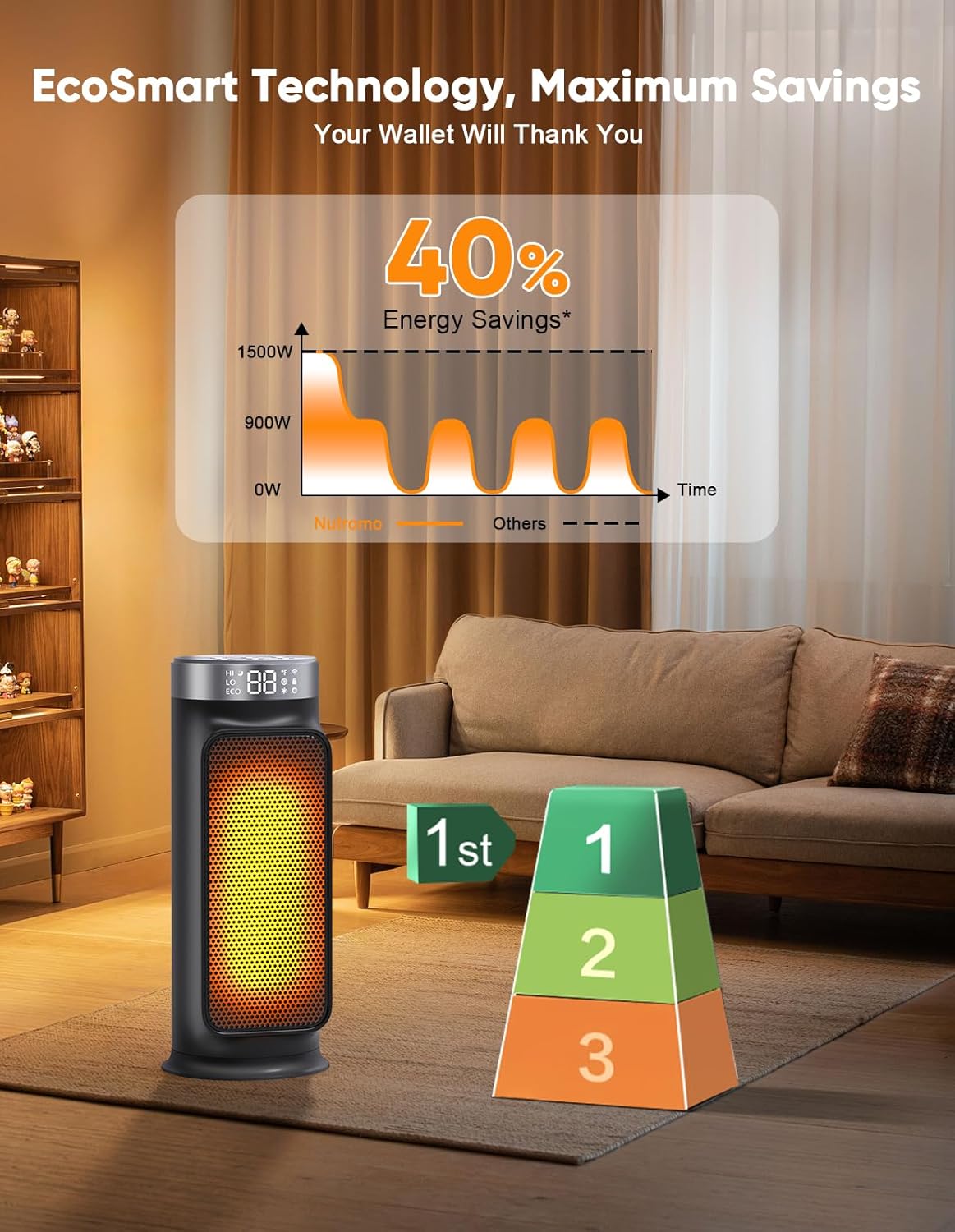
- Energy Efficiency: Auto-ECO mode intelligently regulates power.
- Multi-Guard Safety System: Includes tip-over switch, overheat auto-shutoff, and cool-touch exterior.
- Oscillation: Wide-angle oscillation for even heat distribution.
- Timer: Programmable timer for automatic operation.
- Child Lock: Prevents unintended changes to settings.
- Portable Design: Compact with a built-in carry handle.

Setup
- Unpacking: Carefully remove the heater from its packaging. Retain packaging for future storage or transport.
- Placement: Place the heater on a firm, level surface. Ensure it is at least 3 feet (0.9 meters) away from any walls, furniture, curtains, or other flammable materials. Do not place it on soft surfaces like rugs or carpets that could block the air intake.
- Power Connection: Plug the heater directly into a 120V AC, 60Hz grounded wall outlet. Do not use extension cords, power strips, or surge protectors.
Operating Instructions
Manual Controls
The heater features an intuitive touch interface on its top panel for direct control.
- Power Button: Press to turn the heater ON or OFF.
- Mode Button: Cycle through available modes: High, Low, ECO, Sleep, and Cold (fan only).
- Temperature Adjustment (+/-): Adjust the desired temperature setting in ECO mode.
- Oscillation Button: Activate or deactivate the 75° wide-angle oscillation feature.
- Timer Button: Set the auto-off timer (up to 24 hours).
- Child Lock Button: Press and hold to activate or deactivate the child lock.

Smart Control (App & Voice)
Enhance your control experience by connecting your heater to the companion app and integrating it with voice assistants.
- Download the App: Search for the official NUTROMO app on your smartphone's app store.
- Pairing: Follow the in-app instructions to connect your heater to your home Wi-Fi network.
- App Functionalities: Once connected, you can remotely power the heater ON/OFF, adjust temperature, select modes (High, Low, ECO, Sleep, Cold), set timers, control oscillation, activate/deactivate child lock, mute button sounds, and switch between Fahrenheit and Celsius.
- Voice Control: Link the NUTROMO app with your Alexa or Google Assistant account. Use voice commands such as "Alexa, turn on the space heater" or "Hey Google, set the space heater to 72°F."

Modes
- High: Provides maximum heat output for rapid warming.
- Low: Offers a lower heat setting for sustained warmth.
- ECO: Energy-saving mode that adjusts power output to maintain a set temperature.
- Sleep: Operates quietly with a dimmed display for undisturbed rest.
- Cold: Fan-only mode for circulating cool air during warmer seasons.
Timer
Set the timer to automatically turn the heater off after a specified duration (up to 24 hours). This is useful for overnight use or when leaving the room.
Oscillation
Activate the oscillation feature to allow the heater to rotate 75 degrees, distributing warm or cool air across a wider area.

Child Lock
Activate the child lock feature via the control panel or app to prevent accidental changes to settings by children or pets.
Maintenance
Cleaning
- Always unplug the heater before cleaning.
- Wipe the exterior with a soft, damp cloth. Do not use abrasive cleaners or solvents.
- Use a vacuum cleaner with a brush attachment to gently clean the air intake and outlet grilles to remove dust and debris.
- Ensure the heater is completely dry before plugging it back in.
Storage
When not in use, store the heater in a cool, dry place, preferably in its original packaging, away from direct sunlight and moisture.
Troubleshooting
- Heater not turning on: Check if the power cord is securely plugged into a working outlet. Ensure the tip-over switch on the bottom of the unit is fully depressed (heater is on a flat surface).
- Heater not heating: Verify that the desired temperature is set higher than the current room temperature. Check the selected mode (ensure it's not in Cold/Fan Only mode).
- App connectivity issues: Ensure your Wi-Fi network is active and the heater is within range. Try re-pairing the heater with the app following the setup instructions.
- Heater shuts off unexpectedly: This may be due to the tip-over protection or overheat auto-shutoff. Ensure the heater is on a stable surface and not obstructed. Allow it to cool down before restarting.
Specifications
| Attribute | Detail |
|---|---|
| Brand | NUTROMO |
| Model Number | SH002 |
| Power | 1500W |
| Special Feature | Child Lock |
| Color | Smart Wifi Space Heater 15.8 inch |
| Form Factor | Pedestal |
| Indoor/Outdoor Usage | Indoor |
| Product Dimensions | 10"D x 10"W x 10"H |
| Mounting Type | Floor Mount |
| Room Type | Bedroom, Home Office, Living Room, Nursery |
| Fuel Type | Electric |
| Number of Speeds | 5 |
| UPC | 850070879590 |
| Item Weight | 5.94 pounds |
| ASIN | B0FSKPS85J |
| Safety Certification | ETL Listed |
Warranty and Support
NUTROMO is committed to providing professional customer support and a satisfying after-sales experience. For any questions, concerns, or warranty inquiries, please refer to the contact information provided in your product packaging or visit the official NUTROMO website.