
1. Introduction
This manual provides instructions for the safe assembly, operation, and maintenance of your CURSOR FITNESS Exercise Bike Model CBE10. Please read this manual thoroughly before using the product and retain it for future reference.
2. Important Safety Information
Before beginning any exercise program, consult with your physician. It is essential to understand all safety precautions. Failure to follow these instructions may result in injury.
- Ensure all bolts and nuts are securely tightened before each use.
- Place the exercise bike on a flat, stable surface.
- Keep children and pets away from the equipment during operation.
- The maximum user weight capacity for this bike is 300 lbs (136 kg).
- The recommended user height range is 4'8" to 6'5".
- Wear appropriate exercise clothing and footwear.
- Stop exercising immediately if you feel faint, dizzy, or experience pain.
- Use the emergency stop function (push down on the resistance knob) if necessary.
3. Product Overview
The CURSOR FITNESS Exercise Bike CBE10 is designed for indoor cycling, featuring a silent belt drive and adjustable components for a customized workout.
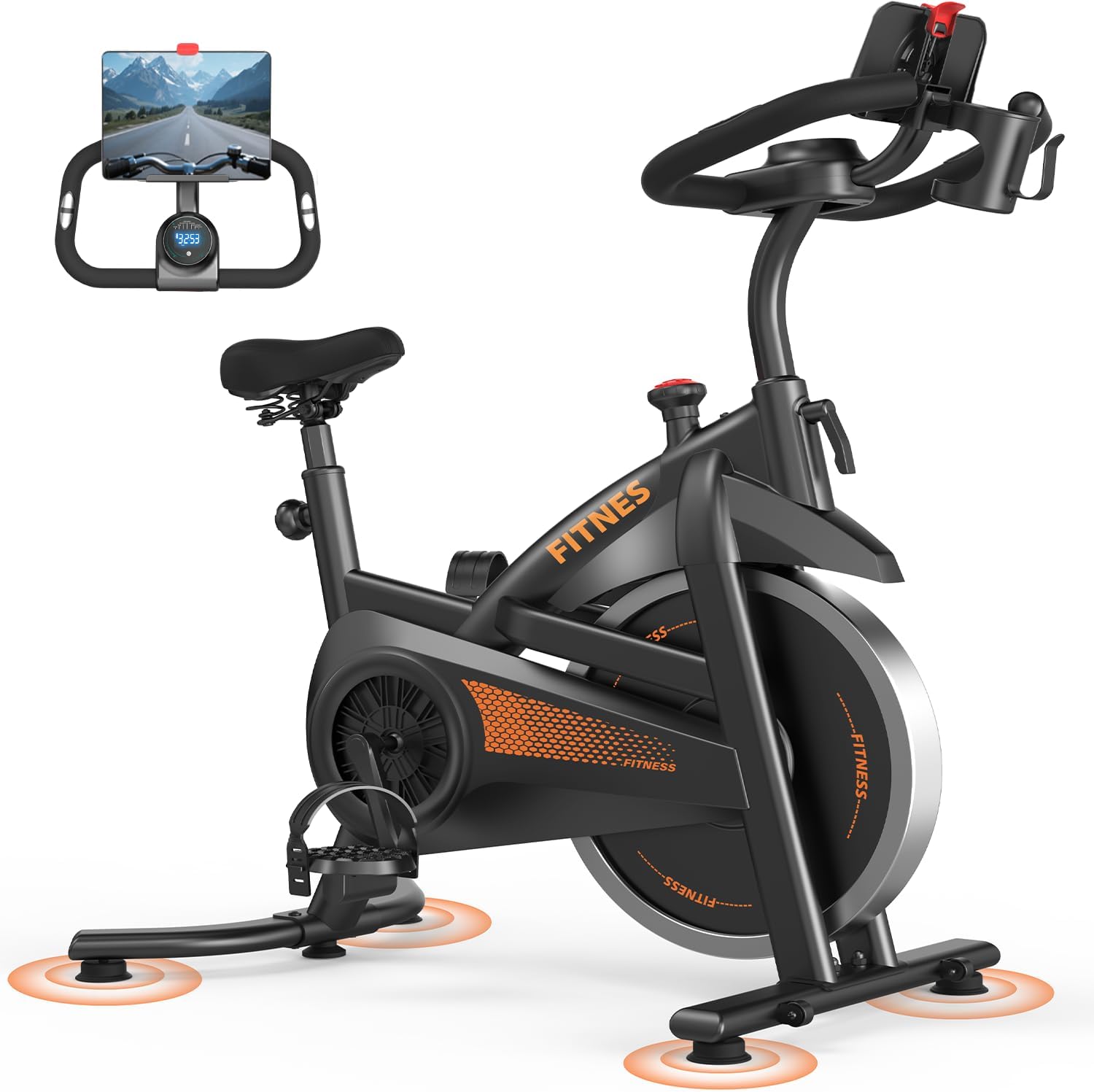
Figure 3.1: Main view of the CURSOR FITNESS Exercise Bike Model CBE10.
4. Assembly Instructions
Assembly of the CURSOR FITNESS Exercise Bike CBE10 typically involves attaching the stabilizer bars, pedals, seat, and handlebars to the main frame. While specific steps are not detailed here, general guidance includes:
- Unpack all components and verify against the parts list (refer to your product's included assembly guide for a complete list).
- Attach the front and rear stabilizer bars to the main frame using the provided bolts and washers.
- Install the pedals, ensuring the left pedal is threaded counter-clockwise and the right pedal clockwise.
- Mount the seat post and seat, then the handlebar post and handlebars.
- Connect any console wires if applicable.
- Ensure all connections are secure before first use.
5. Adjustments
5.1 Seat Adjustment
The seat can be adjusted both vertically and horizontally to accommodate various user heights and preferences. It offers 8 vertical settings, ranging from 31.5 inches to 38.6 inches.
- Loosen the adjustment knob located beneath the seat for horizontal movement. Slide the seat forward or backward to your desired position, then tighten the knob.
- Loosen the vertical adjustment knob on the seat post. Raise or lower the seat to a height where your leg has a slight bend at the knee when the pedal is at its lowest point. Tighten the knob securely.

Figure 5.1: Adjusting the seat height for optimal riding posture.
5.2 Handlebar Adjustment
The non-slip handlebar offers 4 vertical adjustment levels, ranging from 36.2 inches to 38.6 inches.
- Loosen the handlebar adjustment knob.
- Raise or lower the handlebars to a comfortable position that allows for a slight forward lean without straining your back or shoulders.
- Tighten the knob firmly to secure the handlebars.
5.3 Resistance Adjustment
The bike features a micro-adjustable tension system with 0 to 100 levels of resistance.
- Turn the resistance knob clockwise to increase resistance, making pedaling more challenging.
- Turn the resistance knob counter-clockwise to decrease resistance, making pedaling easier.
- To engage the emergency brake, press down firmly on the resistance knob. This will bring the flywheel to a quick stop.
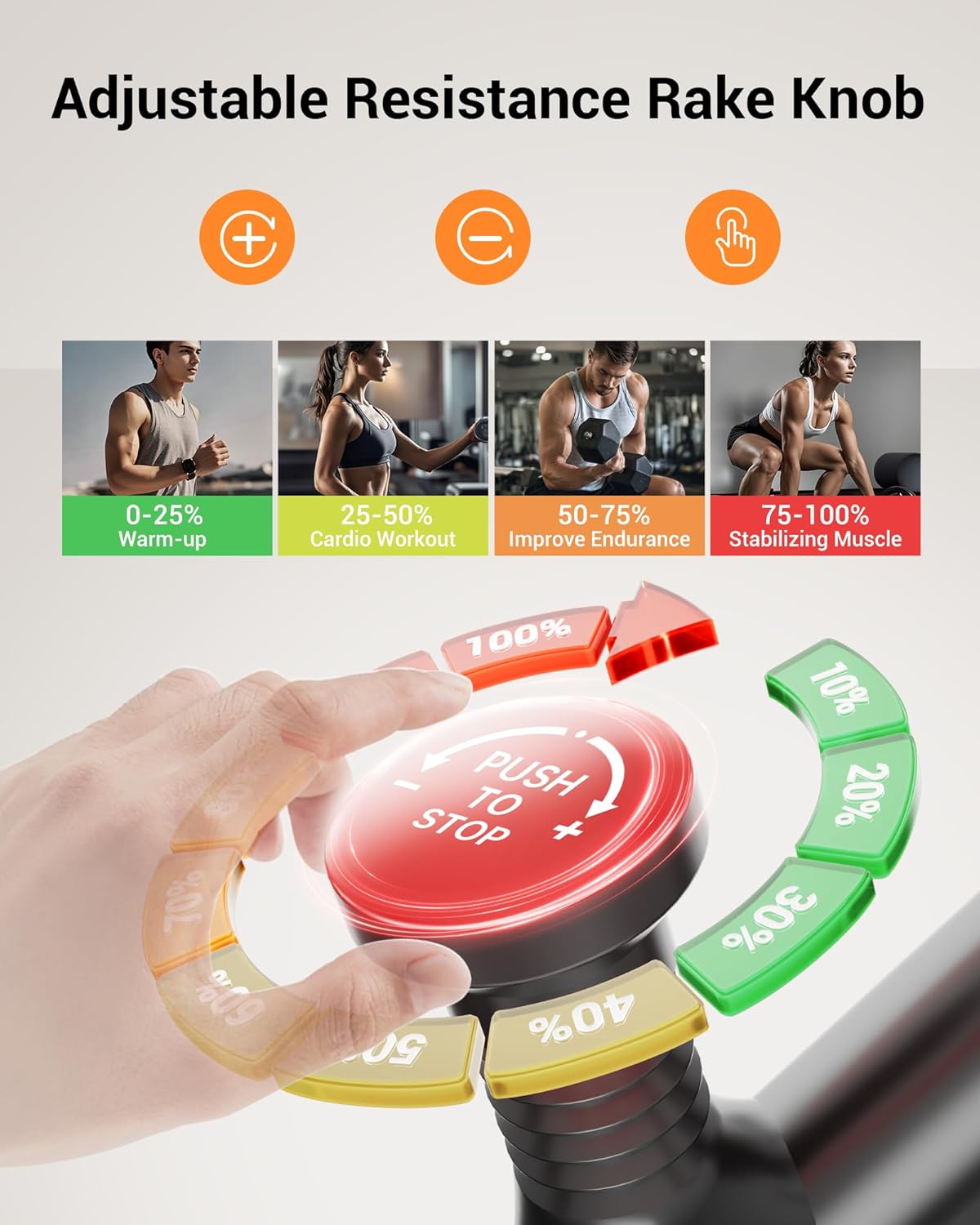
Figure 5.2: Resistance knob for adjusting workout intensity and emergency stop.
6. Operating the Exercise Bike
6.1 Starting a Workout
- Adjust the seat and handlebars to your preferred positions.
- Place your feet securely in the pedal straps.
- Begin pedaling. The monitor will automatically activate and display your workout data.
6.2 Using the Display Monitor
The integrated display monitor tracks various workout metrics:
- Time: Duration of your workout.
- Speed: Current cycling speed.
- Distance: Total distance covered during the workout.
- Calories: Estimated calories burned.
- Heart Rate: (If applicable, requires compatible sensors, not explicitly stated for this model but common for exercise bikes).
- Odometer: Total accumulated distance.
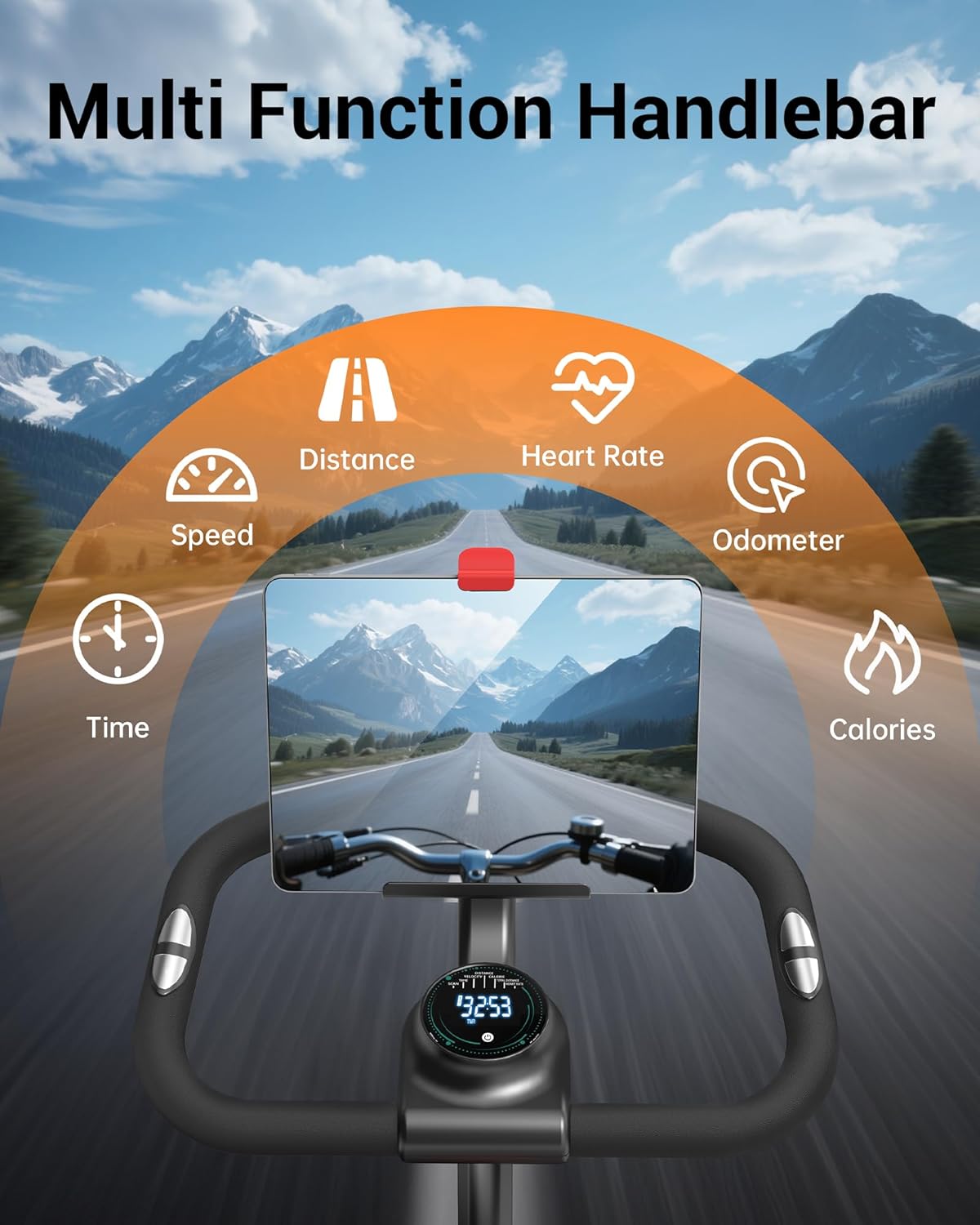
Figure 6.1: Handlebar with display monitor and tablet holder.
7. Features
- Silent Belt Drive: The multi-slot silent belt drive system reduces noise to below 25dB, providing a smooth and quiet riding experience.
- Tablet & Bottle Holder: Integrated holders on the handlebar allow for convenient placement of a tablet or smartphone and water bottles during your workout.
- Sturdy Construction: Built with high-carbon steel and a triangular structure, ensuring durability and stability.
- Transport Wheels: Equipped with front-mounted transport wheels for easy relocation of the bike.

Figure 7.1: Silent belt drive mechanism.

Figure 7.2: Transport wheels for easy movement.
8. Maintenance
Regular maintenance helps ensure the longevity and optimal performance of your exercise bike.
- Cleaning: Wipe down the bike with a damp cloth after each use to remove sweat and dust. Avoid abrasive cleaners.
- Inspection: Periodically check all bolts, nuts, and moving parts for tightness and wear. Tighten any loose components.
- Lubrication: The belt drive system is generally maintenance-free. Consult the manufacturer if any squeaking or unusual noises occur from the drive system.
- Storage: Store the bike in a dry, cool place away from direct sunlight and extreme temperatures.
9. Troubleshooting
This section addresses common issues you might encounter with your exercise bike.
- Noise during operation: Ensure the bike is on a level surface. Check all bolts and nuts for tightness, especially around the pedals and flywheel. If a clicking noise persists, contact customer support.
- Unstable bike: Verify that the bike is placed on a flat surface and adjust the leveling feet on the stabilizer bars if necessary.
- Display not working: Check the battery in the monitor and replace if needed. Ensure all connections to the monitor are secure.
- Resistance not changing: Inspect the resistance knob and its connection to the flywheel. Ensure it turns freely and engages the resistance mechanism.
For issues not covered here, please contact CURSOR FITNESS customer support.
10. Specifications
| Feature | Specification |
|---|---|
| Brand | CURSOR FITNESS |
| Model Number | CBE10 |
| Color | Black-orange |
| Material | Alloy Steel |
| Resistance Mechanism | Friction (Micro-adjustable) |
| Number of Resistance Levels | 100 |
| Maximum Weight Recommendation | 300 Pounds |
| Item Weight | 39.7 Pounds |
| Product Dimensions (LxWxH) | 31.5"D x 21.25"W x 43.3"H |
| Power Source | Battery Powered (for monitor) |
| UPC | 850074066477 |
11. Warranty and Support
CURSOR FITNESS is committed to providing quality products and customer satisfaction. For warranty information, technical assistance, or any inquiries regarding your Exercise Bike Model CBE10, please refer to the contact information provided with your purchase or visit the official CURSOR FITNESS website.
Please retain your proof of purchase for any warranty claims.