
Product Overview
The Belkin SoundForm Rhythm ANC True Wireless Earbuds provide a seamless audio experience with Active Noise Cancellation (ANC) and clear call quality. Designed for comfort and durability, these earbuds feature Bluetooth multipoint connectivity, allowing simultaneous connection to two devices. Enjoy extended listening with up to 28 hours of combined battery life (8 hours per earbud plus 20 hours from the charging case) and fast USB-C charging.
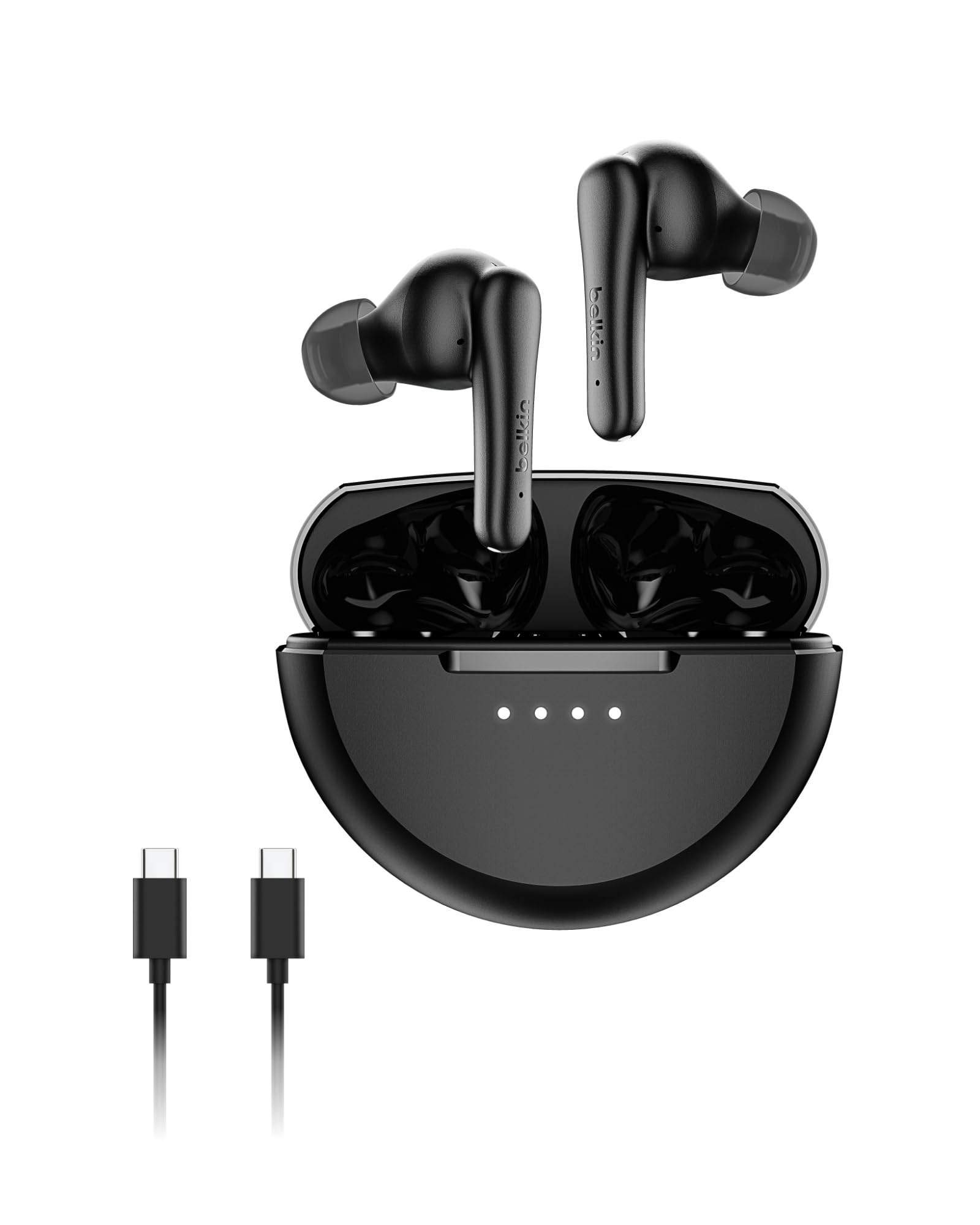
Image: Belkin SoundForm Rhythm ANC True Wireless Earbuds and their charging case.
What's in the Box
- 1 x SoundForm Rhythm ANC Earbuds
- 1 x Charging Case
- 3 pairs of silicone ear tips (S, M, L)
- 1 x USB-C to USB-A charging cable
- Quick Start Guide

Image: All items included in the Belkin SoundForm Rhythm ANC Earbuds package.
Setup Guide
1. Initial Charging
Before first use, ensure the earbuds and charging case are fully charged. Connect the provided USB-C cable to the charging case and a power source. The LED indicators on the case will show charging status.
2. Ear Tip Selection and Fit
For optimal sound quality and comfort, choose the ear tip size that best fits your ears. The package includes small (S), medium (M), and large (L) ear tips. Gently insert the earbud into your ear and adjust for a snug and secure fit.

Image: Visual guide for selecting ear tips and proper earbud placement.
3. Bluetooth Pairing
- Open the charging case. The earbuds will automatically enter pairing mode.
- On your device (smartphone, tablet, etc.), go to Bluetooth settings.
- Select "Belkin SoundForm Rhythm ANC" from the list of available devices.
- Once connected, the earbuds are ready for use.
4. Bluetooth Multipoint Connection
The earbuds support Bluetooth multipoint, allowing connection to two devices simultaneously. After pairing with the first device, disconnect it, then pair with the second device. Reconnect to the first device, and the earbuds will maintain connection to both, allowing seamless switching between audio sources.
Operating Instructions
Touch Controls
The earbuds feature touch-sensitive controls on both the left (L) and right (R) earbuds. Refer to the table below for specific functions:
| Action | Left Earbud (L) | Right Earbud (R) |
|---|---|---|
| Play/Pause | 1 Tap | 1 Tap |
| Next Track | 2 Taps | 2 Taps |
| Previous Track | 3 Taps | 3 Taps |
| Answer/End Call | 2 Taps | 2 Taps |
| Reject Call | Hold 2s | Hold 2s |
| Voice Assistant | Hold 2s | Hold 2s |

Image: Detailed touch control functions for the earbuds.
Noise Control Modes
The earbuds offer three listening modes: Active Noise Cancellation (ANC), Hear-Thru, and Standard. You can switch between these modes by pressing and holding the left earbud for 2 seconds.
- ANC (Active Noise Cancellation): Filters out unwanted background noise for immersive sound.
- Hear-Thru Mode: Allows ambient noise to pass through, keeping you aware of your surroundings.
- Standard Listening Mode: Delivers exceptional audio without active noise cancellation or ambient sound pass-through.

Image: Instructions for switching between noise control modes.
EQ Presets
Customize your listening experience with three Equalizer (EQ) presets: Belkin Signature Sound, Bass Boost, and Balanced. To cycle through these presets, press and hold both the left and right earbuds simultaneously for 1 second.
- Belkin Signature Sound: Tuned for balanced bass and crisp highs.
- Bass Boost: Provides deeper lows for powerful music.
- Balanced: Offers clear and full sound, optimized for podcasts and voices.

Image: Instructions for adjusting EQ presets.
Maintenance
Cleaning
Regularly clean your earbuds and charging case to maintain optimal performance and hygiene. Use a soft, dry, lint-free cloth to wipe the surfaces. For the ear tips, remove them from the earbuds and gently clean with a damp cloth, then allow them to dry completely before reattaching.
Storage
When not in use, store the earbuds in their charging case to protect them and ensure they remain charged. Avoid storing them in extreme temperatures or humid environments.
Troubleshooting
Earbuds Not Pairing
- Ensure the earbuds are charged and removed from the charging case.
- Verify Bluetooth is enabled on your device.
- Try forgetting the device in your Bluetooth settings and re-pairing.
- Place earbuds back in the case, close the lid, wait a few seconds, then open to reset pairing mode.
Low Sound Quality or Volume
- Check that the ear tips are correctly sized and securely fitted in your ears to create a proper seal.
- Clean any debris from the earbud speakers and ear tips.
- Adjust the volume on both your connected device and the earbuds.
- Cycle through the EQ presets to see if a different setting improves sound.
Active Noise Cancellation Not Working Effectively
- Ensure ANC mode is activated (cycle through modes by holding the left earbud for 2 seconds).
- Confirm a tight seal with the correct ear tip size. A poor seal can significantly reduce ANC performance.
Specifications
| Feature | Detail |
|---|---|
| Model Number | AUC015fqBK |
| Brand | Belkin |
| Color | Black |
| Ear Placement | In Ear |
| Noise Control | Active Noise Cancellation |
| Battery Life | 8 hours (earbuds) + 20 hours (case) = 28 hours total |
| Fast Charging | 10 minutes charge for 90 minutes playtime |
| Bluetooth Version | 5.4 |
| Bluetooth Range | Up to 30 feet |
| Water Resistance | IPX5 (sweat and water resistant) |
| Microphones | 4 (2 per earbud) for clear call quality |
| Driver Size | 10mm |
| Weight | 0.15 Pounds (total) |
| Material | Plastic (made with post-consumer recycled materials) |
Warranty and Support
The Belkin SoundForm Rhythm ANC True Wireless Earbuds come with a 2-Year Manufacturer Warranty. This warranty covers defects in materials and workmanship under normal use. For warranty claims or technical support, please visit the official Belkin support website or contact their customer service.

Image: Belkin product protection information.