
1. Introduction
Thank you for choosing the ANWOON Sound Machine with Aroma Diffuser. This device is designed to create a serene and relaxing environment, promoting better sleep, focus, and overall well-being. It combines a high-fidelity sound machine, an ultrasonic aroma diffuser, and a soothing night light, all encased in a premium metal shell. Please read this manual carefully to ensure proper use and maintenance of your device.
2. Safety Information
- Always place the device on a stable, flat surface.
- Do not immerse the device in water or any other liquid.
- Ensure the power adapter is correctly connected to a suitable power outlet.
- Use only clean tap water or distilled water for the aroma diffuser.
- Avoid using corrosive essential oils or fragrances that may damage the diffuser.
- Keep out of reach of children and pets.
- Unplug the device when not in use or before cleaning.
- Do not block the ventilation openings.
3. Package Contents
- ANWOON Sound Machine with Aroma Diffuser
- Power Adapter
- User Manual
4. Product Overview
The ANWOON Sound Machine integrates multiple features into a single, elegant device. Below is an overview of its main components and controls.

Figure 1: Front view of the ANWOON Sound Machine with Aroma Diffuser. This image shows the sleek, grey device with its perforated speaker grille and control buttons on the top panel, ready for use.

Figure 2: Detailed diagram illustrating the control panel of the ANWOON Sound Machine, highlighting buttons for sound, diffuser, Schumann wave, light, timer, and play modes.
Key Features:
- Multi-Function Design: Combines sound machine, aroma diffuser, and night light.
- Sound Variety: Over 50 natural sounds, including white noise, brown noise, pink noise, ocean, rain, brook, bird, thunderstorm, bonfire, fan, heartbeat, singing bowl, and calming music.
- Stereo Sound: Premium 3-inch speaker with 27-level adjustable volume and Bluetooth connectivity.
- Aromatherapy: Built-in ultrasonic cool mist diffuser for essential oils, with waterless auto-off.
- Soothing Night Light: Adjustable breathing light with 7 colors and 4 dynamic modes.
- Easy to Use: Power Nap Timer (30/90/120 minutes), 6 customizable shortcut keys, and memory function.
- Durable Design: Aviation-grade aluminum alloy shell.
5. Setup
5.1 Power Connection
- Connect the power adapter to the DC12V port located at the bottom of the device.
- Plug the power adapter into a standard electrical outlet.
- Press and hold the power button on the front of the device to turn it on.
5.2 Aroma Diffuser Setup
- Gently lift the top cover of the device.
- Pull out the water tank module by lifting its handle.
- Open the cap of the water tank and fill it with clean tap water or distilled water up to the 'Max' line.
- Add 3-5 drops of your preferred essential oil into the water tank.
- Close the water tank cap securely and place the module back into the device, ensuring it clicks into place.
- Close the top cover.
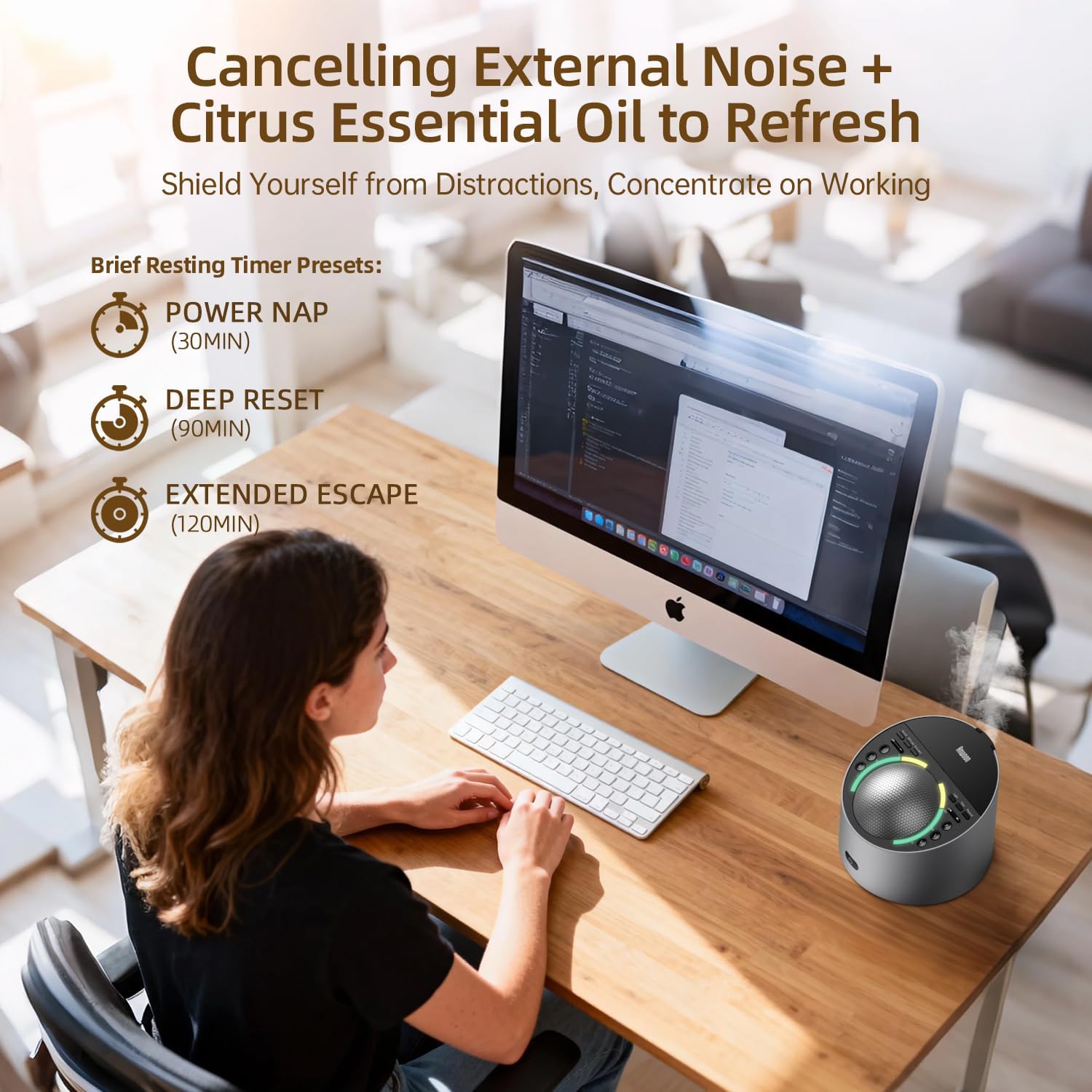
Figure 3: The removable water tank for the aroma diffuser is shown alongside essential oil bottles, illustrating the process of adding water and scents to the device.
6. Operating Instructions
6.1 Power On/Off
- To turn on: Press and hold the power button (⏻) on the front panel.
- To turn off: Press and hold the power button (⏻) again.
6.2 Sound Functions
- Selecting Sounds: Use the 'Sound' buttons (I, II, III for categories, IV, V, VI for shortcuts) or the track skip buttons (⟪ / ⟫) to cycle through over 50 natural sounds.
- Adjusting Volume: Use the volume buttons (+ / -) to adjust the 27 levels of sound volume.
- Bluetooth Mode: Press the 'Playmod' button to switch to Bluetooth mode and connect your device for playing custom audio.

Figure 4: An illustration of the sound machine's diverse soundscapes, categorized for different needs like sleep, relaxation, and children's use, accessible via customizable shortcut buttons.

Figure 5: A detailed view of the sound machine's 3-inch stereo speaker and durable aluminum alloy casing, emphasizing its ability to produce clear, high-quality sound to mask external noise.
6.3 Aroma Diffuser
- To activate the diffuser: Press the 'Diffuser' button. Mist will begin to emit from the top.
- To deactivate the diffuser: Press the 'Diffuser' button again.
- The diffuser features waterless auto-off for safety.

Figure 6: The sound machine actively diffusing mist, demonstrating its aromatherapy function in a home setting.
6.4 Night Light
- To turn on/off the night light: Press the 'Light' button.
- To cycle through colors and dynamic modes: Press the 'Light' button repeatedly. There are 7 colors and 4 dynamic breathing modes available.

Figure 7: The sound machine providing a calming ambiance with its adjustable breathing light, ideal for creating a peaceful environment for babies and children.
6.5 Timer Function
- To set a sleep timer: Press the 'Timer' button to select 30, 90, or 120 minutes. The device will automatically turn off after the selected duration.
- The Power Nap Timer activates noise shielding, breathing light, fragrance mist, and Schumann wave for the set duration.

Figure 8: The sound machine positioned in an office setting, demonstrating its utility for focus and relaxation during work hours with preset timer options.
6.6 Schumann Wave
- To activate/deactivate the Schumann Wave: Press the 'Schumann' button. This feature emits a 7.83Hz Earth frequency, believed to aid in relaxation and focus.

Figure 9: A visual representation of the Schumann Wave module, which can be integrated to provide specific frequencies for improved well-being.
6.7 General Operation Video
Video 1: This video demonstrates the ANWOON Sound Machine's features, including its soundscapes, aromatherapy function, Schumann wave, and night light, showcasing its benefits for sleep and relaxation.
7. Maintenance
7.1 Cleaning the Aroma Diffuser
- Unplug the device from the power outlet.
- Remove the top cover and carefully take out the water tank module.
- Empty any remaining water from the tank.
- Wipe the inside of the water tank with a soft, damp cloth. For stubborn residue, use a cotton swab dipped in white vinegar to gently clean the ultrasonic plate.
- Rinse the tank thoroughly with clean water.
- Allow all components to air dry completely before reassembling.
7.2 General Care
- Wipe the exterior of the device with a soft, dry cloth.
- Do not use abrasive cleaners or solvents.
- Store the device in a cool, dry place when not in use for extended periods.
8. Troubleshooting
| Problem | Possible Cause | Solution |
|---|---|---|
| Device does not power on. | Power adapter not connected or faulty. | Ensure the power adapter is securely plugged into the device and the wall outlet. Try a different outlet. |
| No mist from diffuser. | Water tank is empty or below minimum level. | Refill the water tank to the 'Max' line. |
| No mist from diffuser. | Ultrasonic plate is dirty. | Clean the ultrasonic plate as described in the Maintenance section. |
| Sound quality is poor or distorted. | Volume too high or low. | Adjust the volume using the + / - buttons. |
| Bluetooth connection issues. | Device not in Bluetooth mode or out of range. | Ensure the device is in Bluetooth mode and within range of your paired device. Re-pair if necessary. |
9. Specifications
| Feature | Detail |
|---|---|
| Product Dimensions | 6.57 x 6.57 x 5.24 inches |
| Item Weight | 2.7 Pounds |
| Color | Grey |
| Material Type | Metal (Aviation grade aluminum alloy shell) |
| Manufacturer | Anwoon |
| Model Number | TIANTIN1 3NT |
| Unit Count | 1 Count |
| Certifications | FCC, CE, RoHS Approved |
10. Warranty and Support
The ANWOON Sound Machine is built with durable, aviation-grade aluminum alloy and is approved by FCC, CE, and RoHS standards. For any issues or inquiries, please do not hesitate to contact us. We are committed to providing the best possible support and will do our best to assist you.


