
1. Safety Information
Read all instructions carefully before using the treadmill. Keep children and pets away from the treadmill during operation. Always ensure the safety key is properly attached before starting the unit. Remove the safety key when the unit is not in use.
Important Safety Precautions:
- Always consult a physician before starting any exercise program.
- Do not operate the treadmill if it has a damaged cord or plug, or if it is not working properly.
- Keep hands and feet clear of all moving parts.
- Do not use the treadmill outdoors or in areas with high humidity.
- Ensure the treadmill is placed on a flat, stable surface.
- Wear appropriate exercise attire and footwear.
- The maximum user weight capacity for this treadmill is 350 lbs.
2. Package Contents
Verify all components are present before assembly:
- Treadmill ×1
- Safety Key ×1
- User Manual ×1
- Toolkit ×1
- Left/Right Covers ×2

Image: Overview of the CIIHI Treadmill and its included accessories.
3. Setup and Assembly
The CIIHI Treadmill is designed for quick and easy setup, with 90% pre-assembly. Follow these steps to complete the assembly:
3.1 Unboxing and Initial Setup
- Carefully remove the treadmill from its packaging.
- Place the folded treadmill on a flat surface.
- Lift the fixed column (handlebar assembly) into the upright position.
Image: The treadmill in its folded state and the initial step of lifting the console.
3.2 Securing the Console
- Locate the pre-installed screws on the fixed column. Remove these screws.
- Attach the left and right covers to the base of the fixed column using the provided M4x20 screws.
- Align the column and treadmill holes, then screw in the M8 knobs on both sides to secure the fixed column. Ensure they are tightened smoothly.
- Use the provided M8 screws and L-style wrench to fix the console to the uprights.

Image: Detail of the console attachment points.
Video: Official assembly guide for the CIIHI XM02F Auto Incline Treadmill, demonstrating step-by-step setup.
3.3 Power Connection
- Plug the power cord into the treadmill's power input.
- Flip the power switch to the "ON" position.
- Insert the safety key into its designated slot on the console.
3.4 Folding and Moving
The treadmill features a space-saving foldable design with built-in wheels for easy movement.
- To fold: Ensure the treadmill is off and unplugged. Unscrew the M8 knobs and fixing screws on both sides of the uprights. Gently lower the console until the treadmill is flat.
- To move: Tilt the folded treadmill using the built-in wheels and roll it to your desired storage location. It can be stored under a sofa or upright against a wall.

Image: The treadmill in its folded position, demonstrating its compact storage capability.
4. Operating Instructions
4.1 Control Panel Overview
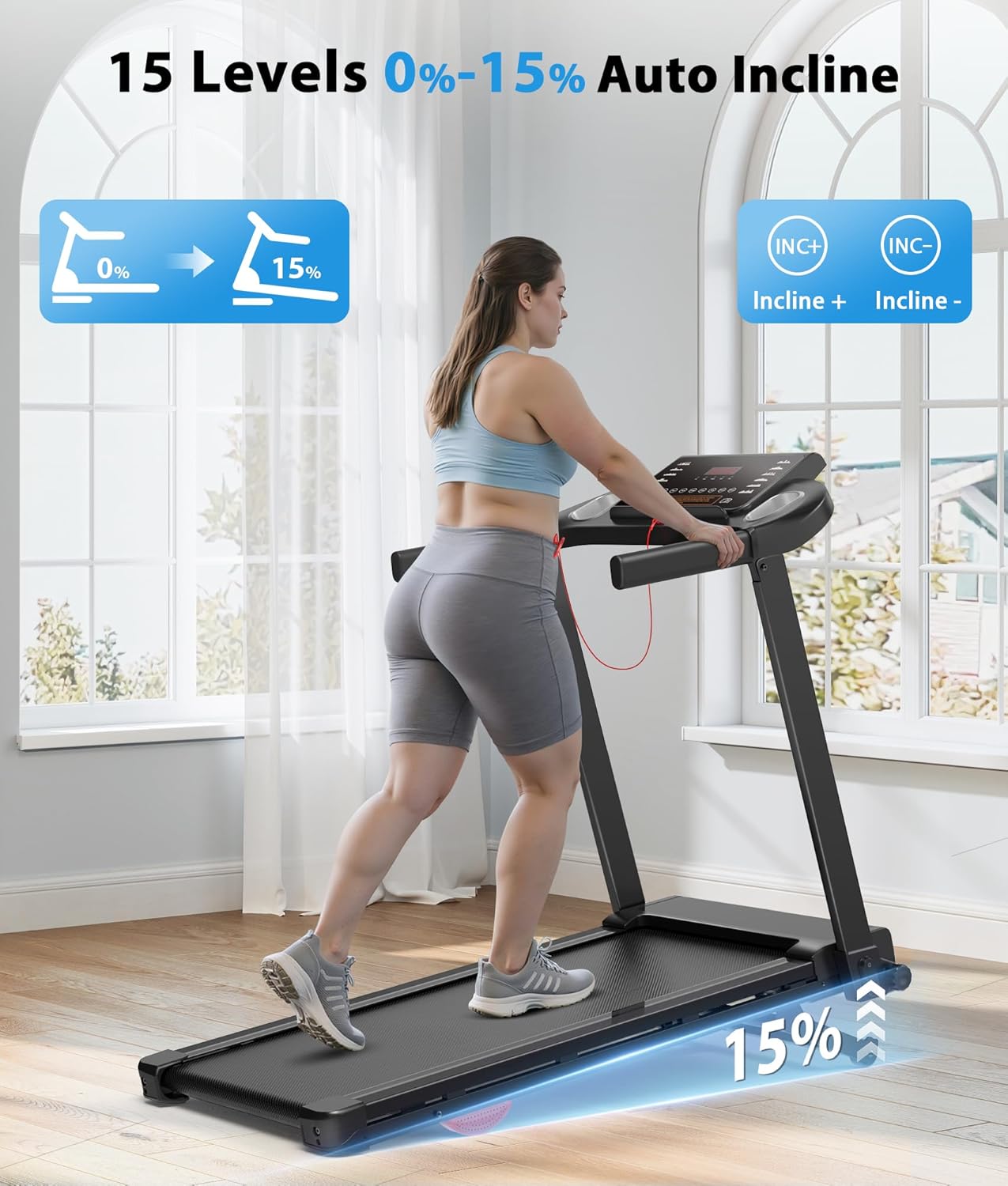
Image: Detailed view of the treadmill's digital display and control buttons.
- Display: Shows Calories, Incline, Speed, Time, and Distance.
- Start/Stop: Initiates and pauses/stops the workout.
- Speed +/-: Adjusts the running speed (0.6 - 7.6 MPH). Quick speed buttons (2, 5, 8 MPH) are also available.
- Incline +/-: Adjusts the incline level (0-15%). Quick incline buttons (3, 6, 9%) are also available.
- Programs (PROG): Selects from 12 built-in preset workout programs.
- Mode (MODE): Switches between different display modes or workout settings.
- Handrail Controls: Additional buttons on the handrails allow for quick speed and incline adjustments.
- Safety Key: Must be in place for the treadmill to operate. Pulling it out will immediately stop the treadmill.
- Connectivity: USB port and Bluetooth for connecting devices and fitness apps.
4.2 Using Smart Apps
The treadmill supports connectivity with three fitness apps for enhanced workout experiences:
- Connect your device via Bluetooth.
- Download and open the compatible fitness app (e.g., FitShow, Kinomap, Zwift).
- Follow the app's instructions to track progress, explore virtual routes, and access extensive training courses.

Image: Treadmill console with a smartphone connected to a fitness app.
5. Maintenance
Regular maintenance ensures the longevity and optimal performance of your treadmill.
5.1 Cleaning
- Wipe down the console and other surfaces with a damp cloth after each use.
- Avoid using abrasive cleaners or solvents that may damage the finish.
- Periodically vacuum under the treadmill to prevent dust buildup.
5.2 Lubrication
- The running belt requires periodic lubrication with silicone lubricant (included in toolkit).
- Refer to the detailed instructions in the user manual for proper lubrication frequency and procedure.
6. Troubleshooting
If you encounter any issues, refer to the following common solutions:
| Problem | Possible Cause | Solution |
|---|---|---|
| Treadmill does not start | Power cord unplugged, safety key not in place, power switch off. | Check power connection, ensure safety key is inserted, turn power switch on. |
| Running belt slips | Belt too loose, insufficient lubrication. | Adjust belt tension (refer to manual), apply silicone lubricant. |
| Unusual noise during operation | Loose components, belt friction. | Check and tighten all screws, lubricate the running belt. |
For issues not listed here, or if solutions do not resolve the problem, please contact customer support.
7. Specifications
| Feature | Detail |
|---|---|
| Brand | CIIHI C |
| Model Name | XM02F |
| Color | Black |
| Product Dimensions | 47.6"D x 23.9"W x 41.1"H |
| Folded Size | 47.83" x 23.62" x 8.86" |
| Item Weight | 60.3 Pounds |
| Material | Alloy Steel |
| Maximum Speed | 7.6 Miles per Hour |
| Minimum Speed | 0.6 Miles per Hour |
| Maximum Horsepower | 2.5 Horsepower |
| Maximum Incline Percentage | 15.0% (Auto Incline) |
| Maximum Weight Recommendation | 350 Pounds |
| Running Belt Dimensions | 38.2" × 15.6" |
| Connectivity Technology | Fitness Apps (Bluetooth) |
| Special Feature | Wheels for portability |
| Assembly Required | Yes (minimal) |
8. Warranty and Support
CIIHI C is committed to providing quality products and customer satisfaction.
- Warranty: 12 Months Free Parts.
- Customer Support: Expect a response within 24 hours for any inquiries or assistance.
- Returns: 30-day easy returns policy.
- For support, please refer to the contact information provided with your purchase or visit the official CIIHI C store.

Image: CIIHI C customer support and warranty information.