
1. Product Overview
The Tangxi Retractable Wireless Headset (Model: Tangxiof8cg2a0q6-11) is a Bluetooth 5.4 clip-on lavalier headphone designed for versatile use, including sports, workouts, and driving. It features a retractable earbud design, an LED digital display for battery status, and an ENC noise-canceling microphone for clear communication.
Key Features:
- Retractable Design: Prevents wire entanglement and offers easy storage.
- Long-Lasting Battery: Up to 18 hours of music playback/talk time, 18 days standby, with fast charging (99% in 20 minutes) and a detachable battery for extended use.
- Smart LED Display: Real-time battery status indicator.
- Crystal Clear Communication: Built-in ENC noise-canceling microphone reduces background noise.
- Bluetooth 5.4: Ensures stable connectivity and high-quality sound.
- Dual Connectivity: Supports simultaneous pairing with two devices.

Figure 1: Front view of the Tangxi Retractable Wireless Headset.
2. Setup Guide
2.1 Charging the Headset
Before first use, fully charge the headset. The LED digital display will show the battery percentage.
- Connect the charging cable to the headset's fast charging port.
- Connect the other end of the cable to a USB power source.
- The LED display will indicate charging status. A full charge (99%) can be achieved in approximately 20 minutes.
The headset features a detachable battery. To swap batteries, gently remove the current battery and insert a charged one. This allows for extended listening sessions without interruption.

Figure 2: Illustration of the detachable battery feature for instant power swap.
2.2 Pairing with a Device
The headset uses Bluetooth 5.4 for wireless connection.
- Power On: Press and hold the Power button for 2 seconds until the LED display lights up and indicates pairing mode (often a flashing Bluetooth icon or specific number).
- Activate Bluetooth: On your smartphone, tablet, or PC, go to Bluetooth settings and turn on Bluetooth.
- Select Device: Search for available devices and select "Tangxi Headset" (or similar name) from the list.
- Confirm Pairing: Once connected, the LED display will show a steady Bluetooth icon or a confirmation message.
Smart Dual Connectivity: This headset supports simultaneous pairing with two mobile phones. After pairing with the first device, follow the same steps to pair with a second device. The headset will intelligently switch between the two connected devices as needed.

Figure 3: The headset demonstrating simultaneous connection to two mobile devices.
2.3 Wearing the Headset
The headset features a clip-on design for secure and comfortable wear.
- Clip the main unit onto your collar, shirt, or other clothing item.
- Gently pull the earbud wire to extend it to a comfortable length (up to 35cm).
- Insert the earbud into your ear.

Figure 4: Proper wearing of the headset, clipped to clothing.
3. Operating Instructions
3.1 Basic Controls
The headset features intuitive buttons for various functions. Refer to the diagram below for button locations.

Figure 5: Control layout and functions of the headset.
- Power On: Press and hold the Power button for 2 seconds.
- Power Off: Press and hold the Power button for 5 seconds.
- Answer a Call: Short press the Multi-function button when a call comes in.
- Hang Up a Call: Short press the Multi-function button during a call.
- Reject a Call: Press and hold the Multi-function button for 2 seconds when a call comes in.
- Redial Last Number: Double press the Multi-function button.
- Play/Pause Music: Short press the Multi-function button.
- Volume Up (+): Press the Volume + button twice.
- Volume Down (-): Press the Volume - button twice.
- Next Song: Long press the Volume - button.
- Previous Song: Long press the Volume + button.
3.2 Retracting the Earbud
To retract the earbud wire, press the dedicated retraction button on the side of the headset. The wire will automatically retract into the unit, keeping it neat and tangle-free.
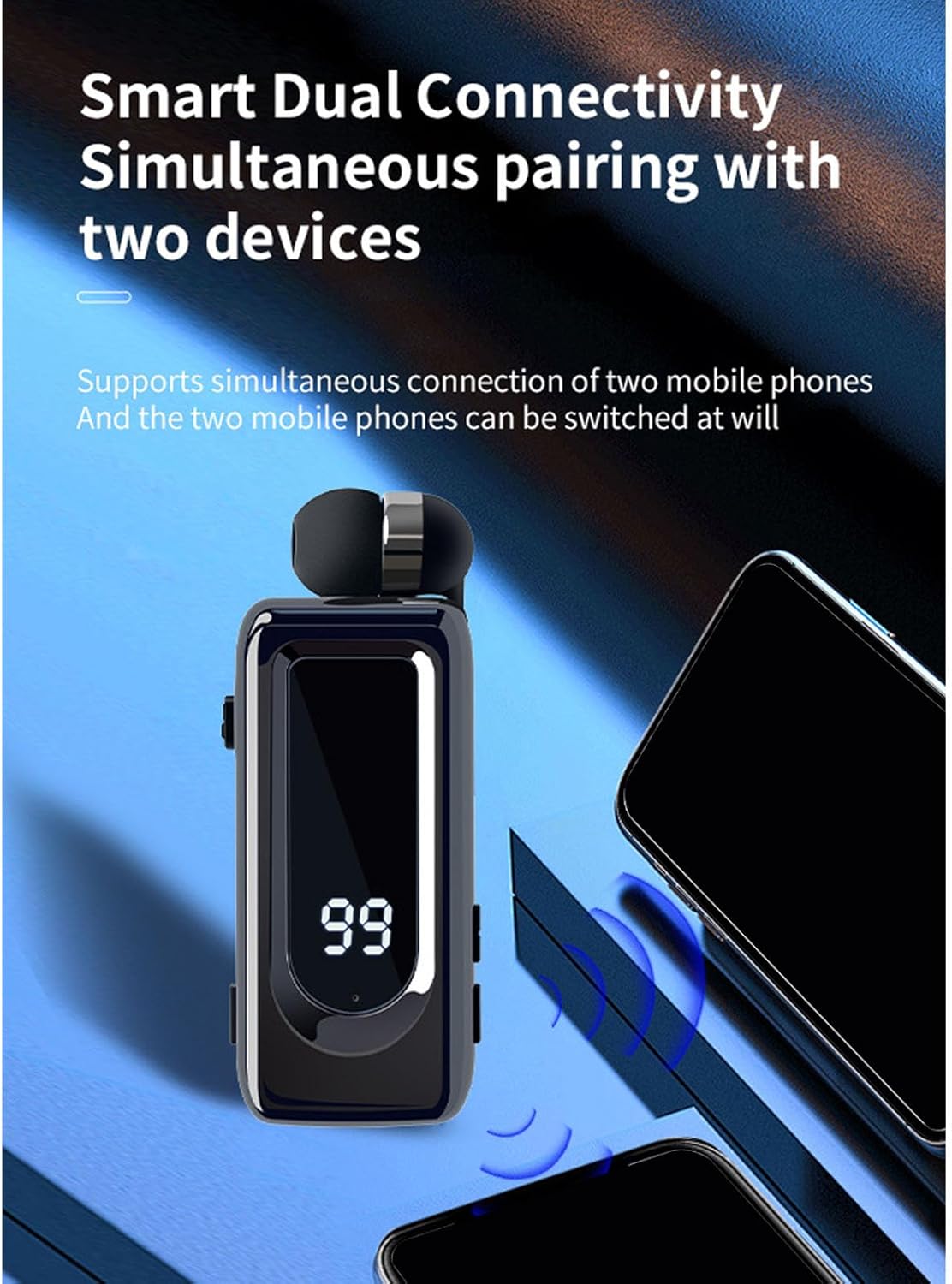
Figure 6: Demonstrating the earbud retraction mechanism.
3.3 LED Digital Display
The LED display provides real-time information:
- Battery Percentage: Shows the remaining battery life.
- Charging Status: Indicates when the device is charging.
- Pairing Status: May show an icon or message when in pairing mode or connected.
3.4 Call Vibration Alerts
The headset is equipped with call vibration alerts and disconnect warnings. When an incoming call is received, the headset will vibrate to notify you, ensuring you don't miss important calls even in noisy environments. It also vibrates to alert you of a disconnection from your paired device.

Figure 7: Headset vibrating to indicate an incoming call.
4. Maintenance
Proper care ensures the longevity and optimal performance of your Tangxi Retractable Wireless Headset.
4.1 Cleaning
- Use a soft, dry cloth to wipe the headset's surface.
- For earbuds, gently clean with a cotton swab or a soft, slightly damp cloth. Ensure no moisture enters the speaker grille.
- Avoid using harsh chemicals, solvents, or abrasive cleaners.
4.2 Storage
- When not in use, retract the earbud wire completely to prevent damage.
- Store the headset in a cool, dry place, away from direct sunlight and extreme temperatures.
- Keep out of reach of children and pets.
4.3 Battery Care
- Charge the battery regularly, even if not in frequent use, to maintain battery health.
- Avoid fully discharging the battery frequently.
- Use only the provided or certified charging cables and adapters.
5. Troubleshooting
If you encounter issues with your headset, refer to the following common solutions:
| Problem | Possible Cause | Solution |
|---|---|---|
| Headset won't power on | Low battery | Charge the headset fully. |
| Cannot pair with device | Bluetooth not enabled, headset not in pairing mode, or device too far. | Ensure Bluetooth is on, headset is in pairing mode, and within 10 meters. Try restarting both devices. |
| No sound or poor sound quality | Volume too low, headset not properly connected, or interference. | Adjust volume on both headset and device. Re-pair the headset. Move away from sources of interference. |
| Microphone not working | Microphone muted or software issue. | Check device settings to ensure microphone is enabled. Restart the headset and device. |
| Earbud wire not retracting | Mechanism jammed or damaged. | Ensure no obstructions. If issue persists, contact customer support. |
If the problem persists after trying these solutions, please contact Tangxi customer support for further assistance.
6. Product Specifications
| Feature | Detail |
|---|---|
| Model Name | Tangxiof8cg2a0q6-11 |
| Connectivity Technology | Wireless (Bluetooth) |
| Bluetooth Version | 5.4 |
| Bluetooth Range | Up to 10 meters (33 feet) |
| Battery Life (Music/Talk) | Up to 18 hours |
| Standby Time | Up to 18 days |
| Charging Time | Approx. 20 minutes for 99% charge |
| Noise Control Features | ENC Noise Cancellation (Microphone) |
| Compatible Devices | Smartphones, Tablets, PCs |
| Material | Acrylonitrile Butadiene Styrene (ABS), Polycarbonate (PC) |
| Ear Placement | In Ear |
| Form Factor | In Ear |
| Item Weight | 3 ounces |
| Package Dimensions | 6.3 x 3.94 x 1.18 inches |
7. Warranty & Support
7.1 Warranty Information
This product comes with a standard manufacturer's warranty. Please refer to the packaging or the official Tangxi website for specific warranty terms and conditions, including duration and coverage details.
7.2 Customer Support
For technical assistance, troubleshooting not covered in this manual, or warranty claims, please contact Tangxi customer support through the following channels:
- Online Support: Visit the official Tangxi website (Tangxi Store on Amazon) for FAQs and contact options.
- Email Support: Refer to your product packaging for a support email address.
Please have your product model number (Tangxiof8cg2a0q6-11) and purchase date ready when contacting support.