
Introduction
This manual provides detailed instructions for the safe and effective use of your JyliRenz Outdoor Head Lamp, Model JYL-01. This rechargeable headlamp features 6 lighting modes, over 1000 lumens of brightness, and an IPX5 waterproof rating, making it suitable for various indoor and outdoor activities.
Package Contents
- 1x JyliRenz 1000LM Headlamp
- 1x USB-C Cable
- 1x Head Band
Product Overview
The JyliRenz Head Lamp is designed for hands-free illumination. It features a main LED light, side red/white lights, control buttons, a USB-C charging port, and an adjustable headband.
Front view of the JyliRenz headlamp, highlighting the main LED and side lights.
Back view of the headlamp, showing the adjustable strap attachment points.
Setup
Attaching the Headband
- Unpack the headlamp and the elastic headband.
- Locate the attachment points on both sides of the headlamp unit.
- Thread each end of the elastic headband through the respective attachment points on the headlamp.
- Adjust the length of the headband using the buckle to ensure a comfortable and secure fit around your head.
Initial Charging
- Before first use, fully charge the headlamp.
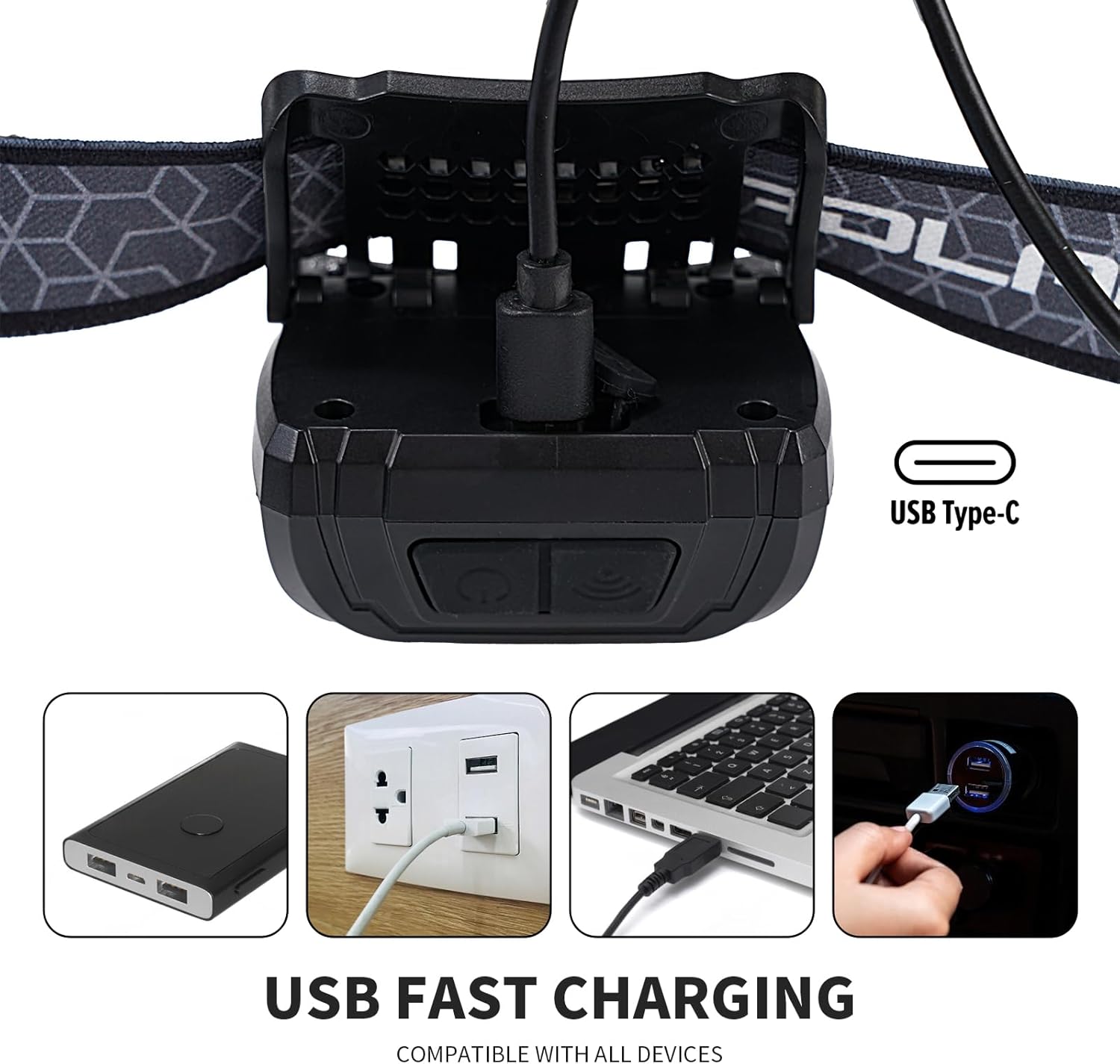
- Locate the USB Type-C charging port on the side of the headlamp.
- Connect the provided USB-C cable to the headlamp's charging port and the other end to a compatible USB power source (e.g., wall adapter, power bank, computer USB port).
- The battery indicator lights will show the charging status. All lights illuminated indicate a full charge.

The headlamp features a USB Type-C charging port, compatible with various power sources for convenient recharging.
Operating Instructions
Power Button and Lighting Modes
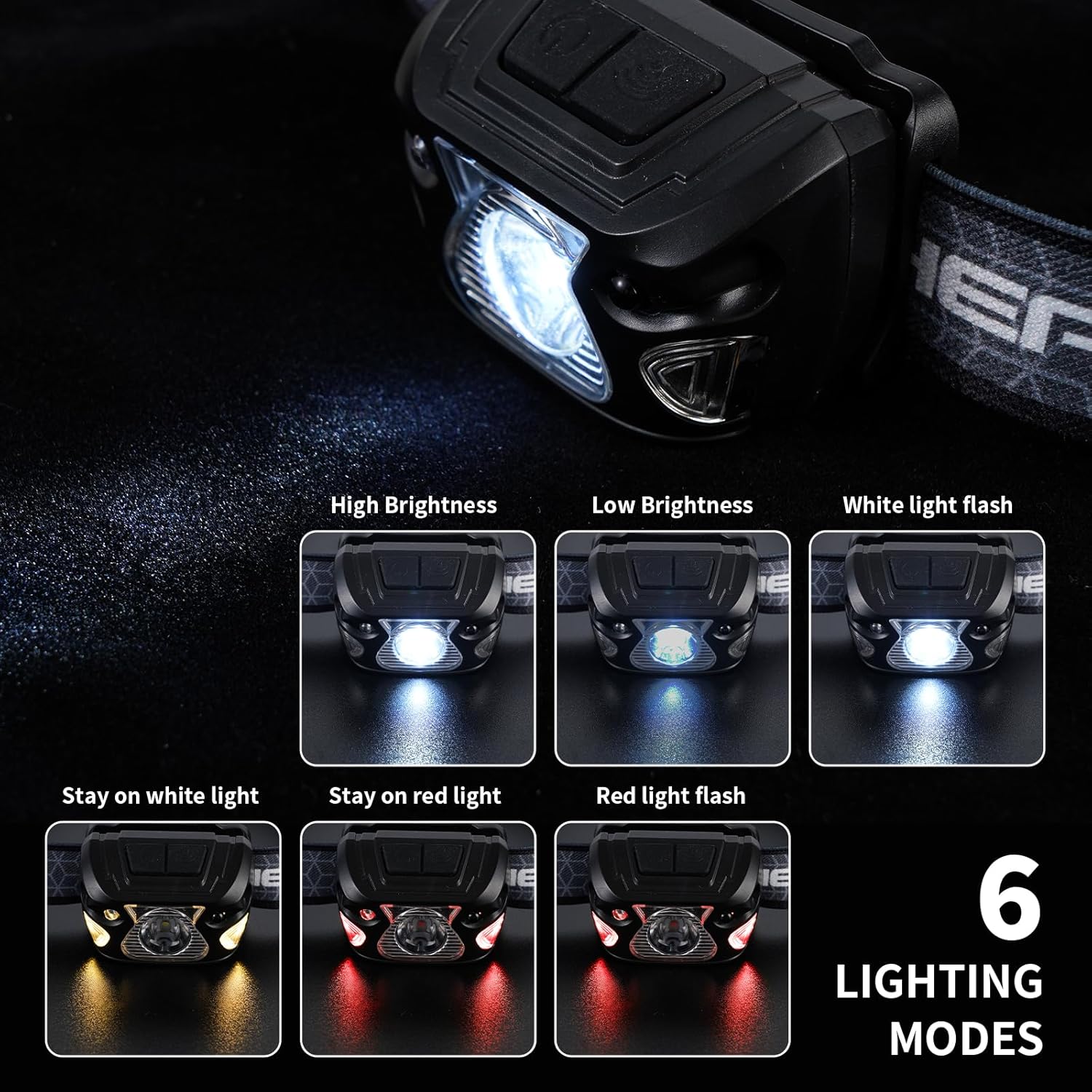
The headlamp features a main power button to cycle through its 6 lighting modes:
- High Brightness: Press the power button once for maximum illumination.
- Low Brightness: Press the power button a second time for reduced light output.
- White Light Flash: Press the power button a third time for a flashing white light.
- Stay on White Light (Side): Press the power button a fourth time to activate the steady white side lights.
- Stay on Red Light (Side): Press the power button a fifth time for steady red side lights.
- Red Light Flash (Side): Press the power button a sixth time for flashing red side lights (emergency signal).
- To turn off the headlamp, press the power button after cycling through all modes, or press and hold the button for a few seconds from any mode.

Visual representation of the six distinct lighting modes available on the headlamp.
Motion Sensor Mode
The headlamp includes a motion sensor for hands-free operation:
- Activate the motion sensor mode by pressing the dedicated sensor button (usually indicated by a wave icon).
- Once activated, you can turn the light on or off by simply waving your hand in front of the sensor.
- The sensor distance is approximately 0.16-0.26 feet (5-8 cm).
Control the headlamp's light with a simple hand wave using the motion sensor feature.
Angle Adjustment
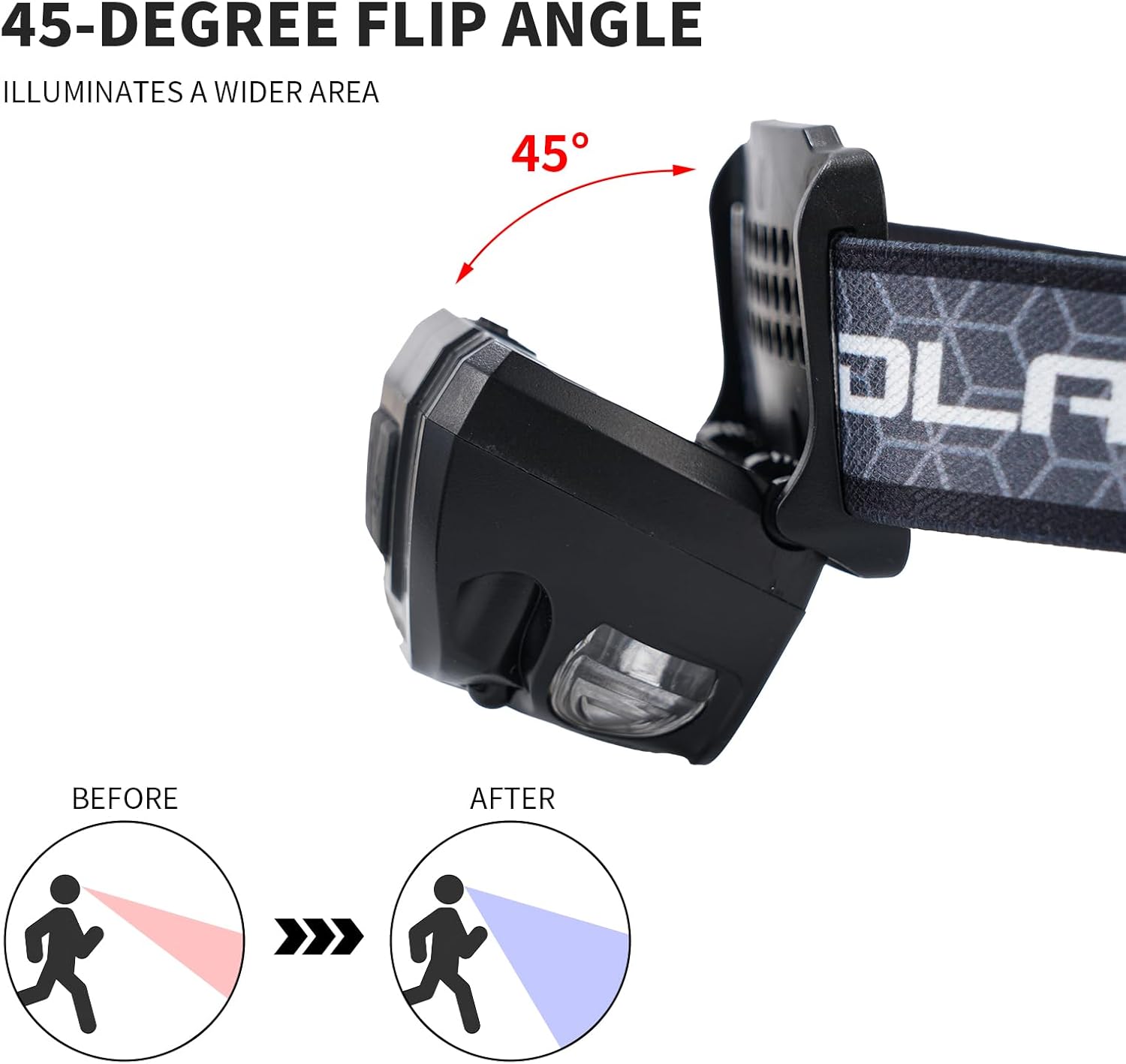
The lamp head can be rotated by 45 degrees to direct the light precisely where needed. This feature is useful for illuminating a wider area or focusing on specific tasks.

The headlamp's 45-degree adjustable angle allows for broader illumination and targeted lighting.
Maintenance
Cleaning
Wipe the headlamp with a soft, damp cloth. Do not use abrasive cleaners or solvents. Ensure the charging port cover is securely closed before cleaning to maintain water resistance.
Storage
Store the headlamp in a cool, dry place when not in use. For long-term storage, charge the battery to approximately 50% every 3-6 months to prolong battery life.
Water Resistance
The headlamp has an IPX5 waterproof rating, meaning it is protected against low-pressure water jets from any direction. It is suitable for use in rainy or snowy conditions but should not be submerged in water.
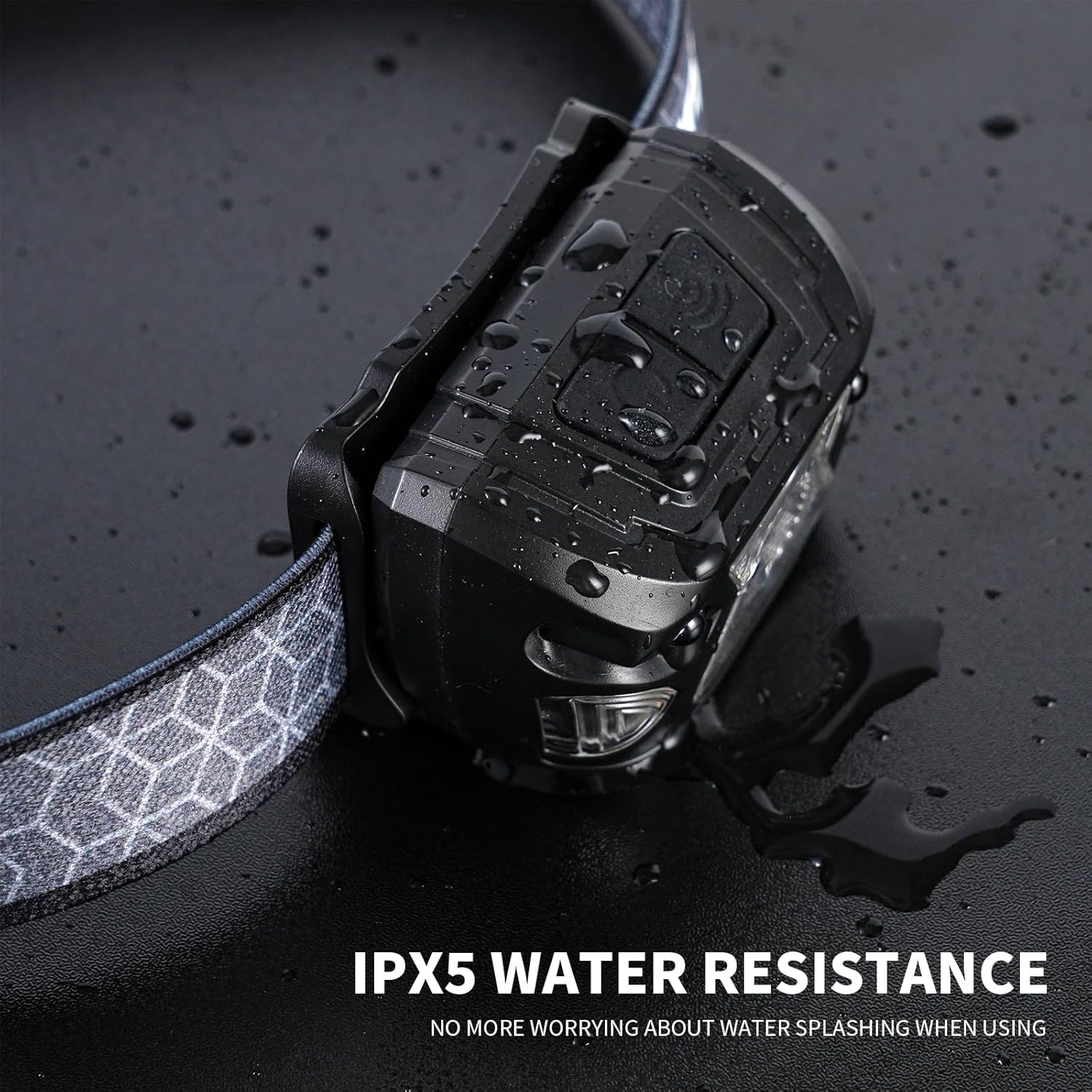
The headlamp is IPX5 water-resistant, providing protection against water splashes and light rain.
Troubleshooting
Light Not Turning On
- Check if the battery is charged. Connect the headlamp to a power source using the USB-C cable.
- Ensure the power button is pressed correctly. Try pressing and holding for a few seconds.
Dim Light Output
- The battery might be low. Recharge the headlamp fully.
- Ensure the headlamp is not in a lower brightness mode. Cycle through the modes using the power button.
Motion Sensor Not Responding
- Ensure the motion sensor mode is activated by pressing the sensor button.
- Check for any obstructions in front of the sensor.
- Ensure your hand is within the optimal sensing distance (0.16-0.26 feet).
Specifications
| Feature | Detail |
|---|---|
| Model Number | JYL-01 |
| Light Source Type | LED |
| White Brightness | 1000 Lumens |
| Lighting Modes | 6 (High, Low, White Flash, Steady White Side, Steady Red Side, Red Flash Side) |
| Power Source | Battery Powered (Rechargeable) |
| Battery Type | Lithium Polymer (1000mAh) |
| Runtime | Up to 12 hours (continuous use) |
| Charging Port | USB Type-C |
| Water Resistance | IPX5 Waterproof |
| Special Features | Adjustable Light Modes, Adjustable Strap, Durable, Foldable, High Lumens, Motion Sensor |
| Item Weight | 0.12 Pounds (approx. 55 grams) |
| Dimensions (L x W x H) | 2.36" x 1.57" x 1.38" |
Official Product Videos
Video demonstrating usage scenarios and functions of the JyliRenz Head Lamp. Creator: Jing Flagship Store.
Video showcasing the super bright illumination of the JyliRenz rechargeable headlamp. Creator: Pretty With a Twist- Reviews.
Short video demonstrating the JyliRenz Head Lamp in use. Creator: Erica L Chilson.
Video highlighting the JyliRenz Head Lamp as a bright and reliable outdoor lighting solution. Creator: Tony.
Warranty and Support
This product comes with a manufacturer and seller warranty. For warranty claims or technical support, please contact the seller directly through your purchase platform or refer to the contact information provided with your product packaging.