
1. Introduction to VersaCheck X1 Gold 2026
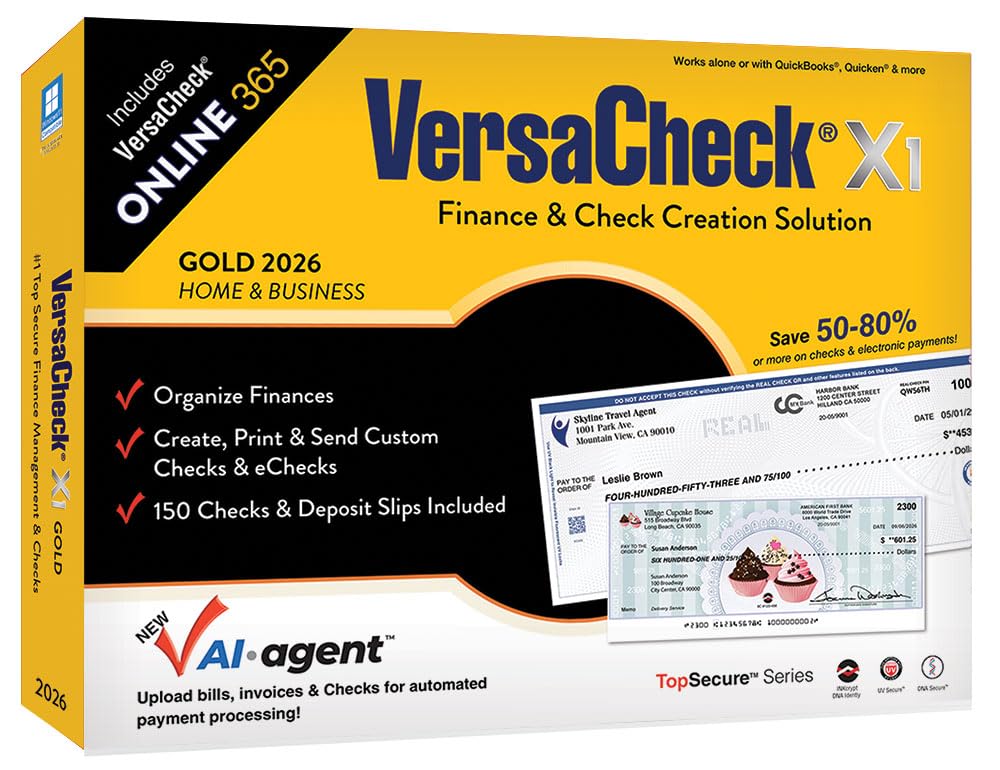
VersaCheck X1 Gold 2026 is a comprehensive financial management solution designed to streamline the tracking of accounts and transactions. This software enables users to write, send, and receive checks efficiently, offering significant cost savings compared to pre-printed checks. It facilitates the creation of secure business and personal checks with advanced counterfeit-proof features.
The software integrates with popular financial applications such as QuickBooks and Quicken, and can also function as a standalone tool. This bundle includes the VersaCheck Software Download, a license for one user, 150 checks and deposit slips, and 165 Print Validation codes. Additional print codes are available with VersaCheck Check Refills.
A bonus one-year subscription to VersaCheck ONLINE is included, providing the flexibility to create, send, and receive bank-compliant checks from any mobile or desktop browser, anytime, anywhere.
2. Setup and Installation
2.1 System Requirements
- Operating System: Windows 11, 10, 8, 7.
- Printer: Compatible with most laser or inkjet printers supported by Windows.
2.2 Software Download and Activation
Follow the instructions provided with your purchase to download and install the VersaCheck X1 Gold 2026 software. You will need your license key to activate the software upon first launch.
2.3 Initial Setup
Upon successful installation, launch VersaCheck X1 Gold 2026. The software will guide you through the initial setup process, which includes creating new accounts and configuring your financial data. You can set up unlimited accounts for various financial needs.

3. Key Features and Operation
3.1 Financial Management
VersaCheck X1 Gold 2026 provides tools for managing finances, accounts receivable, and accounts payable. It allows for tracking transactions, scheduling bills, and managing contacts within a single interface.

3.2 Integration with Financial Software
The software is designed to work seamlessly with QuickBooks, Quicken, Money, Sage, and other financial software. This allows for easy data import and export, ensuring compatibility with existing accounting systems.
3.3 Check Creation and Printing
VersaCheck offers over 30 templates for creating custom business and personal checks. After a quick one-time setup, users can select a payee, enter the amount, and print bank-compliant checks on demand.


4. VersaCheck ONLINE Subscription
The included one-year subscription to VersaCheck ONLINE extends the software's capabilities to a web-based platform. This allows users to create, send, and receive checks using any mobile or desktop browser, providing flexibility and accessibility.
4.1 QuickPass™ Feature
The innovative QuickPass™ feature enables effortless merging of financial data with chosen VersaCheck templates. This results in a ready-to-print check on either blank white paper or VersaCheck's specially designed security check paper. QuickPass™ is compatible with QuickBooks® ONLINE, XERO, NetSuite, Microsoft® Dynamics GP, and other platforms.
5. Security Features
VersaCheck X1 Gold 2026 prioritizes check security with features designed to prevent fraud and counterfeiting. Checks created with VersaCheck are 100% copy-safe and counterfeit-proof, incorporating unique, DNA-identifiable security patterns powered by INKcrypt.

6. Supplies and Compatibility
6.1 Check Paper
VersaCheck software is designed to work with blank check paper, allowing for custom check designs. The bundle includes 150 checks and deposit slips. Additional check paper and refills are available for purchase.
6.2 Magnetic Ink and Toner (MICR)
To comply with financial industry regulations, VersaCheck requires the use of financial industry-approved magnetic VersaInk® or VersaToner® for printing checks. This ensures that the checks are readable by bank processing equipment.

7. Troubleshooting
For common issues, refer to the VersaCheck support website or the in-software help documentation. Ensure your software is up to date and your printer drivers are correctly installed. Verify that you are using genuine VersaInk or VersaToner for check printing to avoid processing errors.
8. Specifications
- Product Name: VersaCheck X1 Gold 2026 + VersaCheck ONLINE Gold 1yr Sub Bundle
- Model Number: X1 Gold 2026
- Manufacturer: VersaCheck
- ASIN: B0FS37HTVH
- Package Dimensions: 12.32 x 9.09 x 2.32 inches
- Package Weight: 1.57 Pounds
- First Available Date: October 15, 2025
9. Support and Warranty
For technical support, product registration, or warranty information, please visit the official VersaCheck website or contact their customer service. Details for support channels are typically provided within the software or on the product packaging.